`':..EK SOFTWARE SOLUTIONS..:'`

Clerk_Kent

Well-known member
  • Jan 17, 2008
    25,206
    65
    48
    dilrasan said:
    f.jpg


    menna meka register karaganna oni...:D:D

    Give me Some hepl please..:D


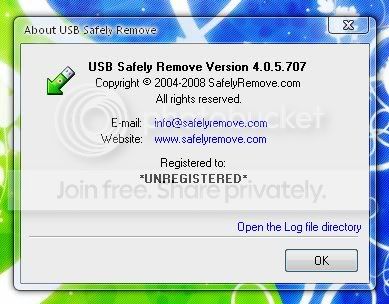
    USB Safely Remove 4.0.5.707

    df2dec38b3.png

    ee8ba939ea.png


    USB Safely Remove is a neat and handy replacement for the standard 'Safely Remove Hardware' tool. It will make life easier and save time for those who have several hotplug (USB, SATA, Firewire) devices and those who use them extensively.

    Code:
    http://rapidshare.com/files/150512236/USBSR4.0.5.707.rar
     

    dilrasan

    Well-known member
  • Oct 30, 2007
    42,712
    1
    4,787
    113
    40
    හත් ඉලව්වෙ!
    Clerk_Kent said:
    USB Safely Remove 4.0.5.707

    df2dec38b3.png

    ee8ba939ea.png


    USB Safely Remove is a neat and handy replacement for the standard 'Safely Remove Hardware' tool. It will make life easier and save time for those who have several hotplug (USB, SATA, Firewire) devices and those who use them extensively.

    Code:
    http://rapidshare.com/files/150512236/USBSR4.0.5.707.rar


    Ummm Down karaa...register karagannai oni...eakane Dunne:confused:
     

    SIRUS3001

    Well-known member
  • Jan 23, 2008
    13,222
    95
    48
    ni_shi2005 said:
    Give Me these softwares plz with keys!
    > 3D World Studio
    > 3D canvas pro 7.1

    3D canvas pro 6.6
    7900fqz2.gif


    3D Canvas is a real-time 3D modeling and animation tool that incorporates an intuitive drag-and-drop approach to 3D modeling.
    Complex models can be constructed from simple 3D primitives, or created using 3D Canvas' Object Building Tools. Modeling tools are provided to deform, sculpt, and paint 3D objects. Creating an animated scene is as simple as positioning the objects within your scene for each point in time in your animation. 3D Canvas will ensure that the resulting animation runs smoothly. Your animation can be stepped through a frame at a time, viewed in real-time, or recorded to a Video (AVI) file so that you can distribute your creation. Tool roll-up groups allow you to customize the 3D Canvas interface so that only those items you use most frequently are visible. And if you need access to a less frequently used feature, the tool roll-up is always one click away. The standard version of 3D Canvas is a fully functional product provided as freeware. Upgrades are available for those who require additional features either for game development or for rendering photo-realistic.


    Code:
    http://rapidshare.com/files/142251960/D7By2ZGb.rar.html


    PASSWORD: 8xGxzfjR

    CK Methana Nahane:lol:
     

    Clerk_Kent

    Well-known member
  • Jan 17, 2008
    25,206
    65
    48
    harshafx said:
    Loku aiye ....AVS Video Converter eka hoyala dennako? :D
    thanx wevaa :)

    AVS Video Converter

    Features

    Convert video between almost any formats:

    AVI (DivX, XviD, etc.), DV AVI, MP4 (inc. Sony PSP and Apple iPod), WMV, 3GP, 3G2, QuickTime (MOV, QT), SWF, DVD, VOB, VRO,MPG, MPEG 1,2,4, DAT, VCD, SVCD, ASF, ASX, MJPEG, H.263, H.264, Real Video (RM, RMVB), DVR-MS, MKV, OGM, FLV. AVS Video Converter is the best on the market today!
    See Demo

    Create personal movie DVDs

    or VCD and SVCD from video files of all supported formats with AVS Video Tools integrated burning engine to watch them on your home DVD player with friends and family. Use DVD menu templates. Split your created movie into chapters.
    See Demo

    Convert video files and DVD

    to DVD, hard drive, Sony PSP, Apple iPod, Archos, Zen Creative or any other portable media player. Video converter supports Memory Stick Video format with thumbnail preview.
    See Demo

    Convert video content for DVD/MPEG-4 players

    (with DivX/XviD support) and handheld devices like Sony PSP, Apple iPod, Portable Media Player (PMP), and GSM or CDMA mobile phones. Transfer video files via Infrared, Bluetooth or USB cable
    See Demo

    Transfer video from DV cams

    to hard drive, convert video and make personal video DVDs. Transfer VHS video recorders to hard drive and DVD. Capture video from TV tuners and WEB cameras. Convert video directly to MPEG 4 and create personal video DVDs.
    See Demo

    Make Flash SWF, Real Video or WMV movies

    for your web site. Video converter from AVS Video Tools will help you to convert video to small movie files ready to be streamed across the Internet.
    See Demo

    Convert video to audio tracks and images

    using AVS Video Converter. Save audio streams as audio files, extract single frames and save them as image files.
    See Demo

    Enhance your own movies

    The only video converter which offers timeline video editing. Convert video & Delete unwanted parts. Split and join video files. Rotate, add titles and credits, apply more than 50 audio and video effects to your movies.
    See Demo

    AVS Video Converter feature highlights.MULTILINGUAL SUPPORT EASY TO USE

    Video Conversion

    AVS Video Converter successfully performs its main tasks. It handles video files conversions, merges several movies into a single file, splits big ones and processes multiple files at a time. You can even select multiple source files in different formats and resolutions to be linked together to create one or more output movies.

    In the main window you can select input files, set output files names, destination and formats and set most of the parameters you need to convert a video file.

    Click the << Advanced button in the main window and you will be able to set the processing mode and get information about input and output files parameters.

    AVS Video Converter organizes the most frequently used parameters as profiles. Click the Edit Profile... button to adjust video format settings or create your own profiles.

    Here you can adjust audio and video settings like: audio and video formats, frame size, frame rate, resolution, audio sample rate and number of channels.

    During conversion the parameters window turns to preview one.

    If you wish you can hide it just clicking the << Advanced button again.

    Editing and applying effects

    Now the video editing feature, which distinguishes AVS Video Converter against a background of video converters software. Using timeline you can delete parts of video files, rotate them, add motion text, logos and apply more than 40 customizable effects and filters like automatic levels, brightness, contrast, de-interlace during conversion

    Click the Edit button in the main window or press F4 key on your keyboard to run the edit files window.

    In this window you can preview results of applied effects and also extract audio stream as audio file and save single frames them as images.

    Capturing

    With AVS Capture Wizard , a utility, included in AVS Video Converter installatin, you can capture video from DV and analog cameras and VCRs, TV tuners or WEB cameras connected to your computer. In the main window you can select audio and video devices to capture from and set output file name and destination. When you are ready just click the Capture Now! button.

    Creating video discs to watch them on home DVD player

    The burning feature makes it possible to create VCD, SVCD and DVD using CD-RW or DVD burner in your PC.

    Click the To DVD button on the main window of AVS Video Converter, next select input file, set destination folder for temporary files (Output File Name) and select a desired preset. When you are ready click the Convert Now! button.

    In order to create a menu for your DVD-to-be, there's a special function available in Edit mode, which lets you select a menu style and to appoint chapter navigation.

    During conversion the entire structure of your future disc will be created in the temporary folder. And when it is ready AVS Video Burner service will be run. It is a compact, easy-to-use application that creates DVD, SVCD or VCD. Burn your discs in just a couple of mouse-clicks.

    New Skinable Interface

    Now you can not only take advantage of the excellent AVS Video Converter features, but also customize its exterior according to your taste.

    Code:

    foto1616x580y430.jpg
     

    harshafx

    Member
    Nov 8, 2007
    8,690
    7
    0
    Clerk_Kent said:
    AVS Video Converter

    Features

    Convert video between almost any formats:

    AVI (DivX, XviD, etc.), DV AVI, MP4 (inc. Sony PSP and Apple iPod), WMV, 3GP, 3G2, QuickTime (MOV, QT), SWF, DVD, VOB, VRO,MPG, MPEG 1,2,4, DAT, VCD, SVCD, ASF, ASX, MJPEG, H.263, H.264, Real Video (RM, RMVB), DVR-MS, MKV, OGM, FLV. AVS Video Converter is the best on the market today!
    See Demo

    Create personal movie DVDs

    or VCD and SVCD from video files of all supported formats with AVS Video Tools integrated burning engine to watch them on your home DVD player with friends and family. Use DVD menu templates. Split your created movie into chapters.
    See Demo

    Convert video files and DVD

    to DVD, hard drive, Sony PSP, Apple iPod, Archos, Zen Creative or any other portable media player. Video converter supports Memory Stick Video format with thumbnail preview.
    See Demo

    Convert video content for DVD/MPEG-4 players

    (with DivX/XviD support) and handheld devices like Sony PSP, Apple iPod, Portable Media Player (PMP), and GSM or CDMA mobile phones. Transfer video files via Infrared, Bluetooth or USB cable
    See Demo

    Transfer video from DV cams

    to hard drive, convert video and make personal video DVDs. Transfer VHS video recorders to hard drive and DVD. Capture video from TV tuners and WEB cameras. Convert video directly to MPEG 4 and create personal video DVDs.
    See Demo

    Make Flash SWF, Real Video or WMV movies

    for your web site. Video converter from AVS Video Tools will help you to convert video to small movie files ready to be streamed across the Internet.
    See Demo

    Convert video to audio tracks and images

    using AVS Video Converter. Save audio streams as audio files, extract single frames and save them as image files.
    See Demo

    Enhance your own movies

    The only video converter which offers timeline video editing. Convert video & Delete unwanted parts. Split and join video files. Rotate, add titles and credits, apply more than 50 audio and video effects to your movies.
    See Demo

    AVS Video Converter feature highlights.MULTILINGUAL SUPPORT EASY TO USE

    Video Conversion

    AVS Video Converter successfully performs its main tasks. It handles video files conversions, merges several movies into a single file, splits big ones and processes multiple files at a time. You can even select multiple source files in different formats and resolutions to be linked together to create one or more output movies.

    In the main window you can select input files, set output files names, destination and formats and set most of the parameters you need to convert a video file.

    Click the << Advanced button in the main window and you will be able to set the processing mode and get information about input and output files parameters.

    AVS Video Converter organizes the most frequently used parameters as profiles. Click the Edit Profile... button to adjust video format settings or create your own profiles.

    Here you can adjust audio and video settings like: audio and video formats, frame size, frame rate, resolution, audio sample rate and number of channels.

    During conversion the parameters window turns to preview one.

    If you wish you can hide it just clicking the << Advanced button again.

    Editing and applying effects

    Now the video editing feature, which distinguishes AVS Video Converter against a background of video converters software. Using timeline you can delete parts of video files, rotate them, add motion text, logos and apply more than 40 customizable effects and filters like automatic levels, brightness, contrast, de-interlace during conversion

    Click the Edit button in the main window or press F4 key on your keyboard to run the edit files window.

    In this window you can preview results of applied effects and also extract audio stream as audio file and save single frames them as images.

    Capturing

    With AVS Capture Wizard , a utility, included in AVS Video Converter installatin, you can capture video from DV and analog cameras and VCRs, TV tuners or WEB cameras connected to your computer. In the main window you can select audio and video devices to capture from and set output file name and destination. When you are ready just click the Capture Now! button.

    Creating video discs to watch them on home DVD player

    The burning feature makes it possible to create VCD, SVCD and DVD using CD-RW or DVD burner in your PC.

    Click the To DVD button on the main window of AVS Video Converter, next select input file, set destination folder for temporary files (Output File Name) and select a desired preset. When you are ready click the Convert Now! button.

    In order to create a menu for your DVD-to-be, there's a special function available in Edit mode, which lets you select a menu style and to appoint chapter navigation.

    During conversion the entire structure of your future disc will be created in the temporary folder. And when it is ready AVS Video Burner service will be run. It is a compact, easy-to-use application that creates DVD, SVCD or VCD. Burn your discs in just a couple of mouse-clicks.

    New Skinable Interface

    Now you can not only take advantage of the excellent AVS Video Converter features, but also customize its exterior according to your taste.

    Code:

    foto1616x580y430.jpg
    thanx a lot CK aiya :D:D
     

    *danushka*

    Well-known member
  • Oct 15, 2007
    13,922
    1,098
    113
    Hali-ela
    dilrasan said:
    Hey CK Ayya....Give me IDM 5.15 Build 2:rofl:
    machan CK na wage nada.onna mama dunna,habai.mama meka try kale nam na hode.umba try karala balapan.


    intern10.jpg

    Internet Download Manager has a smart download logic accelerator that features intelligent dynamic file segmentation and safe multipart downloading technology to accelerate your downloads. Unlike other download accelerators and managers that segment files before downloading starts, Internet Download Manager segments downloaded files dynamically during download process.

    Internet Download Manager reuses available connections without additional connect and login stages to achieve better acceleration performance. Internet Download Manager supports proxy servers, ftp and http protocols, firewalls, redirects, cookies, authorization, MP3 audio and MPEG video content processing. IDM integrates seamlessly into Microsoft Internet Explorer, Netscape, MSN Explorer, AOL, Opera, Mozilla, Mozilla Firefox, Mozilla Firebird, Avant Browser, MyIE2, and all other popular browsers to automatically handle your downloads. You can also drag and drop files, or use Internet Download Manager from command line. Internet Download Manager can dial your modem at the set time, download the files you want, then hang up or even shut down your computer when it’s done.
    Other features include multilingual support, zip preview, download categories, scheduler pro, sounds on different events, HTTPS support, queue processor, html help and tutorial, enhanced virus protection on download completion, progressive downloading with quotas (useful for connections that use some kind of fair access policy or FAP like Direcway, Direct PC, Hughes, etc.), built-in download accelerator, and many others.
    Main Features:
    • All popular browsers and applications are supported! Internet Download Manager has been tested with the following browsers: Internet Explorer, MSN Explorer, AOL, Netscape Communicator, Netscape 6, Netscape 7, Mozilla, Mozilla Firefox, Mozilla Firebird, Opera, NetCaptor, UltraBrowser, Slim Browser, Avant Browser, MyIE2, Optimal Desktop, Ace Explorer, Advanced Browser, 27 Tools-in-1 Wichio Browser, WindowSurfer, 550 Access Browser, FineBrowser Freeware, Kopassa Browser, Fast Browser Pro, Enigma Browser, GoSuRF, K-Meleon, Smart Explorer, The Off By One Web Browser, Smartalec Voyager, CrystalPort AppCapture, The Family Browser, XANA Web Browser, Bluto, AutoSurf, 32bit Web Browser, BrowseMan, WrestlingBrowser, Eminem Browser, UltraBrowser, Cygsoft LDAP Browser, and Net M@nager. Internet Download Manager supports all versions of popular browsers, and can be integrated into any 3rd party Internet applications.
    • Easy downloading with one click. When you click on a download link in a browser, IDM will take over the download and accelerate it. IDM supports HTTP, FTP, HTTPS and MMS protocols.
    • Download Speed Acceleration. Internet Download Manager can accelerate downloads by up to 5 times due to its intelligent dynamic file segmentation technology. Unlike other download managers and accelerators Internet Download Manager segments downloaded files dynamically during download process and reuses available connections without additional connect and login stages to achieve best acceleration performance.
    • Download Resume. Internet Download Manager will resume unfinished download from the place where they left off.
    • YouTube grabber. Internet Download Manager can grab FLV videos from popular sites like YouTube, MySpaceTV, and Google Video.
    • Simple installation wizard. Quick and easy installation program will make necessary settings for you, and check your connection at the end to ensure trouble free installation of Internet Download Manager
    • Drag and Drop. You may simply drag and drop links to IDM, and drag and drop downloaded files out of Internet Download Manager.
    • Automatic Antivirus checking. Antivirus checking makes your downloads free from viruses and trojans.
    • Advanced Browser Integration. When enabled, the feature can be used to catch any download from any application. None of download managers have this feature.
    • Built-in Scheduler. Internet Download Manager can connect to the Internet at a set time, download the files you want, disconnect, or shut down your computer when it’s done.
    • IDM includes web site spider and grabber. IDM downloads all required files that are specified with filters from web sites, for example all pictures from a web site, or subsets of web sites, or complete web sites for offline browsing. It’s possible to schedule multiple grabber projects to run them once at a specified time, stop them at a specified time, or run periodically to synchronize changes.
    • IDM supports many types of proxy servers. For example, IDM works with Microsoft ISA, and FTP proxy servers.
    • IDM supports main authentication protocols: Basic, Negotiate, NTLM, and Keberos. Thus IDM can access many Internet and proxy servers using login name and password.
    • Download All feature. IDM can add all downloads linked to the current page. It’s easy to download multiple files with this feature.
    • Customizable Interface. You may choose the order, and what buttons and columns appear on the main IDM window.
    • Download Categories. Internet Download Manager can be used to organize downloads automatically using defined download categories.
    • Quick Update Feature. Quick update may check for new versions of IDM and update IDM once per week.
    • Download limits. Progressive downloading with quotas feature. The feature is useful for connections that use some kind of fair access policy (or FAP) like Direcway, Direct PC, Hughes, etc.
    • IDM is multilingual. IDM is translated to Albanian, Arabic, Azerbaijan, Bosnian, Bulgarian, Chinese, Croatian, Czech, Danish, Dutch, Farsi, French, German, Greek, Hebrew, Hungarian, Italian, Japanese, Korean, Lithuanian, Macedonian, Norwegian, Polish, Portuguese, Romanian, Russian, Serbian, Slovak, Slovenian, Spanish, Thai, Turkish, and Uzbek languages.
    Download
    or
    http://rapidshare.com/files/167098040/IDMv5.15.Build.2.BRD.TBE_zyberakuma.rar
     
    Last edited:

    Clerk_Kent

    Well-known member
  • Jan 17, 2008
    25,206
    65
    48
    dilrasan said:
    Hey CK Ayya....Give me IDM 5.15 Build 2:rofl:


    Internet Download Manager 5.15.2 & 5.15.1 (IDM) Full Version
    [CRACKED]


    MORE THAN 2780 DOWNLOADS!
    HERE'S THE PROOF!!!

    t5hn38.png


    THANKS for the good response!!
    icon_biggrin.gif


    23s8yex.jpg


    Internet Download Manager has a smart download logic accelerator that features intelligent dynamic file segmentation and safe multipart downloading technology to accelerate your downloads. Unlike other download accelerators and managers that segment files before downloading starts, Internet Download Manager segments downloaded files dynamically during download process. Internet Download Manager reuses available connections without additional connect and login stages to achieve better acceleration performance. Internet Download Manager supports proxy servers, ftp and http protocols, firewalls, redirects, cookies, authorization, MP3 audio and MPEG video content processing. IDM integrates seamlessly into Microsoft Internet Explorer, Netscape, MSN Explorer, AOL, Opera, Mozilla, Mozilla Firefox, Mozilla Firebird, Avant Browser, MyIE2, and all other popular browsers to automatically handle your downloads. You can also drag and drop files, or use Internet Download Manager from command line. Internet Download Manager can dial your modem at the set time, download the files you want, then hang up or even shut down your computer when it's done. Other features include multilingual support, zip preview, download categories, scheduler pro, sounds on different events, HTTPS support, queue processor, html help and tutorial, enhanced virus protection on download completion, progressive downloading with quotas (useful for connections that use some kind of fair access policy or FAP like Direcway, Direct PC, Hughes, etc.), built-in download accelerator, and many others.

    Main Features:
    • All popular browsers and applications are supported! Internet Download Manager has been tested with the following browsers: Internet Explorer, MSN Explorer, AOL, Netscape Communicator, Netscape 6, Netscape 7, Mozilla, Mozilla Firefox, Mozilla Firebird, Opera, NetCaptor, UltraBrowser, Slim Browser, Avant Browser, MyIE2, Optimal Desktop, Ace Explorer, Advanced Browser, 27 Tools-in-1 Wichio Browser, WindowSurfer, 550 Access Browser, FineBrowser Freeware, Kopassa Browser, Fast Browser Pro, Enigma Browser, GoSuRF, K-Meleon, Smart Explorer, The Off By One Web Browser, Smartalec Voyager, CrystalPort AppCapture, The Family Browser, XANA Web Browser, Bluto, AutoSurf, 32bit Web Browser, BrowseMan, WrestlingBrowser, Eminem Browser, UltraBrowser, Cygsoft LDAP Browser, and Net M@nager. Internet Download Manager supports all versions of popular browsers, and can be integrated into any 3rd party Internet applications.
    • Easy downloading with one click. When you click on a download link in a browser, IDM will take over the download and accelerate it. IDM supports HTTP, FTP, HTTPS and MMS protocols.
    • Download Speed Acceleration. Internet Download Manager can accelerate downloads by up to 5 times due to its intelligent dynamic file segmentation technology. Unlike other download managers and accelerators Internet Download Manager segments downloaded files dynamically during download process and reuses available connections without additional connect and login stages to achieve best acceleration performance.
    • Download Resume. Internet Download Manager will resume unfinished download from the place where they left off.
    • YouTube grabber. Internet Download Manager can grab FLV videos from popular sites like YouTube, MySpaceTV, and Google Video.
    • Simple installation wizard. Quick and easy installation program will make necessary settings for you, and check your connection at the end to ensure trouble free installation of Internet Download Manager
    • Drag and Drop. You may simply drag and drop links to IDM, and drag and drop downloaded files out of Internet Download Manager.
    • Automatic Antivirus checking. Antivirus checking makes your downloads free from viruses and trojans.
    • Advanced Browser Integration. When enabled, the feature can be used to catch any download from any application. None of download managers have this feature.
    • Built-in Scheduler. Internet Download Manager can connect to the Internet at a set time, download the files you want, disconnect, or shut down your computer when it's done.
    • IDM includes web site spider and grabber. IDM downloads all required files that are specified with filters from web sites, for example all pictures from a web site, or subsets of web sites, or complete web sites for offline browsing. It's possible to schedule multiple grabber projects to run them once at a specified time, stop them at a specified time, or run periodically to synchronize changes.
    • IDM supports many types of proxy servers. For example, IDM works with Microsoft ISA, and FTP proxy servers.
    • [/color]IDM supports main authentication protocols: Basic, Negotiate, NTLM, and Keberos. Thus IDM can access many Internet and proxy servers using login name and password.
    • Download All feature. IDM can add all downloads linked to the current page. It's easy to download multiple files with this feature.
    • Customizable Interface. You may choose the order, and what buttons and columns appear on the main IDM window.
    • Download Categories. Internet Download Manager can be used to organize downloads automatically using defined download categories.
    • Quick Update Feature. Quick update may check for new versions of IDM and update IDM once per week.
    • Download limits. Progressive downloading with quotas feature. The feature is useful for connections that use some kind of fair access policy (or FAP) like Direcway, Direct PC, Hughes, etc.
    • IDM is multilingual. IDM is translated to Albanian, Arabic, Azerbaijan, Bosnian, Bulgarian, Chinese, Croatian, Czech, Danish, Dutch, Farsi, French, German, Greek, Hebrew, Hungarian, Italian, Japanese, Korean, Lithuanian, Macedonian, Norwegian, Polish, Portuguese, Romanian, Russian, Serbian, Slovak, Slovenian, Spanish, Thai, Turkish, and Uzbek languages.

    What is new in version 5.15?
    - Added IDM Download Panel for Firefox and other Mozilla based browsers that appears on top of a web-player when IDM detects a multimedia request from the web-player. IDM download panel is used to download and save audio and video files that are played by the web player. It can be used to download flash videos from sites like YouTube, MySpaceTV, Google Videos, etc.
    - Made a workaround for a problem with downloading attachments from different yahoo servers
    - Enhanced processing of downloads for different types of servers
    - Also this version includes all latest bug fixes

    *Uninstall any previous IDM version fully and then install new version alwayz!!

    Download:

    Internet Download Manager 5.15 build 2 :
    setup contains keys and patch.. 100% working and virus free..
    Code:


    Internet Download Manager 5.15 buld 1 :
    Direct install.. no patch,crack.. nothing...
    Code: http://rapidshare.com/files/160796824/IDM5.15_ABBY.rar


    **Credit goes to original cracker..
    icon_biggrin.gif