help akak ona

Mickey_lk

Member
Jan 19, 2011
452
23
0
ෙගදර
machanla, mata help 1k ona.
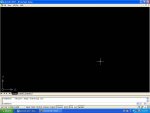
mama me dala tiyena screen shot aka Autocad 2007.
mekata tool bar anne ne. aka ganna vidiyak keyanna please.
loku udauwak.

New Adobe Photoshop Image copy.jpg
 

dilrasan

Well-known member
  • Oct 30, 2007
    42,700
    1
    4,780
    113
    40
    හත් ඉලව්වෙ!
    AutoCAD open karala...command eke gahanna TOOLBAR kiyaa...Enter kalaa Dialog box ekak open wei

    eke workspaces yatathe ethi 3D modeling,AutoCAd Classic kiyala...

    AutoCAd classic ekata yanna...giyama right hand side eke thiyena section eke ei customize work space kiyala...eka click karanna...

    click kalama left hand side eke ei control panel eka...eken tol bar eka tick karanna...
    dropdown list eken oni nethi tool bars ain karanna...:D
     

    Mickey_lk

    Member
    Jan 19, 2011
    452
    23
    0
    ෙගදර

    Thanks machan bump akata.

    AutoCAD open karala...command eke gahanna TOOLBAR kiyaa...Enter kalaa Dialog box ekak open wei

    eke workspaces yatathe ethi 3D modeling,AutoCAd Classic kiyala...

    AutoCAd classic ekata yanna...giyama right hand side eke thiyena section eke ei customize work space kiyala...eka click karanna...

    click kalama left hand side eke ei control panel eka...eken tol bar eka tick karanna...
    dropdown list eken oni nethi tool bars ain karanna...:D

    Thanks machan,
    ath screen akata toolbar awe nee. Screen aka a wagemay
    :confused::confused::confused:
     

    SAMEECEB

    Junior member
  • Dec 16, 2006
    117
    10
    18
    ||>Google<||
    1. Enter -toolbar at the Command prompt. Be sure to include the hyphen.
    2. Enter the name of the missing toolbar. (The toolbar names are displayed in the pop-up menu that is displayed when you right-click any toolbar on the screen.)

    Note: If a toolbar name is more than one word, use the underline character in place of a space between the words. For example, for the Standard Toolbar, enter standard_toolbar.

    3. Enter F for float when prompted how to view the toolbar.
    4. Press ENTER to select the default value for coordinates (0,0).
    5. Press ENTER to select the default value for rows (1).

    The toolbar should now be displayed in the upper left corner of the screen.

    Note: The coordinates you enter for the toolbar are screen coordinates, not drawing coordinates.


    [ Source ] - Link Trusted By WOT
     

    Mickey_lk

    Member
    Jan 19, 2011
    452
    23
    0
    ෙගදර

    view>tool bars
    yatama athi :)

    1. Enter -toolbar at the Command prompt. Be sure to include the hyphen.
    2. Enter the name of the missing toolbar. (The toolbar names are displayed in the pop-up menu that is displayed when you right-click any toolbar on the screen.)

    Note: If a toolbar name is more than one word, use the underline character in place of a space between the words. For example, for the Standard Toolbar, enter standard_toolbar.

    3. Enter F for float when prompted how to view the toolbar.
    4. Press ENTER to select the default value for coordinates (0,0).
    5. Press ENTER to select the default value for rows (1).

    The toolbar should now be displayed in the upper left corner of the screen.

    Note: The coordinates you enter for the toolbar are screen coordinates, not drawing coordinates.


    [ Source ] - Link Trusted By WOT

    හැෙමා්ටම ස්තුතියි