Help plz..(Virus Ataack...)

kpg

Well-known member
  • Jun 3, 2008
    3,445
    1,805
    113
    In My Home
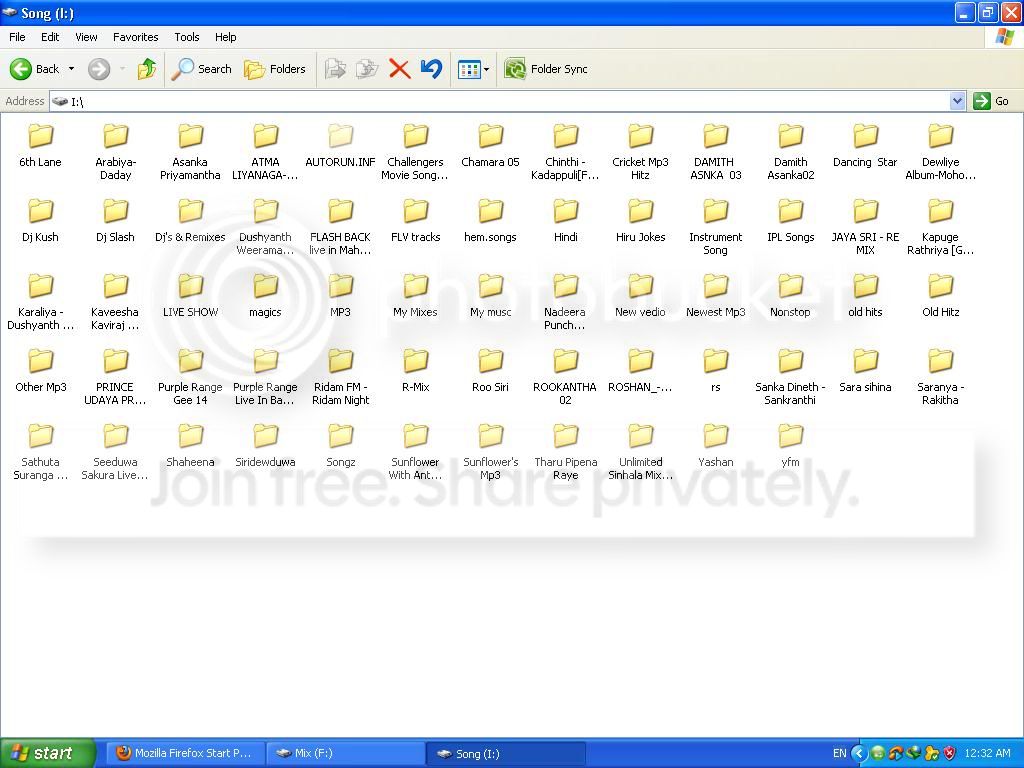
    mage com eke hama partition ekema hidden wela Autorun folder ekak tiyanawa.
    1-4.jpg


    Menna me wage...

    Virus gard eken , USB Security garad ekakinwat hari giye na....

    Safe mode yannat ba...

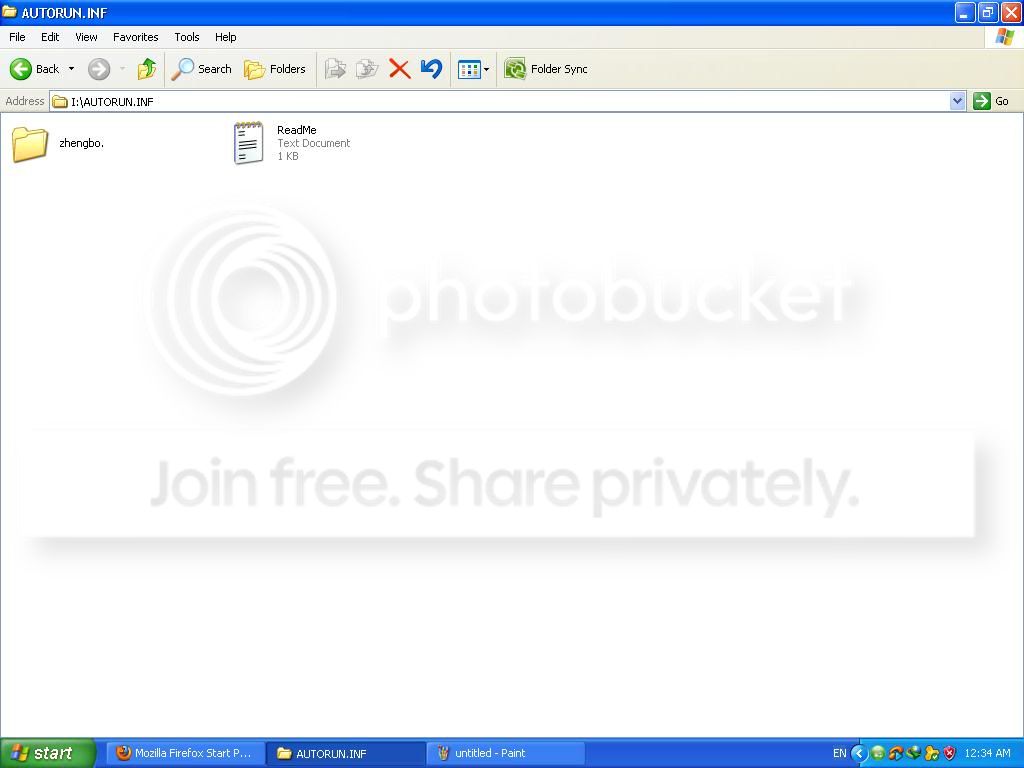
    E folder eke athule tiyenne
    2-2.jpg


    meka ain karaganna help karapallakoooooo
     

    nlasasatha

    Well-known member
  • Sep 2, 2009
    3,799
    1,581
    113
    Tsukuba
    denui dekke hafoi , umba boruwata baya wela tiyenne, oka ain karanna epa. oka USB disk security eken hadana file ekak. oka tiyenna erapan
     

    nlasasatha

    Well-known member
  • Sep 2, 2009
    3,799
    1,581
    113
    Tsukuba
    Click on "Start," and select "Programs." Open the "USB Disk Security" folder and click on "USB Disk Security" to launch the application. A red-and-white checkered shield will appear in the Windows notification area. If you deleted USB Disk Security, you must re-download it from zbshareware.com/download.html.

    Right-click the USB Disk Security shield icon in the notification area, and click "Enable AUTORUN of USB" to remove the check mark next to it. This automatically deletes the "AutoRun.inf" folder and the containing "Zhengbo" folder.

    Right-click the USB Disk Security shield icon in the notification area and click on "Exit." You can optionally uninstall the program if you installed it only to remove the AutoRun.inf folder.
     

    nlasasatha

    Well-known member
  • Sep 2, 2009
    3,799
    1,581
    113
    Tsukuba
    Meka hadanne security reason nisa machn, umba oka ain karanne ey?.
    oka tiyena nisa thamai local drives wala autorun script eka liayawena eka nawatinne.
     

    kandya

    Well-known member
  • Jun 15, 2010
    23,303
    1,696
    113
    මහනුවර
    Meka hadanne security reason nisa machn, umba oka ain karanne ey?.
    oka tiyena nisa thamai local drives wala autorun script eka liayawena eka nawatinne.


    Click on "Start," and select "Programs." Open the "USB Disk Security" folder and click on "USB Disk Security" to launch the application. A red-and-white checkered shield will appear in the Windows notification area. If you deleted USB Disk Security, you must re-download it from zbshareware.com/download.html.

    Right-click the USB Disk Security shield icon in the notification area, and click "Enable AUTORUN of USB" to remove the check mark next to it. This automatically deletes the "AutoRun.inf" folder and the containing "Zhengbo" folder.

    Right-click the USB Disk Security shield icon in the notification area and click on "Exit." You can optionally uninstall the program if you installed it only to remove the AutoRun.inf folder.

    14.gif
    අප්පටසිරි සිරාද...?මම ෆෝමැට් කරේ අපරාදේ එක පාරක් එහෙනම්...
     

    kpg

    Well-known member
  • Jun 3, 2008
    3,445
    1,805
    113
    In My Home
    Aththarama meka awlak nadda? Eth pen ekak gahaddit USB eken oya autorun file eka allanawa. remove wenne naaa
     

    nlasasatha

    Well-known member
  • Sep 2, 2009
    3,799
    1,581
    113
    Tsukuba
    virus

    14.gif
    අප්පටසිරි සිරාද...?මම ෆෝමැට් කරේ අපරාදේ එක පාරක් එහෙනම්...

    mama danna tharamata nam ehema thamai bn.

    kpg umbata oka sure nethnam combofix use karala balapan
     

    Ayeshlive

    Well-known member
  • Jul 1, 2011
    10,570
    943
    113
    *̶͑̾̾​̅ͫ͏̙̤g͛͆̾ͫ̑͆&
    Machan hiru-FM jokes tika upload karala share karapanko.
    // autorun.inf folder ekak hadana software ekakuth thiyenawa ban. e software eken safe autorun.inf file ekak hadala eka protect karanawa. ethakota wena virus walata autorun hadanna ba.

    Machan umba TuneUp utilities DL karala, eke System Control app eken USB/HDD/RAM and unknown devices wala autorun disable karapan. eeta passe ubuntu wage OS ekekin com eka boor karala files delete karapan.

    Okkotama kalin autorun hadana software ekak thiyenawada balapan. autorun.inf folder eka athule README.txt ekath read karala balanna.