MOBILE PHONE REPAIRING GUIDE

laal

Member
Apr 18, 2008
185
9
0
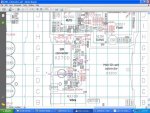
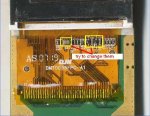
check shorting in 6070,6080,5070,6020....

1..1..remove the coil mark in (1)...if u want to check is pf is short remove it and check shoting...if it is shot then replace it...

2..remove this coil mark in (2)..if u want to check the light ic is short....

3..remove the resistance mark in (3) ..if u want to check irda module ... because irda module got +b from batery....

4..remove this v.camdig ic n1470 mark in (4)..if u want to check the v.camdig maker ic ..this v.camdig maker ic got +b from batery....to make v,cam for camera.....


5..at end check the power ic and reemove it to check shoting is there or not...

all the component which are mark in pink colur these all are coils these are place in series and +b of batery is gone throw them so if u remove the coil u not have to remove ic to check the shorting in pcb it save time and ur ic ....
 

Attachments

  • 6070short.jpg
    6070short.jpg
    98.8 KB · Views: 59

laal

Member
Apr 18, 2008
185
9
0
check shorting in nokia 1650,1200,1208......

1..remove this coil mark in (1)..if u want to check the light ic is short....


2..remove ringer ic mark in (2)..if u want to check shoting remove it and check if shoting is gone replace it because ringer ic also got +b volt from battery....

3..remove the network ic n7100 mark in (1)...if u want to check this ic is short remove it and check shoting...if it is shot then replace it...

4..at end check the power ic d2901 mark in (4) and reemove it to check shoting is there or not...

all the component which are mark in pink colur these all are coils these are place in series and +b of batery is gone throw them so if u remove the coil u not have to remove ic to check the shorting in pcb it save time and ur ic .
 

Attachments

  • 1650short.jpg
    1650short.jpg
    95.1 KB · Views: 59

laal

Member
Apr 18, 2008
185
9
0
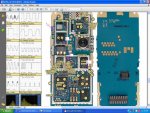
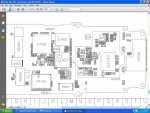
check shorting in nokia n-91.....

1..remove this z7500 mark in (1) if u want to check the shoting of pf of gsm and wcdma ....if remove the coil and ur shoting is gone then tere is shoting in ur pf of gsm or wcdma ........

2..remove this coil mark in l7503 (2)...if u want to check the shoting of rf ic for gsm hinku and rf ic for wcdma vinku.... by removing this coil if ur shoting is gone then there is shoting in ur rf ic whether it is hinku or vinku.....under shield..cover....

3..remove this coil mark in (3)..if u want to check the shorting cause by (vdac) maker ic n2101 which make vdac for audio-dac ic n2100.........remove this coil to chec shoting .....because this ic got +b from batery....

4..remove this coil mark in (4)..if u want to check smps ic n4200.. ..this ic make v corea for omap ic and rap remove cil to check shoting is gone or not.....

5..remove this ic n5000 ape regulator mark in (5)..if u want to check the shoting is cause by this remove it to check shoting is gone or not....

6..remove light ic mark in (6) ... to check the shoting cause by light ic or not....

7..remove coil mark in (7) ...it is vcam maker ic which make (vdd logic) ......remove this coil to check shoting because this ic got +b from batery......

8..remove coil. mark in (8)... it is cam maker ic which make (vdd analog) for camera ....remove these coil to check shoting .....because it got +b from batery.....

9..remove bluetooth module mark in (9)... to check shoting ...because it got +b from batery.....

10..remove this coil mark in (10)...to check the ic n5205 which make voltage (vhdd)... for the 4gb & 8gb hard disk......this ic got +b from batery.......

11..remove wlan pa mark in (11) ...to check shoting because this ic got +b from batery.....

12..remove wlan ic n6300 mark in (12) ....to check the shoting because this ic got +b from batery..........

all the component which are mark in pink colur these all are coils these are place in series and +b of batery is gone throw them so if u remove the coil u not have to remove ic to check the shorting in pcb it save time and ur ic ....
 

Attachments

  • n-91short.jpg
    n-91short.jpg
    103.1 KB · Views: 64

laal

Member
Apr 18, 2008
185
9
0
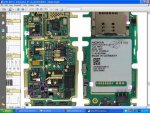
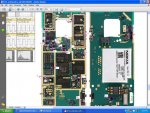
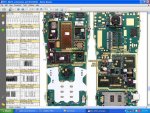
check shoting in nokia 6280....

1..remove this l7520 mark in (1) if u want to check the shoting of pf of gsm and wcdma ....if remove the coil and ur shoting is gone then tere is shoting in ur pf of gsm or wcdma ........

2..remove this coil mark in l7500 (2)...if u want to check the shoting of rf ic for .... by removing this coil if ur shoting is gone then there is shoting in ur rf ic .....

3...remove this resistance mark in (3) to check the bluetooth module ... to check shoting ...because it got +b from batery.....

4..remove this resistance mark in (4) to check the n6050 power supply maker ic ....it make suplly for fm radio...it got +b from batery remove resistance to check shoting cause by this ic....

5..remove this resistance mark in (5) to check the shoting cause by irda ....because irda got the +b from batery......

6...remove this coil mark in (6) to check memory card driver ic n3200 .....because this ic got +b from batery....

7..remove this coil mark in (7)..if u want to check the light ic is short....

8..remove this ic mark in (8) ...it is vcam maker ic which make vcam for camera ......remove this ic to check shoting because this ic got +b from batery......

9..remove this mark in (9) ...it is flash light driver ic ......remove it to check shoting cause by it or not.....

10.. at end remove retu and tahvo ic to check shoting is gone r not.......


all the component which are mark in pink colur these all are coils and resistance these are place in series and +b of batery is gone throw them so if u remove the coil u not have to remove ic to check the shorting in pcb it save time and ur ic ....
 

Attachments

  • 6280short.jpg
    6280short.jpg
    96.4 KB · Views: 61
  • 62801short.jpg
    62801short.jpg
    98.8 KB · Views: 51

laal

Member
Apr 18, 2008
185
9
0
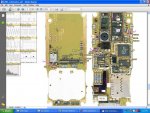
check shorting in nokia 3100....

1..remove both coil mark in (1)...to check the shoting cause pf.....

2..remove light ic n300 mark in (2)...to check the shoting cause by the light ic....

3..remove accessory regulator ic n100 mark in (3)....to check the shoting cause by it because this ic got +b from batery......

4..remove ringer ic n150 mark in (4)...to check the shoting cause by ringer ic......

5..at end remove uem to check shoting is gone or not........


all the component which are mark in pink colur these all are coils and resistance these are place in series and +b of batery is gone throw them so if u remove the coil u not have to remove ic to check the shorting in pcb it save time and ur ic ....
 

Attachments

  • 3100short.jpg
    3100short.jpg
    95.6 KB · Views: 62
  • 3100short1.jpg
    3100short1.jpg
    99.7 KB · Views: 60

laal

Member
Apr 18, 2008
185
9
0
check shoting in nokia 3230....

``````````To check shoting in nokia 3230 first remove display board in which display or camera is place or then check shoting is gone or not,........................


1....remove this COIL mark in (1) if u want to check the shoting of pf .......remove the coil and ur shoting is gone then there is shoting in ur pf .......

2...remove this coil mark in (2)..if u want to check the light ic is short....


3...remove boot ic mark in (3)..if u want to check shoting cause by boot ic if it is short replace it with new one......


4...remove this resistance mark in (4)....if u want to check shoting cause by infrared .....because infrared got +b through this resistance......


5...remove this smps ic mark in (5)... to check the shoting cause by this ic.........this ic make v corea volt for upp...


6...remove ringer ic mark in (6)... to check the shoting cause by ringer ic......

7...remove ic n233 mark in (7).... this ic make regulator volt for display and for camera....this ic got +b from batery......remove it to check shoting is gone or not.......


8...remove ic n234 mark in (8) ... this is vcam maker ic this ic make volt for camera.... .this ic got +b from batery......remove it to check shoting is gone or not.......


9...remove n130 ic mark in (9)... this is memory card driver ic this also got +b from batery....remove it to check shoting is gone or not.......


10...at end remove power ic to check shoting is gone or not.......


all the component which are mark in pink colur these all are coils and resistance these are place in series and +b of batery is gone throw them so if u remove the coil u not have to remove ic to check the shorting in pcb it save time and ur ic ...
 

Attachments

  • 3230short1.jpg
    3230short1.jpg
    100.7 KB · Views: 60
  • 3230short.jpg
    3230short.jpg
    101.3 KB · Views: 59

laal

Member
Apr 18, 2008
185
9
0
check shorting in nokia n-73.....

.
1....remove this COIL mark in (1) if u want to check the shoting of pf .......remove the coil and ur shoting is gone then there is shoting in ur pf .......


2..remove this coil mark in (2)..if u want to check rf ic is short because rf ic also got +b volt from battery....

3..remove this resistance mark in (3)..if u want to check blutooth ic is short because bluetooth ic also got +b volt from battery....


4..remove the resistance mark in (4) ..if u want to check irda module ... because irda module got +b from batery....


5..remove light ic mark in (5)..if u want to check the light ic is short....


6..remove ic n3500 mark in (6)....it is for memory card ....this ic make volt for memory card..........


7..remove ringer ic mark in (7)..if u want to check shoting remove it and check if shoting is gone replace it because ringer ic also got +b volt from battery....


8..remove this ic mark in (8)..if u want to check the shoring cause flash light driver ic n1471 ....because this ic got +b from batery....


9..remove this ic n6519 mark in (9).. this ic make volt for front camera (1.5v) remove this if u want to check the shoring cause by this ic....because this ic got +b from batery......


10..remove this ic n7542 mark in (10).. this ic make volt for front camera (2.8v) remove this if u want to check the shoring cause by this ic....because this ic got +b from batery......


11..remove smps ic n6515 mark in (11)..if u want to check smps ic n6515.. ..this ic make v corea for omap ic and rap remove and for ape memory remove this to check shoting is gone or not.....because this ic got +b from batery......


12..remove this ic n9006 mark in (12).. this ic make volt for main camera (1.5v) remove this if u want to check the shorting cause by this ic....because this ic got +b from batery......


13..remove this ic n6517 mark in (13).. this ic make volt for main camera (1.5v) remove this if u want to check the shorting cause by this ic....because this ic got +b from batery......


14..remove this ic n6518 mark in (14).. this ic make volt for main camera (1.8v) remove this if u want to check the shorting cause by this ic....because this ic got +b from batery......


15..remove this ic n6516 mark in (15).. this ic for controling ic for main camera remove this if u want to check the shorting cause by this ic....because this ic got +b from batery......


16..remove this ic n6513 mark in (16).. this ic make volt for main camera (2.8v) remove this if u want to check the shorting cause by this ic....because this ic got +b from batery......


17..remove this ic n6508 mark in (17).. this ic make vio supply... remove this if u want to check the shorting cause by this ic ...because this ic got +b from batery......


18..remove this ic v6519 mark in (18).. this ic is for leds .....remove this if u want to check the shorting cause by this ic ...because this ic got +b from batery......


19...remove this ic v6507 mark in (18).. this ic is for leds .....remove this if u want to check the shorting cause by this ic ...because this ic got +b from batery......


20...at end remove bety and avilma power ic to check shoting is gone or not......


all the component which are mark in pink colur these all are coils and resistance these are place in series and +b of batery is gone throw them so if u remove the coil and resistance u not have to remove ic to check the shorting in pcb it save time and ur ic .
 

Attachments

  • n-73short.jpg
    n-73short.jpg
    98.4 KB · Views: 67

laal

Member
Apr 18, 2008
185
9
0
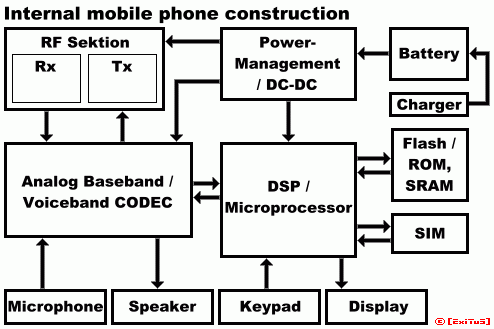
Mobile phone general construction

Basics of mobile phone:
See the basic components of a mobile phone.

mobileconstruct.gif


Components description:

RF section
Radio frequency transmit and receive component.
converts all RF signals for baseband and from baseband to RF section
Rx = Receive; Tx = Transmit


Ananlog Baseband/Voiceband CODEC
Coder/Decoder. Digitalize signals for the DSP and analogized signals for RF.


Power managemant / DC-DC
this component regulates and supplies all components in mobile pohne.
DC = Direct current


DSP/microprocessor
main processing unit of mobile phone, mostly used ARM based processors.
DSP = Digital Signal Processor


Flash / ROM, SRAM
permanent memory to store operating system and phones/users specific data

.................................................. ................................................


more few info for beginners..


3G
3G is an short-term for 3rd-generation. Analog cellular phones were entitled the first generation.
3G is improperly defined, but 3G enabled phones have a High speed datas and they also make streaming videos possible.
There are several different 3G technology standards. The most prevalent is UMTS, that is based on WCDMA. (WCDMA and UMTS are often used interchangeably.)

Alphanumeric Display
A display that is capable of displaying letters and numbers, but not graphics.

Bluetooth
Bluetooth is a wireless personal area network (PAN) specification which connects phones, computers, appliances, etc. among each other over short distances without the use of wires by using low power radio frequencies.


CDMA
CDMA stands for Code Division Multiple Access. CDMA is a type of digital wireless technology that allows large amounts of voice and data to be transmitted on the same frequency. It is a second-generation cellular technology or could be referred as 2G and is available in the United States, Pacific Asia, Canada, Latin America, etc. Most of the service providers of CDMA migrate to a high-speed data technology called '1xRTT'.
Connect Mobiles does not publish Reports or Articles on CDMA Phones

Dual-band
All those Phones which can switch between two different bands of frequencies are known as Dual band phones. In Europe Dual-band is usually denoted by 'GSM900/GSM1800' capable phone, while in USA it is denoted by 'GSM850/GSM1900' or in a combination of two other bands.

EDGE
EDGE stands for Enhanced Data rates for Global Evolution. This technology is mainly being promoted by GSM Commmunities. EDGE Technology helps in gaining faster Data Transfer.

EMS
EMS stands for Enhanced Message Service. EMS is an extension of SMS(Short Messaging Service) that enables the capability of sending of a mix of sounds, animations simple melodies, images and formatted text in form of a message to another EMS-compatible phone.

GPRS
GPRS Stands for General Packet Radio Service. It is a technology that enables high-speed wireless Internet and other data communications. GPRS is often referred to be a '2.5G' technology.


GSM
GSM Stands for Global System for Mobile communications. GSM is the international digital radio standard created by the European Telecommunications Standards Institute.


IMEI
IMEI stands for International Mobile Equipment Identity. ImEI is a unique serial number used to segregate each mobile. Every Nokia cell Phone has its IMEI Printed on the Main Unit.

Infared port (IrDA)
Infrared is a wireless technology that uses a beam of invisible light to transmit information. The utility of Infrared is somewhat similar to that of Bluetooth.

Java (J2ME)
J2ME Stands for Java 2 Micro Edition. It allows the device to run specially written applications.


Li-Ion battery
Lithium-Ion type of battery.

Li-Po battery
Lithium Polymer type of battery.

MMC Cards
MMC Cards Stands for Multi-media Cards. They are of larger size when compared to RS MMC(Reduced sized Multi-media cards)


MMS
MMS Stands for Multimedia Messaging Service. It is a further extension of SMS(Short Messaging Service) and EMS(Enhanced Messaging Service). MMS(Multi-Media Messaging Service) is designed to send multimedia extensions to messages, such as video and sound Faster.

Polyphonic Ringtones
Polyphonic ringtones have the capability to play multiple sounds simultaneously. It allows the sound output to be much more natural and realistic.

Predictive Text Input
Predictive Text Input is a technology which allows one to enter text by pressing only one key per letter. T9 is a Pedictive text input.

RS MMC
RS MMC stands for Reduced sized Multi-media cards. RS MMCs are smaller in size when compared to MMC(Multi-media Cards)


SIM Cards
SIM Cards stands for Subscriber Identity Module Cards. SIM Cards are smart card used in digital phones. They carry the user's identity for accessing the network and receiving calls. SIMs are also used to store Subscribers personal infromation.

SMS
SMS Stands for Short Message Service. Used for Sending simple text to another compatible phone.

Standy-by Mode
Stand-by Mode is the main screen where one can see, the option of entering the Menu, the selected Wallpaper, Network and Battery life.


T9
T9 is a Predictive Text Input.
 

laal

Member
Apr 18, 2008
185
9
0
updates

hey.!!!! guys tell me do you want any updates.......???? i want your comments i have many valuble tricks for latest mobile phone.........:shocked::shocked::shocked::shocked::shocked::shocked:
 
  • Like
Reactions: chint

laal

Member
Apr 18, 2008
185
9
0
How to repair keypad problem in china phone-

How to repair keypad problem in china phone-


First we need to know china phone keypad connected with PCB how way-

(A) Direct on PCB

(B) Flex System (flex cable direct soldering pcb to keypad panel)

(C) Flex and socket system include (flex one side soldering with key panel other side connect to pcb with socket)

(D) only Socket System (here have 2 socket, 1 with key panel others with pcb)


Keypad problem have various type-

1. All key not work.

2. some key work and some other not work.

3. sometimes work and sometimes not work.


1. All key not work
china phone all key not work for this type of problem-

(A) though its touch screen phone, first try to disconnect touch panel line from phone pcb or display flex (4 line)

(B) though not solve and keypad direct on pcb first you try to good clean full pcb with cleaner.

(C) though not solve now you try to format/flash your phone because some time key problem come from software problem.

(D) though still not solve now you check must be CPU. 95% china phone keypad directly going in cpu. and other 5% first going to resistor or capacitor near the cpu or keypad than going to cpu. so now first check them than you can try to re-hot, re-soldering or changing cpu.

(E) though its flex or socket system, first check GND connection continuslay pcb to key panel. next check full flex or socket all line going continuously pcb to key panel or not. also sometimes flex or socket shorted with other line or gnd so check also them.

(F) Also you can check all key anyone is short 2 line.

(G) sometimes keypad line broken from cpu pin on pcb to key panel, so check them.


2. Some key work and some other not work-
Some key work and some other is not work for this type of problem-

(A) maximum time this problem we face for flex or socket system keypad. so check flex cable and socket all line any line is broken or not and though need change them. and check all key connection on key panel.

(B) though its direact on pcb, some of key line broken internaly. and maximum china phone have alternative test point near every key or with other key on keypad. so check them with multimeter and though need connect to not work key with near testpoint or other working key.

(C) common problem is keypad metal ball (which is short 2 line on key when we press) sometimes its damage for phone water damage or over key voltage, so clean them or change.

(D) also try to check line continuously from cpu to not working key.


3. sometimes work and sometimes not work-
this problem come from this defect-

(A) flex or socket system keypad any line is bad soldering or do lose contact. check them and
re-soldering or keep there line join with extra ware.

(B) for cpu bad soldering or cpu pin is broken. so re-hot or re-ball cpu.
 

laal

Member
Apr 18, 2008
185
9
0
All Common Problem Solution For China Phone

First we need to know why a phone is dead-
1. For Software
2.
For Hardware


1. For Software-
Flash is its final solution, but mtk cpu 90% phone done by format. if its MTK,SPD,AD, SI4904 cpu first try to format than try to full flash your phone with a good and perfect flash file. and other cpu haven't format option, so direct flash them. when you flash careful about original flash file version.

A. what you do before format or flash-
Always remember, before format or flash of your any china phone must first backup your current flash file if phone is dead, also do it. because it will help to find its original flash file version and many other.

B. What you need for flash or format a china phone-
(1) Connecting device (also your can do it with usb to serial cable but a device/box can give you full/final solution)
(2) Phone TX and RX.
(3) Need to know phone cpu type/model, flash chip type/model, Flash file version.
(4) For Flash need a good flash file which same to your phone original flash file version.

C. What problem you face for wrong flash file

(1) phone still dead
(2) white screen
(3) keypad not work
(4) phone hang after power on
(5) keep restarting
(6) no network
(7) etc.


Tool For MTK Flash info


2. For Hardware-
when a dead phone not possible to repair only with software you need to repair phone hardware.

Which hardware you need to check for dead phone-
(1) when you try to flash if phone not boot check power source/battery voltage/V+ pin in phone connector. just do confirm phone found enough voltage for software operation.
(2) if phone power source is ok but still not boot, do confirm your tx and rx is 100% working/tested.
(3) if tx rx is ok, than check your phone connector, its tx rx pin is confirm connect with cable and internal connector pin is joint on pcb perfectly.
(4) if pin is ok, maximum china phone tx rx going to cpu after crossing a resistor or capacitor so check them.
(5) if resistor is ok now you need to check boot diod, all phone have no boot diod so last try is check cpu tx rx pin.
(6) if boot is ok but phone not receive flash file, maximum time this problem coming from flash ic or ram (maximum china phone flash memory and ram have in one chip). so you need to try first re-hot it if still not solve change it.
but its true flash chip/ram always show error not only for them, sometimes cpu to flash chip/ram connection lost for bad cpu pin or bad cpu soldering on pcb. so check both of them.
(7) phone flash ok but not power on (although file is 100% correct) , for it you need to check


Flash chip/ram (95% include in 1 chip)
Clock crystal and battery
26mhz (near rf ic)
Rf ic,
Power ic and v+/b+ way
Bt ic
Last try is cpu.
 

laal

Member
Apr 18, 2008
185
9
0
How to repair keypad problem in china phone

First we need to know china phone keypad connected with PCB how way-

(A) Direct on PCB

(B) Flex System (flex cable direct soldering pcb to keypad panel)

(C) Flex and socket system include (flex one side soldering with key panel other side connect to pcb with socket)

(D) only Socket System (here have 2 socket, 1 with key panel others with pcb)


Keypad problem have various type-

1. All key not work.

2. some key work and some other not work.

3. sometimes work and sometimes not work.


1. All key not work
china phone all key not work for this type of problem-

(A) though its touch screen phone, first try to disconnect touch panel line from phone pcb or display flex (4 line)

(B) though not solve and keypad direct on pcb first you try to good clean full pcb with cleaner.

(C) though not solve now you try to format/flash your phone because some time key problem come from software problem.

(D) though still not solve now you check must be CPU. 95% china phone keypad directly going in cpu. and other 5% first going to resistor or capacitor near the cpu or keypad than going to cpu. so now first check them than you can try to re-hot, re-soldering or changing cpu.

(E)
though its flex or socket system, first check GND connection continuslay pcb to key panel. next check full flex or socket all line going continuously pcb to key panel or not. also sometimes flex or socket shorted with other line or gnd so check also them.

(F) Also you can check all key anyone is short 2 line.

(G) sometimes keypad line broken from cpu pin on pcb to key panel, so check them.


2. Some key work and some other not work-
Some key work and some other is not work for this type of problem-

(A) maximum time this problem we face for flex or socket system keypad. so check flex cable and socket all line any line is broken or not and though need change them. and check all key connection on key panel.

(B) though its direact on pcb, some of key line broken internaly. and maximum china phone have alternative test point near every key or with other key on keypad. so check them with multimeter and though need connect to not work key with near testpoint or other working key.

(C) common problem is keypad metal ball (which is short 2 line on key when we press) sometimes its damage for phone water damage or over key voltage, so clean them or change.

(D) also try to check line continuously from cpu to not working key.


3. sometimes work and sometimes not work-

this problem come from this defect-

(A) flex or socket system keypad any line is bad soldering or do lose contact. check them and
re-soldering or keep there line join with extra ware.

(B) for cpu bad soldering or cpu pin is broken. so re-hot or re-ball cpu.
 

laal

Member
Apr 18, 2008
185
9
0
How to repair keypad problem in china phone

How to repair keypad problem in china phone
 

Attachments

  • chinadispl.jpg
    chinadispl.jpg
    46.1 KB · Views: 67