MOBILE PHONE REPAIRING GUIDE

laal

Member
Apr 18, 2008
185
9
0
Repair Display Problem Of China Phone

Repair Display Problem Of China Phone-


China Mobile Display Type-
1. Flex system
2. Connector/socket system


Display Problem Come From-
1. Display Damage/Broken/ Broken Microchip area in display
2. Flex and parts damage
3. connector damage on both (pcb and display flex)
4. wrong software.
5. Display line broken from display connection to CPU.
6. CPU internal display section Damage.


1. Display Damage/Broken/Broken Microchip area in display
For this type of problem, have no way without display change (every one know it). so just
change display.
Display Microchip area on display panel-


2. Flex and parts damage
Sometimes we can see with our won eyes where is broken flex line or any parts.
but maximum time we can't see it normally. so we try to repair our display, when we confirm
phone show display problem only for display panel not for any type of pcb defect. can we
confirm it by replacing a good display on pcb. when we 100% confirm problem only on display
panale than we can try to repair it. otherwise first fix other problem.

For this type of problem can you repair flex cable with extra wire, but first need to
calculate flex cable all line with multimeter. some times line cross flex cable 1 side to
another side by in flex. so check them. and you try to change this type or parts, see picture-


here i mark some parts and only one type of display, other display parts find by your self.

though possible, change all parts from another display (which is broken but parts is ok)


3. connector damage on both (pcb and display flex)
Connector/socket system display create problem from there connector. so check simpaley there
all line with multimeter and fix them. though need join them with extra wire from direct pcb
to display. also you can change both socket.


4. wrong software

for wrong flash file or software problem we face white screen problem. so take any step before
do 100% Confirm its not for software problem.

we maximum time face this problem after flash or format. so after flash or format when a dead
phone is power on. we can 90% confirm its for wrong version flash file. so first see your
original flash file version than backup it and next flash phone with this same version
new/another ok file.


5. Display line broken from display connection to CPU.
98% china phone display line going direct cpu and other 2% have display ic. and sometimes
display line broken or break soldering from cpu to pcb middle point. just cpu bad soldering.
so can you try to re-hot cpu with your won risk.
also sometimes pcb internal line broken from cpu to display connection point. so check them
and fix them. (but do it after changing a good cpu though still display not ok)


6. CPU internal display section Damage-
Sometimes phone all section is working ok (without display) but have no display still after
change a good display (soft ok also) now you need to change must be cpu. because many time i see
phone all section work ok but have no display, after changing a good display phone is ok
100%. can anyone question, though its problem from cpu so how phone all section work ok. ans is
- phone all section work ok because only display area damage internally in cpu but all other
section have no problem
.
 

laal

Member
Apr 18, 2008
185
9
0
Basic and Useful Info About China Phone

What is TX RX?
tx rx is type of connection which will help to you to connect your phone with pc for software operation. its just a type of connection name.


what is cpu?
Central processing unit. A parts of phone. its type a head of phone. all phone have cpu but for china phone cpu is very important. china phone have various type of cpu.


why cpu is important for china phone?
all phone have cpu, uem. but for china phone cpu is very important because various china phone cpu support various tool/device when it do software operation in phone. so though not know which phone have which cpu face problem when you repair it.


How to know cpu type/model?
now many of device auto detect cpu type so no problem to know which cpu use in this phone which you want to repair. also you can open the phone and can see what cpu use in phone.

MTK
MTK.jpg


Spreadtrum
zhanxun.gif


Infineon
Infineon.jpg


Sky/Skyworks
SKY.jpg


ADI/AD
ADI.jpg


Philips
philips.jpg


Agree
AGERE.jpg


TI / Power Management
TI.jpg


VIA

SAMSUNG

also come new CPU name is SI4904


what is flash chip and RAM?
flash chip store phone software in it. and RAM is extra built in memory which give space to phone and flash chip to extract phone software and operating in his memory when phone is open/running. 99% china phone flash chip and RAM include in one chip. so though your flash area or ram area is damage in flash chip, you must need to change total chip. useing many type of companies chip with under various model name, as like Samsung, Toshiba, Intel, ST etc


Flash chip name/model is important for china phone as like cpu?
must. its important as like cpu because when flash china phone though we not know what flash chip use on it, we can find perfect flash file for it. otherwise with wrong chip flash file phone is going dead.


what problem with china phone model name?
model name is not a big matter for china phone. because with same name have many many phone with deference pcb, pcb design, cpu, flash chip, gate up, software etc.


What need to know about a china phone when we repair?
1. CPU Type
2. Flash Chip model
3. Original software/flash file version.
4. Connector Type
5. How pin have in connector.

Flash file version is important for china phone?
Must. its very very important for china phone because though you lost your original (when manufacture company published phone) flash version or not know which file have in it first time, you got problem when you flash your phone. for flashing with wrong version/model flash file you got this type of problem-
1. Flash done but phone dead
2. white screen (no incoming/out going call)
3. white screen (with incomeing/outgoing call)
4. Keypad not work
5. Sim not valid
6. Sim blocked
7. Phone hang after power on
8. no network
9. have network but show emergency (this problem also do for power ic or bad connect sim or sim connector problem)
10. phone restart continuously.:rolleyes:
etc.

Which tool or device?
many of free tool published in market for mtk, infineon, ad, spreadtrum, sky etc. but alwayes device give you a complete solution.
 

laal

Member
Apr 18, 2008
185
9
0
How To Make China Phone Flash Cable See here

Many of new member face the problem, how they make a usb to com cable for flash his china phone. with this usb to com cable any one can use free soft for do software operation on his phone.


with a usb to com cable (as like ringtone cable) you can make your own cable for flashing, format, ect for china phone.

i explain here with a Motorola c261 usb ringtone cable, its always do better work for me.

first collect a cable of Motorola c261 usb ringtone cable (available in market) like this-

cable1.jpg

cable2.jpg

in cable middle have intact a box by plastic. in it have a mini pcb. need to open this
mini box for see and work on it. see picture
cable3.jpg

cable3.jpg

cable3.jpg

cable4.jpg

after open it, now we see a mini pcb, its one side have 5 cable, which is connect to pc usb, no need to touch it. its ok.

we work on pcb opposite cable connection, here have 3 cable. 1 tx, 1rx, 1gnd. see pic-
wol_error.gif
This image has been resized. Click this bar to view the full image. The original image is sized 866x465.
cct.jpg

Motorola-C261%20cable%20tx%2Crx%2Cgnd.jpg

here have 3 cable, now make a connection for V+ or B+. when we flashing our phone we need power supply for flash phone. so connect a cable with clip in this point, just use a diod from pc usb V+, see picture-
wol_error.gif
This image has been resized. Click this bar to view the full image. The original image is sized 861x476.
cctt.jpg

or cable driver, use it motorola usb to com cable drive or you can use PL2303 USB driver.

connect cable tx rx gnd B+ to phone tx rx gnd B+ and work your phone. now we found our won cable for flashing china phone.

for expert user : now you can collect a RJ45 connector. than join tx rx gnd in in RJ45 Socket. now you use any rj45 cable with it. and place it on any box, as like in any reject device, open box and leave it old pcb than place this pcb in it. and V+/B+ cable and clip stay in out or side for give power supply to phone. now you found a complete china box/device and use it.
 

laal

Member
Apr 18, 2008
185
9
0
micromax x360 headphone solution

micromax x360 headphone solution
 

Attachments

  • 35mjynq micra max x360 2.jpg
    35mjynq micra max x360 2.jpg
    90.8 KB · Views: 63

laal

Member
Apr 18, 2008
185
9
0
How To Repair Different Faults in Mobile Phones

There r three types of faults in mobile phones :
1. Hardware Faults
2. Software Faults
3. Settings Faults

1. Hardware faults can be repaired by using hardware methods only i.e dry soldering, jumpering or change of SMDs,etc

2. Software faults occur in mobiles if its OS (Operating System) gets corrupted.These faults can be repaired by flashing (reinstalling software). Flashing is possible only if u have flashing boxes. It is not possible to flash a mobile without boxes
These r the common boxes used for flashing -
Nokia : UFS Box, JAF Box, MT Box, Universal Box,etc
Sony Ericsson : SE Tool Box, Cruisor,etc
Motorola : Smart Clip Box, Ultima Box, Infinity Box,etc
Samsung : NS PRO Box, UST PRO Box

3. Settings faults r due to wrong change of settings. We first try to fix the particular setting. If we cannot make out which setting has problem we reset all settings through secret codes or use 'Full Factory Reset' option in the settings menu

These r the most common faults found in mobile phones :

1. Mobile Phone Dead
2. Insert Sim Card Problem
3. Hanging Problem
4. Network Problem
5. Mic Problem
6. Ringer Problem
7. Speaker Problem
8. Vibrator Problem
9. Display Problem
10. Mobile Restart/ Switch Off Automatically Problem
11. Call Cut Off Problem
12. Charging Problem
13. Keypad Problem
14. Sim Lock/ Mobile Lock Mobile
15. Contact Service/ Contact Retailer/ Contact Manufacturer
16. Battery Discharge Problem
17. Gallery Not Opening Problem
18. Camera Problem
19. FM Radio
20. LED Problem
21. Memory Card Problem
22. Bluetooth Problem
How to Repair a Dead Mobile Phone :

If the mobile phone does not switch on, it is called a dead mobile.
It can be due to many reasons
1. Water damage
2. Fall down
3. Not used for a long time ( Mostly battery is down)


(1) Check the Battery. It should show 3.7 volts or as written on the battery.

(2) Check the Battery Connector
Check two things (a) Voltage coming or not (b) shorting
Note : If there is shorting then clean the circuit in ultrasonic cleaner (Remove display, camera, etc before putting it in ultrasonic cleaner )
Clean the circuit with a soft brush and make it dry with a hair dryer or blower.
If the shorting does'nt go it may be due to shorting in an ic,capaicitor or circuit. if shorting is in ic u can check it by attaching a battery then press the on-off switch keep the battery for 10-15 seconds. after that remove the battery and check which ic bacomes hot. Reball or replace that ic. If shorting is in circuit it must be removed by ultrasonic cleaner
Note - The circuit is made of three layers. if there is shorting in the middle layer it cannot be removed
(3) Check the On/Off switch & voltage at on-off switch
Note - Connect a charger. If charging is shown on display then the problem is with the on/off switch or software problem

(4) Try flashing the mobile.

(5) If flashing cannot be done then there is hardware fault we first dry solder the Flash IC & RAM IC and check in the Software. if flashing cannot be done then we dry solder/reball/replace flash ic & RAM ic.After that dry solder/reball/replace Power IC, Network IC, Crystal, CPU


laal

Member
Apr 18, 2008
185
9
0
HOW TO REPAIR INSERT SIM CARD PROBLEM

HOW TO REPAIR INSERT SIM CARD PROBLEM

If after inserting the sim card, it shows the message ‘Insert sim card’ or 'insert uim card' or 'offline mode' then it is called sim card problem.

Solution :
(1) Check the Sim Card connector
(2) Clean the Sim Card connector contacts
(3) If it is Soldered Sim Connector then refresh it
with soldering iron
(4) Also check the sim card
(5) If there is Sim IC in the mobile dry solder
(6) Replace the sim IC
(7) Try Jumper Solution
(8) The problem is from Power IC or UEM IC.Dry solder/reball/change it
After dry soldering sim ic if the problem is not solved,we replace the sim ic.
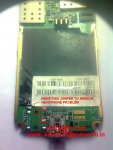
If a new sim ic is not available we remove the sim ic and make this jumper on the circuit. After this throw away the sim ic
This jumper will do the work of sim ic
Attached Thumbnails
 

imscncl

Well-known member
  • Jul 8, 2008
    1,447
    186
    63
    ලoකාවෙ
    patta machan patta.
    sonyeriction repair karana hati nadda.
    mage k530i phone eka bima watila Disply eka wada karan ne. disply eke light wada. Mokowath penne ne. mata danaganna ona disply eka pichchilada kiyala. ithin mata kiyanna puluwanda disply ekak hodada kiyala check karanne kohamada kiyala.

    thnaks , pin sidda wenawa. rep
     

    azam426

    Member
    Oct 23, 2007
    1,168
    106
    0
    Pitasakwala, Sri Lanka.
    patta machan patta.
    sonyeriction repair karana hati nadda.
    mage k530i phone eka bima watila Disply eka wada karan ne. disply eke light wada. Mokowath penne ne. mata danaganna ona disply eka pichchilada kiyala. ithin mata kiyanna puluwanda disply ekak hodada kiyala check karanne kohamada kiyala.

    thnaks , pin sidda wenawa. rep

    eka lesi wedak halo.. Casing eka galawala Display eka ain karala Check karapanko. Ara sony ericsson code eka type karala check kalaada Display eka?
     

    eranga_rama

    Well-known member
  • Mar 7, 2008
    6,584
    519
    113
    machan I have a SE K770i. The vibrator is not working. Even I tried the service menue. What should I do???...Help pls......4+ added by the way.
     

    laal

    Member
    Apr 18, 2008
    185
    9
    0
    easy way to find pinout..

    First of all find the GND.. (Just use a multimeter)Then power on phone (Dont care if the phone is dead due to software...press power on)Check the votage btn GND and each pins Tx= 1.8v or 2.8v and Rx=1.7v or 2.7v may be very a little according to processers >>>>>>>>>
     

    laal

    Member
    Apr 18, 2008
    185
    9
    0
    How to find Pinout for Chinese Unknown Model

    Please, follow instruction exactly like described below

    In most cases you need to know Gnd, Rx, Tx pins for flash/unlock operations. What do do if you don't have cable or you have new phone model:

    1. find Gnd pin (it's required step, you can't continue until you will know Gnd pin location)
    2. find Charge pins (it's optional step, just to save your time during future research)
    3. find +Battery pins (it's optional step, just to save your time during future research)
    4. connect cable Gnd to phone Gnd
    5. try to connect cable Rx/Tx wires to all phone contacts one by one (except Gnd, Charge, +Battery pins) and try to read flash from phone
    6. if flash read procedure can start this means that pinout found Ok and you can make other operations