


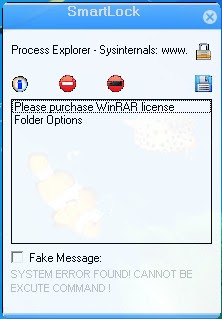
just select window and click "Lock"
Info: http://eedulk.blogspot.com/2010/07/smartlock.html
Download:
http://www.mediafire.com/?xqvfly29s36fvcb
How to use:
Info: http://eedulk.blogspot.com/2010/07/smartlock.html
Download:
http://www.mediafire.com/?xqvfly29s36fvcb
How to use:
- Set master password
- Open what you want to lock
- Click Lock Icon to add to list, then it will be locked
- Save the list
- If you want ,you can add error message to fool the users
Last edited:
 Comments na...


