
Latest ads
-
 RHCSA, RHCE, AWS, Docker, Kubernetes Training
- Sanjeewani95
- Updated:
-
 🛡️ Kaspersky Antivirus – 1 Year / 1 Device | Rs. 2,300 | Only 9 Left
- KSPathirana
- Updated:
-
Professional CCTV Installation Service
- Techguy231
- Updated:
-
I'll research & write an article - Rs. 2000 onwards
- Blogerwiki
- Updated:
-
 House Plan
- lenura
- Updated:
Useful Application Thread(110+ Applications)
- Thread starter MaD-DoC
- Start date
You are using an out of date browser. It may not display this or other websites correctly.
You should upgrade or use an alternative browser.
You should upgrade or use an alternative browser.


Adobe Photoshop CS3 Extended Portable[56.7 MB]

Adobe Photoshop, or simply Photoshop, is a graphics editor developed and published by Adobe Systems. It is the current market leader for commercial bitmap and image manipulation, and, aside from Adobe Acrobat, is the best-known piece of software produced by Adobe Systems. It is considered the industry standard in most jobs related to the use of visual elements.[citation needed]
Photoshop is available for Microsoft Windows, Mac OS X, and Mac OS; versions up to Photoshop 10.0 can also be used with other operating systems such as Linux using software such as CrossOver. Past versions of the program were ported to the SGI IRIX and Sun Solaris platforms, but official support for this port was dropped after version 3.
Features
Although primarily designed to edit images for paper-based printing, Photoshop is used increasingly to produce images for the World Wide Web. Recent versions bundle a related application, Adobe ImageReady, to provide a more specialized set of tools for this purpose.
Photoshop also has strong ties with other Adobe software for media editing, animation and authoring. Files in Photoshop's native format, .PSD, can be exported to and from Adobe ImageReady, Adobe Illustrator, Adobe Premiere Pro, After Effects and Adobe Encore DVD to make professional standard DVDs, provide non-linear editing and special effects services such as backgrounds, textures and so on for television, film and the Web. For example, Photoshop CS broadly supports making menus and buttons for DVDs. For .PSD files exported as a menu or button, it only needs to have layers, nested in layer sets with a cueing format and Adobe Encore DVD reads them as buttons or menus.
Photoshop can deal with a number of different color models:
* RGB color model
* Lab color model
* CMYK color model
* Grayscale
* Bitmap
* Duotone
The most recent version, released in 2007, is version 10. This iteration of the program is marketed as "Photoshop CS3." "CS" reflects its integration with "Adobe's Creative Suite" products and a number "3" because it is the third version released since Adobe re-branded their products under the CS umbrella.
Adobe also released Adobe Photoshop CS3 Extended in 2007 which includes all the same features of Adobe Photoshop CS3 plus capabilities for 3D and motion based content. Photoshop CS3 features additions such as the ability to apply non-destructive filters, and a new selection tool named Refine edge that makes selection more streamlined.
The logo for this edition uses typography, with the letters 'Ps' shown in white on a gradient blue, in a move away from the recent "feather" designs.
Adobe Camera RAW 3.x
Adobe Camera RAW 3.x
The latest version comes with Adobe Camera RAW, a plugin developed by Thomas Knoll which can read several RAW file formats from various digital cameras and import them directly into Photoshop. A preliminary version of the RAW plugin was also available for Photoshop 7.0.1 as a $99 USD optional purchase.
While Photoshop is the industry standard image editing program for professional raster graphics, its relatively high suggested retail price (US$600, approximately) has led to a number of competing graphics tools being made available at lower prices. To compete in this market, and to counter unusually high rates of piracy of their professional products, Adobe has introduced Photoshop Elements, a version of Photoshop with many professional features removed, for under US$100. This is aimed firmly at the general consumer market since the feature cuts make it less desirable for prepress work.
Screenshot:

Download:
===============================================================================================================
===============================================================================================================
===============================================================================================================
Zoom Player Pro v5.01[2.89 MB]
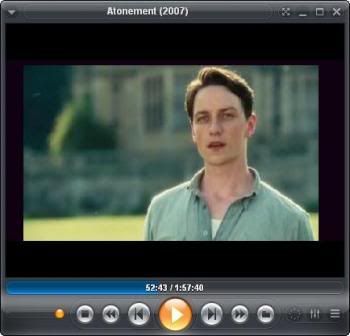
Zoom Player is a robust and very easy to use Media and DVD Front-End Player. Zoom Player was designed to be simple at first glance while being remarkably dynamic and flexible when used to its full potential. Zoom Player works in two modes.
A Media mode which can play any file supported by DirectShow (any file which plays in MediaPlayer) and a DVD mode which uses pre-installed DirectShow DVD filters to play DVD content. It supersedes media player in all it`s functions and provides several important functions that media player lacks. Zoom Player provides special zooming functions to improve TV-Output quality by eliminating overscan.
Zoom Player is capable of playing all common media formats and quite a few of the not so common, including:
AVI, Matroska (MKV), QuickTime (MOV),
Cellphone 3GPP (3GP), Flash(SWF),
RealMedia (RA/RM/RMVB/RAM), Windows Media Format (ASF/WMV/WMAincluding DRM with WMV Professional version),
OGG Movie (OGM), MPEG1(MPG/VCD), MPEG2 (MPG/SVCD/VOB), MPEG4 (DIVX/XVID/ISO),
VP3-VP6, MPEGLayer 3 (MP3), Vorbis Audio (OGG), Dolby Digital (AC3), Advanced AudioCoding (AAC), MusePack Audio (MPC),
FLAC Audio (FLAC), OptimFROG Audio,Monkey Audio (APE), Wave Audio (WAV), CD-Audio.
Zoom Player WMV Professional allows you to play Windows Media VideoDigital Rights Management files (Copy protected WMV files).
Download:
===============================================================================================================
===============================================================================================================
===============================================================================================================
UltraISO Premium Edition v9.2.0.2536[3.31 MB]

An easy to use utility to create, edit and convert CD image files
Along with large capacity hard disk popularity, people were already used to coping compact discs to CD/DVD image files (also called compact disc image document) , generally used is the famous ISO 9660 international standards format, therefore CD/DVD image files are called ISO files.
Because the ISO file retained complete data information of the compact disc (including compact disc boot information), you were allowed the convince to use commonly used CD burning software (for example Nero-Burning ROM ) to record the disc with your CD-R/RW over and over forever, it can also be used directly through Virtual CD-ROM drive software (for example SoftDisc ) .
UltraISO is a CD/DVD image file creating/editing/converting tool , it can directly edit the CD/DVD image file and extract files and folders from it, as well as directly make ISO files from your CD/DVD drive or hard disk. At the same time, you can maintain the ISO bootable information, thus creating your own bootable CDs and DVDs.
You now have the power to make and edit your own ISO files, and then burn them to CD or DVD for your own needs.
UltraISO is in sole possession of the intellectualized ISO document format analyzer, it can process at the present time almost all types of image files, including ISO and BIN, it may even support new image files which are yet to be created. UltraISO can open these image files, directly extract files and folders, edit it and convert other image files to the standard ISO format.
UltraISO uses the double window unification user contact interface, you have the choice to only use the quick buttons and/or the mouse Drag & Drops, you can handle any CD/DVD image file easily.
Screenshot:

Download:
===============================================================================================================
===============================================================================================================
===============================================================================================================
Advanced Office Password Recovery Professional v4.0[2.73 MB]
Advanced Office Password Recovery (or AOPR for short) is a program to recover the
lost or forgotten passwords to the files/documents created in Microsoft Office
applications (all versions up to Office 2007): Word, Excel, Access (including user-level
passwords and owner info), Outlook, Project, Money, PowerPoint, Visio, Publisher,
OneNote, Backup, Schedule+, Mail. Can also reset MS Internet Explorer Content Advisor
password, and open password-protected VBA projects (created in any application) via
the "backdoor". Most passwords are being recovered instantly; the "password to open" in
Word/Excel 97/2000/XP/2003/2007 can be recovered using "brute-force" and dictionary
attacks, effectively optimized for speed.
Screenshot:

Download:

Adobe Photoshop, or simply Photoshop, is a graphics editor developed and published by Adobe Systems. It is the current market leader for commercial bitmap and image manipulation, and, aside from Adobe Acrobat, is the best-known piece of software produced by Adobe Systems. It is considered the industry standard in most jobs related to the use of visual elements.[citation needed]
Photoshop is available for Microsoft Windows, Mac OS X, and Mac OS; versions up to Photoshop 10.0 can also be used with other operating systems such as Linux using software such as CrossOver. Past versions of the program were ported to the SGI IRIX and Sun Solaris platforms, but official support for this port was dropped after version 3.
Features
Although primarily designed to edit images for paper-based printing, Photoshop is used increasingly to produce images for the World Wide Web. Recent versions bundle a related application, Adobe ImageReady, to provide a more specialized set of tools for this purpose.
Photoshop also has strong ties with other Adobe software for media editing, animation and authoring. Files in Photoshop's native format, .PSD, can be exported to and from Adobe ImageReady, Adobe Illustrator, Adobe Premiere Pro, After Effects and Adobe Encore DVD to make professional standard DVDs, provide non-linear editing and special effects services such as backgrounds, textures and so on for television, film and the Web. For example, Photoshop CS broadly supports making menus and buttons for DVDs. For .PSD files exported as a menu or button, it only needs to have layers, nested in layer sets with a cueing format and Adobe Encore DVD reads them as buttons or menus.
Photoshop can deal with a number of different color models:
* RGB color model
* Lab color model
* CMYK color model
* Grayscale
* Bitmap
* Duotone
The most recent version, released in 2007, is version 10. This iteration of the program is marketed as "Photoshop CS3." "CS" reflects its integration with "Adobe's Creative Suite" products and a number "3" because it is the third version released since Adobe re-branded their products under the CS umbrella.
Adobe also released Adobe Photoshop CS3 Extended in 2007 which includes all the same features of Adobe Photoshop CS3 plus capabilities for 3D and motion based content. Photoshop CS3 features additions such as the ability to apply non-destructive filters, and a new selection tool named Refine edge that makes selection more streamlined.
The logo for this edition uses typography, with the letters 'Ps' shown in white on a gradient blue, in a move away from the recent "feather" designs.
Adobe Camera RAW 3.x
Adobe Camera RAW 3.x
The latest version comes with Adobe Camera RAW, a plugin developed by Thomas Knoll which can read several RAW file formats from various digital cameras and import them directly into Photoshop. A preliminary version of the RAW plugin was also available for Photoshop 7.0.1 as a $99 USD optional purchase.
While Photoshop is the industry standard image editing program for professional raster graphics, its relatively high suggested retail price (US$600, approximately) has led to a number of competing graphics tools being made available at lower prices. To compete in this market, and to counter unusually high rates of piracy of their professional products, Adobe has introduced Photoshop Elements, a version of Photoshop with many professional features removed, for under US$100. This is aimed firmly at the general consumer market since the feature cuts make it less desirable for prepress work.
Screenshot:

Download:
Code:
http://rapidshare.com/files/149312171/Adobe_Photoshop_CS3_Extended_Portable.rar
or
http://www.megaupload.com/?d=P0INK6QW
===============================================================================================================
===============================================================================================================
Zoom Player Pro v5.01[2.89 MB]
Zoom Player is a robust and very easy to use Media and DVD Front-End Player. Zoom Player was designed to be simple at first glance while being remarkably dynamic and flexible when used to its full potential. Zoom Player works in two modes.
A Media mode which can play any file supported by DirectShow (any file which plays in MediaPlayer) and a DVD mode which uses pre-installed DirectShow DVD filters to play DVD content. It supersedes media player in all it`s functions and provides several important functions that media player lacks. Zoom Player provides special zooming functions to improve TV-Output quality by eliminating overscan.
Zoom Player is capable of playing all common media formats and quite a few of the not so common, including:
AVI, Matroska (MKV), QuickTime (MOV),
Cellphone 3GPP (3GP), Flash(SWF),
RealMedia (RA/RM/RMVB/RAM), Windows Media Format (ASF/WMV/WMAincluding DRM with WMV Professional version),
OGG Movie (OGM), MPEG1(MPG/VCD), MPEG2 (MPG/SVCD/VOB), MPEG4 (DIVX/XVID/ISO),
VP3-VP6, MPEGLayer 3 (MP3), Vorbis Audio (OGG), Dolby Digital (AC3), Advanced AudioCoding (AAC), MusePack Audio (MPC),
FLAC Audio (FLAC), OptimFROG Audio,Monkey Audio (APE), Wave Audio (WAV), CD-Audio.
Zoom Player WMV Professional allows you to play Windows Media VideoDigital Rights Management files (Copy protected WMV files).
Download:
Code:
http://rapidshare.com/files/149315395/Zoom_Player_Pro_5.01.rar===============================================================================================================
===============================================================================================================
===============================================================================================================
UltraISO Premium Edition v9.2.0.2536[3.31 MB]

An easy to use utility to create, edit and convert CD image files
Along with large capacity hard disk popularity, people were already used to coping compact discs to CD/DVD image files (also called compact disc image document) , generally used is the famous ISO 9660 international standards format, therefore CD/DVD image files are called ISO files.
Because the ISO file retained complete data information of the compact disc (including compact disc boot information), you were allowed the convince to use commonly used CD burning software (for example Nero-Burning ROM ) to record the disc with your CD-R/RW over and over forever, it can also be used directly through Virtual CD-ROM drive software (for example SoftDisc ) .
UltraISO is a CD/DVD image file creating/editing/converting tool , it can directly edit the CD/DVD image file and extract files and folders from it, as well as directly make ISO files from your CD/DVD drive or hard disk. At the same time, you can maintain the ISO bootable information, thus creating your own bootable CDs and DVDs.
You now have the power to make and edit your own ISO files, and then burn them to CD or DVD for your own needs.
UltraISO is in sole possession of the intellectualized ISO document format analyzer, it can process at the present time almost all types of image files, including ISO and BIN, it may even support new image files which are yet to be created. UltraISO can open these image files, directly extract files and folders, edit it and convert other image files to the standard ISO format.
UltraISO uses the double window unification user contact interface, you have the choice to only use the quick buttons and/or the mouse Drag & Drops, you can handle any CD/DVD image file easily.
Screenshot:

Download:
Code:
http://rapidshare.com/files/149314828/Ultraiso.rar
or
http://www.megaupload.com/?d=PXK3N37F
===============================================================================================================
===============================================================================================================
Advanced Office Password Recovery Professional v4.0[2.73 MB]
Advanced Office Password Recovery (or AOPR for short) is a program to recover the
lost or forgotten passwords to the files/documents created in Microsoft Office
applications (all versions up to Office 2007): Word, Excel, Access (including user-level
passwords and owner info), Outlook, Project, Money, PowerPoint, Visio, Publisher,
OneNote, Backup, Schedule+, Mail. Can also reset MS Internet Explorer Content Advisor
password, and open password-protected VBA projects (created in any application) via
the "backdoor". Most passwords are being recovered instantly; the "password to open" in
Word/Excel 97/2000/XP/2003/2007 can be recovered using "brute-force" and dictionary
attacks, effectively optimized for speed.
Screenshot:

Download:
Code:
http://rapidshare.com/files/149312972/Advanced.Office.Password.Recovery.Professional.v4.0.rar[IDM]Internet Download Manager v5.14. Build 5[2.66 MB]

Internet Download Manager has a smart download logic accelerator that features intelligent dynamic file segmentation and safe multipart downloading technology to accelerate your downloads. Unlike other download accelerators and managers that segment files before downloading starts, Internet Download Manager segments downloaded files dynamically during download process. Internet Download Manager reuses available connections without additional connect and login stages to achieve better acceleration performance.
Main Features
• All popular browsers and applications are supported! Internet Download Manager has been tested with the following browsers: Internet Explorer, MSN Explorer, AOL, Netscape Communicator, Netscape 6, Netscape 7, Mozilla, Mozilla Firefox, Mozilla Firebird, Opera, NetCaptor, UltraBrowser, Slim Browser, Avant Browser, MyIE2, Optimal Desktop, Ace Explorer, Advanced Browser, 27 Tools-in-1 Wichio Browser, WindowSurfer, 550 Access Browser, FineBrowser Freeware, Kopassa Browser, Fast Browser Pro, Enigma Browser, GoSuRF, K-Meleon, Smart Explorer, The Off By One Web Browser, Smartalec Voyager, CrystalPort AppCapture, The Family Browser, XANA Web Browser, Bluto, AutoSurf, 32bit Web Browser, BrowseMan, WrestlingBrowser, Eminem Browser, UltraBrowser, Cygsoft LDAP Browser, and Net M@nager. Internet Download Manager supports all versions of popular browsers, and can be integrated into any 3rd party Internet applications.
• Easy downloading with one click. When you click on a download link in a browser, IDM will take over the download and accelerate it. IDM supports HTTP, FTP, HTTPS and MMS protocols.
• Download Speed Acceleration. Internet Download Manager can accelerate downloads by up to 5 times due to its intelligent dynamic file segmentation technology. Unlike other download managers and accelerators Internet Download Manager segments downloaded files dynamically during download process and reuses available connections without additional connect and login stages to achieve best acceleration performance.
• Download Resume. Internet Download Manager will resume unfinished download from the place where they left off.
• YouTube grabber. Internet Download Manager can grab FLV videos from popular sites like YouTube, MySpaceTV, and Google Video.
• Simple installation wizard. Quick and easy installation program will make necessary settings for you, and check your connection at the end to ensure trouble free installation of Internet Download Manager
• Drag and Drop. You may simply drag and drop links to IDM, and drag and drop downloaded files out of Internet Download Manager.
• Automatic Antivirus checking. Antivirus checking makes your downloads free from viruses and trojans.
• Advanced Browser Integration. When enabled, the feature can be used to catch any download from any application. None of download managers have this feature.
• Built-in Scheduler. Internet Download Manager can connect to the Internet at a set time, download the files you want, disconnect, or shut down your computer when it's done.
• IDM includes web site spider and grabber. IDM downloads all required files that are specified with filters from web sites, for example all pictures from a web site, or subsets of web sites, or complete web sites for offline browsing. It's possible to schedule multiple grabber projects to run them once at a specified time, stop them at a specified time, or run periodically to synchronize changes.
• IDM supports many types of proxy servers. For example, IDM works with Microsoft ISA, and FTP proxy servers.
• IDM supports main authentication protocols: Basic, Negotiate, NTLM, and Keberos. Thus IDM can access many Internet and proxy servers using login name and password.
• Download All feature. IDM can add all downloads linked to the current page. It's easy to download multiple files with this feature.
• Customizable Interface. You may choose the order, and what buttons and columns appear on the main IDM window.
• Download Categories. Internet Download Manager can be used to organize downloads automatically using defined download categories.
• Quick Update Feature. Quick update may check for new versions of IDM and update IDM once per week.
• Download limits. Progressive downloading with quotas feature. The feature is useful for connections that use some kind of fair access policy (or FAP) like Direcway, Direct PC, Hughes, etc.
• IDM is multilingual. IDM is translated to Albanian, Arabic, Azerbaijan, Bosnian, Bulgarian, Chinese, Croatian, Czech, Danish, Dutch, Farsi, French, German, Greek, Hebrew, Hungarian, Italian, Japanese, Korean, Lithuanian, Macedonian, Norwegian, Polish, Portuguese, Romanian, Russian, Serbian, Slovak, Slovenian, Spanish, Thai, Turkish, and Uzbek languages.
Changelog
What's new in version 5.14 Build 5 (September 15, 2008):
* Google Chrome & Apple Safari integration Support
* Version 5.14 build 5 includes all latest bug fixes
100% VirusFree
Screenshot:

Download:
===============================================================================================================
===============================================================================================================
===============================================================================================================
PowerArchiver 2007 v10.21[4.53 MB]

PowerArchiver offers hundreds of features, yet remains easy to use, small and fast. Novice users will find a familiar interface complete with tutorial and detailed help, while more experienced users can take advantage of full Explorer integration, multiple encryption methods and advanced compression algorithms.
PowerArchiver is an award-winning archive utility for the Windows® family that provides support for most compressed and encoded files, as well as access to many powerful features and tools through an easy to use interface that seamlessly integrates with Windows Explorer. PowerArchiver creates and works with unlimited size ZIP archives with enhanced ZIP format speed and compression; a Password Manager stores your frequently used passwords; encrypts your archives using 5 different methods including 256-bit AES; back up your work with PowerArchiver's Auto-Backup tool and FTP support; creates powerful CAB and ZIP self extracting (SFX) archives using a Wizard; a Batch ZIP tool compresses hundreds of files all at once; and a Multi-Extract tool can extract hundreds of archives instantly.
Complete Feature List:
* Complete built-in support for 7-ZIP, ZIP, CAB, LHA (LZH), TAR, TAR.GZ, TAR.BZ2, BH, RAR, ARJ, ARC, ACE, ZOO, GZ, and BZIP2 file formats
* Support for reading and extracting disc image formats: ISO, BIN, IMG and NRG
* Built-in support for XXE, UUE, and yENC encoded files and full MIME (Base 64) support
* Creating ZIP and CAB and PAE encrypted self-extracting archives using a Wizard interface
* Support for unlimited size ZIP archives, with improved performance when working with 100,000+ files
* Support for Deflate64, providing improved compression results (both size and speed)
* Complete support for PKZIP 4.0 and PKZIP 4.5 disk spanning
* Compression Profiles to store frequently used compression settings
* Full support for ZIP AES encryption, 128-bit/192-bit/256-bit (supports: PKZip 5.1 (full), Secure Zip 8.0 and WinZip 9.0 AE-1 & AE-2) and proprietary PAE format using 5 different methods: Blowfish (128-bit), DES (64-bit), Triple DES (128-bit), AES 128-bit, and AES 256-bit
* Support for AES encrypted 7-Zip archives and multivolume 7-Zip archives
* Uploading archives or backups directly to FTP or SFTP (SSH) sites with multiple profiles supported and timeout option
* Password manager for saving frequently used passwords
* Tool for creating PBS backup scripts and running automated backups
* Internal viewer that supports TXT, RTF, GIF, PNG, BMP, ICO, TIFF, GFI, SGI, EMF, WMF, PPM, Adobe Photoshop, Autodesk, Truevision, - ZSoft Paintbrush, Kodak Photo-CD, JASC PaintShop Pro, and Dr. Halo file formats
* Many powerful archive operations (including: renaming files in archive, spanning archives, testing archives, viewing and writing comments, installing archives, and checking archives for viruses)
* Drag and Drop from/to Windows Explorer and the Desktop
* Two ways of viewing archives (Classic - all files in the same listing; Explorer - browsing through an archive like folders in Windows Explorer)
* Complete integration with Windows (extracting archives and creating archives directly from Windows Explorer using powerful "Explorer Shell Extensions")
* Ability to edit files within an archive using one single operation
* Printing file listing to text file or HTML document
* Tool for repairing corrupted ZIP archives
* Converting between file formats (for example: changing a ZIP archive to CAB archive, or LHA archive to ZIP archive)
* Extracting multiple archives at the same time
* Batch Zip function to create multiple different archives at once
* Favorite Folders to quickly locate archives
* Powerful Find function for searching within an archive
* Auto Update to automatically download and install new versions of PowerArchiver
* Powerful help in HTML and a tutorial with pictures for beginners
* Full skinning support via PSF files - includes interface skins, toolbar skins, icons and customizable application settings
* Customizable toolbar that can be docked to any side of the application or float independently
* Windows XP Theme and ClearType support
Screenshot:

Download:

Internet Download Manager has a smart download logic accelerator that features intelligent dynamic file segmentation and safe multipart downloading technology to accelerate your downloads. Unlike other download accelerators and managers that segment files before downloading starts, Internet Download Manager segments downloaded files dynamically during download process. Internet Download Manager reuses available connections without additional connect and login stages to achieve better acceleration performance.
Main Features
• All popular browsers and applications are supported! Internet Download Manager has been tested with the following browsers: Internet Explorer, MSN Explorer, AOL, Netscape Communicator, Netscape 6, Netscape 7, Mozilla, Mozilla Firefox, Mozilla Firebird, Opera, NetCaptor, UltraBrowser, Slim Browser, Avant Browser, MyIE2, Optimal Desktop, Ace Explorer, Advanced Browser, 27 Tools-in-1 Wichio Browser, WindowSurfer, 550 Access Browser, FineBrowser Freeware, Kopassa Browser, Fast Browser Pro, Enigma Browser, GoSuRF, K-Meleon, Smart Explorer, The Off By One Web Browser, Smartalec Voyager, CrystalPort AppCapture, The Family Browser, XANA Web Browser, Bluto, AutoSurf, 32bit Web Browser, BrowseMan, WrestlingBrowser, Eminem Browser, UltraBrowser, Cygsoft LDAP Browser, and Net M@nager. Internet Download Manager supports all versions of popular browsers, and can be integrated into any 3rd party Internet applications.
• Easy downloading with one click. When you click on a download link in a browser, IDM will take over the download and accelerate it. IDM supports HTTP, FTP, HTTPS and MMS protocols.
• Download Speed Acceleration. Internet Download Manager can accelerate downloads by up to 5 times due to its intelligent dynamic file segmentation technology. Unlike other download managers and accelerators Internet Download Manager segments downloaded files dynamically during download process and reuses available connections without additional connect and login stages to achieve best acceleration performance.
• Download Resume. Internet Download Manager will resume unfinished download from the place where they left off.
• YouTube grabber. Internet Download Manager can grab FLV videos from popular sites like YouTube, MySpaceTV, and Google Video.
• Simple installation wizard. Quick and easy installation program will make necessary settings for you, and check your connection at the end to ensure trouble free installation of Internet Download Manager
• Drag and Drop. You may simply drag and drop links to IDM, and drag and drop downloaded files out of Internet Download Manager.
• Automatic Antivirus checking. Antivirus checking makes your downloads free from viruses and trojans.
• Advanced Browser Integration. When enabled, the feature can be used to catch any download from any application. None of download managers have this feature.
• Built-in Scheduler. Internet Download Manager can connect to the Internet at a set time, download the files you want, disconnect, or shut down your computer when it's done.
• IDM includes web site spider and grabber. IDM downloads all required files that are specified with filters from web sites, for example all pictures from a web site, or subsets of web sites, or complete web sites for offline browsing. It's possible to schedule multiple grabber projects to run them once at a specified time, stop them at a specified time, or run periodically to synchronize changes.
• IDM supports many types of proxy servers. For example, IDM works with Microsoft ISA, and FTP proxy servers.
• IDM supports main authentication protocols: Basic, Negotiate, NTLM, and Keberos. Thus IDM can access many Internet and proxy servers using login name and password.
• Download All feature. IDM can add all downloads linked to the current page. It's easy to download multiple files with this feature.
• Customizable Interface. You may choose the order, and what buttons and columns appear on the main IDM window.
• Download Categories. Internet Download Manager can be used to organize downloads automatically using defined download categories.
• Quick Update Feature. Quick update may check for new versions of IDM and update IDM once per week.
• Download limits. Progressive downloading with quotas feature. The feature is useful for connections that use some kind of fair access policy (or FAP) like Direcway, Direct PC, Hughes, etc.
• IDM is multilingual. IDM is translated to Albanian, Arabic, Azerbaijan, Bosnian, Bulgarian, Chinese, Croatian, Czech, Danish, Dutch, Farsi, French, German, Greek, Hebrew, Hungarian, Italian, Japanese, Korean, Lithuanian, Macedonian, Norwegian, Polish, Portuguese, Romanian, Russian, Serbian, Slovak, Slovenian, Spanish, Thai, Turkish, and Uzbek languages.
Changelog
What's new in version 5.14 Build 5 (September 15, 2008):
* Google Chrome & Apple Safari integration Support
* Version 5.14 build 5 includes all latest bug fixes
100% VirusFree
Screenshot:

Download:
Code:
http://rapidshare.com/files/149313789/IDM_V_5.14_B5.rar
or
http://www.megaupload.com/?d=OLHWOJJI
===============================================================================================================
===============================================================================================================
PowerArchiver 2007 v10.21[4.53 MB]

PowerArchiver offers hundreds of features, yet remains easy to use, small and fast. Novice users will find a familiar interface complete with tutorial and detailed help, while more experienced users can take advantage of full Explorer integration, multiple encryption methods and advanced compression algorithms.
PowerArchiver is an award-winning archive utility for the Windows® family that provides support for most compressed and encoded files, as well as access to many powerful features and tools through an easy to use interface that seamlessly integrates with Windows Explorer. PowerArchiver creates and works with unlimited size ZIP archives with enhanced ZIP format speed and compression; a Password Manager stores your frequently used passwords; encrypts your archives using 5 different methods including 256-bit AES; back up your work with PowerArchiver's Auto-Backup tool and FTP support; creates powerful CAB and ZIP self extracting (SFX) archives using a Wizard; a Batch ZIP tool compresses hundreds of files all at once; and a Multi-Extract tool can extract hundreds of archives instantly.
Complete Feature List:
* Complete built-in support for 7-ZIP, ZIP, CAB, LHA (LZH), TAR, TAR.GZ, TAR.BZ2, BH, RAR, ARJ, ARC, ACE, ZOO, GZ, and BZIP2 file formats
* Support for reading and extracting disc image formats: ISO, BIN, IMG and NRG
* Built-in support for XXE, UUE, and yENC encoded files and full MIME (Base 64) support
* Creating ZIP and CAB and PAE encrypted self-extracting archives using a Wizard interface
* Support for unlimited size ZIP archives, with improved performance when working with 100,000+ files
* Support for Deflate64, providing improved compression results (both size and speed)
* Complete support for PKZIP 4.0 and PKZIP 4.5 disk spanning
* Compression Profiles to store frequently used compression settings
* Full support for ZIP AES encryption, 128-bit/192-bit/256-bit (supports: PKZip 5.1 (full), Secure Zip 8.0 and WinZip 9.0 AE-1 & AE-2) and proprietary PAE format using 5 different methods: Blowfish (128-bit), DES (64-bit), Triple DES (128-bit), AES 128-bit, and AES 256-bit
* Support for AES encrypted 7-Zip archives and multivolume 7-Zip archives
* Uploading archives or backups directly to FTP or SFTP (SSH) sites with multiple profiles supported and timeout option
* Password manager for saving frequently used passwords
* Tool for creating PBS backup scripts and running automated backups
* Internal viewer that supports TXT, RTF, GIF, PNG, BMP, ICO, TIFF, GFI, SGI, EMF, WMF, PPM, Adobe Photoshop, Autodesk, Truevision, - ZSoft Paintbrush, Kodak Photo-CD, JASC PaintShop Pro, and Dr. Halo file formats
* Many powerful archive operations (including: renaming files in archive, spanning archives, testing archives, viewing and writing comments, installing archives, and checking archives for viruses)
* Drag and Drop from/to Windows Explorer and the Desktop
* Two ways of viewing archives (Classic - all files in the same listing; Explorer - browsing through an archive like folders in Windows Explorer)
* Complete integration with Windows (extracting archives and creating archives directly from Windows Explorer using powerful "Explorer Shell Extensions")
* Ability to edit files within an archive using one single operation
* Printing file listing to text file or HTML document
* Tool for repairing corrupted ZIP archives
* Converting between file formats (for example: changing a ZIP archive to CAB archive, or LHA archive to ZIP archive)
* Extracting multiple archives at the same time
* Batch Zip function to create multiple different archives at once
* Favorite Folders to quickly locate archives
* Powerful Find function for searching within an archive
* Auto Update to automatically download and install new versions of PowerArchiver
* Powerful help in HTML and a tutorial with pictures for beginners
* Full skinning support via PSF files - includes interface skins, toolbar skins, icons and customizable application settings
* Customizable toolbar that can be docked to any side of the application or float independently
* Windows XP Theme and ClearType support
Screenshot:

Download:
Code:
http://rapidshare.com/files/149314402/PowerArchiver.2007.v10.21.rar
or
http://www.megaupload.com/?d=5Y2CROUWWinRAR 3.71 Corporate Edition[1.10 MB]

WinRAR supports the following features:
* Complete support for RAR and ZIP archives, and unpacking of ARJ, LZH, TAR, GZ, ACE, UUE, BZ2, JAR, ISO, 7z and Z archives.
* The ability to create self-extracting and multi-volume (split) archives.
* Data redundancy is provided via recovery records and recovery volumes, even allowing reconstruction of damaged archives.
* Support for advanced NTFS file system options and Unicode in file names.
* Optional archive encryption using AES (Advanced Encryption Standard) with a 128-bit key.
Screenshot:

Download:
===============================================================================================================
===============================================================================================================
===============================================================================================================
FlashFXP v3.6.0.1240[6.06 MB]

FlashFXP is a FTP (File Transfer Protocol) client for Windows, which offers the easiest and fastest way to transfer any file between your local computer and a server on the Internet, or even directly between two servers using Site to Site transfers. Available in over 20 languages. FlashFXP offer security, performance, and reliability that you can always count on to get your job done quickly and efficiently.
Changelog:
IniCom Networks announces the final release of FlashFXP v3.6. Version 3.6 adds security, features, and many usability enhancements over 3.4, especially for Windows Vista. All users of FlashFXP are encouraged to upgrade.
Screenshot:

Download:

WinRAR supports the following features:
* Complete support for RAR and ZIP archives, and unpacking of ARJ, LZH, TAR, GZ, ACE, UUE, BZ2, JAR, ISO, 7z and Z archives.
* The ability to create self-extracting and multi-volume (split) archives.
* Data redundancy is provided via recovery records and recovery volumes, even allowing reconstruction of damaged archives.
* Support for advanced NTFS file system options and Unicode in file names.
* Optional archive encryption using AES (Advanced Encryption Standard) with a 128-bit key.
Screenshot:

Download:
Code:
http://rapidshare.com/files/149315038/winrar.rar
or
http://www.megaupload.com/?d=36UTEDT8
===============================================================================================================
===============================================================================================================
FlashFXP v3.6.0.1240[6.06 MB]

FlashFXP is a FTP (File Transfer Protocol) client for Windows, which offers the easiest and fastest way to transfer any file between your local computer and a server on the Internet, or even directly between two servers using Site to Site transfers. Available in over 20 languages. FlashFXP offer security, performance, and reliability that you can always count on to get your job done quickly and efficiently.
Changelog:
IniCom Networks announces the final release of FlashFXP v3.6. Version 3.6 adds security, features, and many usability enhancements over 3.4, especially for Windows Vista. All users of FlashFXP are encouraged to upgrade.
Screenshot:

Download:
Code:
http://rapidshare.com/files/149567274/Flash_F_X_P.v3.6.0.1240_kissme1.rar
or
http://www.megaupload.com/?d=KQIM22Z4Active WebCam 11.0[11.1 MB]

Active WebCam surveillance software performs simultaneous recording and broadcasting from unlimited number of cameras. You can watch your cameras remotely using any Internet browser. Produces MPEG-4 video stream.
Active WebCam captures images up to 30 frames per second from any video device including USB, analog cameras, TV-boards, camcorders, and from network IP cameras.
-- The program performs simultaneous recording and broadcasting from unlimited number of cameras.
-- Broadcast live audio and video
-- Monitor Your Home or Office While You're Away
-- Adjust Captured Images
-- Record and playback simultaneously
> Broadcast live audio and video
You can broadcast live audio and video using the following methods:
- Stream Video and Audio through Web Server - you can watch video from surveillance computer even if this computer completely protected by firewall. Also this service provides high frame-rate broadcasting to the unlimited auditory because broadcasting is performed from our web server which has high speed broadband connection.
- HTTP Server - the program runs own HTTP server that all users, connected to your computer, can watch your cameras and play back recorded video files.
- FTP Upload - the program uploads images to your web site using FTP protocol. Your viewers point Internet browsers to your web site and watch captured video.
The captured video can be viewed using any Internet browser.
> Monitor Your Home or Office While You're Away
Your camera can be used as a Surveillance System to watch your home, office, children, pets or anything else.
The program has a Motion Detection feature, which can perform various tasks when it triggered.
When the program detects motion in the monitored area, it can sound an alarm, send SMS, e-mail captured images, start broadcasting or record activity.
Video can be recorded in AVI or MPEG formats.
The recorded video can be played back through Internet.
> Adjust Captured Images
The program has features to add text captions, image overlays, and date/time stamps on each video frame.
You can shrink, grow, and rotate captured images.
Image can be cropped that the only selected part of a captured image will be broadcasted.
> Record and playback simultaneously
You can use Active WebCam to record full-motion clips from your video and audio sources. The program has the following recording features: Live Recording, Archive Recording, and ability to create Archive of Snapshots.
With Live Recording the program records video and audio content constantly that allows you pause, fast-forward, and rewind live video from camera at any time.
The Archive Recording is performed by user or as a scheduled task. The video and audio content is streamed into a file on your hard disk.
Archive of Snapshots is a sequence of still images captured with a predefined time interval.
The recorded files can be password protected that all video and audio information are scrambled and the file can be played with a valid password only.
Key Features:
-- Works with all USB and Parallel Port cameras, Windows compatible Capture Devices and Framegrabbers, TV-boards, and with Network IP Cameras.
-- Broadcasts live MPEG-4 video and MP3 audio up to 30 frames per second.
-- Multiple cameras support. Simultaneous recording and broadcasting from unlimited number of cameras.
-- Dynamic IP Service, that gives a permanent internet address to your web camera whenever IP of your computer changes.
-- Time stamps captured video.
-- Broadcasts audio.
-- Supports Encrypted Transmission.
-- Records password protected video clips.
-- Performs Live Recording that allows rewind and playback captured content at any time.
-- Has features to control camera's Pan, Tilt, and Zoom.
-- Helps you to create web page for your web camera.
-- Records video when a motion is detected.
-- Allows to view recorded video remotely.
-- Sends e-mail and SMS when motion detected.
-- Runs a program when a motion is detected.
-- Allows to define the active area for motion detection.
-- Creates thumbnails from captured images.
-- Has a comprehensive scheduler.
-- Checks the available space on hard drive and stops recording if there is no available space.
-- User name and password to control access to your camera and recorded videos from Internet.
-- Has feature to limit number of camera viewers.
-- Stealth mode makes the program completely invisible that it doesn't display any icon in the sys tool tray and it is not presented in the task bar tray.
-- Password protection from unauthorized usage.
-- Ability to run the program as Windows service that the program starts automatically at system boot and executes even when no user is logged on to the system.
System Requirements:
Intel Pentium 2 GHz or better
Microsoft Windows 2000, XP, 2003, Vista 32bit
256MB RAM (512 MB recommended)
1 GB hard disk space
Color monitor
Mouse or other pointing device.
Screenshot:


Download:
===============================================================================================================
===============================================================================================================
===============================================================================================================
DuMeter V4.00 Build.3009[1.83 MB]

DU Meter 4.0 is nearly a complete rewrite of DU Meter. Here are some of the new and improved features:
* Greatly improved user interface: All DU Meter windows and dialogs were re-worked, for better usability and aesthetics.
* DU Meter mini mode: Quickly switch to mini mode to preserve your screen real estate.
* Reduced latency and improved precision: In DU Meter 4.0, graph latency is reduced by 500ms in average. Also, DU Meter Stopwatch precision is enhanced.
* Finer granularity of saved historic data: DU Meter 4.0 uses a real database engine, which allows for finer granularity of reports and alerts. Hourly network traffic reports are available.
* Improved network traffic reports: DU Meter 4.0 has fully resizeable and sortable traffic reports, which can be exported to many different file formats (XML and Adobe PDF were added in this version, and reports in other formats have been improved too).
* Charting capability: The DU Meter 4.0 reports module includes a customizable network traffic volume chart.
* Periodic reports auto-generation: DU Meter can now generate reports automatically, either hourly, daily or monthly.
* Greatly expanded alerts capability: long and short term, more traffic or less, incoming, outgoing or combined traffic, time span from seconds to month.
* Receive alerts via e-mail: DU Meter 4.0 can deliver traffic volume alerts via email. Great for "set and forget" parental control.
* Better selection of monitored network interfaces: Several network interfaces can be selected at once, full compatibility DU Meter Screenshots with IPv6 networks, and simplified selection of interfaces on Windows Vista, which defaults to all adapters but does not count the same traffic twice.
* Full Windows Vista compatibility: DU Meter 4.0 is fully compatible with Windows Vista, including running under limited user account, and works correctly when User Account Control (UAC) is enabled.
* Windows sidebar gadget: DU Meter 4.0 includes a gadget for Windows Sidebar (part of Windows Vista) which allows seamless integration with your desktop.
* DU Meter system service: DU Meter 4.0 employs a Windows system service to collect network traffic statistics. Therefore it will work correctly even if nobody is using the computer, or when the DU Meter application is not running, or when several people are using the same computer at once.
* Improved security model: When the user lacks administrative privileges, system-wide DU Meter settings cannot be changed. Therefore secure installation of DU Meter is possible, which, along with delivery of network traffic alerts, allows for unobtrusive and privacy-sensitive parental or management control.
* Database management: Backup and restore data, or delete portions of the data stored in the DU Meter database.
* Improved presentation: A color scheme which blends better with Windows XP or Vista desktop, including better use of screen real estate.
* Better integration with other programs: The DU Meter engine can be used by other 3rd party programs, via COM interfaces.
* Still light system resources usage: Despite all these improvements, DU Meter still takes very little system resources
* Many other improvements and bug fixes.
Screenshot:

Download:

Active WebCam surveillance software performs simultaneous recording and broadcasting from unlimited number of cameras. You can watch your cameras remotely using any Internet browser. Produces MPEG-4 video stream.
Active WebCam captures images up to 30 frames per second from any video device including USB, analog cameras, TV-boards, camcorders, and from network IP cameras.
-- The program performs simultaneous recording and broadcasting from unlimited number of cameras.
-- Broadcast live audio and video
-- Monitor Your Home or Office While You're Away
-- Adjust Captured Images
-- Record and playback simultaneously
> Broadcast live audio and video
You can broadcast live audio and video using the following methods:
- Stream Video and Audio through Web Server - you can watch video from surveillance computer even if this computer completely protected by firewall. Also this service provides high frame-rate broadcasting to the unlimited auditory because broadcasting is performed from our web server which has high speed broadband connection.
- HTTP Server - the program runs own HTTP server that all users, connected to your computer, can watch your cameras and play back recorded video files.
- FTP Upload - the program uploads images to your web site using FTP protocol. Your viewers point Internet browsers to your web site and watch captured video.
The captured video can be viewed using any Internet browser.
> Monitor Your Home or Office While You're Away
Your camera can be used as a Surveillance System to watch your home, office, children, pets or anything else.
The program has a Motion Detection feature, which can perform various tasks when it triggered.
When the program detects motion in the monitored area, it can sound an alarm, send SMS, e-mail captured images, start broadcasting or record activity.
Video can be recorded in AVI or MPEG formats.
The recorded video can be played back through Internet.
> Adjust Captured Images
The program has features to add text captions, image overlays, and date/time stamps on each video frame.
You can shrink, grow, and rotate captured images.
Image can be cropped that the only selected part of a captured image will be broadcasted.
> Record and playback simultaneously
You can use Active WebCam to record full-motion clips from your video and audio sources. The program has the following recording features: Live Recording, Archive Recording, and ability to create Archive of Snapshots.
With Live Recording the program records video and audio content constantly that allows you pause, fast-forward, and rewind live video from camera at any time.
The Archive Recording is performed by user or as a scheduled task. The video and audio content is streamed into a file on your hard disk.
Archive of Snapshots is a sequence of still images captured with a predefined time interval.
The recorded files can be password protected that all video and audio information are scrambled and the file can be played with a valid password only.
Key Features:
-- Works with all USB and Parallel Port cameras, Windows compatible Capture Devices and Framegrabbers, TV-boards, and with Network IP Cameras.
-- Broadcasts live MPEG-4 video and MP3 audio up to 30 frames per second.
-- Multiple cameras support. Simultaneous recording and broadcasting from unlimited number of cameras.
-- Dynamic IP Service, that gives a permanent internet address to your web camera whenever IP of your computer changes.
-- Time stamps captured video.
-- Broadcasts audio.
-- Supports Encrypted Transmission.
-- Records password protected video clips.
-- Performs Live Recording that allows rewind and playback captured content at any time.
-- Has features to control camera's Pan, Tilt, and Zoom.
-- Helps you to create web page for your web camera.
-- Records video when a motion is detected.
-- Allows to view recorded video remotely.
-- Sends e-mail and SMS when motion detected.
-- Runs a program when a motion is detected.
-- Allows to define the active area for motion detection.
-- Creates thumbnails from captured images.
-- Has a comprehensive scheduler.
-- Checks the available space on hard drive and stops recording if there is no available space.
-- User name and password to control access to your camera and recorded videos from Internet.
-- Has feature to limit number of camera viewers.
-- Stealth mode makes the program completely invisible that it doesn't display any icon in the sys tool tray and it is not presented in the task bar tray.
-- Password protection from unauthorized usage.
-- Ability to run the program as Windows service that the program starts automatically at system boot and executes even when no user is logged on to the system.
System Requirements:
Intel Pentium 2 GHz or better
Microsoft Windows 2000, XP, 2003, Vista 32bit
256MB RAM (512 MB recommended)
1 GB hard disk space
Color monitor
Mouse or other pointing device.
Screenshot:


Download:
Code:
http://rapidshare.com/files/149568274/Active_WebCm_11.0.rar
or
http://www.megaupload.com/?d=JO1TAFAN
===============================================================================================================
===============================================================================================================
===============================================================================================================
DuMeter V4.00 Build.3009[1.83 MB]

DU Meter 4.0 is nearly a complete rewrite of DU Meter. Here are some of the new and improved features:
* Greatly improved user interface: All DU Meter windows and dialogs were re-worked, for better usability and aesthetics.
* DU Meter mini mode: Quickly switch to mini mode to preserve your screen real estate.
* Reduced latency and improved precision: In DU Meter 4.0, graph latency is reduced by 500ms in average. Also, DU Meter Stopwatch precision is enhanced.
* Finer granularity of saved historic data: DU Meter 4.0 uses a real database engine, which allows for finer granularity of reports and alerts. Hourly network traffic reports are available.
* Improved network traffic reports: DU Meter 4.0 has fully resizeable and sortable traffic reports, which can be exported to many different file formats (XML and Adobe PDF were added in this version, and reports in other formats have been improved too).
* Charting capability: The DU Meter 4.0 reports module includes a customizable network traffic volume chart.
* Periodic reports auto-generation: DU Meter can now generate reports automatically, either hourly, daily or monthly.
* Greatly expanded alerts capability: long and short term, more traffic or less, incoming, outgoing or combined traffic, time span from seconds to month.
* Receive alerts via e-mail: DU Meter 4.0 can deliver traffic volume alerts via email. Great for "set and forget" parental control.
* Better selection of monitored network interfaces: Several network interfaces can be selected at once, full compatibility DU Meter Screenshots with IPv6 networks, and simplified selection of interfaces on Windows Vista, which defaults to all adapters but does not count the same traffic twice.
* Full Windows Vista compatibility: DU Meter 4.0 is fully compatible with Windows Vista, including running under limited user account, and works correctly when User Account Control (UAC) is enabled.
* Windows sidebar gadget: DU Meter 4.0 includes a gadget for Windows Sidebar (part of Windows Vista) which allows seamless integration with your desktop.
* DU Meter system service: DU Meter 4.0 employs a Windows system service to collect network traffic statistics. Therefore it will work correctly even if nobody is using the computer, or when the DU Meter application is not running, or when several people are using the same computer at once.
* Improved security model: When the user lacks administrative privileges, system-wide DU Meter settings cannot be changed. Therefore secure installation of DU Meter is possible, which, along with delivery of network traffic alerts, allows for unobtrusive and privacy-sensitive parental or management control.
* Database management: Backup and restore data, or delete portions of the data stored in the DU Meter database.
* Improved presentation: A color scheme which blends better with Windows XP or Vista desktop, including better use of screen real estate.
* Better integration with other programs: The DU Meter engine can be used by other 3rd party programs, via COM interfaces.
* Still light system resources usage: Despite all these improvements, DU Meter still takes very little system resources
* Many other improvements and bug fixes.
Screenshot:

Download:
Code:
http://rapidshare.com/files/149568500/DUMtr4.00_bld3009.rar
or
http://www.megaupload.com/?d=QNKGS9D5Allok Fast AVI MPEG Splitter 1.2.0812[5.37 MB]

Fast AVI MPEG Splitter is an easy-to-use tool for splitting a large AVI or MPEG file into smaller clips. The program does not recompress the source video, so the new clips are always created with the same quality as the original video file; and the splitting speed is extremely fast, you can split a large video file in several minutes, even seconds. The program does not require any technical experience and is very easy to use.
Key Features of Fast AVI MPEG Splitter:
Split,cut or trim large AVI,MPEG file into smaller clips.
Supports split AVI,DivX,Xvid video files.
Supports split MPEG files.
Without recompression and any quality loss.
Very fast and very easy to use.
Lifetime FREE Technical Support and FREE upgrade. Free trial download. 30 day money back guarantee.
System Requirements of Fast AVI MPEG Splitter :
Windows 98/2000/ME/XP/2003 operating system.
Pentium 300 MHz or better
128M or more RAM
Screenshot:

Download:
===============================================================================================================
===============================================================================================================
===============================================================================================================
Super Flexible File Synchronizer v4.21[5.22 MB]

This software is used to back up data and to synchronize PCs, servers, and notebooks. The settings are stored in multiple profiles, and the software comes with support for FTP servers, ZIP compression, data encryption, and a scheduler for automated backups. On Windows NT/2000 or higher, the scheduler can run as a service - without users having to log on. This file synchronization tool features the ability to freely select files and folders across the whole folder hierarchy in tree-views and it has support for e-mail notification, profile categories, and various filters.
Key Features
* Synchronize Files (between a PCs, laptops, servers)
* Multiple Profiles (jobs / sets of saved settings)
* No limit in the number of files or file sizes
* With Scheduler (for automated backups - can run as an NT service)
* Synchronize NTFS security settings (file permissions) and folder shares
* ZIP compression, encryption
* Access FTP servers, optionally with secure transfer (SSH,SSL/TLS)
* (FTP and SFTP file synchronization)
* Detects Moved Files (when folders have been reorganized)
* Email Notification (optional notification of sync results)
* Exact Mirror Mode (to create a mirror that matches the source exactly, even if that means that files are deleted, or newer files are replaced with older ones)
* Keep Multiple Backup Versions Of Each File (optional)
* Database-Aware (can safely be used for database files)
* Can Use Recycle Bin for older versions of files that are overwritten
* Detailed Logging if desired (see Options tabsheet)
* and much more
Screenshot:

Download:

Fast AVI MPEG Splitter is an easy-to-use tool for splitting a large AVI or MPEG file into smaller clips. The program does not recompress the source video, so the new clips are always created with the same quality as the original video file; and the splitting speed is extremely fast, you can split a large video file in several minutes, even seconds. The program does not require any technical experience and is very easy to use.
Key Features of Fast AVI MPEG Splitter:
Split,cut or trim large AVI,MPEG file into smaller clips.
Supports split AVI,DivX,Xvid video files.
Supports split MPEG files.
Without recompression and any quality loss.
Very fast and very easy to use.
Lifetime FREE Technical Support and FREE upgrade. Free trial download. 30 day money back guarantee.
System Requirements of Fast AVI MPEG Splitter :
Windows 98/2000/ME/XP/2003 operating system.
Pentium 300 MHz or better
128M or more RAM
Screenshot:

Download:
Code:
http://rapidshare.com/files/149568979/FastAVIMPEGSplittr1.2.0812_kissme1.rar===============================================================================================================
===============================================================================================================
Super Flexible File Synchronizer v4.21[5.22 MB]

This software is used to back up data and to synchronize PCs, servers, and notebooks. The settings are stored in multiple profiles, and the software comes with support for FTP servers, ZIP compression, data encryption, and a scheduler for automated backups. On Windows NT/2000 or higher, the scheduler can run as a service - without users having to log on. This file synchronization tool features the ability to freely select files and folders across the whole folder hierarchy in tree-views and it has support for e-mail notification, profile categories, and various filters.
Key Features
* Synchronize Files (between a PCs, laptops, servers)
* Multiple Profiles (jobs / sets of saved settings)
* No limit in the number of files or file sizes
* With Scheduler (for automated backups - can run as an NT service)
* Synchronize NTFS security settings (file permissions) and folder shares
* ZIP compression, encryption
* Access FTP servers, optionally with secure transfer (SSH,SSL/TLS)
* (FTP and SFTP file synchronization)
* Detects Moved Files (when folders have been reorganized)
* Email Notification (optional notification of sync results)
* Exact Mirror Mode (to create a mirror that matches the source exactly, even if that means that files are deleted, or newer files are replaced with older ones)
* Keep Multiple Backup Versions Of Each File (optional)
* Database-Aware (can safely be used for database files)
* Can Use Recycle Bin for older versions of files that are overwritten
* Detailed Logging if desired (see Options tabsheet)
* and much more
Screenshot:

Download:
Code:
http://rapidshare.com/files/149569485/Supr_Flexi_File_Sync4.21.rar
Daemon Tools Pro Advanced v4.10.0218[7.39 MB]

DAEMON Tools Pro Advanced is CD & DVD emulation software which allows users
to make CD/DVD disc images, create a virtual CD / DVD drives and play CDs &
DVDs without the need for the physical disc and supports virtual IDE adapters.
What are the differences between (DAEMON Tools Pro - Advanced) with other
versions of DAEMON Tools Lite,DAEMON Tools Pro Basic and Pro Standard?
1. Maximum number of supported SCSI virtual devices - 32 devices
2. IDE adapter emulation
3. Maximum number of supported IDE virtual devices - 2 devices
4. CD/DVD Image converter
Features:
Graphical user interface [GUI] - to make mounting of CD/DVD images and other
operations more convenient
Capability to make CD/DVD images to back up your data
SCSI adapter emulation
IDE adapter emulation
CD/DVD Image mounting to virtual devices
CD/DVD Image compression
D/DVD Image mounting to the physical folders
CD/DVD Image password protection
CD/DVD Image collection's management
Shell Extensions
System Tray Agent
Virtual devices' properties monitoring
CD/DVD Image converter
Screenshot:

Download:
===============================================================================================================
===============================================================================================================
===============================================================================================================
ACD See 10.0.219[32.3 MB]

Experience photography without barriers.
Discover ACDSee Pro 2 Photo Manager, the most powerful software platform for viewing, processing, editing, organizing and publishing your photos.
"I haven't found a better program than ACDSee Pro to blaze through my workflow."
David Honl, Photojournalist
Import Effortlessly
Stay ahead of the volume from day one with powerful tools that automatically import, rename and categorize your new photos whenever your cameras and storage devices are connected.
Quickly view and browse your collection
View, sort, cull and compare your photos in a fully customizable interface with the speed required by professional photographers.
Get instant full screen viewing, and fast thumbnail browsing for more than 100 different file formats including JPEG, BMP, GIF, PSD, PNG, TIFF, TGA, RAW NEF, CRW, and much more. View your RAW files as quickly as your JPEGs.
Sift through thousands of shots and identify the ones you want to keep using one-click Visual Tagging. Select your best shots using Image Compare to view up to four images at once in greater detail.
Quickly retrieve photos using keywords, captions, file or folder names, or IPTC data, or find that one photo out of thousands using the Quick Search bar.
"...people are blown away by how quickly the pictures load in ACDSee. I can find any photo fast, and get it into the hands of anyone that needs it."
Darrell Perry, Photography Director, Wall Street Journal
Screenshot:

Download:

DAEMON Tools Pro Advanced is CD & DVD emulation software which allows users
to make CD/DVD disc images, create a virtual CD / DVD drives and play CDs &
DVDs without the need for the physical disc and supports virtual IDE adapters.
What are the differences between (DAEMON Tools Pro - Advanced) with other
versions of DAEMON Tools Lite,DAEMON Tools Pro Basic and Pro Standard?
1. Maximum number of supported SCSI virtual devices - 32 devices
2. IDE adapter emulation
3. Maximum number of supported IDE virtual devices - 2 devices
4. CD/DVD Image converter
Features:
Graphical user interface [GUI] - to make mounting of CD/DVD images and other
operations more convenient
Capability to make CD/DVD images to back up your data
SCSI adapter emulation
IDE adapter emulation
CD/DVD Image mounting to virtual devices
CD/DVD Image compression
D/DVD Image mounting to the physical folders
CD/DVD Image password protection
CD/DVD Image collection's management
Shell Extensions
System Tray Agent
Virtual devices' properties monitoring
CD/DVD Image converter
Screenshot:

Download:
Code:
http://rapidshare.com/files/149570793/Demontools_Adv_4.10.0218.rar===============================================================================================================
===============================================================================================================
===============================================================================================================
ACD See 10.0.219[32.3 MB]

Experience photography without barriers.
Discover ACDSee Pro 2 Photo Manager, the most powerful software platform for viewing, processing, editing, organizing and publishing your photos.
"I haven't found a better program than ACDSee Pro to blaze through my workflow."
David Honl, Photojournalist
Import Effortlessly
Stay ahead of the volume from day one with powerful tools that automatically import, rename and categorize your new photos whenever your cameras and storage devices are connected.
Quickly view and browse your collection
View, sort, cull and compare your photos in a fully customizable interface with the speed required by professional photographers.
Get instant full screen viewing, and fast thumbnail browsing for more than 100 different file formats including JPEG, BMP, GIF, PSD, PNG, TIFF, TGA, RAW NEF, CRW, and much more. View your RAW files as quickly as your JPEGs.
Sift through thousands of shots and identify the ones you want to keep using one-click Visual Tagging. Select your best shots using Image Compare to view up to four images at once in greater detail.
Quickly retrieve photos using keywords, captions, file or folder names, or IPTC data, or find that one photo out of thousands using the Quick Search bar.
"...people are blown away by how quickly the pictures load in ACDSee. I can find any photo fast, and get it into the hands of anyone that needs it."
Darrell Perry, Photography Director, Wall Street Journal
Screenshot:

Download:
Code:
http://rapidshare.com/files/149578988/ACDC10.rarIcon Packager v3.20[19 MB]

IconPackager is a program that allows users to change nearly all of their Windows icons at once by applying "packages" of icons. A package of icons contains icons to replace most of the common icons on your Windows PC.
What makes IconPackager special is that unlike Microsoft's themes which only change a few icons, IconPackager changes hundreds of icons. Everything from "My Computer", "Recycle Bin", Folders, all the way to specific file format icons such as .doc and .xls files and any other file type a user wishes to use.
Key features of "IconPackager":
· Splash screens on startup and shutdown of IconPackager are removed.
· Icon Properties page added for changing icons of files and folder individually.
· Drag and drop assignment of icons for all files of a particular type/extension.
· Drag and drop assignment of icons for folders.
· Randomizing of icon themes on reboot.
Download:
===============================================================================================================
===============================================================================================================
===============================================================================================================
SiSoftware Sandra Pro Business v2009 1.15.40[18.7 MB]

System analyser, diagnostic and benchmarking
SiSoftware Sandra is a 32 and 64-bit Windows system analyser that includes benchmarking, testing and listing modules. It tries to go beyond other utilities to show you more of what is really going on under the hood so you draw comparisons at both a high and low-level in a single product.
Using SiSoftware Sandra you can get information about the CPU, chipset, video adapter, memory, sound card, ports, printers, network, Windows internals, AGP, USB2, ODBC Connections, Firewire etc.
You can save/print/fax/e-mail/post/upload or insert into ADO/ODBC databases reports in text, HTML, XML, SMS/DMI or RPT format.
This version supports multiple sources of information gathering including: remote computers, PDAs, Smart Phones, ADO/ODBC databases or saved system reports.
All benchmarks are optimised for both SMP & SMT (Hyper-Threading), up to 32/64 CPUs depending on the platform..
SiSoftware Sandra (the System ANalyser, Diagnostic and Reporting Assistant) is an information & diagnostic utility. It should provide most of the information (including undocumented) you need to know about your hardware, software and other devices. Here are some of the things you can test:
- CPU Arithmetic Benchmark (MP/MT support)
- CPU Multi-Media Benchmark (including MMX, MMX Enh, 3DNow!, 3DNow! Enh, SSE(2)) (MP/MT support)
- File System (Removable, Hard Disks, Network, RamDrives) Benchmark
-CD-ROM/DVD Benchmark
-Memory Bandwidth Benchmark (MP/MT support)
-Network/LAN Bandwidth Benchmark ... etc
Important Note : Professional version users should NOT download this version as you will invalidate your copy! Please use the WebUpdate Wizard as instructed to update.
Features:
· 58 total Information, Benchmarking, Listing & Testing/Diagnostic Modules.
· Multi-threaded Wizards for all tasks (e.g. Create various reports).
· Multi-processor designed (multi-threaded) benchmarks - up to 64 CPUs.
· Full 32-bit code; uses Windows 2000/XP extensions (32-bit Sandra).
· Native Windows 2000/XP format (UNICODE Sandra).
· Full 64-bit code; uses Windows 2003 extensions (64-bit Sandra).
· Still get information on the 16-bit subsystem (ANSI Sandra).
· Plug-and-Play support.
· DMI/SMBIOS support.
· Supports AGP, PCI, PCI64/66, VESA (ANSI Sandra), EISA (ANSI Sandra), MCA (ANSI Sandra), PCMCIA, CardBus.
· DirectX (DirectDraw, Direct 3D, DSound, DMusic, DPlay, DInput), OpenGL support and information.
· Detects new CPUs including the Intel Pentium III/4, Celeron, Xeon III/4; VIA C3; AMD Athlon 4/XP/MP, Duron XP/MP (32-bit Sandra).
· Detects new CPUs including the Intel Itanium, McKinley (64-bit Sandra).
· Detects and uses MMX (Enhanced), 3DNow! (Enhanced/Professional), SSE/SSE2 instruction sets (32-bit Sandra).
· Advanced settings information on modern CPUs.
· Detects Intel, AMD, ALi, SiS, VIA and all other chipsets on the market.
· Network & Internet information.
· Can save, print, fax, e-mail, post and upload a report.
· Can export a SMS report for Microsoft SMS management system.
· Can export a RPT (hierarchical) report that can be imported into most programs.
· Can export a XML report for electronic data interchange.
· Can export a HTML report directly (with CSS support) or display one dynamically from the XML using XSL & CSS.
· Can upload a report to a FTP/HTTP server and account.
· Can insert a report into any ADO, OLEDB or ODBC supported database with the correct schema.
· Looks better in HiColour/TrueColour (16/24/32-bit) modes.
New in SiSoftware Sandra XII (2009):
London, UK, Sep. 4 2008 - We are pleased to launch SiSoftware Sandra XII
(2008), the latest version of our award-winning utility, which includes remote
analysis, benchmarking and diagnostic features for PCs, servers, PDAs,
smart-phones and networks.
Over time, there has been a continued and sustained growth in software
portability and the development of software that can ultimately be executed on
multiple platforms without recompilation. With the use of the software virtual
machine (SVM) growing, be that .NET1 or Java2, the importance of offering
a benchmark that measures their performance has grown.
The introduction of these benchmarks will soon allow the complete suite to be
available on other operating systems - not just on Microsoft Windows, as we
expanded into non-x86 architectures (IA64/Itanium3, x64/AMD64/EM64T, ARM)
in the previous years. We have also added additional support for Virtual Machine and Runtime Engines to open up this information now to the our users.
Not everything in this release is virtual: as with all releases there is something
very real in adding more and more support and trying to predict the new needs
of our users as we achieved with each release. Support for digital certificates and cryptography, detailed information of the security settings, policies, users
and groups of your computer, wireless networks and advanced charting.
Screenshot:

Download:

IconPackager is a program that allows users to change nearly all of their Windows icons at once by applying "packages" of icons. A package of icons contains icons to replace most of the common icons on your Windows PC.
What makes IconPackager special is that unlike Microsoft's themes which only change a few icons, IconPackager changes hundreds of icons. Everything from "My Computer", "Recycle Bin", Folders, all the way to specific file format icons such as .doc and .xls files and any other file type a user wishes to use.
Key features of "IconPackager":
· Splash screens on startup and shutdown of IconPackager are removed.
· Icon Properties page added for changing icons of files and folder individually.
· Drag and drop assignment of icons for all files of a particular type/extension.
· Drag and drop assignment of icons for folders.
· Randomizing of icon themes on reboot.
Download:
Code:
http://rapidshare.com/files/149584367/IcnPackag3.20.rar===============================================================================================================
===============================================================================================================
SiSoftware Sandra Pro Business v2009 1.15.40[18.7 MB]

System analyser, diagnostic and benchmarking
SiSoftware Sandra is a 32 and 64-bit Windows system analyser that includes benchmarking, testing and listing modules. It tries to go beyond other utilities to show you more of what is really going on under the hood so you draw comparisons at both a high and low-level in a single product.
Using SiSoftware Sandra you can get information about the CPU, chipset, video adapter, memory, sound card, ports, printers, network, Windows internals, AGP, USB2, ODBC Connections, Firewire etc.
You can save/print/fax/e-mail/post/upload or insert into ADO/ODBC databases reports in text, HTML, XML, SMS/DMI or RPT format.
This version supports multiple sources of information gathering including: remote computers, PDAs, Smart Phones, ADO/ODBC databases or saved system reports.
All benchmarks are optimised for both SMP & SMT (Hyper-Threading), up to 32/64 CPUs depending on the platform..
SiSoftware Sandra (the System ANalyser, Diagnostic and Reporting Assistant) is an information & diagnostic utility. It should provide most of the information (including undocumented) you need to know about your hardware, software and other devices. Here are some of the things you can test:
- CPU Arithmetic Benchmark (MP/MT support)
- CPU Multi-Media Benchmark (including MMX, MMX Enh, 3DNow!, 3DNow! Enh, SSE(2)) (MP/MT support)
- File System (Removable, Hard Disks, Network, RamDrives) Benchmark
-CD-ROM/DVD Benchmark
-Memory Bandwidth Benchmark (MP/MT support)
-Network/LAN Bandwidth Benchmark ... etc
Important Note : Professional version users should NOT download this version as you will invalidate your copy! Please use the WebUpdate Wizard as instructed to update.
Features:
· 58 total Information, Benchmarking, Listing & Testing/Diagnostic Modules.
· Multi-threaded Wizards for all tasks (e.g. Create various reports).
· Multi-processor designed (multi-threaded) benchmarks - up to 64 CPUs.
· Full 32-bit code; uses Windows 2000/XP extensions (32-bit Sandra).
· Native Windows 2000/XP format (UNICODE Sandra).
· Full 64-bit code; uses Windows 2003 extensions (64-bit Sandra).
· Still get information on the 16-bit subsystem (ANSI Sandra).
· Plug-and-Play support.
· DMI/SMBIOS support.
· Supports AGP, PCI, PCI64/66, VESA (ANSI Sandra), EISA (ANSI Sandra), MCA (ANSI Sandra), PCMCIA, CardBus.
· DirectX (DirectDraw, Direct 3D, DSound, DMusic, DPlay, DInput), OpenGL support and information.
· Detects new CPUs including the Intel Pentium III/4, Celeron, Xeon III/4; VIA C3; AMD Athlon 4/XP/MP, Duron XP/MP (32-bit Sandra).
· Detects new CPUs including the Intel Itanium, McKinley (64-bit Sandra).
· Detects and uses MMX (Enhanced), 3DNow! (Enhanced/Professional), SSE/SSE2 instruction sets (32-bit Sandra).
· Advanced settings information on modern CPUs.
· Detects Intel, AMD, ALi, SiS, VIA and all other chipsets on the market.
· Network & Internet information.
· Can save, print, fax, e-mail, post and upload a report.
· Can export a SMS report for Microsoft SMS management system.
· Can export a RPT (hierarchical) report that can be imported into most programs.
· Can export a XML report for electronic data interchange.
· Can export a HTML report directly (with CSS support) or display one dynamically from the XML using XSL & CSS.
· Can upload a report to a FTP/HTTP server and account.
· Can insert a report into any ADO, OLEDB or ODBC supported database with the correct schema.
· Looks better in HiColour/TrueColour (16/24/32-bit) modes.
New in SiSoftware Sandra XII (2009):
London, UK, Sep. 4 2008 - We are pleased to launch SiSoftware Sandra XII
(2008), the latest version of our award-winning utility, which includes remote
analysis, benchmarking and diagnostic features for PCs, servers, PDAs,
smart-phones and networks.
Over time, there has been a continued and sustained growth in software
portability and the development of software that can ultimately be executed on
multiple platforms without recompilation. With the use of the software virtual
machine (SVM) growing, be that .NET1 or Java2, the importance of offering
a benchmark that measures their performance has grown.
The introduction of these benchmarks will soon allow the complete suite to be
available on other operating systems - not just on Microsoft Windows, as we
expanded into non-x86 architectures (IA64/Itanium3, x64/AMD64/EM64T, ARM)
in the previous years. We have also added additional support for Virtual Machine and Runtime Engines to open up this information now to the our users.
Not everything in this release is virtual: as with all releases there is something
very real in adding more and more support and trying to predict the new needs
of our users as we achieved with each release. Support for digital certificates and cryptography, detailed information of the security settings, policies, users
and groups of your computer, wireless networks and advanced charting.
Screenshot:

Download:
Code:
http://rapidshare.com/files/149591346/SandPr0B200_RTL_kissme1.rarMySuperSoft Super VideoCap v5.39.1690[7.10 MB]

SuperVideoCap is a video capture tool, which lets you capture Video/VCR/TV program from DV/DC/TV tuner card/Webcam/capture card to AVI, DIVX, XVID or WMV file.
It offers support for auto-capture, custom WMV profile, snapshot bitmap, JPEG from DV/DC/TV tuner card/Webcam/capture card.
SuperVideoCap supports most popular video formats.
Broadcast from anything that you can plug into your audio or video card, including a DV, DC, Webcam, video camera, TV tuner, VCR, VCD player and your friends can view your content with Microsoft Windows Media Player or Microsoft Internet Explorer.
Overlay text/time stamp applied to the local video file or live video. Capture full screen or portion of the screen and support user define playback frame rate to speed up or slow down playback.
Here are some key features of “SuperVideoCap”:
* Capture Video/VCR/TV Program from DV,DC,TV Tuner Card, Web Cam, Capture Card to AVI (uncompressed)/(compressed using any available codec include DIVX, XVID) or Streaming file format (WMV file).
*Support Auto-Capture.
* Support Custom WMV Profile. You can configure streams to use Window Media Video 9 Codec, VBR and CBR bitrates, uncompressed audio or video stream, Video Size, Buffer Size, Frame rate, etc.
*SnapShot Bitmap, JPEG from DV,DC,TV Tuner Card, Web Cam, Capture Card.
* Real Time Video Preview.
* WDM Streaming Device Selection and Setting.
* Delivering live audio and video content in real time to client computers.
* Broadcast from anything that you can plug into your audio or video card, including a DV,DC,Web Cam, Video Camera, TV Tuner, VCR, VCD Player ,etc and your friends can view your content with Microsoft Windows Media Player or Microsoft Internet Explore.
* Overlay text/ time stamp applied to the live video or local video files.
* Broadcast from video/audio files to client computers and your friends can view your content with Microsoft Windows Media Player or Microsoft Internet Explore.
Record screen activity, mouse movement to avi (uncompressed)/(compressed using any available codec include DIVX, XVID).
Capture full screen or portion of the screen and support user define playback frame rate to speed up or slow down playback.
Screenshot:

Download:
===============================================================================================================
===============================================================================================================
===============================================================================================================
Real Player 11.0.9.372 Gold Premium[13 MB]

Real Player plays all major media formats including RealVideo, RealAudio, Windows Media and Quicktime. This makes it easier for end users to decide on the media they want to access, not the format or software. We take universality a step further by providing RealPlayers for Windows, Macintosh, Linux, Unix, mobile phones, portable devices, set top boxes, DVD players and gaming consoles.
Fast Facts about the New Real Player:
* Consumers can use the innovative, single-click process to quickly download and save videos for later enjoyment.
* Consumers can download multiple videos simultaneously with RealPlayer, allowing people to save time and easily multitask. Users can also start downloading in the middle of watching a video, and the entire video will be captured.
* Consumers don't need to worry about video format compatibility issues — the new RealPlayer supports videos created in the most popular formats, including Flash, Windows Media, QuickTime, and Real.
* Consumers can easily burn videos to CD (or to DVD, using RealPlayer Plus). The Video CD format used by RealPlayer can be played in most DVD players.
* Consumers can send links of their favorite videos to their friends with a convenient "Share with a Friend" feature. The link that arrives in their friends' email will direct them to the online source of the video content their friend downloaded.
* RealPlayer supports both downloading and recording for popular streaming format (Windows Media, Real, and QuickTime)
* RealPlayer will only download/record video that is not protected by DRM (Digital Rights Management) systems.
* RealPlayer features an improved look and feel, a streamlined installation process and faster video playback.
* RealPlayer will first be released for Windows, and will work with both Microsoft Internet Explorer and Mozilla Firefox. Real plans a version for the Mac to be released later in the year.
This is the ultimate media player and I use it myself all the time.
Download:

SuperVideoCap is a video capture tool, which lets you capture Video/VCR/TV program from DV/DC/TV tuner card/Webcam/capture card to AVI, DIVX, XVID or WMV file.
It offers support for auto-capture, custom WMV profile, snapshot bitmap, JPEG from DV/DC/TV tuner card/Webcam/capture card.
SuperVideoCap supports most popular video formats.
Broadcast from anything that you can plug into your audio or video card, including a DV, DC, Webcam, video camera, TV tuner, VCR, VCD player and your friends can view your content with Microsoft Windows Media Player or Microsoft Internet Explorer.
Overlay text/time stamp applied to the local video file or live video. Capture full screen or portion of the screen and support user define playback frame rate to speed up or slow down playback.
Here are some key features of “SuperVideoCap”:
* Capture Video/VCR/TV Program from DV,DC,TV Tuner Card, Web Cam, Capture Card to AVI (uncompressed)/(compressed using any available codec include DIVX, XVID) or Streaming file format (WMV file).
*Support Auto-Capture.
* Support Custom WMV Profile. You can configure streams to use Window Media Video 9 Codec, VBR and CBR bitrates, uncompressed audio or video stream, Video Size, Buffer Size, Frame rate, etc.
*SnapShot Bitmap, JPEG from DV,DC,TV Tuner Card, Web Cam, Capture Card.
* Real Time Video Preview.
* WDM Streaming Device Selection and Setting.
* Delivering live audio and video content in real time to client computers.
* Broadcast from anything that you can plug into your audio or video card, including a DV,DC,Web Cam, Video Camera, TV Tuner, VCR, VCD Player ,etc and your friends can view your content with Microsoft Windows Media Player or Microsoft Internet Explore.
* Overlay text/ time stamp applied to the live video or local video files.
* Broadcast from video/audio files to client computers and your friends can view your content with Microsoft Windows Media Player or Microsoft Internet Explore.
Record screen activity, mouse movement to avi (uncompressed)/(compressed using any available codec include DIVX, XVID).
Capture full screen or portion of the screen and support user define playback frame rate to speed up or slow down playback.
Screenshot:

Download:
Code:
http://rapidshare.com/files/149586212/SuperVidCp5.39.1690.rar===============================================================================================================
===============================================================================================================
Real Player 11.0.9.372 Gold Premium[13 MB]

Real Player plays all major media formats including RealVideo, RealAudio, Windows Media and Quicktime. This makes it easier for end users to decide on the media they want to access, not the format or software. We take universality a step further by providing RealPlayers for Windows, Macintosh, Linux, Unix, mobile phones, portable devices, set top boxes, DVD players and gaming consoles.
Fast Facts about the New Real Player:
* Consumers can use the innovative, single-click process to quickly download and save videos for later enjoyment.
* Consumers can download multiple videos simultaneously with RealPlayer, allowing people to save time and easily multitask. Users can also start downloading in the middle of watching a video, and the entire video will be captured.
* Consumers don't need to worry about video format compatibility issues — the new RealPlayer supports videos created in the most popular formats, including Flash, Windows Media, QuickTime, and Real.
* Consumers can easily burn videos to CD (or to DVD, using RealPlayer Plus). The Video CD format used by RealPlayer can be played in most DVD players.
* Consumers can send links of their favorite videos to their friends with a convenient "Share with a Friend" feature. The link that arrives in their friends' email will direct them to the online source of the video content their friend downloaded.
* RealPlayer supports both downloading and recording for popular streaming format (Windows Media, Real, and QuickTime)
* RealPlayer will only download/record video that is not protected by DRM (Digital Rights Management) systems.
* RealPlayer features an improved look and feel, a streamlined installation process and faster video playback.
* RealPlayer will first be released for Windows, and will work with both Microsoft Internet Explorer and Mozilla Firefox. Real plans a version for the Mac to be released later in the year.
This is the ultimate media player and I use it myself all the time.
Download:
Code:
http://rapidshare.com/files/149592532/RelPlayr11.0.rarESET Nod32 Antivirus Bussiness Edition pre activated for 24596 days[18.9 MB]

Built on the award-winning ThreatSense® engine, ESET NOD32 Antivirus software proactively detects and eliminates more viruses, trojans, worms, adware, spyware, phishing, rootkits and other Internet threats than any program available.
It's the ideal antivirus for Windows XP, and also runs smoothly on Windows legacy systems, MS-DOS, file servers, mail servers, and more.
No matter what your system, there is no better antivirus protection. ESET NOD32 Antivirus was awarded the "BEST Antivirus Solution" in 2006 and 2007 by AV-Comparatives. Compare antivirus solutions here to learn more, or check out the latest virus bulletin.
ESET NOD32 Antivirus provides:
* Proactive Protection: The award winning ThreatSense technology combines multiple layers of detection protecting you from Internet threats before it is too late.
* Precise Detection: ESET accurately identifies known and unknown threats. It consistently wins top awards from testing labs and is recognized for having zero false positives.
* Lightweight Design: Requires less memory and CPU power, allowing your computer to run fast, making more room for games, web browsing, and emailing.
* Fast Scanning Speeds: Highly efficient program ensuring fast file scanning and product updates. It runs quietly in the background.
Screenshot:

Download:
===============================================================================================================
===============================================================================================================
===============================================================================================================
Satellite TV for PC 2008 [TITANIUM EDITION][10.9 MB]

Satellite TV for PC ™ is the product of more than 7 years of dedicated research
and development to create an easy-to-use computer program
that legally accesses thousands of television channels from all over the world
and sends them to your computer through the internet!
Main Features:
• Movies: Channels of action… comedy… romance… and just about any genre you like! And foreign movies as well!
• Sports: Channels showing baseball, football, soccer, basketball, tennis, and racing! Channels like ESPN News, EuroSports TV, GameSports TV, WHL TV, Fox Network, and Sport Star. There are channels for just about any sport you can think of... ultimate fighting, martial arts, wrestling, and boxing!
• Music: The hottest music videos from all over the world! Some channels you should check out are Deejay TV, Festival TV, Ministry Of Sound, Party TV, and Club TV! And on top of that, you also have access to over 1,500 radio stations from around the world!
• Premium Channels: Channels, including Comedy Central, MTV Overdrive, Euro TV, Discovery Channel, Broadway Network, Game Network, MovieStat Network, National Geographic, Food Network, Rapture TV, Vintage Cartoons, Show TV…and even HDTV (high definition television) channels! These are channels you may be paying a lot of money for right now…but no longer have to!
• Kids Channels: Countless channels for your kids that show cartoons and movies all day long the whole family can enjoy!
• Educational: Some of the channels you should check out are Research TV, The Academic Channel, Global Country, Strawberry TV and The Baby Channel!
• Religious: There’s a lot of programming here from channels like The Church Channel, Hope TV, Islam Channel, Kabbalah, Word Of God, and Vatican TV!
• Shopping: You can shop from all around the world…right from your couch! Channels like Gems TV, Jewelry TV, Price-Drop TV, QVC, and Speed Auction!
• News, Weather And Politics: Hundreds of channels with the latest news, weather and politics from all over the country and the world… live and uncensored! There are countless channels of ABC, NBC, CBS, FOX and PBS affiliates all over the country and the world. This means if you’re from Texas but are visiting California, you can still tune in to your local favorite news station! And you’ll be more up to date than anyone you know… especially because…
• You Can Even Watch Channels That You Can’t Get From Your Cable Or Satellite Provider…Even If…You Paid Them!
TV, cable, or satellite is very regulated and controlled by our government as well as foreign governments. However you can now legally get access to these secret channels that our government doesn’t want us to see! For example, you can watch…
• Egypt State Channel that shows programming directly from the Egyptian Government!
• Aljazeera TV from Iran which shows the Iraq war live and uncensored!
• Vietnam HDTV!
• Venezuela TV, which is controlled by Hugo Chavez!
• Cubavision from Cuba!
And many more channels that you otherwise can’t get in the United States! You will have access to these channels and watching them will truly open your eyes to what’s REALLY going on in the world.
Screenshot:

Download:

Built on the award-winning ThreatSense® engine, ESET NOD32 Antivirus software proactively detects and eliminates more viruses, trojans, worms, adware, spyware, phishing, rootkits and other Internet threats than any program available.
It's the ideal antivirus for Windows XP, and also runs smoothly on Windows legacy systems, MS-DOS, file servers, mail servers, and more.
No matter what your system, there is no better antivirus protection. ESET NOD32 Antivirus was awarded the "BEST Antivirus Solution" in 2006 and 2007 by AV-Comparatives. Compare antivirus solutions here to learn more, or check out the latest virus bulletin.
ESET NOD32 Antivirus provides:
* Proactive Protection: The award winning ThreatSense technology combines multiple layers of detection protecting you from Internet threats before it is too late.
* Precise Detection: ESET accurately identifies known and unknown threats. It consistently wins top awards from testing labs and is recognized for having zero false positives.
* Lightweight Design: Requires less memory and CPU power, allowing your computer to run fast, making more room for games, web browsing, and emailing.
* Fast Scanning Speeds: Highly efficient program ensuring fast file scanning and product updates. It runs quietly in the background.
Screenshot:

Download:
Code:
http://rapidshare.com/files/149594415/ESTAV.rar===============================================================================================================
===============================================================================================================
===============================================================================================================
Satellite TV for PC 2008 [TITANIUM EDITION][10.9 MB]

Satellite TV for PC ™ is the product of more than 7 years of dedicated research
and development to create an easy-to-use computer program
that legally accesses thousands of television channels from all over the world
and sends them to your computer through the internet!
Main Features:
• Movies: Channels of action… comedy… romance… and just about any genre you like! And foreign movies as well!
• Sports: Channels showing baseball, football, soccer, basketball, tennis, and racing! Channels like ESPN News, EuroSports TV, GameSports TV, WHL TV, Fox Network, and Sport Star. There are channels for just about any sport you can think of... ultimate fighting, martial arts, wrestling, and boxing!
• Music: The hottest music videos from all over the world! Some channels you should check out are Deejay TV, Festival TV, Ministry Of Sound, Party TV, and Club TV! And on top of that, you also have access to over 1,500 radio stations from around the world!
• Premium Channels: Channels, including Comedy Central, MTV Overdrive, Euro TV, Discovery Channel, Broadway Network, Game Network, MovieStat Network, National Geographic, Food Network, Rapture TV, Vintage Cartoons, Show TV…and even HDTV (high definition television) channels! These are channels you may be paying a lot of money for right now…but no longer have to!
• Kids Channels: Countless channels for your kids that show cartoons and movies all day long the whole family can enjoy!
• Educational: Some of the channels you should check out are Research TV, The Academic Channel, Global Country, Strawberry TV and The Baby Channel!
• Religious: There’s a lot of programming here from channels like The Church Channel, Hope TV, Islam Channel, Kabbalah, Word Of God, and Vatican TV!
• Shopping: You can shop from all around the world…right from your couch! Channels like Gems TV, Jewelry TV, Price-Drop TV, QVC, and Speed Auction!
• News, Weather And Politics: Hundreds of channels with the latest news, weather and politics from all over the country and the world… live and uncensored! There are countless channels of ABC, NBC, CBS, FOX and PBS affiliates all over the country and the world. This means if you’re from Texas but are visiting California, you can still tune in to your local favorite news station! And you’ll be more up to date than anyone you know… especially because…
• You Can Even Watch Channels That You Can’t Get From Your Cable Or Satellite Provider…Even If…You Paid Them!
TV, cable, or satellite is very regulated and controlled by our government as well as foreign governments. However you can now legally get access to these secret channels that our government doesn’t want us to see! For example, you can watch…
• Egypt State Channel that shows programming directly from the Egyptian Government!
• Aljazeera TV from Iran which shows the Iraq war live and uncensored!
• Vietnam HDTV!
• Venezuela TV, which is controlled by Hugo Chavez!
• Cubavision from Cuba!
And many more channels that you otherwise can’t get in the United States! You will have access to these channels and watching them will truly open your eyes to what’s REALLY going on in the world.
Screenshot:

Download:
Code:
http://rapidshare.com/files/149595516/Satellite_TV_2008.rarNorton Internet Security 2009

* Proven fastest security suite
* Blocks online identity theft
* Faster, fewer, shorter scans
* Up-to-the-minute protection
Stay protected from the latest online threats. Norton Internet Security runs quietly in the background to detect and block today's complex threats and to protect your identity when you buy, bank, or browse online. The friendly and efficient product design helps minimize confusing security alerts and system slowdowns that can get in the way of your online experience.
Norton Internet Security™ provides essential protection from viruses, hackers, spyware, spam and other privacy threats. A comprehensive set of security tools, Norton Internet Security helps keep you safe online as you surf and email, swap files, download programs, and chat. In addition to protecting against viruses and unwelcome intrusions from the Internet, NIS also allows you to automatically block annoying banner ads and pop-up windows, set up parental site blocking options for restricting access to specific Web sites, and selectively determine which, if any, Java applets and ActiveX controls should be allowed to download and execute on your computer. Enjoy the Internet with award-winning protection!
Key Technologies:
* Antivirus
* Spyware protection
* Two-way firewall
* Identity protection
* Antiphishing
* Network monitoring
* Bot protection
* Rootkit detection
* Browser protection
* Internet worm protection
* Intrusion prevention
* OS and application protection
* Web site authentication
* Pulse updates
* Norton™ Insight
* SONAR™ behavioral protection
* Antispam
* Parental Controls & confidential
information blocking
Key Benefits:
* Proven fastest, lightest security suite available—Spend more time using your computer and less time waiting for your security software to perform.
* Pulse updates for up-to-the-minute protection—Delivered every 5 to 15 minutes to detect and eliminate new threats. NEW
* Intelligence-driven for faster, fewer, shorter scans—By leveraging a unique online intelligence system, Norton™ Insight technology targets only those files at risk. NEW
* Stops viruses, worms, spyware, bots, and more—Keeps your system protected against all types of malicious threats.
* Prevents virus-infected emails and instant messages from spreading—Feel secure while you keep in touch.
* Blocks browser exploits and protects against infected Web sites—Surf the Internet with confidence.
* Blocks online identity theft—Buy, bank, and browse online wherever and whenever you want. IMPROVED
* Secure network connections—Monitor your home network and more safely connect to Wi-fis. IMPROVED
* Blocks threats and hackers—Two-way firewall automatically makes security decisions for you. IMPROVED
Screenshot:

Download:
===============================================================================================================
===============================================================================================================
===============================================================================================================
Norton AntiVirus 2009
* Stops viruses, spyware, and more
* Up-to-the-minute protection
* Rapid pulse updates every 5 to 15 minutes
* Faster, fewer, shorter scans
Key Technologies
* Antivirus software
* Spyware remover
* Bot protection
* Browser protection
* Internet worm protection
* Intrusion prevention
* OS and application protection
* Rapid pulse updates
* Recovery tool
* Rootkit detection
* Norton™ Insight
* SONAR™ behavioral protection
Key Benefits
* Stops viruses, worms, spyware, bots, and more—Keeps your system protected against all types of malicious threats.
* Norton™ Insight—Delivers innovative intelligence-driven technology for faster, fewer, shorter scans.
* Rapid pulse updates every 5 to 15 minutes—provides up-to-the-minute protection.*
* Prevents virus-infected emails and instant messages from spreading—Feel secure while you keep in touch.
* Blocks browser exploits and protects against infected Web sites—Surf the Internet with confidence.
Features:
Engineered for Speed
* New! Scans only files and processes at risk using Norton™ Insight.
* New! Installs in under one minute on average, requires less than 8 MB of memory.
Up-to-the-minute Protection
* New! Delivers up-to-the-minute protection with rapid pulse updates.
* Improved! Provides multilayered security through the Norton™ Protection System.
* New! Prevents bots from taking control of your PC.
* Detects and automatically removes malicious threats.
* Improved! Defends against Web-based attacks.
* Automatically detects and removes spyware, viruses, Trojans, bots and Internet worms.
* New! Boots and repairs badly infected PCs.
* New! Delivers our most complete, deep cleaning scan possible.
Control without disruptions
* New! Automatically schedules scans and updates to occur while PC is idle.†
* New! Review the security status of every process on your PC.
* New! Ensures movies and games are never interrupted.
Free Technical Support
* New! Tech support without charge from Symantec delivers help however you need it.**
Screenshot:

Download:

* Proven fastest security suite
* Blocks online identity theft
* Faster, fewer, shorter scans
* Up-to-the-minute protection
Stay protected from the latest online threats. Norton Internet Security runs quietly in the background to detect and block today's complex threats and to protect your identity when you buy, bank, or browse online. The friendly and efficient product design helps minimize confusing security alerts and system slowdowns that can get in the way of your online experience.
Norton Internet Security™ provides essential protection from viruses, hackers, spyware, spam and other privacy threats. A comprehensive set of security tools, Norton Internet Security helps keep you safe online as you surf and email, swap files, download programs, and chat. In addition to protecting against viruses and unwelcome intrusions from the Internet, NIS also allows you to automatically block annoying banner ads and pop-up windows, set up parental site blocking options for restricting access to specific Web sites, and selectively determine which, if any, Java applets and ActiveX controls should be allowed to download and execute on your computer. Enjoy the Internet with award-winning protection!
Key Technologies:
* Antivirus
* Spyware protection
* Two-way firewall
* Identity protection
* Antiphishing
* Network monitoring
* Bot protection
* Rootkit detection
* Browser protection
* Internet worm protection
* Intrusion prevention
* OS and application protection
* Web site authentication
* Pulse updates
* Norton™ Insight
* SONAR™ behavioral protection
* Antispam
* Parental Controls & confidential
information blocking
Key Benefits:
* Proven fastest, lightest security suite available—Spend more time using your computer and less time waiting for your security software to perform.
* Pulse updates for up-to-the-minute protection—Delivered every 5 to 15 minutes to detect and eliminate new threats. NEW
* Intelligence-driven for faster, fewer, shorter scans—By leveraging a unique online intelligence system, Norton™ Insight technology targets only those files at risk. NEW
* Stops viruses, worms, spyware, bots, and more—Keeps your system protected against all types of malicious threats.
* Prevents virus-infected emails and instant messages from spreading—Feel secure while you keep in touch.
* Blocks browser exploits and protects against infected Web sites—Surf the Internet with confidence.
* Blocks online identity theft—Buy, bank, and browse online wherever and whenever you want. IMPROVED
* Secure network connections—Monitor your home network and more safely connect to Wi-fis. IMPROVED
* Blocks threats and hackers—Two-way firewall automatically makes security decisions for you. IMPROVED
Screenshot:

Download:
Code:
http://rapidshare.com/files/149965655/No_In.Secur_9_kissme1.rar
or
http://www.megaupload.com/?d=7ZDCUSRE

P.S
The crack is for Norton Internet Security 2009 & Norton AntiVirus 2009. It just resets the trial period every time you start your computer. It is only for Windows XP (x32) & Vista (x32). I wasn’t able to get Norton 2009 to install on Windows x64. There is a nag screen when you open up Norton 2009.
===============================================================================================================
===============================================================================================================
===============================================================================================================
Norton AntiVirus 2009
* Stops viruses, spyware, and more
* Up-to-the-minute protection
* Rapid pulse updates every 5 to 15 minutes
* Faster, fewer, shorter scans
Key Technologies
* Antivirus software
* Spyware remover
* Bot protection
* Browser protection
* Internet worm protection
* Intrusion prevention
* OS and application protection
* Rapid pulse updates
* Recovery tool
* Rootkit detection
* Norton™ Insight
* SONAR™ behavioral protection
Key Benefits
* Stops viruses, worms, spyware, bots, and more—Keeps your system protected against all types of malicious threats.
* Norton™ Insight—Delivers innovative intelligence-driven technology for faster, fewer, shorter scans.
* Rapid pulse updates every 5 to 15 minutes—provides up-to-the-minute protection.*
* Prevents virus-infected emails and instant messages from spreading—Feel secure while you keep in touch.
* Blocks browser exploits and protects against infected Web sites—Surf the Internet with confidence.
Features:
Engineered for Speed
* New! Scans only files and processes at risk using Norton™ Insight.
* New! Installs in under one minute on average, requires less than 8 MB of memory.
Up-to-the-minute Protection
* New! Delivers up-to-the-minute protection with rapid pulse updates.
* Improved! Provides multilayered security through the Norton™ Protection System.
* New! Prevents bots from taking control of your PC.
* Detects and automatically removes malicious threats.
* Improved! Defends against Web-based attacks.
* Automatically detects and removes spyware, viruses, Trojans, bots and Internet worms.
* New! Boots and repairs badly infected PCs.
* New! Delivers our most complete, deep cleaning scan possible.
Control without disruptions
* New! Automatically schedules scans and updates to occur while PC is idle.†
* New! Review the security status of every process on your PC.
* New! Ensures movies and games are never interrupted.
Free Technical Support
* New! Tech support without charge from Symantec delivers help however you need it.**
Screenshot:

Download:
Code:
http://rapidshare.com/files/149601974/Nort_AiVi_09.rar
or
http://www.megaupload.com/?d=2X8WUC7U

P.S
The crack is for Norton Internet Security 2009 & Norton AntiVirus 2009. It just resets the trial period every time you start your computer. It is only for Windows XP (x32) & Vista (x32). I wasn’t able to get Norton 2009 to install on Windows x64. There is a nag screen when you open up Norton 2009.Symantec AntiVirus Corporate Edition 10.2.276 For Vista[30.7 MB]

Symantec AntiVirus Corporate Edition for Vista provides protection against viruses and security risks for managed and unmanaged clients running on Windows Vista (32-bit and 64-bit editions). Symantec AntiVirus Corporate Edition combines industry-leading, real-time malware protection for enterprise workstations and network servers with graphical Web-based reporting and centralized management and administration capabilities. Side-effect repair keeps systems operational during security disruptions. Centralized configuration and deployment eases administrative burden and overhead. Integrated response content helps maximize system uptime.
In addition to providing comprehensive malware protection for every network tier in an integrated, easy-to-deploy solution, Symantec AntiVirus Enterprise Edition 10.2 now adds antivirus and anti-spyware client support for the Vista platform. In addition to offering adware and spyware protection for enterprise workstations and network servers, Symantec AntiVirus Enterprise Edition now includes Symantec Client Security 3.1, which provides proactive client protection from complex threats by integrating antivirus, anti-spyware, firewall and intrusion prevention technologies under a single console. Symantec AntiVirus Enterprise Edition also provides content filtering and spam prevention for the Internet gateway and Domino and Exchange environments.
Key Features and Benefits:
- Advanced, enterprise-wide virus protection and monitoring from a single management console
- NEW! Vista® client support
- Integrated Web-based graphical reporting
- Improved protection from spyware and adware, including:
- Spyware repair enhancements automatically block spyware installation
- Stealthed spyware detection and remediation
- Improved spyware repairs for invasive risks
Screenshot:
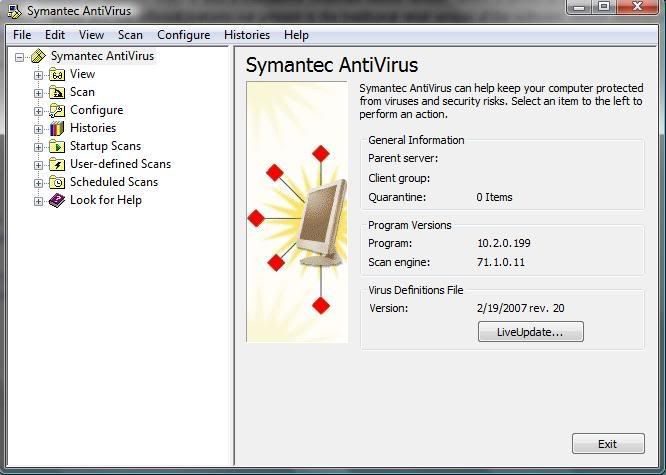
Download:
===============================================================================================================
===============================================================================================================
===============================================================================================================
Kantaris Media Player v0.3.4[9.1 MB]

Kantaris is an all new media player based on code from Videolan client (VLC) and Bass audio library. Kantaris has a graphical user interface similar to that of Windows Media Player.
Kantaris can play almost anything you can throw at it -- AVI, MPEG, MGEG-AVC, WMV, MOV, MKV, quicktime, matroska, divx, xvid, H264, MP3, WMA, OGG files and more. Kantaris can also play DVDs and audio CDs. The player also displays some of the most beautiful music visualizations ever seen.
Download:

Symantec AntiVirus Corporate Edition for Vista provides protection against viruses and security risks for managed and unmanaged clients running on Windows Vista (32-bit and 64-bit editions). Symantec AntiVirus Corporate Edition combines industry-leading, real-time malware protection for enterprise workstations and network servers with graphical Web-based reporting and centralized management and administration capabilities. Side-effect repair keeps systems operational during security disruptions. Centralized configuration and deployment eases administrative burden and overhead. Integrated response content helps maximize system uptime.
In addition to providing comprehensive malware protection for every network tier in an integrated, easy-to-deploy solution, Symantec AntiVirus Enterprise Edition 10.2 now adds antivirus and anti-spyware client support for the Vista platform. In addition to offering adware and spyware protection for enterprise workstations and network servers, Symantec AntiVirus Enterprise Edition now includes Symantec Client Security 3.1, which provides proactive client protection from complex threats by integrating antivirus, anti-spyware, firewall and intrusion prevention technologies under a single console. Symantec AntiVirus Enterprise Edition also provides content filtering and spam prevention for the Internet gateway and Domino and Exchange environments.
Key Features and Benefits:
- Advanced, enterprise-wide virus protection and monitoring from a single management console
- NEW! Vista® client support
- Integrated Web-based graphical reporting
- Improved protection from spyware and adware, including:
- Spyware repair enhancements automatically block spyware installation
- Stealthed spyware detection and remediation
- Improved spyware repairs for invasive risks
Screenshot:
Download:
Code:
http://rapidshare.com/files/149608555/Symn_AVi_Corp_10.2_4V.rar
or
http://www.megaupload.com/?d=9PRDNACF
===============================================================================================================
===============================================================================================================
Kantaris Media Player v0.3.4[9.1 MB]

Kantaris is an all new media player based on code from Videolan client (VLC) and Bass audio library. Kantaris has a graphical user interface similar to that of Windows Media Player.
Kantaris can play almost anything you can throw at it -- AVI, MPEG, MGEG-AVC, WMV, MOV, MKV, quicktime, matroska, divx, xvid, H264, MP3, WMA, OGG files and more. Kantaris can also play DVDs and audio CDs. The player also displays some of the most beautiful music visualizations ever seen.
Download:
Code:
http://rapidshare.com/files/149873150/Kantaris_0.3.4_setup.exeDiskeeper Professional 2008 v12.0.770

Diskeeper 2008 Professional edition allows you to enjoy unprecedented performance and reliability while you work. Fragmented hard drives drain critical system resources and compromise almost every aspect of daily computer use, leading to longer load times, persistent lags and costly crashes.
Diskeeper 2008 elevates system performance, debugging fragmentation-based problems as they occur, without ever compromising vital system resources, even during times of heaviest demand.
The Breakthrough Of Invisible Software
Diskeeper 2008 - The Performance Maximizer InvisiTasking's truly transparent background processing technology allows Diskeeper 2008 to defragment your computer in real time, completely eliminating long, resource-hogging, productivity-robbing maintenance processes. Computer resources are never lost. InvisiTasking monitors resource use and ensures only idle, untapped resource are used to solve fragmentation. Systems are maintained at peak performance with zero resource conflict.
Diskeeper 2008 Professional enhances the reliability and performance of your computer—automatically!
Diskeeper 2008 with InvisiTasking defragments drives without consuming vital system resources.
Increase System Speed
Your computers will run faster with Diskeeper 2008 installed—period. You’ll enjoy using every aspect of your system—from downloading to accessing files to surfing the web with greater ease and efficiency. Leave hang-times, freeze-ups and other fragmentation-based crashes in the dust.
Diskeeper 2008: A Disk Performance Revolution
Diskeeper 2008 Professional is unlike any other product on the market today. Now, more than ever, it is important to have a system that is reliable and performs at the peak of its ability.
Remember how your PC or laptop ran when it was new? Diskeeper 2008 was designed to keep your system faster than new. Simply install Diskeeper 2008 and your computer will run faster and more reliably than it ever has before.
Fragmentation Prevention – New Frag Shield™ 2.0
Frag Shield 2.0 automatically prevents fragmentation of critical system files, maintaining system stability and reliability. This protective Diskeeper feature guards against crash-inducing fragmentation and makes certain your critical files (Master File Table and Paging Files) have enough space to expand. Fragmentation never limits your systems potential speed. Having a system with a system with Frag Shield running will reduce system errors and help desk calls.
Screenshot:

Download:
===============================================================================================================
===============================================================================================================
===============================================================================================================
Diskeeper Enterprise Server 2008 v12.0.770

Diskeeper 2008 EnterpriseServer empowers IT professionals and systems managers to enhance the performance and reliability of their systems. Diskeeper 2008 EnterpriseServer requires no time, management, or resources. Allow Diskeeper to give your hard drives a transparent tune-up while you enjoy unprecedented speed and reliability.
Diskeeper 2008 EnterpriseServer marks the end of scheduling and the beginning of real-time maintenance. Defragment servers without ever worrying about dips in performance or straining valuable system resources—even when demand is at its absolute highest!
Experience A New Standard Of Performance
Server performance comes down to one thing: how fast can your drives deliver data? No matter how much you invest in multiple processors and additional memory, if the hard drive can't deliver data in a timely manner, your entire network suffers from sluggish boot times, persistent lags and costly crashes. All these issues can be traced back to one cause—a fragmented hard drive.
Diskeeper 2008 EnterpriseServer Is the Answer
Diskeeper 2008 EnterpriseServer provides the fastest defragmentation available for high-capacity, high-traffic servers (including SANs, RAID, and NAS). Free up data bottlenecks and let your server hum along at top speed.
The Breakthrough Of Invisible Software
Diskeeper 2008 - The Performance Maximizer InvisiTasking's invisible background processing technology allows Diskeeper 2008 to defragment your computer in real time, completely eliminating long, resource-hogging, productivity-robbing defragmentation. Computer resources are never lost. InvisiTasking monitors resource use and ensures only idle resource are used when Diskeeper 2008 is running. Your computer system is automatically maintained at peak performance with unused processing power.
Diskeeper 2008 EnterpriseServer enhances the reliability and performance of your computer—automatically!
Terabyte Volume Engine (TVE)
High-power servers require high power-defragmentation engines. Only Diskeeper 2008 EnterpriseServer has the advanced technology necessary to eliminate the large volume fragmentation found on enterprise-level servers.
The remarkable Terabyte Volume Engine (TVE). TVE is the only defrag technology with the necessary horsepower to eliminate the rapid fragmentation build-up that occurs in high-traffic volumes that handles millions of files.
TVE was uniquely developed for the highest capacity servers. The greater the number of files and fragments on a volume, the more dramatic TVE's benefits will be. Nothing compares to TVE's ability to eliminate enterprise level fragmentation. In a class of its own, TVE makes real-time enterprise server defragmentation a fact.
Shift into High Gear with I-FAAST™
Diskeeper's I-FAAST 2.0 (Intelligent File Access Acceleration Sequencing Technology) accelerates file access to meet the heavy workloads of file-intensive applications. Using a specially formulated technology, I-FAAST closely monitors file usage and re-sequences the most commonly accessed files for the fastest possible access. File access and creation is boosted to speeds beyond the capabilities of your system when it was new, up to 80% faster.
Diskeeper 2008 EnterpriseServer opens the door to a new standard in performance and reliability.
Download:

Diskeeper 2008 Professional edition allows you to enjoy unprecedented performance and reliability while you work. Fragmented hard drives drain critical system resources and compromise almost every aspect of daily computer use, leading to longer load times, persistent lags and costly crashes.
Diskeeper 2008 elevates system performance, debugging fragmentation-based problems as they occur, without ever compromising vital system resources, even during times of heaviest demand.
The Breakthrough Of Invisible Software
Diskeeper 2008 - The Performance Maximizer InvisiTasking's truly transparent background processing technology allows Diskeeper 2008 to defragment your computer in real time, completely eliminating long, resource-hogging, productivity-robbing maintenance processes. Computer resources are never lost. InvisiTasking monitors resource use and ensures only idle, untapped resource are used to solve fragmentation. Systems are maintained at peak performance with zero resource conflict.
Diskeeper 2008 Professional enhances the reliability and performance of your computer—automatically!
Diskeeper 2008 with InvisiTasking defragments drives without consuming vital system resources.
Increase System Speed
Your computers will run faster with Diskeeper 2008 installed—period. You’ll enjoy using every aspect of your system—from downloading to accessing files to surfing the web with greater ease and efficiency. Leave hang-times, freeze-ups and other fragmentation-based crashes in the dust.
Diskeeper 2008: A Disk Performance Revolution
Diskeeper 2008 Professional is unlike any other product on the market today. Now, more than ever, it is important to have a system that is reliable and performs at the peak of its ability.
Remember how your PC or laptop ran when it was new? Diskeeper 2008 was designed to keep your system faster than new. Simply install Diskeeper 2008 and your computer will run faster and more reliably than it ever has before.
Fragmentation Prevention – New Frag Shield™ 2.0
Frag Shield 2.0 automatically prevents fragmentation of critical system files, maintaining system stability and reliability. This protective Diskeeper feature guards against crash-inducing fragmentation and makes certain your critical files (Master File Table and Paging Files) have enough space to expand. Fragmentation never limits your systems potential speed. Having a system with a system with Frag Shield running will reduce system errors and help desk calls.
Screenshot:

Download:
Code:
http://rapidshare.com/files/149873162/Diskeeper2008-Professional.exe

License:
http://rapidshare.com/files/149957589/Diskeeper_License.rar

Install Notes:
1.) extract Diskeeper2008-Professional.exe to the desired folder
2.) Move License.dal to the pre-installation program folder
3.) Install
4.) Start Diskeeper. If Diskeeper ask for Activation, Cancel or select 'Never Activate', and you no see more nag .
===============================================================================================================
===============================================================================================================
Diskeeper Enterprise Server 2008 v12.0.770

Diskeeper 2008 EnterpriseServer empowers IT professionals and systems managers to enhance the performance and reliability of their systems. Diskeeper 2008 EnterpriseServer requires no time, management, or resources. Allow Diskeeper to give your hard drives a transparent tune-up while you enjoy unprecedented speed and reliability.
Diskeeper 2008 EnterpriseServer marks the end of scheduling and the beginning of real-time maintenance. Defragment servers without ever worrying about dips in performance or straining valuable system resources—even when demand is at its absolute highest!
Experience A New Standard Of Performance
Server performance comes down to one thing: how fast can your drives deliver data? No matter how much you invest in multiple processors and additional memory, if the hard drive can't deliver data in a timely manner, your entire network suffers from sluggish boot times, persistent lags and costly crashes. All these issues can be traced back to one cause—a fragmented hard drive.
Diskeeper 2008 EnterpriseServer Is the Answer
Diskeeper 2008 EnterpriseServer provides the fastest defragmentation available for high-capacity, high-traffic servers (including SANs, RAID, and NAS). Free up data bottlenecks and let your server hum along at top speed.
The Breakthrough Of Invisible Software
Diskeeper 2008 - The Performance Maximizer InvisiTasking's invisible background processing technology allows Diskeeper 2008 to defragment your computer in real time, completely eliminating long, resource-hogging, productivity-robbing defragmentation. Computer resources are never lost. InvisiTasking monitors resource use and ensures only idle resource are used when Diskeeper 2008 is running. Your computer system is automatically maintained at peak performance with unused processing power.
Diskeeper 2008 EnterpriseServer enhances the reliability and performance of your computer—automatically!
Terabyte Volume Engine (TVE)
High-power servers require high power-defragmentation engines. Only Diskeeper 2008 EnterpriseServer has the advanced technology necessary to eliminate the large volume fragmentation found on enterprise-level servers.
The remarkable Terabyte Volume Engine (TVE). TVE is the only defrag technology with the necessary horsepower to eliminate the rapid fragmentation build-up that occurs in high-traffic volumes that handles millions of files.
TVE was uniquely developed for the highest capacity servers. The greater the number of files and fragments on a volume, the more dramatic TVE's benefits will be. Nothing compares to TVE's ability to eliminate enterprise level fragmentation. In a class of its own, TVE makes real-time enterprise server defragmentation a fact.
Shift into High Gear with I-FAAST™
Diskeeper's I-FAAST 2.0 (Intelligent File Access Acceleration Sequencing Technology) accelerates file access to meet the heavy workloads of file-intensive applications. Using a specially formulated technology, I-FAAST closely monitors file usage and re-sequences the most commonly accessed files for the fastest possible access. File access and creation is boosted to speeds beyond the capabilities of your system when it was new, up to 80% faster.
Diskeeper 2008 EnterpriseServer opens the door to a new standard in performance and reliability.
Download:
Code:
http://rapidshare.com/files/149873182/Diskeeper2008-EnterpriseServer.exe

License:
http://rapidshare.com/files/149957589/Diskeeper_License.rar

Install Notes:
1.) extract Diskeeper2008-Professional.exe to the desired folder
2.) Move License.dal to the pre-installation program folder
3.) Install
4.) Start Diskeeper. If Diskeeper ask for Activation, Cancel or select 'Never Activate', and you no see more nag .Super Video Converter v5.3[26.5 MB]

Super Video Converter is a powerful and easy to use video tool to convert and join AVI MPEG WMV/ASF VCD DVD video files. Main features include: Convert Video to AVI(DivX,Xvid...); Convert Video to MPEG-1/MPEG-2; Convert Video to WMV/ASF; Convert Video to VCD/SVCD/DVD compliant files; Join video files to a large one (even different formats); Converting video files from one format to another.all media formats to DivX (MPEG4) and AVI,PAL-to-NTSC conversion and vice versa are also included, You can change the codec/System type between them including PAL<=> NTSC, Divx <==> cinpeak,as well as support for streaming media (WMV/ASF). An easy-to-use interface allows you to enjoy working with video files without frequently consulting reference materials.
Download:
===============================================================================================================
===============================================================================================================
===============================================================================================================
Super Video to Audio Converter v5.3[2 MB]
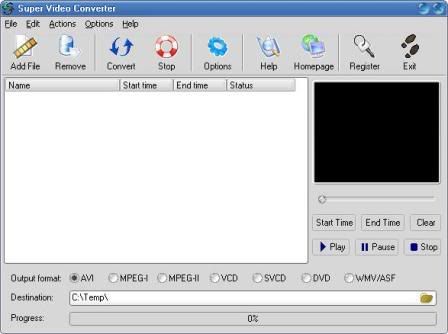
Super Video Converter is a powerful and easy to use video tool to convert and join AVI MPEG WMV/ASF VCD DVD video files. Main features include: Convert Video to AVI(DivX,Xvid...); Convert Video to MPEG-1/MPEG-2; Convert Video to WMV/ASF; Convert Video to VCD/SVCD/DVD compliant files; Join video files to a large one (even different formats); Converting video files from one format to another.all media formats to DivX (MPEG4) and AVI,PAL-to-NTSC conversion and vice versa are also included, You can change the codec/System type between them including PAL<=> NTSC, Divx <==> cinpeak,as well as support for streaming media (WMV/ASF). An easy-to-use interface allows you to enjoy working with video files without frequently consulting reference materials.
Download:

Super Video Converter is a powerful and easy to use video tool to convert and join AVI MPEG WMV/ASF VCD DVD video files. Main features include: Convert Video to AVI(DivX,Xvid...); Convert Video to MPEG-1/MPEG-2; Convert Video to WMV/ASF; Convert Video to VCD/SVCD/DVD compliant files; Join video files to a large one (even different formats); Converting video files from one format to another.all media formats to DivX (MPEG4) and AVI,PAL-to-NTSC conversion and vice versa are also included, You can change the codec/System type between them including PAL<=> NTSC, Divx <==> cinpeak,as well as support for streaming media (WMV/ASF). An easy-to-use interface allows you to enjoy working with video files without frequently consulting reference materials.
Download:
Code:
http://rapidshare.com/files/149873164/superconverter.exe

Crack:
http://rapidshare.com/files/149981419/Super_Video_Converter_Crack.rar
===============================================================================================================
===============================================================================================================
Super Video to Audio Converter v5.3[2 MB]
Super Video Converter is a powerful and easy to use video tool to convert and join AVI MPEG WMV/ASF VCD DVD video files. Main features include: Convert Video to AVI(DivX,Xvid...); Convert Video to MPEG-1/MPEG-2; Convert Video to WMV/ASF; Convert Video to VCD/SVCD/DVD compliant files; Join video files to a large one (even different formats); Converting video files from one format to another.all media formats to DivX (MPEG4) and AVI,PAL-to-NTSC conversion and vice versa are also included, You can change the codec/System type between them including PAL<=> NTSC, Divx <==> cinpeak,as well as support for streaming media (WMV/ASF). An easy-to-use interface allows you to enjoy working with video files without frequently consulting reference materials.
Download:
Code:
http://rapidshare.com/files/149873222/video2mp3.exe

Crack:
http://rapidshare.com/files/149981363/Super.Video.to.Audio.Converter.v4.3_Keymaker.rarMagic Photo Editor v4.5[11.4 MB]

Magic Photo Editor easily blend your digital photo onto another picture (a landscape picture). You can also add some pretty frames, flowers, cartoon pictures, or write your comments on the photo to make it more beautiful and attractive. 200 masks, 60 kinds of flowers, 120 cartoon pictures, 160 frames for you to add to your photo.
Try our three photo editing software: Magic Photo Editor, DreamLight Photo Editor and Face Smoother !
Full Version has 200 masks 60 flowers 120 cartoon pictures 160 frames for you to choose.
Download:
===============================================================================================================
===============================================================================================================
===============================================================================================================
PHPMaker v5.0.2[8.7 MB]

PHPMaker is a powerful automation tool that can generate a full set of PHP quickly from MySQL database. Using PHPMaker, you can instantly create Web sites that allow users to view, edit, search, add and delete records on the Web. PHPMaker is designed for high flexibility, numerous options enable you to generate PHP applications that best suits your needs. The generated codes are clean, straightforward and easy-to-customize. The PHP scripts can be run on both Windows or Linux/Unix servers. PHPMaker can save you tons of time and is suitable for both beginners and experienced develpers alike.
Screenshot:

Download:

Magic Photo Editor easily blend your digital photo onto another picture (a landscape picture). You can also add some pretty frames, flowers, cartoon pictures, or write your comments on the photo to make it more beautiful and attractive. 200 masks, 60 kinds of flowers, 120 cartoon pictures, 160 frames for you to add to your photo.
Try our three photo editing software: Magic Photo Editor, DreamLight Photo Editor and Face Smoother !
Full Version has 200 masks 60 flowers 120 cartoon pictures 160 frames for you to choose.
Download:
Code:
http://rapidshare.com/files/149873849/magicphotof.exe

Crack:
http://rapidshare.com/files/149966534/Picget.Magic.Photo.Editor.v4.5.Cracked-CRD.rar
===============================================================================================================
===============================================================================================================
PHPMaker v5.0.2[8.7 MB]

PHPMaker is a powerful automation tool that can generate a full set of PHP quickly from MySQL database. Using PHPMaker, you can instantly create Web sites that allow users to view, edit, search, add and delete records on the Web. PHPMaker is designed for high flexibility, numerous options enable you to generate PHP applications that best suits your needs. The generated codes are clean, straightforward and easy-to-customize. The PHP scripts can be run on both Windows or Linux/Unix servers. PHPMaker can save you tons of time and is suitable for both beginners and experienced develpers alike.
Screenshot:

Download:
Code:
http://rapidshare.com/files/149874158/phpmkr.exe

Keygen:
http://rapidshare.com/files/149966497/PHPMaker.v5_Keymake.rarCPU-Z 1.47.2[572 KB]

CPU-Z is a utility that gathers information on some of the main devices of your system.
CPU
* Name and number.
* Core stepping and process.
* Package.
* Core voltage.
* Internal and external clocks, clock multiplier.
* Supported instructions sets.
* Cache information.
Mainboard
* Vendor, model and revision.
* BIOS model and date.
* Chipset (northbridge and southbridge) and sensor.
* Graphic interface.
Memory
* Frequency and timings.
* Module(s) specification using SPD (Serial Presence Detect) : vendor, serial number, timings table.
System
* Windows and DirectX version.
Download:
===============================================================================================================
===============================================================================================================
===============================================================================================================
Cheetah DVD Burner 2.25[8.1 MB]

Cheetah DVD Burner 2.25
Burn Dual Layer DVD+R, UDF Video DVD, UDF/ISO DVD, DVD+RW, DVD+R, DVD-RW, DVD-R, DVD-RAM, CD-RW, and CD-R disc's. Burn Bootable CD/DVD's, ISO Files, and Audio CD's from MP3, MP2, WMA, WAV, AVI and OGG files.
Features:
- Video DVD Mastering - The Cheetah DVD Burner passes the Video DVD Verifier tests and Mastering Applications like the most known Philips Video DVD Verifier.
- Bootable CD/DVD - Create Bootable CD/DVD from .img files
- Supports high burning speeds - Supports use of high write speeds - Designed for high data rates
- Buffer Underrun Protection - Support for hardware buffer underrun protection systems, like BURNproof, JustLink, Power-Burn, SafeBurn, SeamlessLink etc
- ISO Multi-Session - Burn Multi-Session Data CD/DVD with all types of media.
- Disc Finalization - No further writing is possible after the disc is burned.
- Auto Verify Data - Performs a binary compare with the source files.
- Joliet - Burn Joliet directories with 64 char file names
Screenshot:

Download:

CPU-Z is a utility that gathers information on some of the main devices of your system.
CPU
* Name and number.
* Core stepping and process.
* Package.
* Core voltage.
* Internal and external clocks, clock multiplier.
* Supported instructions sets.
* Cache information.
Mainboard
* Vendor, model and revision.
* BIOS model and date.
* Chipset (northbridge and southbridge) and sensor.
* Graphic interface.
Memory
* Frequency and timings.
* Module(s) specification using SPD (Serial Presence Detect) : vendor, serial number, timings table.
System
* Windows and DirectX version.
Download:
Code:
http://rapidshare.com/files/149874220/cpuz.zip===============================================================================================================
===============================================================================================================
===============================================================================================================
Cheetah DVD Burner 2.25[8.1 MB]

Cheetah DVD Burner 2.25
Burn Dual Layer DVD+R, UDF Video DVD, UDF/ISO DVD, DVD+RW, DVD+R, DVD-RW, DVD-R, DVD-RAM, CD-RW, and CD-R disc's. Burn Bootable CD/DVD's, ISO Files, and Audio CD's from MP3, MP2, WMA, WAV, AVI and OGG files.
Features:
- Video DVD Mastering - The Cheetah DVD Burner passes the Video DVD Verifier tests and Mastering Applications like the most known Philips Video DVD Verifier.
- Bootable CD/DVD - Create Bootable CD/DVD from .img files
- Supports high burning speeds - Supports use of high write speeds - Designed for high data rates
- Buffer Underrun Protection - Support for hardware buffer underrun protection systems, like BURNproof, JustLink, Power-Burn, SafeBurn, SeamlessLink etc
- ISO Multi-Session - Burn Multi-Session Data CD/DVD with all types of media.
- Disc Finalization - No further writing is possible after the disc is burned.
- Auto Verify Data - Performs a binary compare with the source files.
- Joliet - Burn Joliet directories with 64 char file names
Screenshot:

Download:
Code:
http://rapidshare.com/files/149875118/CheetahDVDBurner.exe

Crack:
http://rapidshare.com/files/149953507/Cheetah_DVD_Burner_2.05_serial.rarHD Tune v2.55[642 KB]

A hard disk utility that can test burst speed, temperatures, benchmark and more
HD Tune was designed as a HDD application.
Here are some key features of "HD Tune":
· Benchmark: measures the raw performance
· Transfer Rate
· Access Time
· CPU Usage
· Burst Rate
· Hard Disk information which includes firmware version, serial number, disk capacity, buffer size, transfer mode
· Hard Disk Health
· S.M.A.R.T. Information (Self-Monitoring Analysis and Reporting Technology)
· Temperature
· Power On Time
· Copy text to clipboard
· Copy screenshot to clipboard
What's New in This Release:
· Added option to change block size
· Improved compatibility with Vista
· Fixed problems with Fahrenheit temperature display
Download:
===============================================================================================================
===============================================================================================================
===============================================================================================================
WISE-FTP v5.5.7[8 MB]

WISE-FTP is a powerful FTP client - an application that enables you to connect to any FTP server and download or upload files and directories.
Buy or upgrade to WISE-FTP 5 now
Frequently asked questions
What's new in version 5?
WISE-FTP 5 highlights
Connect to any FTP site!
Intuitive user interface: Work on remote sites as if they local files and directories, in a Windows Explorer-like environment!
Secure authentication and file transfer: Use the SSH File Transfer Protocol (SFTP) or FTPS (FTP/SSL) protocol for maximum security.
Concurrently transfer several files to one or more FTP servers in the background!
Integrated HTML editor enables direct editing of files on the remote system: modify HTML or text files directly on the FTP server.
File quick view using the integrated file viewer or the associated Windows application!
WISE-FTP Task Planner! Schedule your transfers using this new easy-to-use tool!
Windows Explorer Integration: Use the most important Windows Explorer program features!
And much more!
Screenshot:

Download:

A hard disk utility that can test burst speed, temperatures, benchmark and more
HD Tune was designed as a HDD application.
Here are some key features of "HD Tune":
· Benchmark: measures the raw performance
· Transfer Rate
· Access Time
· CPU Usage
· Burst Rate
· Hard Disk information which includes firmware version, serial number, disk capacity, buffer size, transfer mode
· Hard Disk Health
· S.M.A.R.T. Information (Self-Monitoring Analysis and Reporting Technology)
· Temperature
· Power On Time
· Copy text to clipboard
· Copy screenshot to clipboard
What's New in This Release:
· Added option to change block size
· Improved compatibility with Vista
· Fixed problems with Fahrenheit temperature display
Download:
Code:
http://rapidshare.com/files/149875145/hdtune_255.exe===============================================================================================================
===============================================================================================================
WISE-FTP v5.5.7[8 MB]

WISE-FTP is a powerful FTP client - an application that enables you to connect to any FTP server and download or upload files and directories.
Buy or upgrade to WISE-FTP 5 now
Frequently asked questions
What's new in version 5?
WISE-FTP 5 highlights
Connect to any FTP site!
Intuitive user interface: Work on remote sites as if they local files and directories, in a Windows Explorer-like environment!
Secure authentication and file transfer: Use the SSH File Transfer Protocol (SFTP) or FTPS (FTP/SSL) protocol for maximum security.
Concurrently transfer several files to one or more FTP servers in the background!
Integrated HTML editor enables direct editing of files on the remote system: modify HTML or text files directly on the FTP server.
File quick view using the integrated file viewer or the associated Windows application!
WISE-FTP Task Planner! Schedule your transfers using this new easy-to-use tool!
Windows Explorer Integration: Use the most important Windows Explorer program features!
And much more!
Screenshot:

Download:
Code:
http://rapidshare.com/files/149875309/wiseftp5.exe

Crack:
http://rapidshare.com/files/149992609/WISE-FTP.Crack.rarGom Player 2.1.9.3752[5.7 MB]

With GOM, you´ll experience something you´ve never seen in the past with other media players. GOM supports all kinds of features for highly advanced users who desire to watch video clips at the best quality. Try one of your broken AVI files with GOM that other media players couldn´t play.
GOM Player supports most of the condecs (AVI, DAT, MPEG, DivX, and plus more) by its own embedded codec system that you won´t have to look for appropriate codecs everytime when you can´t play a certain video format.
For those codecs that require license that cannot be distributed, GOM will automatically lead you to a open-source codec web-site.
Watch video files while you are downloading them! GOM has a registered patent For playing broken AVI format or AVI video files that are being Downloded. So try one of your broken AVI files or The one that you are downloading right now. You´ll find it amazing!
GOM support a lot of advanced features for advanced users. You can customize this players only for you by setting toggle keys for yourself select VMR modes, Set detail resolution. Overlay mixer features AVI key frame based RW/FF optimized buffer for streaming automatic ASF source filter and many more!
Download:
===============================================================================================================
===============================================================================================================
===============================================================================================================
Azureus (Vuze) v3.0.4.2[9 MB]

Azureus is a Java based BitTorrent client that offers multiple torrent downloads, queuing/priority systems (on torrents and files), start/stop seeding options and instant access to numerous pieces of information about your torrents. It also features an embedded tracker that is easily set up and ready to use.
Azureus connects to the BitTorrent network. BitTorrent is a peer-to-peer protocol designed to transfer files. Users connect directly to send and receive portions of a file, while a central tracker coordinates the action of all peers and manages connections without knowledge of the contents of the files being distributed. With BitTorrent, users upload at the same time they download, so network bandwidth is managed as efficiently as possible. BitTorrent is designed to work better than other file-transfer protocols as the number of people interested in a certain file increases. Azureus support for 27 languages.
Features of "Azureus":
* Multiple torrent downloads
* Upload and download speed limiting, both globally and per torrent
* Advanced seeding rules
* Adjustable disk cache
* Only uses one port for all the torrents
* UPnP sets the forward on your router
* Can use a proxy, for both tracker and peer communications
* Fast resume
* Can set a default download dir and move completed files
* Can import torrents automatically from a set dir
* Highly customizable interface
* IRC plugin included for quick help
* Embedded tracker, host your own torrents, automate your shares (periodic scanning of a dir)...
* Distributed Hash Table: host on it a completely decentralised torrent and/or benefit from it when the tracker is offline.
Many useful plugins are available:
* Auto-adjustment of your upload and download speeds according to your network charge with Autospeed
* Auto-download torrents with RSS Feed Scanner
* Schedule upload and download speed limits with Speed Scheduler
* Receive a mail when a download finishes with Status Mailer
* Add numerous info on torrents (Extra seeding columns, Country Locator)
* Remote control Azureus through the Swing Web Interface or the HTML Web Interface
Changes in Azureus 3.0.4.2 | 2007.12.21:
FEATURE: UI | Added "Check Files Exist" menu option [amc1]
FEATURE: Plug | Perform low resource usage tracking of online torrents for swarm cross-population purposes [Parg]
CHANGE: Core | Added option to disable download speed focus [The 8472]
CHANGE: Core | Reduced memory usage for many-torrent instances [The 8472]
CHANGE: UI | Multiple selected torrent export now works [amc1]
BUGFIX: Core | Fixed IP filters not working when ALLOW instead of DENY was used [Parg]
BUGFIX: Core | Improve rebuffering behaviour when real-time pieces are too slow for any peers to get in time [Parg]
BUGFIX: Core | Ensure minimum buffer requirements are factored into ETA calculation [Parg]
BUGFIX: UI | Eliminated various memory leaks [The 8472]
Screenshot:

Download:

With GOM, you´ll experience something you´ve never seen in the past with other media players. GOM supports all kinds of features for highly advanced users who desire to watch video clips at the best quality. Try one of your broken AVI files with GOM that other media players couldn´t play.
GOM Player supports most of the condecs (AVI, DAT, MPEG, DivX, and plus more) by its own embedded codec system that you won´t have to look for appropriate codecs everytime when you can´t play a certain video format.
For those codecs that require license that cannot be distributed, GOM will automatically lead you to a open-source codec web-site.
Watch video files while you are downloading them! GOM has a registered patent For playing broken AVI format or AVI video files that are being Downloded. So try one of your broken AVI files or The one that you are downloading right now. You´ll find it amazing!
GOM support a lot of advanced features for advanced users. You can customize this players only for you by setting toggle keys for yourself select VMR modes, Set detail resolution. Overlay mixer features AVI key frame based RW/FF optimized buffer for streaming automatic ASF source filter and many more!
Download:
Code:
http://rapidshare.com/files/149875453/GOMPLAYERENSETUP.EXE===============================================================================================================
===============================================================================================================
Azureus (Vuze) v3.0.4.2[9 MB]

Azureus is a Java based BitTorrent client that offers multiple torrent downloads, queuing/priority systems (on torrents and files), start/stop seeding options and instant access to numerous pieces of information about your torrents. It also features an embedded tracker that is easily set up and ready to use.
Azureus connects to the BitTorrent network. BitTorrent is a peer-to-peer protocol designed to transfer files. Users connect directly to send and receive portions of a file, while a central tracker coordinates the action of all peers and manages connections without knowledge of the contents of the files being distributed. With BitTorrent, users upload at the same time they download, so network bandwidth is managed as efficiently as possible. BitTorrent is designed to work better than other file-transfer protocols as the number of people interested in a certain file increases. Azureus support for 27 languages.
Features of "Azureus":
* Multiple torrent downloads
* Upload and download speed limiting, both globally and per torrent
* Advanced seeding rules
* Adjustable disk cache
* Only uses one port for all the torrents
* UPnP sets the forward on your router
* Can use a proxy, for both tracker and peer communications
* Fast resume
* Can set a default download dir and move completed files
* Can import torrents automatically from a set dir
* Highly customizable interface
* IRC plugin included for quick help
* Embedded tracker, host your own torrents, automate your shares (periodic scanning of a dir)...
* Distributed Hash Table: host on it a completely decentralised torrent and/or benefit from it when the tracker is offline.
Many useful plugins are available:
* Auto-adjustment of your upload and download speeds according to your network charge with Autospeed
* Auto-download torrents with RSS Feed Scanner
* Schedule upload and download speed limits with Speed Scheduler
* Receive a mail when a download finishes with Status Mailer
* Add numerous info on torrents (Extra seeding columns, Country Locator)
* Remote control Azureus through the Swing Web Interface or the HTML Web Interface
Changes in Azureus 3.0.4.2 | 2007.12.21:
FEATURE: UI | Added "Check Files Exist" menu option [amc1]
FEATURE: Plug | Perform low resource usage tracking of online torrents for swarm cross-population purposes [Parg]
CHANGE: Core | Added option to disable download speed focus [The 8472]
CHANGE: Core | Reduced memory usage for many-torrent instances [The 8472]
CHANGE: UI | Multiple selected torrent export now works [amc1]
BUGFIX: Core | Fixed IP filters not working when ALLOW instead of DENY was used [Parg]
BUGFIX: Core | Improve rebuffering behaviour when real-time pieces are too slow for any peers to get in time [Parg]
BUGFIX: Core | Ensure minimum buffer requirements are factored into ETA calculation [Parg]
BUGFIX: UI | Eliminated various memory leaks [The 8472]
Screenshot:

Download:
Code:
http://rapidshare.com/files/149875491/Azureus_3_0_windows.exeSimilar threads


- Replies
- 19
- Views
- 678

- Replies
- 4
- Views
- 117


