


Latest ads
-
 ඕනම රටකට සෙට් වෙන CV එකක්
- ErMurazor
- Updated:
-
 Hambantota 7 Acres Beachfront Land For Sell DownSouth , PerPerch Price 420 000
- 1024 Digital
- Updated:
-
 Baseus PI LITE INDOOR CAMERA
- ErMurazor
- Updated:
-
Colombo Hard Disk For Sale
- mazza
- Updated:
Vector Image`s N PhotoShop Tool`s Collection
- Thread starter MaD-DoC
- Start date
You are using an out of date browser. It may not display this or other websites correctly.
You should upgrade or use an alternative browser.
You should upgrade or use an alternative browser.

Sexy Girls Wallpapers
Examples:


Download:
Code: http://rapidshare.com/files/91984008/Sexy_Girls_Wallpaper_ARS.rar
Password:
Code: ARS
Examples:


Download:
Code: http://rapidshare.com/files/91984008/Sexy_Girls_Wallpaper_ARS.rar
Password:
Code: ARS

MaD-DoC said:Voyage of columbus


Voyage of Columbus 3D Screensaver is the only screensaver that recreates, in stunning details, one of the days of the first voyage made by Christopher Columbus and his marines. They were in search of India, but discovered a new continent, which eventually lead to the birth of the American nation. On that voyage Columbus was in command of three ships: the Santa Maria, the Pinta and the Nina. The flagship Santa Maria grounded on a reef on Christmas Eve and sank. Her remnants were used to build a fort on shore, called La Navidad, which became home to 40 marines, the first American colonists. They awaited Columbus' return from Spain...
Today anyone has a unique chance to feel the spirit of those great events and see American history in making right on the desktop! After some time of being idle, the desktop changes into a wonderful scene that shows three great ships, the Santa Maria, the Pinta and the Nina with Columbus, captains and marines aboard. The best in its scene is its total realism. Ships, people, and waves have been digitally recreated with accurate physics, so that they look and behave just like they might in real life, taking into account such factors as their weight, shape and speed. At times it seems that instead of the screensaver you are watching a computerized movie. Changing daytime scenes, ranging from sunny afternoons to chilly nights, add to the total realism of the screensaver.
Code: http://rapidshare.com/files/54610781/Voyage_Of_Columbus.rar
3D Water Clock 1.0

Water Clock 3D Screensaver is made using an up-to-date graphic engine which serves well in creating realistic and vivid environment along with the detailed clock mechanism. The waterfalls look lively and charming as the metallic gears gleam in the light. In addition to that, the screensaver supports dynamic lightning so the place has different illumination depending on time of day. You’ll never get tired of feasting your eyes upon the beauty of this peaceful place. Also, with the purpose of making the atmosphere even more pacifying, the screensaver comes with the soft music accompaniment. You can also select a tune from your own collection.
Code: http://rapidshare.com/files/105068871/Water_Clock_3D_1.0.rar


THANX.............MACHAN..........
1

2

Code:
Code:

2

Code:
Code:
http://rapidshare.com/files/44357988/models_1.rar
Code:
http://rapidshare.com/files/44360049/models_2.rarEva Longoria - wallpapers


 [/URL]
80 jpg -- size: 18.6 MB
Code:


80 jpg -- size: 18.6 MB
Code:
Code:
http://rapidshare.com/files/49944593/Eva_Longoria_pictures.rar


Kylie Minogue


size: 10 MB
wallpapers: 117
1024 x 768, 1538x11157
Code:


size: 10 MB
wallpapers: 117
1024 x 768, 1538x11157
Code:
Code:
http://rapidshare.com/files/46757948/WallpaperskylllieM.rarWallpapersHot Girls
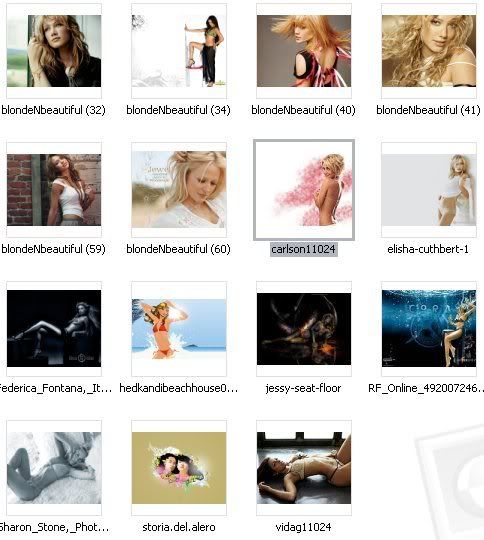
A collection of hot chicks
1280 by 1024
Code: http://rapidshare.com/files/73033146/chix-silk.rar
file size is 16.2 mb
A collection of hot chicks
1280 by 1024
Code: http://rapidshare.com/files/73033146/chix-silk.rar
file size is 16.2 mb

86Pic . Up to 1280* 1024
Download
Code: http://www.megaupload.com/?d=K36C6CKS
Or
Code: http://rapidshare.com/files/91705534/HotGWalls2k8_www.softarchive.net.rar
Hot Sexy Japanese Girls Pics

Code: http://www.megaupload.com/?d=MBFOM73W
Code: Password: www.BayW.org

Code: http://www.megaupload.com/?d=MBFOM73W
Code: Password: www.BayW.org
MaD-DoC said:WallpapersHot Girls
A collection of hot chicks
1280 by 1024
Code: http://rapidshare.com/files/73033146/chix-silk.rar
file size is 16.2 mb
THANX MACHAN.................

Thats New Sexy Wallpapers Of Nikki Sanderson


Code:


Code:
MaD-DoC said:Amazing Floral Ornaments

Amazing Floral Ornaments
4 EPS Vector Files + JPG | 10.13 MB
Code:Code:http://rapidshare.com/files/107294258/SS_FloralOrnaments.zip Code: PASS:www.kof4max.com

THANX MACHAN............
MaD-DoC said:6 Digital Film Tools plugins for Photoshop
6 high quality Digital Film Tools plugins for Adobe Photoshop
55mm is the definitive set of digital optical filters meant to simulate popular glass camera filters, specialized lenses, optical lab processes, film grain, matte generation, exacting color correction as well as natural light and photographic effects--all in a controlled digital environment with either 8 or 16 bits per channel processing
The ultimate film look plug-in, Digital Film Lab simulates a variety of color and black and white photographic looks, diffusion and color grad camera filters, lighting gels, film stocks and optical lab processes. The power of the plug-in lies in its presets which can be loaded to achieve a variety of different effects. There are over 135 useful presets organized into black and white looks, color looks, diffusion, grain and temperature. Feel free to use our presets, modify them or create your own.
Light can be added to a scene where none existed before just as if you were adding light at the time of shooting. Realistic lighting and shadow is introduced using the entire pattern/ gobo library created by GAMPRODUCTS, INC.
Ozone is a unique Photoshop filter that allows photographers, designers, and artists to manipulate the color of an image with incredible flexibility and accuracy. Inspired by Ansel Adams's Zone System for still photography, Digital Film Tools has created "The Digital Zone System." To reproduce the infinite palette of colors, tones, and brightness of the world around us, the Digital Zone System takes the spectrum of image values and divides them into 11 discrete zones. With Ozone, the color and brightness of each zone can be independently adjusted until you've painted a new picture. All zones can be adjusted and viewed in context, and you don't have to commit to the adjustments until all zones are corrected.
EZ Mask is an easy to use interactive image masking tool capable of extracting almost any object in an image--even if you are dealing with fine hair detail, smoke, or reflections. This extraction process creates what is known as a mask--essentially a black and white cutout. White mask areas are extracted, black areas not, and gray areas in between represent a level of transparency. Once a mask is extracted, the foreground object can be seamlessly composed onto a new background in Adobe Photoshop or Photoshop Elements as well as apply filter and image corrections only within the area defined by the mask.
Snap is an easy to use interactive image cutout tool designed to extract solid or opaque objects. Image cutout is the process of removing or isolating an object in a picture.
Homepage:
Code: http://www.digitalfilmtools.com/index2.htm
Code: http://rapidshare.com/files/10549399/6.Digital.Film.Tools.plugins.for.Photoshop.rar.html
Pixarra TwistedBrush 11.3
Simplicity without sacrifice, powerful enough for the professional artist yet simply enough for the novice. TwistedBrush has one of the most versatile and powerful brush engines in existence, yet it was designed from day one to be easy to use. Over 1500 brushes, layers, realistic media, photo cloning, tracing, masks, particles, filters, script recording, scripts to AVI, drawing tablet support, brush shapes, patterns, textures, integrated scanner support snf much more!
Performance: Pixarra's attention to performance is a top priority. As an artist draws and paints the tools should disappear from thought and allow focus on the creative process rather than waiting for the tool to finish its job. In addition the responsiveness of the brush tools should be quick and show marks on the page instantly to allow the artist to enter the "zone".
High Precision 64 Bit Brush Engine: Most graphic programs offer at most 32 bits of color resolution. TwistedBrush represents all image data internally at a full 64 bits of color resolution. This allows for super smooth color mixing and alpha blending.
Brushes: TwistedBrush has over 1500 diffferent brushes included. These range from very simple color dots to realistic representations of natural artist tools to very wild brushes. Here is a very small sampling of some of the brushes that are available. For a complete listing of brushes visit the ArtSet swatches.
===========================
What's new in v11.3
* Added - Layer mini bar!
* Added - Right click displays a popup menu for common actions on the layer mini bar.
* Added - Mask operations can now be undone!
* Added - ArtSet : Collections - Flower and Flakes Designs. Donated by a very generous TwistedBrush user.
* Added - Ability to turn off the autosave feature. A value of zero for the auto save frequency.
* Added - 6 new brushes in the Image Brushes : Basics ArtSet
* Added - 4 new brushes in the ArtTools : Palette Knives Artset.
* Improved - When selecting a color when an image brush is in use the alpha channel of the brush is no longer altered. This allows for using image brushes as easy to create shaped brushes!
* Improved - The ImageBrush effect will now work on any core brush type.
* Improved - When clearing a mask from the Mask menu the mask system will also be disabled. This yields performance improvements in subsequent operations such as painting.
* Changed - The minimum auto save frequency is 30 secs.
* Changed - If an autosave interval is missed because the page hasn't changed or drawing is occuring reset the timer. This way saving doesn't occur right after drawing on the page after a period in inactivity.
* Changed - The default page size from 800x600 to 770x600. To avoid the scroll bars on a display set to 1024x768.
* Fixed - When an image brush is first selected it was not ready to paint with if no image was captured yet.
* Fixed - The Undo system was allocating twice as much memory as needed!
* Fixed - Creating a mask from image was not automatically enabling the mask.
* Fixed - Creating a mask from the alpha channel was not automatically enabling the mask.
* Fixed - Inverting a mask was not automatically enabling the mask.
* Fixed - Masking brushing was causing too much undo memory to be used.
* Fixed - The Layer (lay *) brush effects weren't working in brush effect slots 9, 10, 11 and 12.
* Fixed - The Step brush effect wasn't working correctly.
* Fixed - The Skip brush effect wasn't always correct.
================
System Requirements:
Windows 95/98/me/2000/NT/XP
20mb disk space
256mb ram
16, 24, or 32 display mode. Will not run in 256 color modes
Homepage:
Code: http://www.pixarra.com
Download:
Code: http://rapidshare.com/files/10561236/TwistedBrush.11.3.rar.html
Integrated 2D and 3D compositing, titles, graphics, and effects
The days of exporting back and forth between applications to add effects and titles are over. Avid FX puts an entire 2D and 3D effects studio inside your Avid editing environment: powerful, professional titles, graphics, effects, and compositing. In fact, you could combine every external compositing application with every plug-in from every vendor, and still not have all the features found in Avid FX.
AVID FX 5.1 (231 MB. .Cue .bin File 3 Part)
Integrated 2D and 3D compositing, titles, graphics, and effects
The days of exporting back and forth between applications to add effects and titles are over. Avid FX puts an entire 2D and 3D effects studio inside your Avid editing environment: powerful, professional titles, graphics, effects, and compositing. In fact, you could combine every external compositing application with every plug-in from every vendor, and still not have all the features found in Avid FX.
Avid FX is included with Avid Studio Toolkit and Avid Xpress Studio Complete..
Avid FX smoothes the learning curve with over 1500 customizable title, effects, and transition templates to help you get started quickly. Avid FX is the ultimate combination of power and convenience. The only hard part is deciding which effect to use.
Native vector text, one-click animation, powerful styles, text on path (withboth text and path animatable in 3D space) and more will help you easily distinguish your titling capabilities from your competitors.
Animate composite modes, even combine them in a single layer for exceptional control. Advanced features include motion tracking, vector paint, rotoscoping, animated 2D and 3D charts, EPS file import and animation, and true 3D DVE with complete control over Z-space, including intersecting layers with cast shadows.
Avid FX's more than 110 powerful filters include Wire Removal, Light Zoom, Light Wrap, Z Blur, Grain Match, Motion Blur, powerful keying and matte filters, and a wide range of time effects such as Optical Flow.
Apply Avid FX directly from your Avid's Effects palette to any clip, title, or sequence. Change the media on your timeline, including updating resolution from offline to online, and the effects automatically update. Even use your Avid DNA hardware to display OpenGL-accelerated effects output on your client monitor.
Homepage:
Code: http://www.avid.com/products/xpressStudio/fx/
Sample IMG:
Code: http://www.avid.com/images/xpressScreens/AvidFXRoto1_lg.jpg
Download:
Code: http://rapidshare.com/files/10578608/echos-avidfx51.part1.rar.html
http://rapidshare.com/files/10577235/echos-avidfx51.part2.rar.html
http://rapidshare.com/files/10579093/echos-avidfx51.part3.rar.html

Code: http://rapidshare.com/files/10581574/cars.rar.html

Code: http://rapidshare.com/files/10581629/children.brush.rar.html

Code: http://rapidshare.com/files/10581651/cinema.rar.html

Code: http://rapidshare.com/files/10581658/My.Orb.rar.html

Code: http://rapidshare.com/files/10581699/Orchestrated.Love.Vector.Brushes.1.rar.html

Code: http://rapidshare.com/files/10581718/people.rar.html

Code: http://rapidshare.com/files/10581741/People.EPS.rar.html

Code: http://rapidshare.com/files/10581765/SDP.AI.Vectors.Collection.rar.html

Code: http://rapidshare.com/files/10581778/TNA.DVD.Template.PSD.rar.html

Code: http://rapidshare.com/files/10581824/udesign.stock.rar.html

Code: http://rapidshare.com/files/10581852/Xmas.brushes.rar.html

Code: http://rapidshare.com/files/10581611/zixyon.branding.rar.html

Code: http://rapidshare.com/files/11286749/Abstract_17.rar.html


THANX MACHAN...............


Similar threads

- Replies
- 3
- Views
- 294

- Replies
- 5
- Views
- 463

- Replies
- 48
- Views
- 3K


- Replies
- 4
- Views
- 321