

Latest ads
-
Singapore V2Ray VPN for Tunneling
- hu KANNA
- Updated:
-
 Plan your Crypto & Forex entries before you take the trade
- romeshnonis
- Updated:
-
 RHCSA, RHCE, AWS, Docker, Kubernetes Training
- Sanjeewani95
- Updated:
-
 🛡️ Kaspersky Antivirus – 1 Year / 1 Device | Rs. 2,300 | Only 9 Left
- KSPathirana
- Updated:
-
Professional CCTV Installation Service
- Techguy231
- Updated:
^^..Portable software mega thread..^^
- Thread starter maheshsenadheera
- Start date
You are using an out of date browser. It may not display this or other websites correctly.
You should upgrade or use an alternative browser.
You should upgrade or use an alternative browser.

Portable AVS Audio Editor v7.0.1.417
Portable AVS Audio Editor v7.0.1.417

Edit your audio files with AVS Audio Editor . Cut, split, merge, record, apply various effects. Save output files to all key audio formats.
Features Overview:
- Edit Audio
Cut, join, trim, mix, delete parts, split. Use Timeline for maximum precision and accuracy. Multichannel audio files are supported.
- Enhance Audio
Over 20 built-in effects and filters including delay, flanger, chorus, reverb, and more. Full support of VST effects and DirectX filters.
- Remove Background Noises
Use specially designed filters to remove irritating sounds like "vuvuzelas", roars of football fans, hisses, etc.
- Mix Audio
Blend several audio tracks, apply effects and save the output file in any popular format. Overlay your voice on audio while playing it back.
- Microsoft Windows 7 Support
AVS Audio Editor is compatible with the latest version of Microsoft Windows.
- Export Audio from Video
Choose and edit audio from your video files. Save them on PC or external hardware. See a full list of supported formats here
- Use Batch Editing
Select effects and settings and apply them to several audio files.
- Save Audio in Key Format
Edit and save audio files in MP3, WAV, PCM, WMA, M4A, Flac, OGG, etc.
- Record Audio from Any Input
Edit your audio recordings, apply effects, save them as separate audio files.
- Create Ringtone for iPhone
Edit an audio file and save it to M4R format for iPhone.
- Work Fast & Easy
Make your Favorites panel. Select the most frequently used features and add them to your panel.
All key formats are supported
Read: MP3, WMA, WAV, M4A, M4R, AAC, AMR, OGG, MP2, FLAC, AIFF, AU, AVI, IVF, DIV, DIVX, MTV, AMV, MPG, MPEG, MOD, MPE, MVV, M2V, WMV, ASF, DVR-MS, DAT, IFO, VOB, VRO, M2TS, M2T, MTS, TOD, TS, TP, DV, MKV, OGM, OGV, OGA, OGX, RM, RMVB, RAM, IVR, MOV, QT, M4V, MP4, 3GP2, 3GPP, 3GP, 3G2, FLV, SWF, MKA, RAW, PCM, GSM, MID, MIDI, KAR, APE, QCP, MPA, RA, SHN, VOC
Write: MP3, WMA, WAV, M4A, M4R, AAC, AMR, OGG, MP2, FLAC, AIFF, AU, AVI, IVF, DIV, DIVX, MPG, MPEG, MOD, MPE, MVV, MTS, TOD, MOV, QT, M4V, MP4, 3GP2, 3GPP, 3GP, 3G2, FLV
Minimum System Requirements
Processor: Intel / AMD compatible at 1500 MHz or higher
RAM: 512 MB or higher
Sound: Windows compatible sound card
DirectX: Microsoft DirectX 9.0c or later
Administrative permissions for program installation and activation
Internet connection to activate
* Windows Vista Recommended System Requirements
Processor: Intel / AMD compatible at 3 GHz single core/1.8 GHz dual core
RAM: 1 GB or higher
Video: Windows Vista compatible video card
Sound: Windows Vista compatible sound card
Size: 50.2 MB
http://www.megaupload.com/?d=IA7FRIBY
http://www.mediafire.com/?58lpvh8q855bvs5
Edit your audio files with AVS Audio Editor . Cut, split, merge, record, apply various effects. Save output files to all key audio formats.
Features Overview:
- Edit Audio
Cut, join, trim, mix, delete parts, split. Use Timeline for maximum precision and accuracy. Multichannel audio files are supported.
- Enhance Audio
Over 20 built-in effects and filters including delay, flanger, chorus, reverb, and more. Full support of VST effects and DirectX filters.
- Remove Background Noises
Use specially designed filters to remove irritating sounds like "vuvuzelas", roars of football fans, hisses, etc.
- Mix Audio
Blend several audio tracks, apply effects and save the output file in any popular format. Overlay your voice on audio while playing it back.
- Microsoft Windows 7 Support
AVS Audio Editor is compatible with the latest version of Microsoft Windows.
- Export Audio from Video
Choose and edit audio from your video files. Save them on PC or external hardware. See a full list of supported formats here
- Use Batch Editing
Select effects and settings and apply them to several audio files.
- Save Audio in Key Format
Edit and save audio files in MP3, WAV, PCM, WMA, M4A, Flac, OGG, etc.
- Record Audio from Any Input
Edit your audio recordings, apply effects, save them as separate audio files.
- Create Ringtone for iPhone
Edit an audio file and save it to M4R format for iPhone.
- Work Fast & Easy
Make your Favorites panel. Select the most frequently used features and add them to your panel.
All key formats are supported
Read: MP3, WMA, WAV, M4A, M4R, AAC, AMR, OGG, MP2, FLAC, AIFF, AU, AVI, IVF, DIV, DIVX, MTV, AMV, MPG, MPEG, MOD, MPE, MVV, M2V, WMV, ASF, DVR-MS, DAT, IFO, VOB, VRO, M2TS, M2T, MTS, TOD, TS, TP, DV, MKV, OGM, OGV, OGA, OGX, RM, RMVB, RAM, IVR, MOV, QT, M4V, MP4, 3GP2, 3GPP, 3GP, 3G2, FLV, SWF, MKA, RAW, PCM, GSM, MID, MIDI, KAR, APE, QCP, MPA, RA, SHN, VOC
Write: MP3, WMA, WAV, M4A, M4R, AAC, AMR, OGG, MP2, FLAC, AIFF, AU, AVI, IVF, DIV, DIVX, MPG, MPEG, MOD, MPE, MVV, MTS, TOD, MOV, QT, M4V, MP4, 3GP2, 3GPP, 3GP, 3G2, FLV
Minimum System Requirements
Processor: Intel / AMD compatible at 1500 MHz or higher
RAM: 512 MB or higher
Sound: Windows compatible sound card
DirectX: Microsoft DirectX 9.0c or later
Administrative permissions for program installation and activation
Internet connection to activate
* Windows Vista Recommended System Requirements
Processor: Intel / AMD compatible at 3 GHz single core/1.8 GHz dual core
RAM: 1 GB or higher
Video: Windows Vista compatible video card
Sound: Windows Vista compatible sound card
Size: 50.2 MB
http://www.megaupload.com/?d=IA7FRIBY
http://www.mediafire.com/?58lpvh8q855bvs5
Portable Photodex ProShow Producer v4.52.3049
Portable Photodex ProShow Producer v4.52.3049

Blend your photography with music and videos to produce impressive multimedia slide shows. Great for promoting your business, proofing images for clients or wowing any audience.
Maximum Creative Control
Using Producer's advanced features, like Masking and Keyframing, you can easily create impressive effects in your slide shows.
Increased Productivity
Manage difficult deadlines. Productivity-boosters like show templates and settings-copying cut production time.
Superior Output Capabilities
Output to over 40 different formats, including DVD, Blu-ray, CD, EXE, Flash, HD Video, and more! You can even upload shows directly to YouTube® and output to 20 different devices including the iPod® and Blackberry® .
Competitive Separation
Branding and protection features enable you to grow and protect your hard-earned business. Make a commercial for your website or portfolio-on-disc to hand out to prospects.
Help When You Need it
Comprehensive training. Phone and e-mail support 7 days a week. When you've got a deadline, we're here to help.
ProShow Producer New Features
ProShow Producer 3.5 includes enhancements and features that improve workflow and allow you to produce high definition Blu-ray slide shows.
Version 4.52.3049 - May 20, 2011
Please Note: ProShow 4.52 provides a number of fixes and adjustments. Many of these changes may be be available to users of older versions by updating the burning support (Help > Upgrade DVD/Blu-ray/CD Support) and updating the Device support (Create > YouTube, click on the green Upgrade bar).
http://www.mediafire.com/?48bt5yb31y1fbut
http://www.megaupload.com/?d=I09YAS9J
Blend your photography with music and videos to produce impressive multimedia slide shows. Great for promoting your business, proofing images for clients or wowing any audience.
Maximum Creative Control
Using Producer's advanced features, like Masking and Keyframing, you can easily create impressive effects in your slide shows.
Increased Productivity
Manage difficult deadlines. Productivity-boosters like show templates and settings-copying cut production time.
Superior Output Capabilities
Output to over 40 different formats, including DVD, Blu-ray, CD, EXE, Flash, HD Video, and more! You can even upload shows directly to YouTube® and output to 20 different devices including the iPod® and Blackberry® .
Competitive Separation
Branding and protection features enable you to grow and protect your hard-earned business. Make a commercial for your website or portfolio-on-disc to hand out to prospects.
Help When You Need it
Comprehensive training. Phone and e-mail support 7 days a week. When you've got a deadline, we're here to help.
ProShow Producer New Features
ProShow Producer 3.5 includes enhancements and features that improve workflow and allow you to produce high definition Blu-ray slide shows.
Version 4.52.3049 - May 20, 2011
Please Note: ProShow 4.52 provides a number of fixes and adjustments. Many of these changes may be be available to users of older versions by updating the burning support (Help > Upgrade DVD/Blu-ray/CD Support) and updating the Device support (Create > YouTube, click on the green Upgrade bar).
http://www.mediafire.com/?48bt5yb31y1fbut
http://www.megaupload.com/?d=I09YAS9J
Portable Adobe Soundbooth CS5 v3.0
Portable Adobe Soundbooth CS5 v3.0

Create and edit audio with ease! Adobe® Soundbooth® CS5 software makes it easy to create and edit audio for all your productions. Task-based features and tight integration with other Adobe applications let you edit sound and accomplish audio tasks with complete creative control. Adobe® Soundbooth® software gives web designers, video editors, and other creative professionals the tools to create and polish audio, customize music, add sound effects, and do much more.
Take command of the audio in your film and video projects, as well as rich media projects created with Adobe® Flash® Professional. Task-based tools help you clean up recordings, polish voice-overs, customize music and sound effects, and do much more. High-quality production becomes more efficient with Adobe Soundbooth® CS5, without sacrificing creative control.
Features:
Adobe Sound Document (ASND) file format: Take advantage of the new Adobe Sound Document format, which packages multiple tracks into an ASND file that can be shared easily with Adobe Premiere Pro, Flash Professional, or After Effects software without modifying the original file.
Looping tools: Create loops more easily with automatic beat detection. You can adjust the in and out points by individual beats and adjust the minimum and maximum frequency, as well as the beat detection sensitivity.
Volume keyframing: Easily adjust the volume of your dialogue and sound effects tracks, or adjust the volume of your audio over time.
Soundbooth Scores and improved workflow: Easily locate and preview royalty-free Soundbooth Scores in Resource Central (Internet connection required). Select a Soundbooth Score and customize it to match your project. Browse downloaded Soundbooth Scores by different genres with the easy-to-use Scores panel.
Speech Search: Turn spoken dialogue into text-based, timecode-accurate metadata that makes your video searchable. Search keywords to locate and display what you're looking for — or even cut video based on the script.
MP3 Compression Preview: Preview the sound quality of different MP3 compression settings, and view the new file size before committing to specific compression settings to achieve the results you want.
Automatic volume correction: Equalize volume with one click, or use new volume-matching functionality to quickly match the volume of multiple clips to one another or to a single reference volume level.
Visual tools for healing sound: Use tools like those in Adobe Photoshop software to visually identify, select, and remove unwanted sounds from a revealing spectral display of your waveform.
What's new in Adobe Soundbooth CS5 3.0:
Improved multitrack editing [an error occurred while processing this directive]: Mix and edit multitrack projects with more control. Resize the multitrack project window to easily work with more tracks. Split clips or copy and drag clips to different tracks.
More royalty-free sound effects and Soundbooth Scores [an error occurred while processing this directive]: Kick-start your soundtrack with royalty-free content: More than 10,000 sound effects and over 130 customizable Soundbooth Scores are now available. Drag and drop sound effects or scores into your multitrack project to customize, combine, and layer.
Task-based audio editing: Use intuitive task-based tools to quickly enhance and edit audio. Heal sound visually; remove pops, clicks, and hums; and quickly adjust volume levels.
http://www.megaupload.com/?d=KWI96LSV
http://www.mediafire.com/?33le0gzv30y3291
Create and edit audio with ease! Adobe® Soundbooth® CS5 software makes it easy to create and edit audio for all your productions. Task-based features and tight integration with other Adobe applications let you edit sound and accomplish audio tasks with complete creative control. Adobe® Soundbooth® software gives web designers, video editors, and other creative professionals the tools to create and polish audio, customize music, add sound effects, and do much more.
Take command of the audio in your film and video projects, as well as rich media projects created with Adobe® Flash® Professional. Task-based tools help you clean up recordings, polish voice-overs, customize music and sound effects, and do much more. High-quality production becomes more efficient with Adobe Soundbooth® CS5, without sacrificing creative control.
Features:
Adobe Sound Document (ASND) file format: Take advantage of the new Adobe Sound Document format, which packages multiple tracks into an ASND file that can be shared easily with Adobe Premiere Pro, Flash Professional, or After Effects software without modifying the original file.
Looping tools: Create loops more easily with automatic beat detection. You can adjust the in and out points by individual beats and adjust the minimum and maximum frequency, as well as the beat detection sensitivity.
Volume keyframing: Easily adjust the volume of your dialogue and sound effects tracks, or adjust the volume of your audio over time.
Soundbooth Scores and improved workflow: Easily locate and preview royalty-free Soundbooth Scores in Resource Central (Internet connection required). Select a Soundbooth Score and customize it to match your project. Browse downloaded Soundbooth Scores by different genres with the easy-to-use Scores panel.
Speech Search: Turn spoken dialogue into text-based, timecode-accurate metadata that makes your video searchable. Search keywords to locate and display what you're looking for — or even cut video based on the script.
MP3 Compression Preview: Preview the sound quality of different MP3 compression settings, and view the new file size before committing to specific compression settings to achieve the results you want.
Automatic volume correction: Equalize volume with one click, or use new volume-matching functionality to quickly match the volume of multiple clips to one another or to a single reference volume level.
Visual tools for healing sound: Use tools like those in Adobe Photoshop software to visually identify, select, and remove unwanted sounds from a revealing spectral display of your waveform.
What's new in Adobe Soundbooth CS5 3.0:
Improved multitrack editing [an error occurred while processing this directive]: Mix and edit multitrack projects with more control. Resize the multitrack project window to easily work with more tracks. Split clips or copy and drag clips to different tracks.
More royalty-free sound effects and Soundbooth Scores [an error occurred while processing this directive]: Kick-start your soundtrack with royalty-free content: More than 10,000 sound effects and over 130 customizable Soundbooth Scores are now available. Drag and drop sound effects or scores into your multitrack project to customize, combine, and layer.
Task-based audio editing: Use intuitive task-based tools to quickly enhance and edit audio. Heal sound visually; remove pops, clicks, and hums; and quickly adjust volume levels.
http://www.megaupload.com/?d=KWI96LSV
http://www.mediafire.com/?33le0gzv30y3291


Photoshop portable thhiyanawada?
ow machan kalin page eke damma cs5

FastStone Image Viewer 4.2 Freeware
FastStone Image Viewer 4.2 Freeware
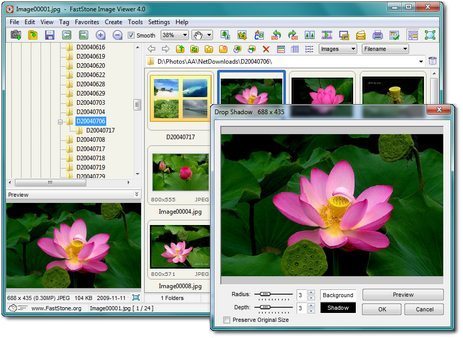
FastStone Image Viewer is a fast, stable, user-friendly image browser, converter and editor. It has a nice array of features that include image viewing, management, comparison, red-eye removal, emailing, resizing, cropping and color adjustments. Its innovative but intuitive full-screen mode provides quick access to EXIF information, thumbnail browser and major functionalities via hidden toolbars that pop up when your mouse touches the four edges of the screen. Other features include a high quality magnifier and a musical slideshow with 150+ transitional effects, as well as lossless JPEG transitions, drop shadow effects, image annotation, scanner support, histogram and much more. It supports all major graphic formats (BMP, JPEG, JPEG 2000, animated GIF, PNG, PCX, TIFF, WMF, ICO and TGA) and popular digital camera RAW formats (CRW, CR2, NEF, PEF, RAF, MRW, ORF, SRF and DNG).
Features
* Image browser and viewer with a familiar Windows Explorer-like user interface
* Support of many popular image formats.
* True Full Screen viewer with image zoom support and unique fly-out menu panels
* Crystal-clear and customizable one-click image magnifier
* Superior Red-Eye effect removal/reduction with completely natural looking end result
* Image modification tools: Resize/resample, rotate/flip, crop, sharpen/blur, brightness/contrast, etc.
* Eleven resampling algorithms to choose from when resizing images
* Image color effects: gray scale, sepia, negative, Red/Green/Blue adjustment
* Image special effects: watermark, annotation, drop shadow, framing, bump map, lens, morph, waves
* Draw texts, lines, highlights, rectangles, ovals and callout objects on images
* Multi-level Undo/Redo capability
* One-touch best fit/actual size image display support
* Image management, including tagging capability, with drag-and-drop and Copy To/Move To Folder support
* Histogram display with color counter feature
* Compare images side-by-side (up to 4 at a time) to easily cull those forgettable shots
* Image EXIF metadata support (plus comment editing for JPEGs)
* Configurable batch processing to convert/rename large or small collections of images
* Slideshow creation with 150+ transition effects and music support (MP3, WMA, WAV...)
* Create efficient image attachment(s) for emailing to family and friends
* Print images with full page-layout control
* Create fully configurable Contact Sheets - just like the pros (and save $$$ on ink)
* Create memorable artistic image montages from your family photos for personalized desktop wallpapers (Wallpaper Anywhere)
* Acquire images from a scanner
* Versatile screen capture capability
* Powerful Save As interface to compare image quality and control generated file size
* Run favorite programs with one keystroke from within Image Viewer
* Offer portable version of the program which can be run from a removable storage device
* Configurable mouse wheel support
* Support multiple program skins
* Support dual-monitor configurations
* And much more...
http://www.faststonesoft.net/DN/FSViewerSetup42.exe
portable
http://www.faststonesoft.net/DN/FSViewer42.zip
FastStone Image Viewer is a fast, stable, user-friendly image browser, converter and editor. It has a nice array of features that include image viewing, management, comparison, red-eye removal, emailing, resizing, cropping and color adjustments. Its innovative but intuitive full-screen mode provides quick access to EXIF information, thumbnail browser and major functionalities via hidden toolbars that pop up when your mouse touches the four edges of the screen. Other features include a high quality magnifier and a musical slideshow with 150+ transitional effects, as well as lossless JPEG transitions, drop shadow effects, image annotation, scanner support, histogram and much more. It supports all major graphic formats (BMP, JPEG, JPEG 2000, animated GIF, PNG, PCX, TIFF, WMF, ICO and TGA) and popular digital camera RAW formats (CRW, CR2, NEF, PEF, RAF, MRW, ORF, SRF and DNG).
Features
* Image browser and viewer with a familiar Windows Explorer-like user interface
* Support of many popular image formats.
* True Full Screen viewer with image zoom support and unique fly-out menu panels
* Crystal-clear and customizable one-click image magnifier
* Superior Red-Eye effect removal/reduction with completely natural looking end result
* Image modification tools: Resize/resample, rotate/flip, crop, sharpen/blur, brightness/contrast, etc.
* Eleven resampling algorithms to choose from when resizing images
* Image color effects: gray scale, sepia, negative, Red/Green/Blue adjustment
* Image special effects: watermark, annotation, drop shadow, framing, bump map, lens, morph, waves
* Draw texts, lines, highlights, rectangles, ovals and callout objects on images
* Multi-level Undo/Redo capability
* One-touch best fit/actual size image display support
* Image management, including tagging capability, with drag-and-drop and Copy To/Move To Folder support
* Histogram display with color counter feature
* Compare images side-by-side (up to 4 at a time) to easily cull those forgettable shots
* Image EXIF metadata support (plus comment editing for JPEGs)
* Configurable batch processing to convert/rename large or small collections of images
* Slideshow creation with 150+ transition effects and music support (MP3, WMA, WAV...)
* Create efficient image attachment(s) for emailing to family and friends
* Print images with full page-layout control
* Create fully configurable Contact Sheets - just like the pros (and save $$$ on ink)
* Create memorable artistic image montages from your family photos for personalized desktop wallpapers (Wallpaper Anywhere)
* Acquire images from a scanner
* Versatile screen capture capability
* Powerful Save As interface to compare image quality and control generated file size
* Run favorite programs with one keystroke from within Image Viewer
* Offer portable version of the program which can be run from a removable storage device
* Configurable mouse wheel support
* Support multiple program skins
* Support dual-monitor configurations
* And much more...
http://www.faststonesoft.net/DN/FSViewerSetup42.exe
portable
http://www.faststonesoft.net/DN/FSViewer42.zip
Last edited:
Portable Pinnacle Studio 9
Portable Pinnacle Studio 9

Pinnacle Studio 9 - is the most simple, convenient way to capture, edit and save your home video. Pinnacle Studio Plus 9 combines a simple and intuitive interface with professional features such as deceleration and acceleration of, create their own musical accompaniment, more than 100 transitions, including three-dimensional effects Hollywood FX, color correction, brightness and contrast controls.
If you already have the hardware to transfer video to PC, all you need - this software is Studio 9. This software will work with your existing Firewire controller, webcam or capture card, realizing the import of video, editing and adding special effects.
Simple drag and drop interface Pinnacle Studio Plus 9 in conjunction with a variety of professional technologies and capabilities will help you create truly unique movies.
Description:
This program is all you need to create a professional home video studio! Pinnacle Studio combines the capabilities of digital editing, DVD authoring and integrated AV / DV capture card in one simple package. Pinnacle Studio - the best choice for digital video enthusiasts.
The new version has a optimized for Intel processors with the technology of Hyper-Threading. Ninth version supports devices Studio DV / OHCI 1394, Studio AV / DV, Studio Deluxe, MovieBox USB / DV, Studio DVPlus, Studio DC10plus/Studio AV, and Linx USB / USB Plus and ATI Radeon AIW.
New features in Pinnacle Studio 9:
- The image stabilizer (eliminating bumps)
- Automatic adjustment of white balance
- Improving the quality of the old video
- Adds a filter real-time, such as Old Movie , water stains , Solar flare , etc.
- 16:9 widescreen format
- Scalable preview
- SmartMovie - fully automatic creation of the film
- Panning sound in space and support for Dolby Digital 5.1
- Sound VST-Plugins: 10-band equalizer, karaoke, normalayzer, echo, etc.
- Remove unwanted noise (wind noise, camera)
System requirements:
- Intel Pentium 4 or AMD Athlon 1.6 GHz or higher.
- 256 MB RAM (512 MB recommended).
- USB 2.0 port
- Windows XP, (SP1) or higher.
- DirectX 9 or higher compatible graphics card (ATI Radeon or NVIDIA GeForce 2 or higher).
- DirectX 9 compatible sound card.
- 500 MB of free disk space for software installation.
- CD-ROM drive and sound card with multi-channel output for surround sound.
Main features:
Complete isolation from the disk and the registry (a special exception: Drive Z: is not isolated).
Important:
Since the last version of the program disproportionately occupy much space and require resources (and this is just to start), then an order of magnitude smaller size of this version (213 MB raspakovanom form) and minimum requirements make it a good competitor, and an ideal option for the relatively weak machines (eg , 512 MB RAM, AMD Sempron 1.4 GHz, Video 64 Mb, enough with the stock).
http://www.megaupload.com/?d=AS6N50EF
http://www.mediafire.com/?qywyzw03fhy3zdf

Pinnacle Studio 9 - is the most simple, convenient way to capture, edit and save your home video. Pinnacle Studio Plus 9 combines a simple and intuitive interface with professional features such as deceleration and acceleration of, create their own musical accompaniment, more than 100 transitions, including three-dimensional effects Hollywood FX, color correction, brightness and contrast controls.
If you already have the hardware to transfer video to PC, all you need - this software is Studio 9. This software will work with your existing Firewire controller, webcam or capture card, realizing the import of video, editing and adding special effects.
Simple drag and drop interface Pinnacle Studio Plus 9 in conjunction with a variety of professional technologies and capabilities will help you create truly unique movies.
Description:
This program is all you need to create a professional home video studio! Pinnacle Studio combines the capabilities of digital editing, DVD authoring and integrated AV / DV capture card in one simple package. Pinnacle Studio - the best choice for digital video enthusiasts.
The new version has a optimized for Intel processors with the technology of Hyper-Threading. Ninth version supports devices Studio DV / OHCI 1394, Studio AV / DV, Studio Deluxe, MovieBox USB / DV, Studio DVPlus, Studio DC10plus/Studio AV, and Linx USB / USB Plus and ATI Radeon AIW.
New features in Pinnacle Studio 9:
- The image stabilizer (eliminating bumps)
- Automatic adjustment of white balance
- Improving the quality of the old video
- Adds a filter real-time, such as Old Movie , water stains , Solar flare , etc.
- 16:9 widescreen format
- Scalable preview
- SmartMovie - fully automatic creation of the film
- Panning sound in space and support for Dolby Digital 5.1
- Sound VST-Plugins: 10-band equalizer, karaoke, normalayzer, echo, etc.
- Remove unwanted noise (wind noise, camera)
System requirements:
- Intel Pentium 4 or AMD Athlon 1.6 GHz or higher.
- 256 MB RAM (512 MB recommended).
- USB 2.0 port
- Windows XP, (SP1) or higher.
- DirectX 9 or higher compatible graphics card (ATI Radeon or NVIDIA GeForce 2 or higher).
- DirectX 9 compatible sound card.
- 500 MB of free disk space for software installation.
- CD-ROM drive and sound card with multi-channel output for surround sound.
Main features:
Complete isolation from the disk and the registry (a special exception: Drive Z: is not isolated).
Important:
Since the last version of the program disproportionately occupy much space and require resources (and this is just to start), then an order of magnitude smaller size of this version (213 MB raspakovanom form) and minimum requirements make it a good competitor, and an ideal option for the relatively weak machines (eg , 512 MB RAM, AMD Sempron 1.4 GHz, Video 64 Mb, enough with the stock).
http://www.megaupload.com/?d=AS6N50EF
http://www.mediafire.com/?qywyzw03fhy3zdf

ow machan kalin page eke damma cs5
Thanks..bittorrent portable Hoyala denna puluuwanda?

Portable Sony Vegas Pro 10 0a Build 387
Portable Sony Vegas Pro 10 0a Build 387
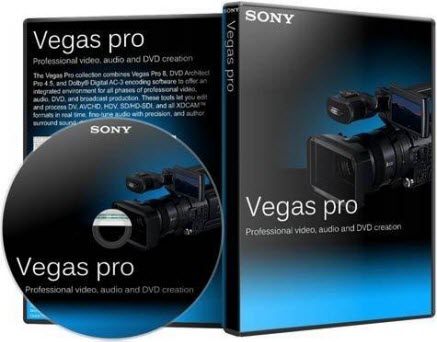
The Vegas Pro 10 collection integrates two powerful applications that work seamlessly together to provide an efficient and intuitive environment for video and broadcast professionals. This comprehensive suite offers the most robust and progressive platform available for content creation and production. With broad format support, superior effects processing, unparalleled audio support, and a full complement of editorial tools, the Vegas Pro 10 collection streamlines your workflow. From acquisition to delivery, from camera to Blu-ray Disc™, the Vegas Pro 10 collection delivers exactly what you need to produce outstanding results.
Precise editing tools
Edit SD or HD video with drag-and-drop functionality, mouse and keyboard trimming, and ripple editing. Features include ProType titling technology, multicamera editing tools, 32-bit floating-point video processing, customizable window layouts, color-coded snapping, HDV/AVCHD/RED/SDI/XDCAM support, A/V synchronization detection and repair, and automatic frame quantization.
Precise editing tools
Edit SD or HD video with drag-and-drop functionality, mouse and keyboard trimming, and ripple editing. Features include ProType titling technology, multicamera editing tools, 32-bit floating-point video processing, customizable window layouts, color-coded snapping, HDV/AVCHD/RED/SDI/XDCAM support, A/V synchronization detection and repair, and automatic frame quantization.
Professional 32- and 64-bit workflow
The Vegas Pro 10 interface provides a fully customizable workspace for accomplishing a wide range of production requirements. Dock multiple windows across multiple monitors and save your layouts to fit specific editing tasks, nest Vegas projects within the timeline, customize and save keyboard commands, and use application scripting to automate repetitive tasks. Systemwide media management produces maximum efficiency.
Stereoscopic 3D editing
Create stereoscopic 3D projects utilizing the same workflow we’ve provided for 2D media! Vegas Pro 10 provides the ability to import, adjust, edit, preview, and output stereoscopic 3D media — all using industry-standard professional delivery formats including single or dual files with side-by-side, top/bottom, or line-alternate encoding. Anaglyphic monitoring and output are also supported.
http://www.mediafire.com/?2g49bmva2gny8h3
The Vegas Pro 10 collection integrates two powerful applications that work seamlessly together to provide an efficient and intuitive environment for video and broadcast professionals. This comprehensive suite offers the most robust and progressive platform available for content creation and production. With broad format support, superior effects processing, unparalleled audio support, and a full complement of editorial tools, the Vegas Pro 10 collection streamlines your workflow. From acquisition to delivery, from camera to Blu-ray Disc™, the Vegas Pro 10 collection delivers exactly what you need to produce outstanding results.
Precise editing tools
Edit SD or HD video with drag-and-drop functionality, mouse and keyboard trimming, and ripple editing. Features include ProType titling technology, multicamera editing tools, 32-bit floating-point video processing, customizable window layouts, color-coded snapping, HDV/AVCHD/RED/SDI/XDCAM support, A/V synchronization detection and repair, and automatic frame quantization.
Precise editing tools
Edit SD or HD video with drag-and-drop functionality, mouse and keyboard trimming, and ripple editing. Features include ProType titling technology, multicamera editing tools, 32-bit floating-point video processing, customizable window layouts, color-coded snapping, HDV/AVCHD/RED/SDI/XDCAM support, A/V synchronization detection and repair, and automatic frame quantization.
Professional 32- and 64-bit workflow
The Vegas Pro 10 interface provides a fully customizable workspace for accomplishing a wide range of production requirements. Dock multiple windows across multiple monitors and save your layouts to fit specific editing tasks, nest Vegas projects within the timeline, customize and save keyboard commands, and use application scripting to automate repetitive tasks. Systemwide media management produces maximum efficiency.
Stereoscopic 3D editing
Create stereoscopic 3D projects utilizing the same workflow we’ve provided for 2D media! Vegas Pro 10 provides the ability to import, adjust, edit, preview, and output stereoscopic 3D media — all using industry-standard professional delivery formats including single or dual files with side-by-side, top/bottom, or line-alternate encoding. Anaglyphic monitoring and output are also supported.
http://www.mediafire.com/?2g49bmva2gny8h3
Portable Adobe Photoshop CS4
Portable Adobe Photoshop CS4
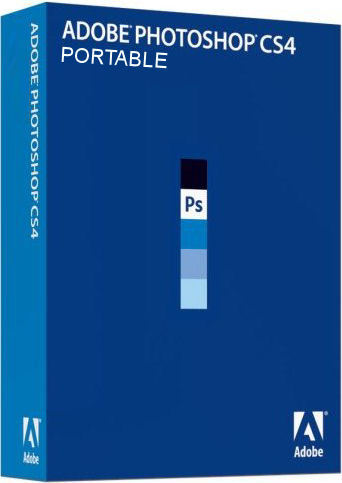
Create powerful images with the professional standard. Adobe® Photoshop® CS4 software provides improved access to its unrivaled power through a more intuitive user experience, greater editing freedom, and significant productivity enhancements.
New CS4 Features:
Smoother panning and zooming and fluid canvas rotation (New)
Navigate to any area of an image with new, ultra-smooth zooming and panning. Maintain clarity as you zoom to individual pixels and easily edit at the highest magnification with the new Pixel Grid. And use the revolutionary new Rotate View tool to smoothly turn your canvas for distortion-free viewing at any angle.
Adjustments panel (New)
Simplify image adjustment by easily accessing every tool you need to nondestructively adjust and enhance the color and tone of your images; on-image controls and a wide variety of presets are also included in the new live and dynamic Adjustments panel.
Auto-blending of images (Enhanced)
Combine a range of images, each with a different exposure, color, and focal point ? with options to preserve tones and colors ? into a single color-corrected image.
Masks panel (New)
Quickly create and edit masks from the new Masks panel. This panel offers all the tools you need to create editable pixel- and vector-based masks, adjust mask density and feathering, easily select noncontiguous objects, and more.
Improved Adobe Photoshop Lightroom Workflow (Enhanced)
Select multiple photos in Adobe? Photoshop? Lightroom? software (sold separately) and automatically open them in Adobe Photoshop CS4 to merge them into a panorama, a high dynamic range (HDR) photo, or a multilayered Photoshop document. And seamlessly roundtrip back to Lightroom.
Content-Aware Scaling (New)
Use the new and revolutionary Content-Aware Scaling feature to automatically recompose an image as you resize it, smartly preserving vital areas as the image adapts to the new dimensions. Get the perfect image in one step without time-intensive cropping and retouching.
Better raw image processing (Enhanced)
Enjoy superior conversion quality as you process raw images with the industry-leading Adobe Photoshop Camera Raw 5 plug-in, which now offers localized corrections, post-crop vignetting, TIFF and JPEG processing, and support for more than 190 camera models.
Industry-leading color correction (Enhanced)
Enjoy dramatically enhanced color correction with reengineered Dodge, Burn, and Sponge tools that now intelligently preserve color and tone details.
More powerful printing options (Enhanced)
Get outstanding prints with superior color management, tighter integration with leading printer models, and the ability to preview out-of-gamut image areas. Support for 16-bit printing on Mac OS offers increased color depth and clarity.
OS: Windows XP, Vista, 7
Language: English
Size: 68 MB
1. Extract from .zip files.
2. Run.
3. Enjoy.
http://www.mediafire.com/?7t1l9llwftmp69w

Create powerful images with the professional standard. Adobe® Photoshop® CS4 software provides improved access to its unrivaled power through a more intuitive user experience, greater editing freedom, and significant productivity enhancements.
New CS4 Features:
Smoother panning and zooming and fluid canvas rotation (New)
Navigate to any area of an image with new, ultra-smooth zooming and panning. Maintain clarity as you zoom to individual pixels and easily edit at the highest magnification with the new Pixel Grid. And use the revolutionary new Rotate View tool to smoothly turn your canvas for distortion-free viewing at any angle.
Adjustments panel (New)
Simplify image adjustment by easily accessing every tool you need to nondestructively adjust and enhance the color and tone of your images; on-image controls and a wide variety of presets are also included in the new live and dynamic Adjustments panel.
Auto-blending of images (Enhanced)
Combine a range of images, each with a different exposure, color, and focal point ? with options to preserve tones and colors ? into a single color-corrected image.
Masks panel (New)
Quickly create and edit masks from the new Masks panel. This panel offers all the tools you need to create editable pixel- and vector-based masks, adjust mask density and feathering, easily select noncontiguous objects, and more.
Improved Adobe Photoshop Lightroom Workflow (Enhanced)
Select multiple photos in Adobe? Photoshop? Lightroom? software (sold separately) and automatically open them in Adobe Photoshop CS4 to merge them into a panorama, a high dynamic range (HDR) photo, or a multilayered Photoshop document. And seamlessly roundtrip back to Lightroom.
Content-Aware Scaling (New)
Use the new and revolutionary Content-Aware Scaling feature to automatically recompose an image as you resize it, smartly preserving vital areas as the image adapts to the new dimensions. Get the perfect image in one step without time-intensive cropping and retouching.
Better raw image processing (Enhanced)
Enjoy superior conversion quality as you process raw images with the industry-leading Adobe Photoshop Camera Raw 5 plug-in, which now offers localized corrections, post-crop vignetting, TIFF and JPEG processing, and support for more than 190 camera models.
Industry-leading color correction (Enhanced)
Enjoy dramatically enhanced color correction with reengineered Dodge, Burn, and Sponge tools that now intelligently preserve color and tone details.
More powerful printing options (Enhanced)
Get outstanding prints with superior color management, tighter integration with leading printer models, and the ability to preview out-of-gamut image areas. Support for 16-bit printing on Mac OS offers increased color depth and clarity.
OS: Windows XP, Vista, 7
Language: English
Size: 68 MB
1. Extract from .zip files.
2. Run.
3. Enjoy.
http://www.mediafire.com/?7t1l9llwftmp69w

ok machan ada rata dannamIDM Portable Hoyala Denna Puluwanda?
IDM Portable Hoyala Denna Puluwanda?
menna machan
Internet Download Manager IDM 6.07 Portable
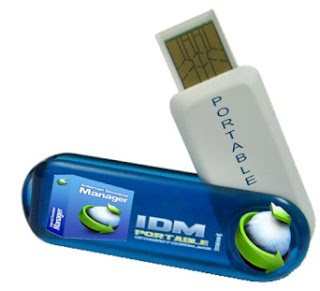
http://www.mediafire.com/?m49t5a9723ab3g1#1
Internet Download Manager IDM 6.07 Portable
http://www.mediafire.com/?m49t5a9723ab3g1#1
Similar threads


- Replies
- 6
- Views
- 398


- Replies
- 15
- Views
- 295
