Jailbreaking iOS 5.0 [Tethered only]
Things to remember:
- This will not work with iPad 2, nor the iPhone 4S.
- This is a tethered jailbreak, meaning that it will require you to connect the phone to a computer running Redsn0w whenever you power up the phone.
- As has been the case before, by pursuing the tethered route, if and when an untethered jailbreak does surface, the chances are you’ll have to restore in order to utilize it.
With that out of the way, let’s get started!
Step 1: Download and install the new iTunes 10.5 on your Windows PC or Mac. Connect your iOS device with your computer and make sure you make a backup of everything.
Step 2: Now upgrade your iOS device to the final version of iOS 5 using iTunes 10.5 on your Windows PC or Mac. Download links for final version of iOS 5
can be found here.
Step 3: Download the new Redsn0w 0.9.9b5 for
Mac or
Windows.
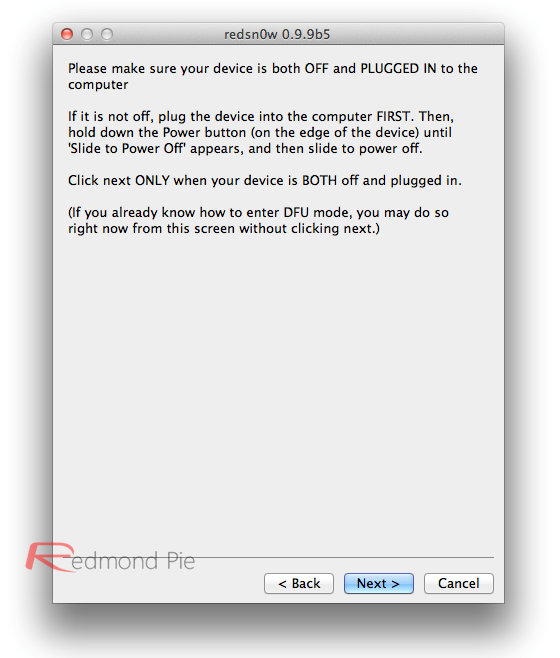
Step 4: Click on the “Jailbreak” option, select “Install Cydia” and follow the onscreen instructions to enter DFU mode. Once you’re in DFU mode, Redsn0w will perform the jailbreak (without having to have you select the IPSW file manually! YES, the new Redsn0w can fetch all the required files automatically from Apple’s servers).
Booting into Tethered-Jailbreak Mode:
Step 4: Once you’ve installed Cydia, you will need to boot the device into a tethered jailbroken state. Go into DFU mode, and then in “Extras”, opt for “Just Boot”. Redsn0w will subsequently boot your device as tethered. Note: Due to the nature of this jailbreak, you will have to repeat this booting sequence every time you wish to reboot your device.
මෙන්න Video එක..
SOURCE - Redmond Pie


 Jailbreak කරගන්න ඕනෙද...