


Latest ads
-
 Colombo Kaduwela - Two Storey House for Sale
- dilrasan
- Updated:
-
Wechat qr verification
- Pawan2005
- Updated:
-
 🚀 GOOGLE AI PRO 18 MONTHS ACTIVATION 🚀
- sayuru bandara
- Updated:
-
 Pure VPN - Up to 27 Months
- vgp
- Updated:
You are using an out of date browser. It may not display this or other websites correctly.
You should upgrade or use an alternative browser.
You should upgrade or use an alternative browser.


Adobe Photoshop Cc 2018 19.1.6.5940 (x86-x64) Repack August 2018
Released: August 22, 2018
1.4 GB /1.7 GB
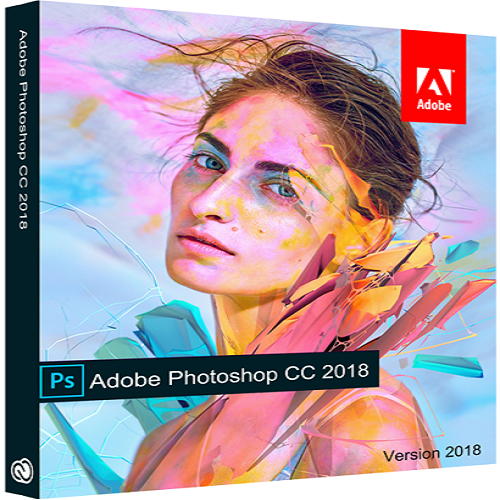

Released: August 22, 2018
1.4 GB /1.7 GB
Description:
Adobe Photoshop CC 2018 is a complete solution for the professional processing of digital images,
which contains the latest tools for working with images and new opportunities for implementing
creative ideas that can significantly improve performance. Edit images with exceptional accuracy,
use new intuitive tools and workflows to create 3D graphics, 2D projects, and movies.
Adobe Photoshop CC 2018 is part of the Creative Cloud . Therefore, its users are available
all the latest updates, and access to new versions is provided from the time they are released.
The publishing capabilities in the cloud allow you to organize your files on several computers.
Thanks to the integration with Behance, you can exchange your projects with other users
directly from Adobe Photoshop CC 2018 and get instant feedback about your work from designers
from around the world.
Advantages of Adobe Photoshop CC 2018 :
- Improved management of brushes
- Increased productivity when working with brushes
- Access to photos Lightroom
- Smoothing brush strokes
- Variable fonts
- Quick Access Menu
- Curve Pen tool
- Improved outlines
- Copy and paste layers
- Better tips
- 360-degree panorama operation
- Properties panel improvements
- Microsoft Dial support
- Insert text without formatting
- HEIF support
- Improved "Selection and Mask" function
- General performance improvements
- And much more
System Requirements:
-Intel® Core 2 or AMD Athlon® 64 processor; 2 GHz or faster processor
-Microsoft Windows 7 with Service Pack 1, Windows 8.1, or Windows 10 (version 1607 or later)
-The 19.0 and 19.0.1 releases of Photoshop CC support Windows 10 1511 and later versions,
but not versions 1507 and earlier.
-Photoshop CC release 19.1 (and later) supports Windows 10 1607 and later versions,
but not versions 1511 or earlier.
-2 GB or more of RAM (8 GB recommended)
-2.6 GB or more of available hard-disk space for 32-bit installation; 3.1 GB or
more of available hard-disk space for 64-bit installation; additional free space required
during installation (cannot install on a volume that uses a case-sensitive file system)
-1024 x 768 display (1280x800 recommended) with 16-bit color and 512 MB or more of dedicated VRAM;
2 GB is recommended*
-OpenGL 2.0-capable system
Whats New:
Code:https://www.adobe.com/products/photoshop/features.html
Information about the assembly
1. Installation in two clicks, you only need to disconnect the Internet connection (or use a firewall)
2. The application of the Creative Cloud does not litter in the system - it left the necessary minimum
3. The program runs faster - activator from Painter
4. All localizations in the set are selected during installation (not available in silent mode)
5. The original installer is used, problems with other products are excluded
6. The choice of the installation location was implemented.
Changes in the assembly from 2018.08.22
- Updated: Visual C ++ Redistributable Package up to the version from 07/28/2018
- Updated: Photoshop CC 2018 to version 19.1.6.5940
- Updated: Camera RAW to version 10.5
Checksums:
x86
CRC32: A7168A2E
MD5: C2ABE13C28DF678862688A88782E2CAA
SHA-1: 64DB6D5825737A06C66F49571FB09A4EFBC84E62
x64
CRC32: 68DE36E4
MD5: E0DF2C5773AAD363227678D0CCEC26ED
SHA-1: 2FCD1D65D379B61D10CFEDB7464BCA9DCA246C5F
OS:
Windows 7/8 / 8.1 / 10 (x86 / x64)
The parameters of the command lines:
Code:-S or -S1 - hide the window with the progress of unpacking temporary files -S2 - show the window with the progress of unpacking temporary files -S or -S1 or -S2 - required parameter / XPATH = "PATH" - specify the installation location. Default: C: \ Program Files \ Adobe \ Adobe Photoshop CC 2018 / XDISABLENET = 1 - disconnect the Internet connection for ~ 10 seconds to start the installation / XVCR - install the Visual C ++ Redistributable Package (required for the program) Example : INSTALL.EXE -S / XPATH = "C: \ Program Files \ Adobe \ Adobe Photoshop CC 2018" / XDISABLENET = 1


RAPIDGATOR
Code:x64/64-bit: https://safelinking.net/lnqRiwY x86/32-bit: https://safelinking.net/iIMXKjC
UPLOADED
Code:x64/64-bit: https://safelinking.net/HbH32HN x86/32-bit: https://safelinking.net/NEiXxCg
CLICKNULPLOADS
Code:x64/64-bit: https://safelinking.net/oPB4fGu x86/32-bit: https://safelinking.net/Fugcwx1
 + anyway
ගන්නවා නම් getintopc.com එකෙන් ගනින් 100% සුවර් බඩු
වයිරස් අනන් මනං නෑ බය නැතුව ඕන සොෆ්ට්වෙයා එකක් ගන්න පුළුවන් මචං
උන්ගේම සර්වර් වලින් හයි ස්පීඩ් ඩිරෙක්ට් ඩවුන්ලෝඩ් දෙනවා
ඇඩ්ස් නෑ වටේ යැවිලි නෑ
වයිරස් අනන් මනං නෑ බය නැතුව ඕන සොෆ්ට්වෙයා එකක් ගන්න පුළුවන් මචං
උන්ගේම සර්වර් වලින් හයි ස්පීඩ් ඩිරෙක්ට් ඩවුන්ලෝඩ් දෙනවා
ඇඩ්ස් නෑ වටේ යැවිලි නෑ


ගන්නවා නම් getintopc.com එකෙන් ගනින් 100% සුවර් බඩු
වයිරස් අනන් මනං නෑ බය නැතුව ඕන සොෆ්ට්වෙයා එකක් ගන්න පුළුවන් මචං
උන්ගේම සර්වර් වලින් හයි ස්පීඩ් ඩිරෙක්ට් ඩවුන්ලෝඩ් දෙනවා
ඇඩ්ස් නෑ වටේ යැවිලි නෑ
thnks bro....
Rep +

ගන්නවා නම් getintopc.com එකෙන් ගනින් 100% සුවර් බඩු
වයිරස් අනන් මනං නෑ බය නැතුව ඕන සොෆ්ට්වෙයා එකක් ගන්න පුළුවන් මචං
උන්ගේම සර්වර් වලින් හයි ස්පීඩ් ඩිරෙක්ට් ඩවුන්ලෝඩ් දෙනවා
ඇඩ්ස් නෑ වටේ යැවිලි නෑ
crack ekka tiyanawada machan tiyeda?
 +
+

Ad*o*be Photoshop CC 2018Laba denna tibenam
me dill file eka replace karala balanna..

Attachments


crack ekka tiyanawada machan tiyeda?
ow crack eka athulema thiyenawa setup ekath ekka


ගන්නවා නම් getintopc.com එකෙන් ගනින් 100% සුවර් බඩු
වයිරස් අනන් මනං නෑ බය නැතුව ඕන සොෆ්ට්වෙයා එකක් ගන්න පුළුවන් මචං
උන්ගේම සර්වර් වලින් හයි ස්පීඩ් ඩිරෙක්ට් ඩවුන්ලෝඩ් දෙනවා
ඇඩ්ස් නෑ වටේ යැවිලි නෑ

Thanks Machan. Mamath dan thama me site eka gana dana gatte. Thanks again.


