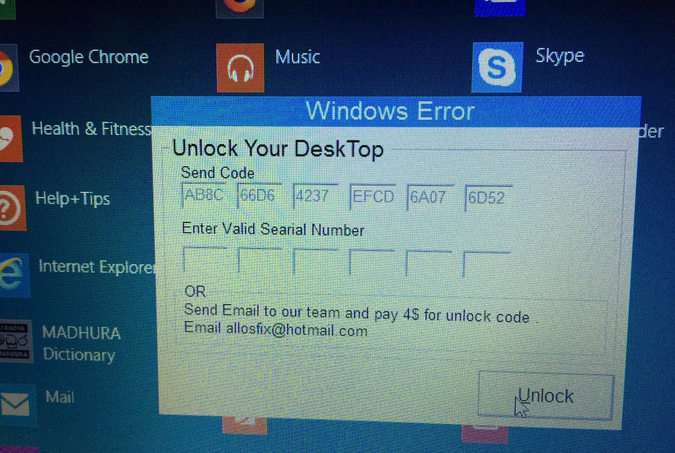
මම දැන් සේෆ් මොඩ් එකෙන් බූට් කරලා රීස්ටෝ කරන ගමන්. මේකෙන් වැඩක් වෙයිද?
Infection Channel:
Dropped by other malware, Downloaded from the Internet, Via physical/removable drives
This worm arrives via removable drives. It arrives on a system as a file dropped by other malware or as a file downloaded unknowingly by users when visiting malicious sites.
It drops an AUTORUN.INF file to automatically execute the copies it drops when a user accesses the drives of an affected system.
It steals system information.
Arrival Details
This worm arrives via removable drives.
It arrives on a system as a file dropped by other malware or as a file downloaded unknowingly by users when visiting malicious sites.
SOLUTION
Step 1
Before doing any scans, Windows XP, Windows Vista, and Windows 7 users must
disable System Restore to allow full scanning of their computers.
Step 2
Note that not all files, folders, and registry keys and entries are installed on your computer during this malware's/spyware's/grayware's execution. This may be due to incomplete installation or other operating system conditions. If you do not find the same files/folders/registry information, please proceed to the next step.
Step 3
Restart in Safe Mode
Step 4
Search and delete
AUTORUN.INF files created by WORM_RASITH.A that contain these strings
[AutoRun]
action=Open
shell\execute=kabe.bat
shell\explore\command=kabe.bat
USEAUTOPLAY=1
shell\Open\command=kabe.bat
shell\Autorun\command=kabe.bat
shell\Search\command=kabe.bat
Step 5
Search and delete this file
[ Learn More ]
There may be some files that are hidden. Please make sure you check the
Search Hidden Files and Folders checkbox in the "More advanced options" option to include all hidden files and folders in the search result.
- %User Startup%\msfold.exe
- %User Temp%\sajith_and_rasini.db
- %User Temp%\i_love_you_rasini.db
Step 6
Restart in normal mode and scan your computer with Your Antivirus Guard
More Infomation