Connecting Laptop to the TV

Beetle_Bailey

Member
Aug 8, 2008
74
1
0
Camp Swampy
Hi guys..

Im trying to connect a laptop to a normal TV (No VGA IN port only regular Audio Video IN)

I tried using S-VIDEO To 3RC cable

videoware_2028_6210641


also VGA to Component cable.. (I guess i got these names correct)
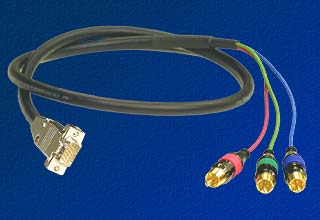
hd15to3rca.jpg


But still no luck..

Can anyone please guide me..?
 

kamalmawa

Member
Sep 9, 2008
574
1
0
Melbourne
Try lowering your resolution... And refreshing rate also important ..
Component cable won't work unless you have Component inputs on your TV.. Old RC cable and Component cables are different so if u try to use Component cable on Composite (RCA) won't work... Put your resolution to lowest and restart your PC while Video cable plugged in to the TV..

Remember your old CRT TV has very low resolution which probably lower than 800x600
 

RajNOX

Member
Nov 20, 2008
1,274
2
0
Beetle_Bailey said:
Thanks bro...What I did was exactly what is explained :( ... Still the thing ain't coming...

Sounds like i must throw out my TV n go for a Plasma :(:(:(


if its not wrking in the CRT then no use of plasma.. if there is no component(vga) port..

Well this should work.. better plug ur cable to another device such as a dvd player and see if itz working.. if itz so then the problem should be on ur laptop..

u should enable the s video in some laptops.. but most of then it doesnt need so..

go to display settings and in monitor section select the appropriate device.. it should work! hopefully i think it would.. :nerd: :nerd: :nerd:
 

gayancc

Active member
  • Sep 8, 2007
    3,357
    8
    38
    my lap
    if it's a asus laptop u hv facilitate 4 connect 2 other moniter bt i dont think its mean it can connect to a television