Pc Casing Mod Daily Updating

romainadrian

Well-known member
  • Sep 21, 2006
    2,119
    74
    48
    CMB
    Tools:
    Exacto knife
    Jigsaw w/ metal cutting blade
    Hand file


    mesh5.32.jpg

    GvLwin1.jpg


    Plain steel should a good coating of oil to prevent oxidation. We need to remove oil/dirt before clearcoating or painting.


    Mask on
    GvLwin2.jpg


    Fold and soak portion of rag with Laquer Thinner.

    GvLwin3.jpg

    GvLwin4.jpg


    after wiping for threads from rag before applying Clearcoat. If you can, blow out holes of any dirt w/compressed air. (Can of compressed air works good)

    I'll be cutting 2, 12" x 12" windows from these 1/8" Clear Acrylic Window Sheet

    clear_acrylic_sheet_casemod_mnpctech.com1.jpg


    I taped 2, 24" x 24" plexi sheets together (around edge) so I can cut both at sametime.

    I apply masking tape to outline cut and make scratch resistant pathway for jigsaw base.

    Jigsaw: I'll use a metal cutting blade (18 - 20 TPI)

    Go slowwww. Too fast, the plexi will melt and bond back together.

    GvLwin7.jpg


    Once window is cut. Finish of any rough edges with fine cut hand file or sandpaper

    GvLwin8.jpg


    Mounting Plexi & Modders Mesh

    Super strength adhesion. Used for mounting windows in computer cases.

    4010scotch3mtape.mnpctech.com.jpg


    Scotch HD Clear tape is very sticky. Imagine trying to cut strands of chewed gum with Scissors.. What works best is gently apply tape to scrap piece of steel or alum, cut w/ Exacto and peel it off.

    12" strand
    GvLwin10.jpg


    Cutting 4, 1/4" x 12" strips for window edges. You'll do this step 2 more times so you have 12, strips for installation

    GvLwin11.jpg


    Peel it off
    GvLwin11a.jpg


    Apply to 1st piece of Plexiglass (remember we cut two 12" x 12" pieces)

    GvLwin12.jpg


    Apply small pieces to inner sections of window.

    GvLwin13.jpg


    Use Exacto Knife to coax red backing to peel

    GvLwin14.jpg


    All of your tape is exposed and ready for mounting. Line up your window and apply in place.

    GvLwin15.jpg


    I'll use clean cotton towel or t-shirt as I hand press window in place. Avoid ugly finger prints!

    GvLwin16.jpg


    Our window is in place. Now apply the 4 additional 1/4" x 12" strips of 3M clear tape

    GvLwin17.jpg


    GvLwin18.jpg


    Last chance to CLEAN WINDOW of FINGERPRINTS

    GvLwin19.jpg


    Remember we cut 2, 12" x 12" sheets of plexi. Again, I've applied 1/4" wide strands of 3M tape to edges

    Drop your Modders Mesh sheet onto 2nd plexiglass window

    GvLwin20.jpg


    Press it on hard

    GvLwin21.jpg


    Apply to panel window

    GvLwin22.jpg


    Grab your towel again and press firmly around window edges.

    GvLwin23.jpg


    Admire your clean work!

    GvLwin23a.jpg


    HOra wage yanne nathuwa salakala hari bump ekak hari dala yanna
     
    Last edited:

    romainadrian

    Well-known member
  • Sep 21, 2006
    2,119
    74
    48
    CMB
    REP DUNNA HAMOTAMA THANKZ ILAGATA MAMA KASTIYATA PENANNA YANNE OYALAGE CASING EKA CUSTOM PAINTING EKAK KARANNE KOHOMADA KEYALA
     

    romainadrian

    Well-known member
  • Sep 21, 2006
    2,119
    74
    48
    CMB
    Painting Flames

    Painting Flames

    Follow these steps to make
    professional looking flames
    without spending hours of practice

    Flame1.jpg

    Starting with these supplies
    Lead Pencil, 3M #218 Tape, Scotch Brite Pad, Transferite Paper, Exacto

    Flame2.jpg

    Use lead pencil to sketch your design.
    Or use my flame stencils on previous page.

    Flame3.jpg

    Your flame layout is finished.
    I'll show you how to remove the pencil marks later.

    Flame4.jpg

    Start outlining the flame at very tip of flame.
    Follow along as I do one flame at a time.

    Flame5.jpg

    Follow curves of flame while applying pressure
    with finger and tension to tape

    Flame6.jpg


    Flame7.jpg

    What 3M tape application should look like.
    Just think of "U" shape sections.

    Flame8.jpg

    Continue with another "U" shape tape application.

    Flame9a.jpg

    Continue joining "U" shape sections of flames
    with one piece of #218 tape

    Flame9b.jpg


    Flame9c.jpg

    Top panel is finished!

    Flame9d.jpg

    Repeat taping process for side panels

    Flame9eTrnsf.jpg

    Now apply 12" Transferite paper over the panels.
    (12" paper is ideal for computer cases)

    Flame9f.jpg

    Cover up everything.

    Flame9g.jpg

    Rub out wrinkles with your thumb.
    Especially over your design.

    Flame9h.jpg

    Get NEW Exacto blades!
    You must apply very light pressure while cutting the paper.
    Used or dull blades leave doubt as to whether it's cutting or not..
    You could ruin your paint.

    Flame9i.jpg

    We're going to use our Exacto knife to very lightly cut the
    Transfer paper directly over the #218 fine line tape

    If youre worried you may cut through to painted surface,
    then practice on something you don't care about first!!
    Why I firmly suggest using NEW Exacto blades.

    Flame9j.jpg

    After cutting the flame design from transferite paper,
    Use Exacto blade to peel back paper.

    Flame9k.jpg

    Peeling off the Transferite paper

    Flame9l.jpg


    Flame9m.jpg

    Before painting, we must prep the factory finish.
    Cut 6" x 9" Scotchbrite pad into small squares.

    Flame9n.jpg

    Use edges of Scotchbrite pad to scuff paint

    Flame9o.jpg

    Scuffed factory finish gives our paint "bite"

    Flame9p.jpg

    Oops!:baffled::baffled::baffled:
    We must patch a section of ripped Transferite paper

    Flame9q.jpg

    Patch any rips in Transferite paper with Scotch 233+ masking tape.
    Use your Tack Cloth to clean the surface before applying primer.

    Flame9s.jpg

    I prefer Plastikote brand Spot / Filler primer.
    After 60 mins dry time, wipe off overspray dust with Tack Cloth

    Flame9t.jpg

    Apply your color coat.
    I chose Rustoelum's Metallic Blue

    Flame9u.jpg

    15 mins after final coat, peel off Transferite paper

    Flame9v.jpg

    Slowly peel back fine-line tape as shown
    This way you won't lift any edges of the paint.

    Flame9w.jpg

    Not exactly a clean edge. Our pencil sketch is revealed again.
    I'm gonna show you how to fix these.

    Flame9x.jpg

    Use 3M Perfect It II rubbing compound #39002 to
    remove pencil sketch and paint overspray.
    (note: 3M machine polish was substituted for rubbing compound during photos)

    Now we're ready to outline our flames. This will cover up
    jagged edges and give colors visual flare.
    Flame9xxxx.jpg

    A fine point oil based pen will suffice.
    I recommend "Painty" brand paint pens by Zig.
    They're usually sold in this multi pak.

    Flame9xx2.jpg

    Paint pens will bleed if you apply too much pressure.
    Get in habit of checking flow consistancy on paper first before
    painting your case.

    Flame9xx4.jpg

    Outline small sections at a time.

    Flame9xx5.jpg

    Oops,
    my paint pen over bled here.

    Flame9xx6.jpg

    Fix mishaps with "Painter's Pal" by Goo Gone

    Flame9xx8.jpg

    Its a good idea to add second coat of green.

    Flame9xx7.jpg

    Our green outline really brings out the blue.

    Flame9z.jpg


    Salakala yanna mathaka karanna epa
     

    romainadrian

    Well-known member
  • Sep 21, 2006
    2,119
    74
    48
    CMB
    Today is all about cable Management

    Today is all about cable Management

    This is a very simple how-to guide that will show how to get your power and IDE cables in line. Is there a window in your case? Does the inside of your case look neat and tidy or are all your wires and cables in disarray? If the inside of your case looks like spaghetti all you need is some split loom, zip ties and a half hour of time and it can go from messy to managed. By using split loom to organize your cables not only will the inside of your case look neater but it should also help improve airflow. Rounded IDE cables have gone down in price to the point that anyone can afford them but if you are somebody that can't we have got you covered there as well.

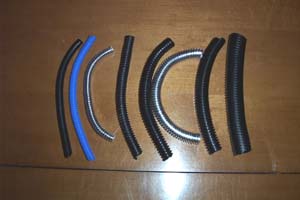
    Split loom is quite inexpensive and comes in a variety of sizes and colors. The sizes shown in the picture below are 1/4", 3/8", 1/2", 3/4" and 1". Normally the only sizes that you would need for the inside of your case would be 1/4" and either 3/8" or 1/2". In the picture below you can see that I have loom in blue and also chrome, the chrome loom is more expensive and a lot less flexible. Another thing of note about the chrome loom is that the chrome sometimes flakes off if it is flexed too much, but it looks damn cool.

    lamps_0401_copy.jpg


    lamps_0362_copy.jpg


    Tools Needed:

    Scissors

    Materials Used:

    1/4" Split loom

    Zip Ties


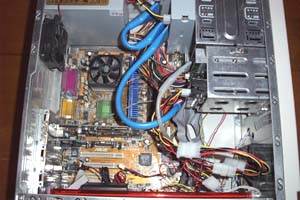
    Lets have a look at the inside of the case that is about to be transformed. What a mess, wires going everywhere all disorganized and blocking airflow. Time to break out the split loom and zip ties.
    lamps_0378_copy.jpg


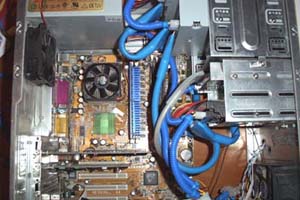
    Use the 1/4" split loom to cover the power cables, cut to length and put a zip tie on each end. Repeat until all power wires are covered. Told you this was a simple guide. I had a rounded IDE cable lying around and used it to replace the single flat ATA133 cable that was in the case. The picture below shows the finished product, it looks a lot better now.
    lamps_0374_copy1.jpg


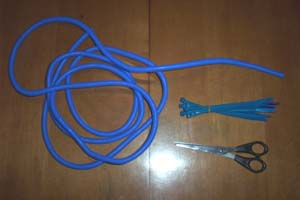
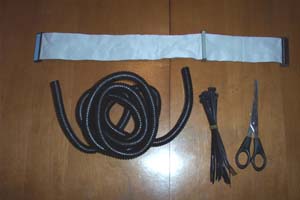
    So you can't afford rounded IDE cables, well read on and learn how to round your own. For this you will need the scissors, 1/2" split loom, zip ties and an IDE cable.
    lamps_0363_copy.jpg


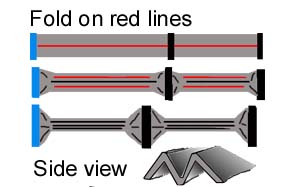
    Here is a quick drawing I made to show how the fold will look.
    foldedpic.jpg


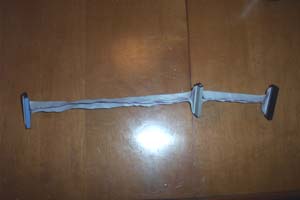
    Start off by folding the IDE cable in half as shown below.
    lamps_0369_copy.jpg


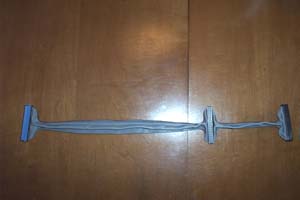
    Then take the edges and fold them over so that a cross section of the cable would look like a W.
    lamps_0368_copy.jpg


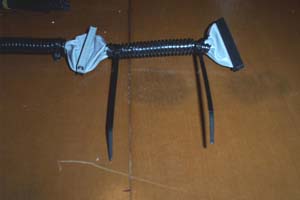
    Next take the 1/2" split loom and work the cable inside of it, cut the split loom to length. Add a zip tie to the ends and cut them flush.
    lamps_0366_copy.jpg


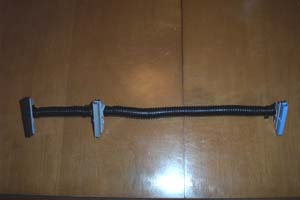
    And there you have it, homemade rounded IDE cables. Now go get a job so you can buy some real ones.
    lamps_0364_copy.jpg


    Happy Modding

    comment karala keyata kawuruth rep - Karanne na


    romainadrian

    Well-known member
  • Sep 21, 2006
    2,119
    74
    48
    CMB
    LED Fan Flame Mod

    LED Fan Flame Mod

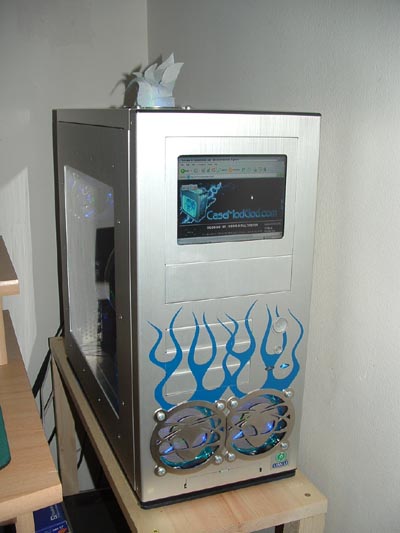
    The flame mod went through no less than five revisions and was a project in the making for a good amount of time, many ideas were swapped back and forth on how best to make a simulated flame and the end result is entirely worth the time invested. The finished mod compliments the alien theme of the case, it looks like an other worldly flame and really sets off the entire top of the case.

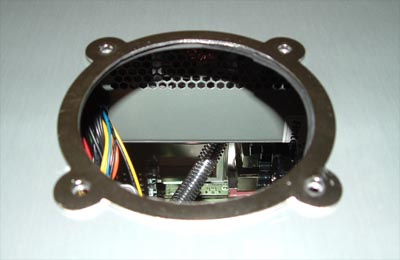
    If your case does not have a top blowhole then the first step to doing this mod is cutting one. For the hole shown below an 80mm hole saw was used, a Dremel would also work but is the long way to do it. After your hole is cut you should file the edges smooth. Notice that there is also a fan grill ring on top of the blowhole, I used a Dremel with a cut off wheel to remove the center from an alien fan grill I had lying around and then filed the edges where the cuts were made.

    alieninferno02.jpg


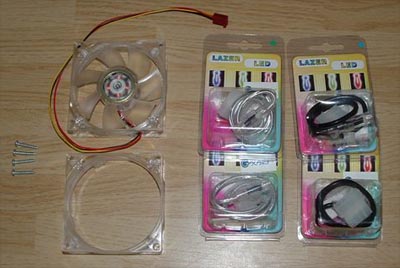
    For the fan flame mod I used 2 80mm Cooler Master blue fans, one I cut the guts out of so it would act as a funnel for the other fan. To light it all up I used four Laser LED Cannons, two blue and two green.

    alieninferno01.jpg


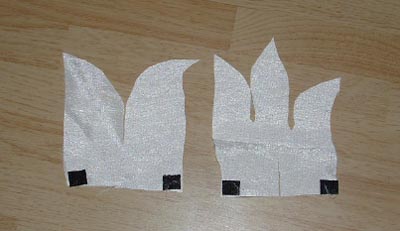
    After trying a few different types of cloth with mixed results I finally found one that worked well, silk. The flames were cut free hand and if you look closely you can see the slits that were cut to connect them together, one down the middle on the top of one and the other up the bottom. I affixed a small piece of Velcro to the bottom corners of both pieces of silk, these will hold the cloth in place. I also used a small amount of white tape on the slits to keep both pieces of silk connected and also to add a small amount of support to the flame.

    alieninfernosilk.jpg


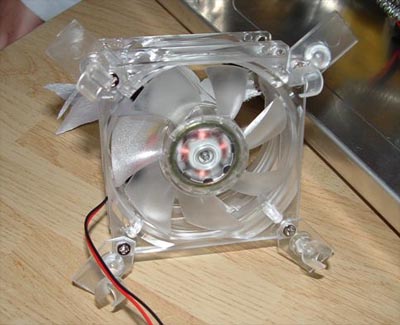
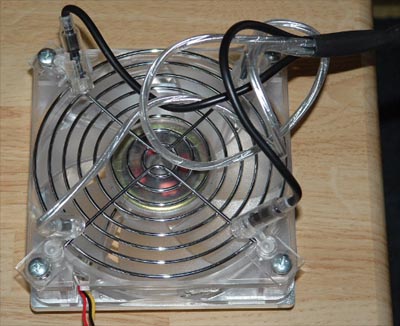
    I screwed the blank fan frame to the Coolermaster LED fan, making note of the airflow direction (it has to blow out) and then removed the LED cannons from their clips. I drilled a small hole into each clip and attached one to each corner of the fan as shown in the picture below. The cloth flames were then attached to the inside of the funnel in an X pattern using the aforementioned Velcro tabs.

    alieninferno05.jpg


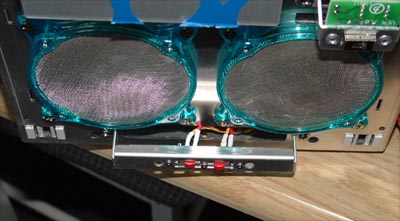
    Since I wanted to be able to turn the fan and LED's on and off independent of each other I hooked up a couple on/off switches in the front of my case where the USB ports would normally be. Front mounting the switches makes the best sense because reaching behind the PC to turn things on/off blows, and since the front USB ports aren't hooked up or used it winds up being an excellent way to stealth them.

    alieninferno08.jpg


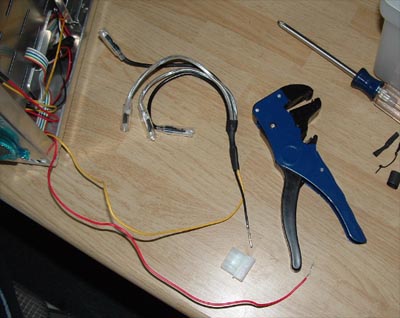
    To eliminate wiring clutter I removed the Molex ends from the LED cannons and wired them all together and used heat shrink to keep everything neat. In the picture below you can see the yellow wire going to the LED cannons, it was pre-wired to the switch used and is not a 12v line... LED cannons are 5v and we don't want anyone getting confused and burning up a bunch of LED's... unless they are the type to only look at the pictures and not read the guide, to them we say "have fun" (but they never hear us because they don't read).

    alieninferno07.jpg


    Below shows the fan with the LED cannons connected, the fan grill was added as an afterthought... hearing what an LED cannon caught in an 80mm fan sounds like motivates afterthought. The grill also prevents the wiring or anything else getting caught up in the fan, which is important if you poke around in your case a lot.

    alieninferno09.jpg


    Adjust the LED cannons so that they shine up through the fan and onto the silk and then position it inside the top of the case. Screw everything down and plug the fan and LED cannons into their respective Molex ends. Mouse over the picture below to see how good it looks in the dark.

    alieninferno14.jpg


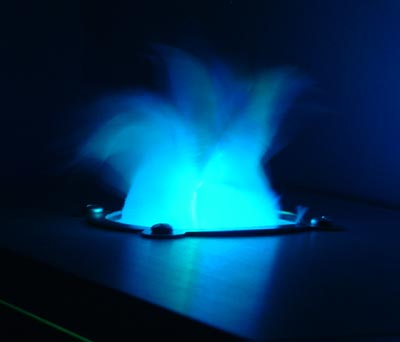
    I also took a short video of the alien inferno fan flame in action because a still picture cannot do this mod justice. Please right click and choose "save target as" instead of streaming it directly, see a short video of the fan mod in action here. Below is a close up of the flame taken at night with no flash, pretty sweet.

    alieninferno15.jpg


    The alien inferno fan flame mod is something that most modders should have little trouble recreating if they follow the above guide. I am entirely happy with the way this turned out and everyone that has seen it agrees that it does a fine job of imitating flames coming out of the top of my case. I estimate the complete cost of this mod at under Rs.3000, not bad for how cool the effect is.

    salakala giyata waraddak na post eka hodai nam
     

    romainadrian

    Well-known member
  • Sep 21, 2006
    2,119
    74
    48
    CMB
    Defyants Lighted Wiring Tubes

    Defyants Lighted Wiring Tubes

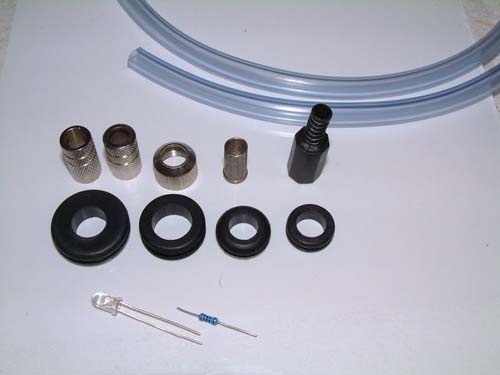
    Tools and items need for the job will vary, its a pretty versatile mod and you can swap items to suit your case and needs. Basically the shot below shows the items I chose from the HPRII mod. I'll use slightly different items in this how-to but the method and end result will be the same. Main things you will need.

    Tools:
    Dremel, Drill, file, hot glue gun or normal epoxy glue, wire cutters.

    Parts:
    A PC! LED's in the color of your choice (I use 12volt Bright Blue LED's with resistors to cut the voltage down from 12 - 7volt
    Refer to Duck's post " LED's made simple" for wiring instructions. - Creds Duck) Rubber Grommets!, these will also vary according to your needs. Heat shrink, some clear rubber tubing, RCA type style jack ends.

    These are the basic parts, they will vary according to what you can obtain. But, all these parts bar the tubing can be purchased from your local electronics shop.

    DSCF1000.sized.jpg


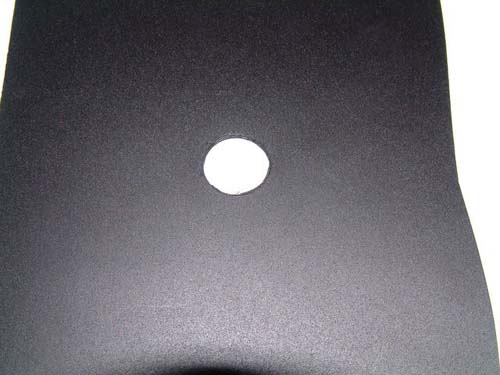
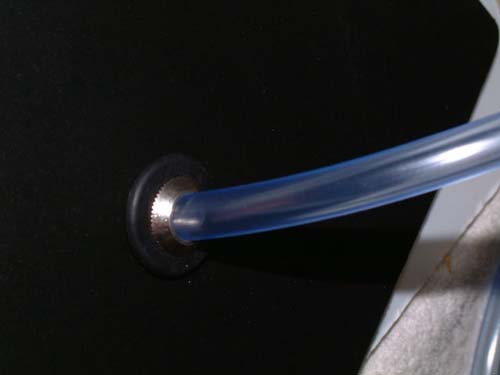
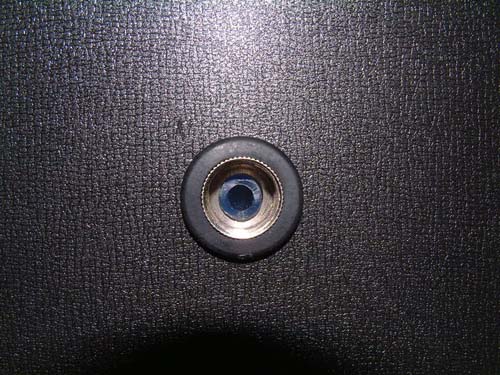
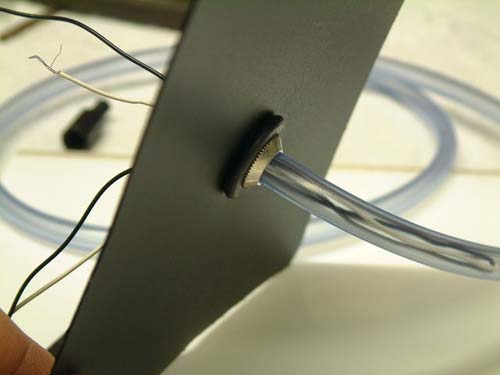
    Next is to drill a hole in the panel, theres no real trick to this, it just has to be snug around your rubber grommet.

    DSCF1003.sized.jpg


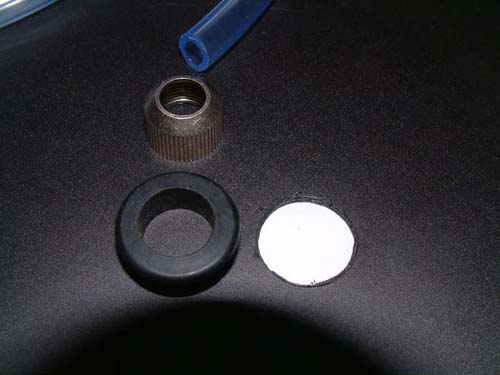
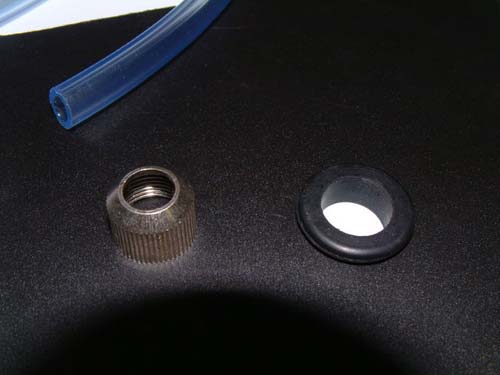
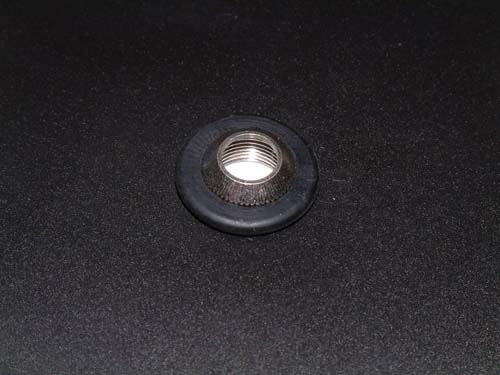
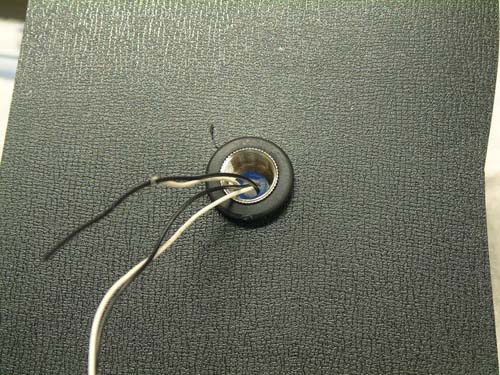
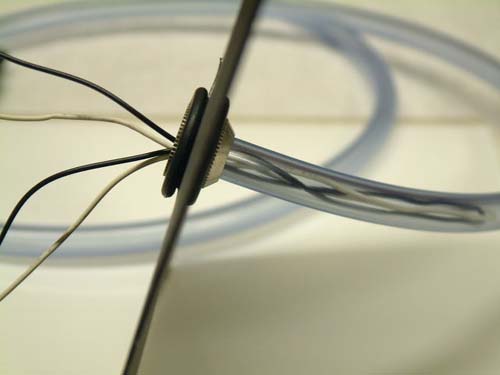
    Follow the next couple of pictures for the primary assembly...

    DSCF1004.sized.jpg

    DSCF1007.sized.jpg

    DSCF1010.sized.jpg

    DSCF1012.sized.jpg


    The first part of the mod is pretty easy. Once your grommet, shim and tubes are in place, a few spots of glue at the back of the mod to secure and hold the clear tube in place.

    DSCF1014.sized.jpg


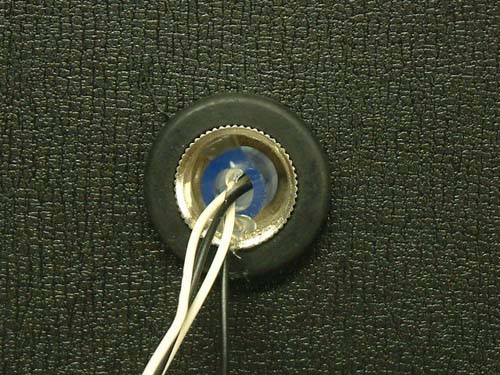
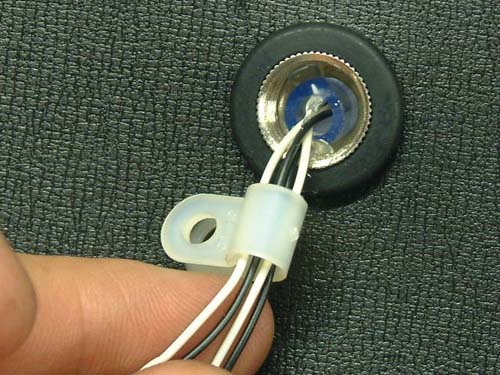
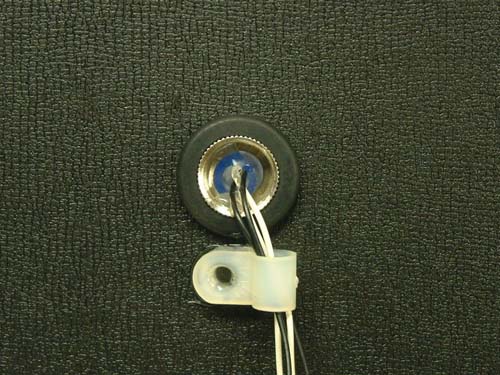
    Feed your wires through and sure them, I use hot glue and a small plastic wire clip, these too can be bought from your local electronics shop.

    DSCF1022.sized.jpg


    DSCF1024.sized.jpg


    DSCF1027.sized.jpg


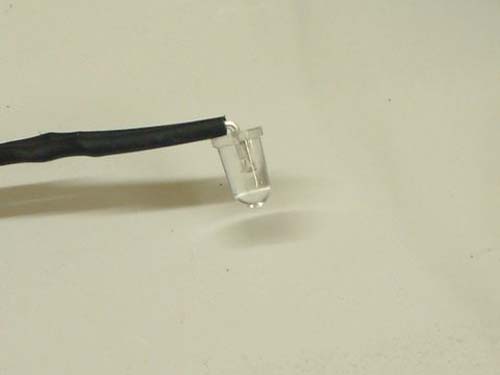
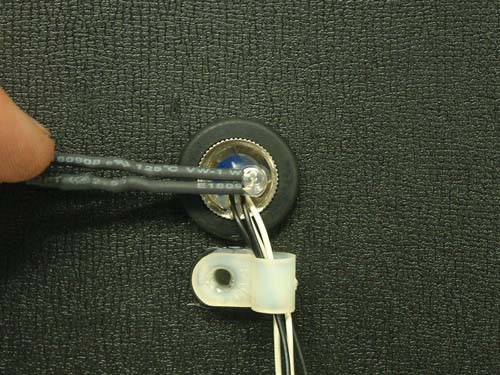
    Next step is to place your LED...

    DSCF1032.sized.jpg


    There are a number of ways to secure your LED in place, I use hot glue and/or a small plastic bracket.

    DSCF1035.sized.jpg


    DSCF1037.sized.jpg


    DSCF1040.sized.jpg


    DSCF1041.sized.jpg


    DSCF1045.sized.jpg


    DSCF1046.sized.jpg


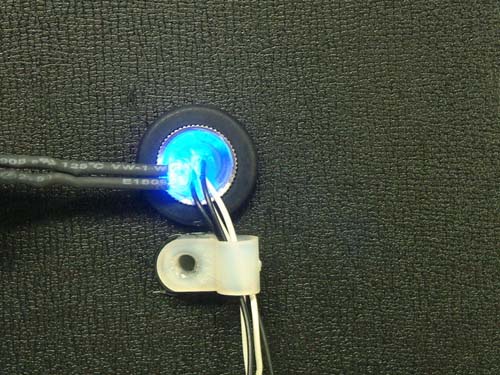
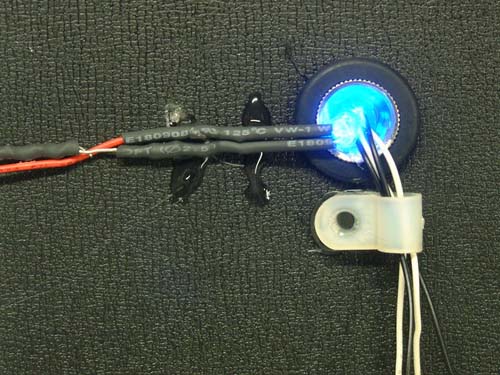
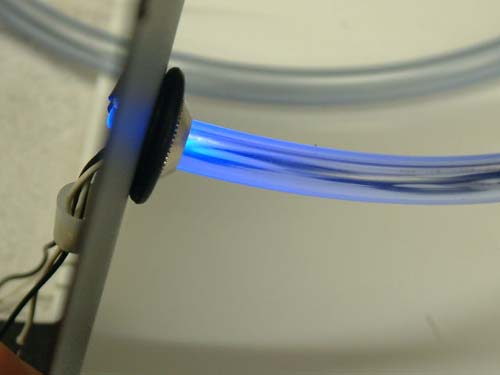
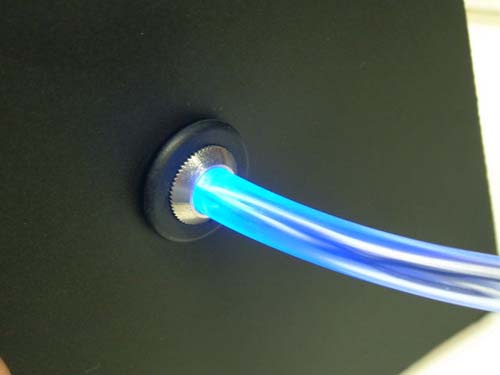
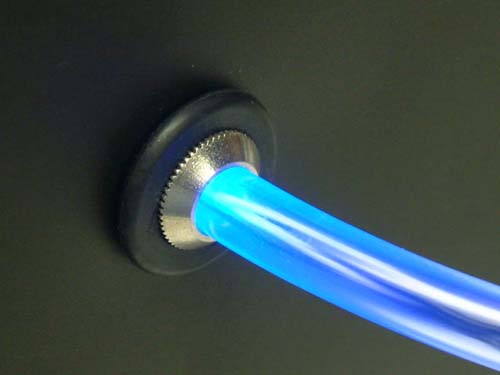
    The end result should look like this, its really a night effect and will always look better inside the case. Remember you can also use different colored LED's to suit your mod.

    DSCF1047.sized.jpg


    DSCF1048.sized.jpg


    DSCF1050.sized.jpg


    Kastiya mava try karanna mama nam kaling karapu casing 2 tiyenava meva karanna amaru na iwasimai kapawimai thama ona wenne