What Is Cloudflare?
Cloudflare is a web performance and security company that sits between your website and your visitors.
Think of it like a smart traffic controller + bodyguard + speed booster for your website.
When someone visits your website, Cloudflare makes sure:
- the site loads faster
- attacks are blocked
- downtime is prevented
- your server is less overloaded
It works globally through a huge network of data centers.
 How Cloudflare Improves Website Performance
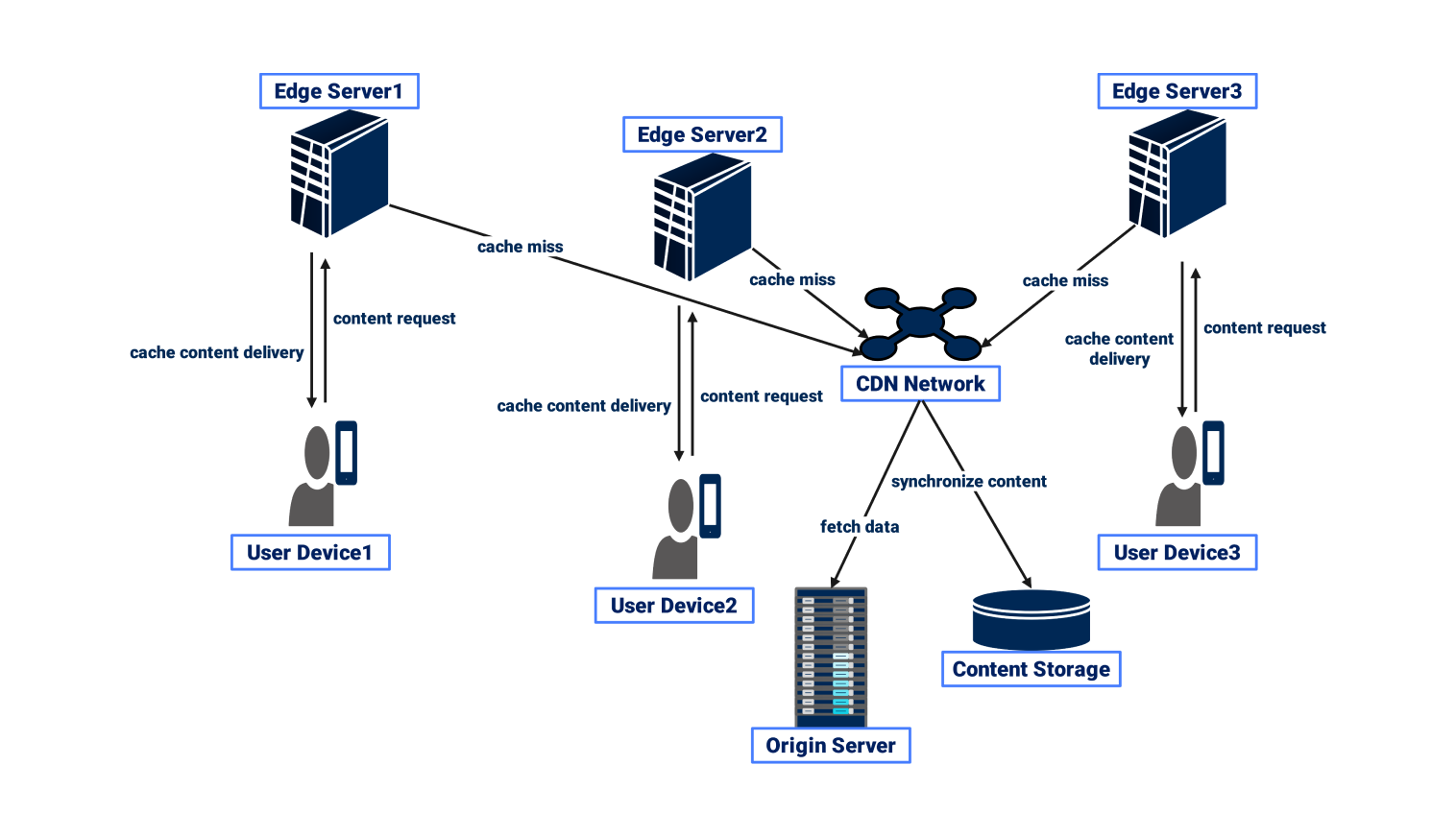
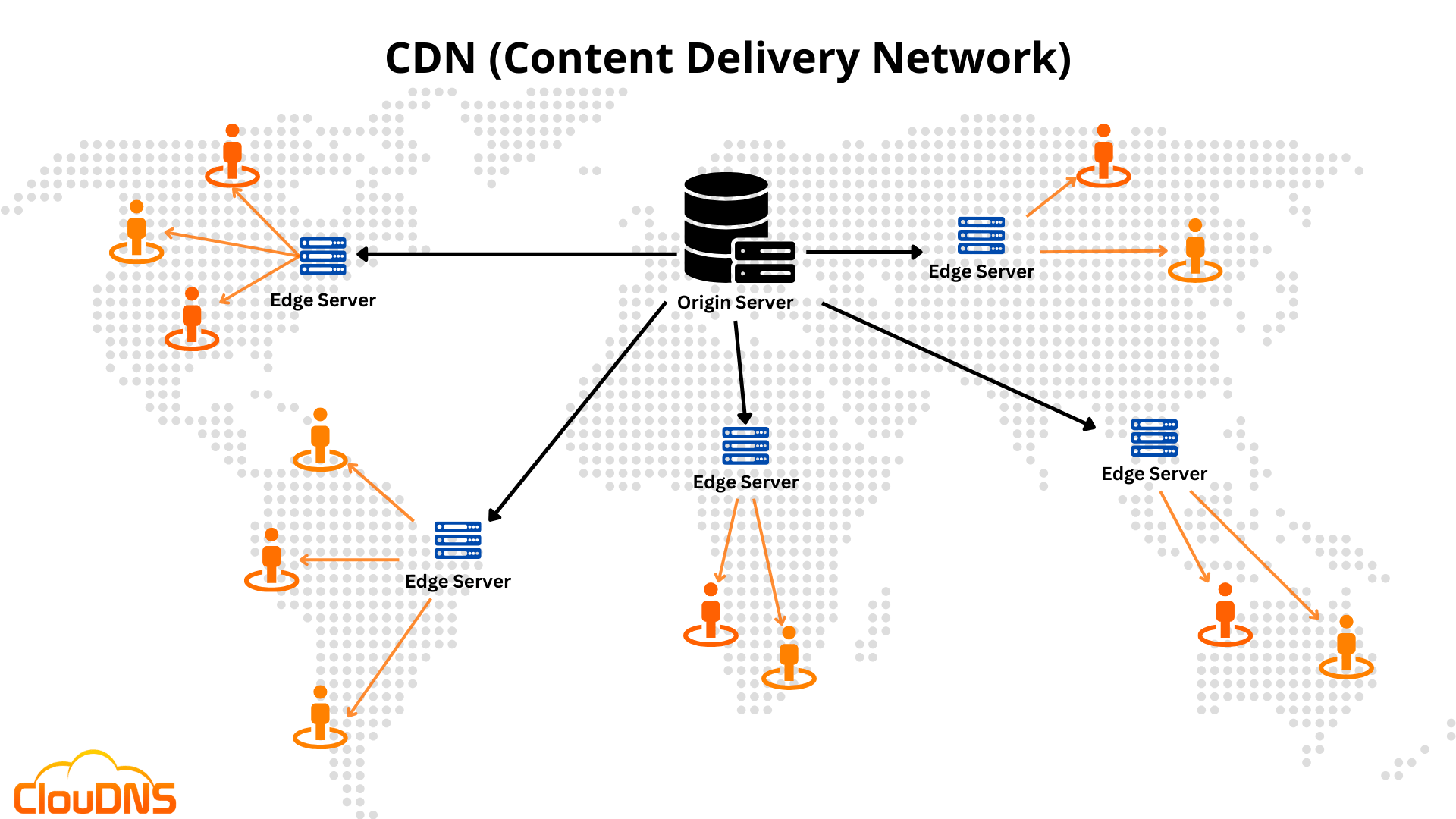
1. CDN (Content Delivery Network) → Faster Loading
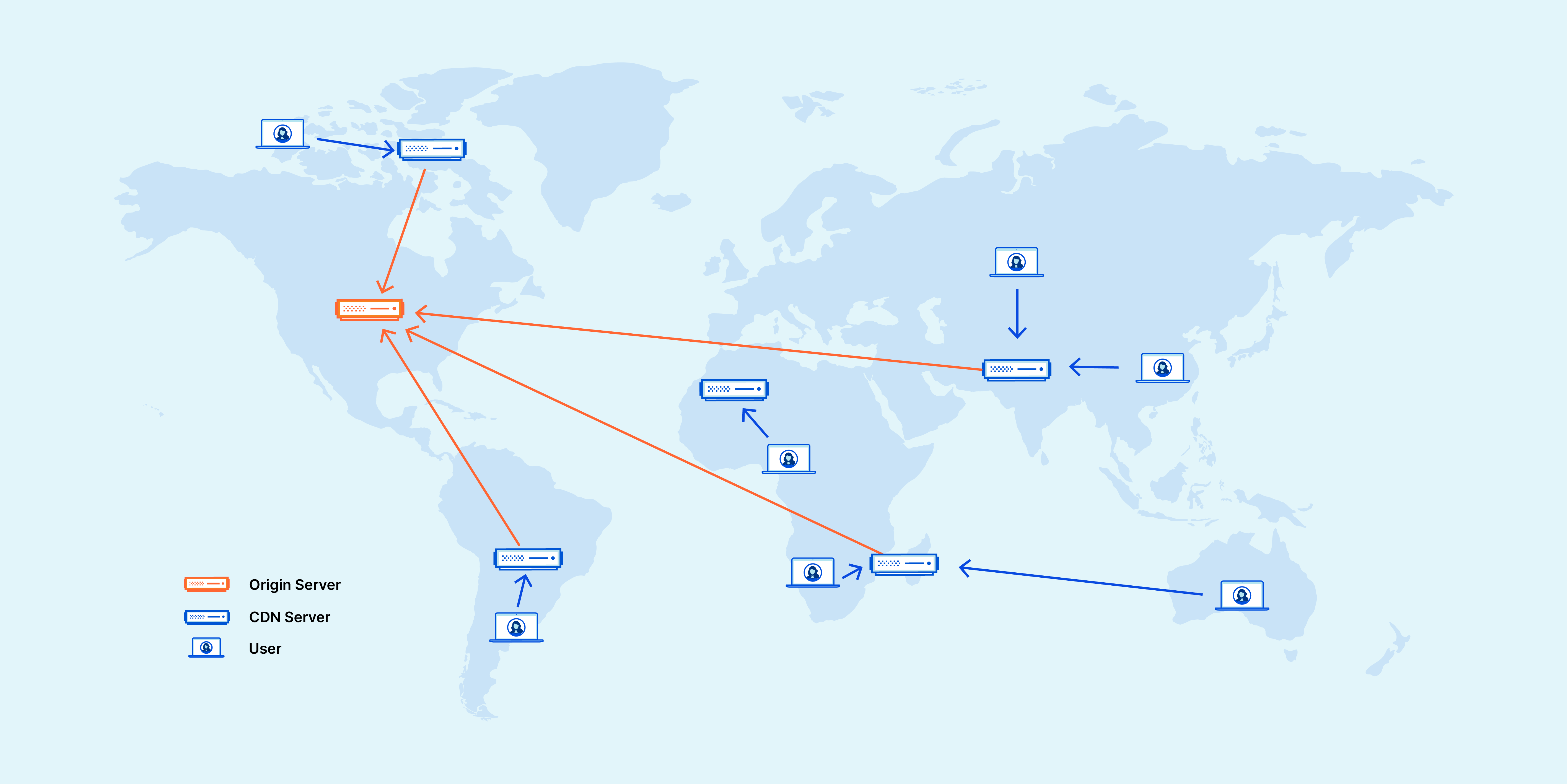
Cloudflare stores cached copies of your website on servers around the world.
So if someone in India visits your site hosted in Germany, they get the content from the
nearest Cloudflare server, reducing delay.
 Benefit:
 Pages load much faster — especially for international users.
2. Image Optimization
Cloudflare automatically compresses and resizes images without reducing quality.
Benefit: Faster loading on mobile and slow connections.
3. Minification of Code
Cloudflare can shrink file sizes by removing unnecessary characters from:
Benefit: Smaller files → quicker load → better user experience.
4. Caching Static Content
Things that don’t change often (images, CSS, JS, etc.) are stored in Cloudflare’s cache.
Benefit: Your server handles fewer requests, reducing load and improving speed.
5. HTTP/3 + Brotli Compression
Cloudflare uses advanced internet protocols and compression to deliver content faster.
Benefit: Faster connections and smoother performance.
 Additional Big Advantage: Security
Even though you asked about performance, it's worth noting Cloudflare’s security features also help performance indirectly:
- DDoS attack protection
- Firewall rules
- Bot filtering
Benefit: Prevents your site from going down due to attacks or heavy fake traffic.
 In Simple Terms
Cloudflare improves performance by:
- Delivering your website from servers closest to visitors
- Reducing file sizes
- Caching content
- Reducing load on your main server
- Speeding up images and code delivery
 1. Cloudflare Learning Center (Beginner-Friendly)
This is the easiest place to start. Cloudflare explains:
- What is CDN
- How DNS works
- Website security basics
- Cloudflare features in simple language
Link: Go to Cloudflare’s official website →
Learning Center
(Just search “Cloudflare Learning Center”)
 2. Cloudflare Docs (For deeper understanding)
If you want technical details, setup guides, and step-by-step instructions:
- DNS configuration
- CDN setup
- Firewall rules
- Workers (Cloudflare serverless platform)
This is the most complete source.
 3. Cloudflare YouTube Channel (Visual learning)
Cloudflare posts:
- Tutorials
- Explainers
- Feature demos
- Tech talks
Great if you prefer watching instead of reading.
 4. Hands-On Learning: Try Cloudflare Free Plan
You can learn very fast by doing.
Cloudflare Free Plan includes:
- CDN
- DNS management
- DDoS protection
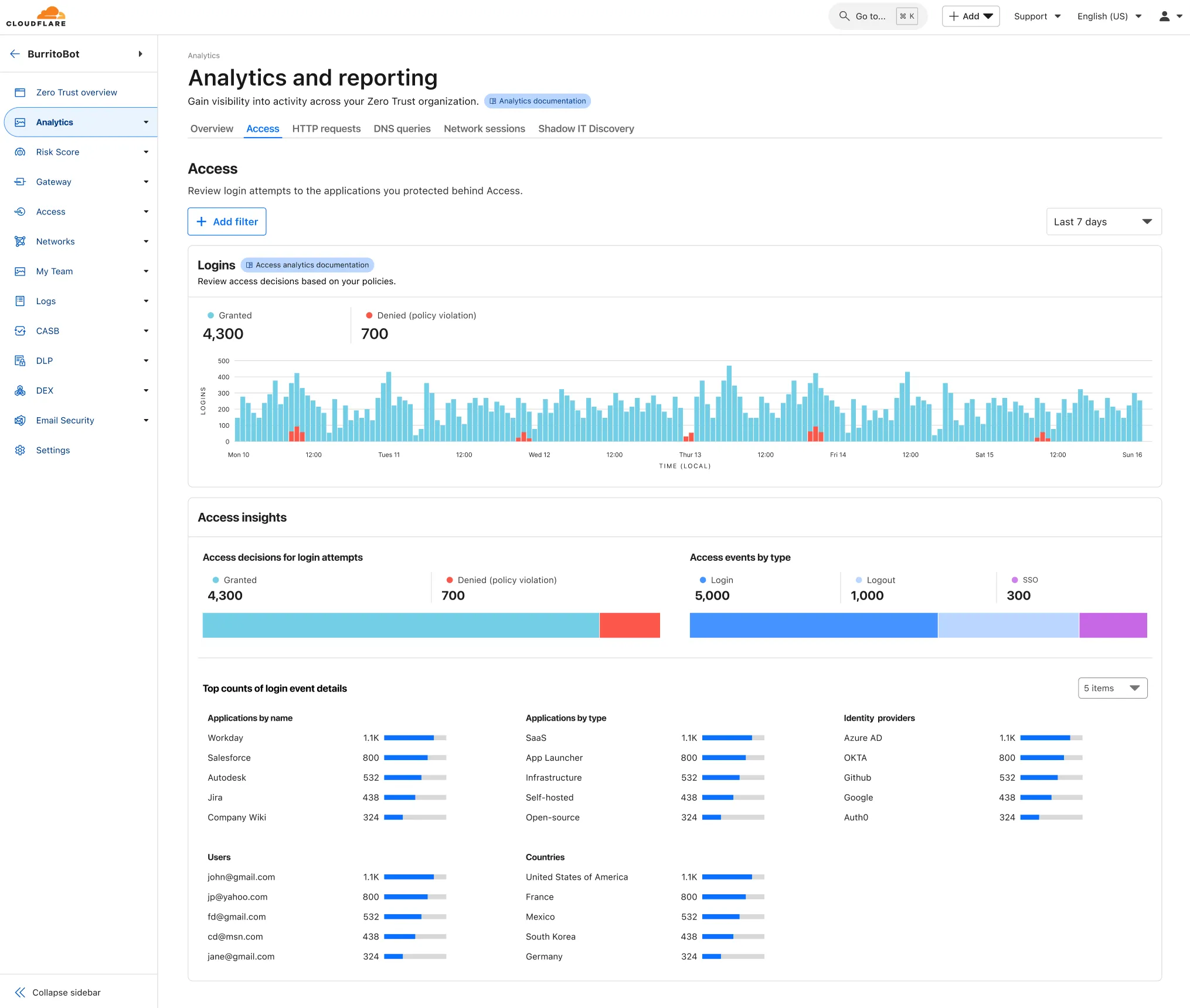
- Analytics
Create a free account and add a test domain if you have one.
 5. Courses (Udemy, Coursera, YouTube)
Search for:
- “Cloudflare for beginners”
- “Cloudflare CDN tutorial”
- “Cloudflare security basics”
There are many free and paid courses.
 6. Cloudflare Community Forum
Great for Q&A, troubleshooting, and real user discussions.
------
Post added on Nov 18, 2025 at 10:15 PM


 cloudflare එකට කෙළ උනාම intenet බාගයක් down වගේ හැම එකාම උන්ගේ හරහා යන්න ගිහින් . මොන කයිවාරු ගැහුවත් hok ගාලා යන්න පුළුවන් AWS හිටන් ගියේ