DESKTOP SCREEN SHOT එකක් ගන්න විදීය
මුලින්ම Link eke තීයෙන Software eka Download කරගන්න.
http://download.cnet.com/Screenshot-Master/3000-2072_4-10756936.html
Eka install කරගන්න.
Eka open කරන්න.
eke save screenshot now button eka click කරන්න.
එතකොට desktop screen eka save වෙනව.
ඉට පස්සෙ configuration කියන button eka click කරන්න.
eke show කියන button eka click කරාම අදාල picture එක බලා ගන්න පුලුවන්.
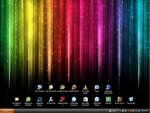
මේ මගෙ Desktop එක.

හොදයි කියල හිතෙනවනම් comment එකක් දාල යන්න.
මුලින්ම Link eke තීයෙන Software eka Download කරගන්න.
http://download.cnet.com/Screenshot-Master/3000-2072_4-10756936.html
Eka install කරගන්න.
Eka open කරන්න.
eke save screenshot now button eka click කරන්න.
එතකොට desktop screen eka save වෙනව.
ඉට පස්සෙ configuration කියන button eka click කරන්න.
eke show කියන button eka click කරාම අදාල picture එක බලා ගන්න පුලුවන්.
මේ මගෙ Desktop එක.

හොදයි කියල හිතෙනවනම් comment එකක් දාල යන්න.