Windows_10_ගැන_හැමදෙයක්ම

drml

Active member
  • Jul 10, 2013
    342
    163
    43
    Boralesgamuwa
    Windows_10_ගැන_හැමදෙයක්ම

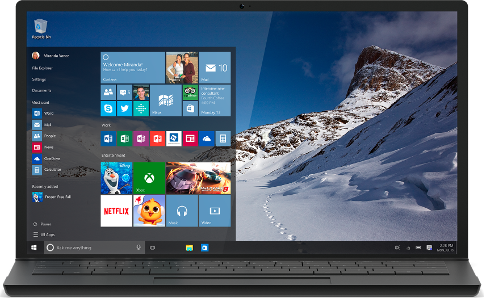
    ව්න්ඩෝස් 10 ගැන ගොඩක් කතා වෙන නිසා වගේම ගොඩක් අයට ප්‍රශ්න තියෙන නිසාත් මමත් පුළුවන් විධියට උදව්වක් කරන්නයි හිතුවේ. 2015 ජුලි 29 Release කරපු දවසේ ඉදලා අද වෙනකොට ගොඩක් දෙනා Windows 10 වලට upgrade කරලා ඇති තමන්ගේ පරිගණකය. ඒ වගේම තව ගොඩක් දෙනා upgrade කරන්න තාමත් පැකිලෙනවත් ඇති. දැනට upgrade කරපු යාළුවන්ට ආපු ප්‍රශ්න දැකලා upgrade කරන්න පැකිලෙනව නම් ඒ හිතේ සැකේටත් පුළුවන් විදියට උත්තර දෙන්නම්.

    windows10-laptop.png
     

    drml

    Active member
  • Jul 10, 2013
    342
    163
    43
    Boralesgamuwa
    Windows 10 ගැන

    Windows 10 Versions :)
    Windows 10 එන්නේ Versions කිහිපයක් විධියට. Windows 10 Home, Windows 10 Pro, Windows 10 Mobile, Windows 10 Enterprise, Windows 10 Mobile Enterprise සහ Windows 10 Education ඒ වර්ග ටික.

    Free Upgrade :)
    2015 ජුලි 29 ඉදලා අවුරුද්දක් යනකන් අපිට අපේ තියෙන Windows 7 සහ Windows 8.1 නොමිලේ upgrade කරන්න පහසුකම් දීලා තියෙනවා. මෙහෙම upgrade කරන්න නම් තියෙන Windows OS එක Active වෙලා තියෙන්න ඕන. මේ Active කරගැනීම Original Key හෝ Crack එකකින් වුනා කියලා ගැටලුවක් නෑ. මම දැක්ක විධියට මේක ගොඩක් අයට තිබුන ගැටලුවක්. මතක ඇතුව Windows 10 වලට අත තියන්න කලින් තියෙන Windows OS එක Active කරලා තියාගන්න. නැත්තම් Windows 10 දාලා අන්තිම වෙනකොට Key එක ඉල්ලනවා Windows 10 වලට. එතකොට මුකුත් කරන්න බැරිවෙනවා. Key එකක් නැත්තම් හොද Crack එකක් use කරන්න පුළුවන්.

    Upgrade Versions :)
    ගොඩක් අයට තිබුන තවත් ප්‍රශ්නයක් තමයි මොන Version එකටද upgrade කරන්න පුළුවන් කියන එක. තල වපුරල කුරහන් ගන්න බෑ වගේ තමයි Windows 7 Home Version එකේ ඉදලා Windows 10 Pro එකට upgrade කරන්න බෑ. ඒහෙම ඕනම නම් මුලින් Windows 7 Pro දාගෙන ඒක Active කරලා upgrade කරන්න ඕන. ඒ වගේම latest version update එක දාගෙන ඉන්නත් වෙනවා. සාරාංශයක් විධියට මෙහෙම කියන්න පුළුවන්.

    Windows 7
    Windows 7 Starter, Windows 7 Home Basic සහ Windows 7 Home Premium >> Windows 10 Home
    Windows 7 Professional සහ Windows 7 Ultimate >> Windows 10 Pro

    Windows 8
    Windows Phone 8.1 >> Windows 10 Mobile
    Windows 8.1 >> Windows 10 Home
    Windows 8.1 Pro සහ Windows 8.1 Pro for Students >> Windows 10 Pro

    හැමෝටම පැහැදිලි ඇති කියලා හිතනවා. උදාහරණයක් විධියට දැන් Windows 10 Pro ඕන අය ලග තියෙන්න ඕන Windows 7 Professional, Windows 7 Ultimate, Windows 8.1 Pro සහ Windows 8.1 Pro for Students කියන Windows OS විතරයි.

    System Requirements :)
    ඊළගට බලන්න ඕන Windows 10 දාන්න ඕන System Requirements තියෙනවද කියලා.
    Processor: 1 gigahertz (GHz) or faster processor or SoC
    RAM: 1 gigabyte (GB) for 32-bit or 2 GB for 64-bit
    Hard disk space: 16 GB for 32-bit OS 20 GB for 64-bit OS
    Graphics card: DirectX 9 or later with WDDM 1.0 driver
    Display: 800x600
    ඔය විධියට වඩා System එකක් තියෙන Machine වලට Windows 10 දාන්න පුළුවන්.

    Media Creation Tool :)
    Upgrade කරන්න හොදම විධිය තමයි Media Creation Tool එක. Windows update වලින් upgrade කරන්න ගියාම ගොඩක් වෙලාව යනවා. ඒත් Media Creation Tool එක හරහා upgrade කරන්න යන්නේ අඩු කාලයක්.

    මේවත් වැදගත් වෙයි කියලා හිතුන නිසා Copy කරා හැමෝටම බලන්න. :)

    Windows 10 Home users will receive updates from Windows Update automatically when it’s available. Windows 10 Pro and Windows 10 Enterprise users will have the ability to postpone updates. The amount of time that Windows 10 Pro users can postpone updates is limited.

    An internet connection is required to perform the upgrade. Windows 10 is a large file -- about 3 GB -- and Internet access (ISP) fees might apply.

    Cortana is only currently available on Windows 10 for the United States, United Kingdom, China, France, Italy, Germany, and Spain.
     
    Last edited:

    drml

    Active member
  • Jul 10, 2013
    342
    163
    43
    Boralesgamuwa
    Windows 10 upgrade ගැන මගේ අත්දැකීම

    Windows 10 upgrade ගැන මගේ අත්දැකීම :):)

    1. මගේ ලග තියෙන්නේ Dell Lap එකක්. තිබුනේ Windows 8.1 Pro 64 Bit Original Version එක. Intel Core i7 | 8.00GB Dual-Channel DDR3 | Intel HD Graphics 3000 | 1023MB NVIDIA GeForce GT 525M | 698GB Seagate

    2. තිබුන Windows 8.1 Pro දිගටම update කරල තිබුනේ.

    3. මුලින්ම Windows update වලින් upgrade වෙන්න දැම්මට 20% යන්නත් පැය 2ක් විතර ගියා. ඊට පස්සෙ Media Creation Tool 64x හොයලා Download කරල ඒකෙන් තමයි upgrade වෙන්න දැම්මේ. මුලින්ම අහනවා Upgrade this PC හෝ වෙන PC එකක් වෙනුවෙන් Media file එකක්ද හදන්නේ කියලා. මම This PC option එකයි තේරුවේ. ඒක ඔයාලට කැමති විධියකට.
    මෙන්න මෙතනට ගිහින් Media Creation Tool ගන්න පුළුවන්. https://www.microsoft.com/en-us/software-download/windows10

    4. Upgrade වෙනකොට අහනවා පරන App සහ Data තියාගන්නවද කියලා. මම Data විතරයි තියාගත්තේ.

    5. Media Creation Tool එකෙන් Windows 10 Pro ගන්න ගියේ විනාඩි 30ක් විතර. Use කරේ 100 Mbps LAN + WiFi Connection එකක්.

    6. Upgrade වෙනකොටත් Internet Connect කරලයි තිබුනේ. Fully upgrade වෙන්න විනාඩි 45ක් විතර ගියා. Internet Connect කරල තිබුන නිසා Download වෙවී තමයි upgrade වුනේ. කොහොම හරි upgrade වෙනකොට Internet Connect කරල තියන එක හොදයි. ඒ ගැන නම් Idea එකක් හරියටම නැතත් හිතුන විධියට Drivers එහෙම Online ගන්න ඇති.

    7. දෙතුන් පාරක් Restart වුනා. Upgrade ඉවර වුනාම check කරල බලනකොට Drivers ඔක්කොම හරියට අරගෙන තිබුනා. Windows 10 Pro Activated.

    8. පරණ App ඔක්කොම windows.old කියලා Folder එකකට Move වෙලා තිබුනා. ගොඩක් ඇප් තිබුනා නිසා ඒ Folder එක 66GB. පොඩ්ඩක් Search කරලා බැලුවම දැනගත්ත Disk Cleanup කරාම හරි කියලා.

    Control Panel > All Control Panel Items > Administrative Tools > Disk Cleanup > C > Cleanup System Files ගිහින් Clean කරගත්තා. එහෙම කරාට Windows 10 Active එකට අවුලක් වුනේ නෑ. Windows.old Folder එක Empty වෙලා තිබුනා.

    9. පරණ App ෆයිල් ටික අයින් කරේ upgrade කරාට පස්සේ Programe and features වල App මුකුත් පෙන්නුවේ නැති නිසා. ආයිමත් App ටික ඔක්කොම දාගත්තා.

    10. මුලින්ම Chrome දැම්මම නම් Sinhala වැඩ කරේ නෑ. Sinhala Add කරගත්තම හරි ගියා.

    Settings > Region & Language > Languages > Add a language > Sinhala

    11. ලංකාවට Cortana වැඩ නැති නිසා Region & Language වල Country or region කියන තැනට US දුන්නා. Cortanaත් වැඩ කරනවා එහෙම දුන්නම. එහෙම දුන්න කියලා Time Zone එකට බලපෑමක් නෑ. Time Zone Sri Jayewardenepura.


    මේ ටික ඔයාලට වැඩක් වුනා කියලා හිතනවා. දැනගන්න දෙයක් තියෙනව නම් අහන්න. දන්න විධියට කියන්නම්.
     

    sithija.h

    Well-known member
  • Nov 21, 2008
    9,679
    5,904
    113
    Matara
    You have given out too much Reputation in the last 24 hours, try again later.

    Rep denna puluwan una gaman dennam bn,

    godak watina thread ekak
     

    pranathlcp

    Well-known member
  • Jul 19, 2009
    5,839
    1,293
    113
    Hogwarts School of Witchcraft and Wizardry
    මම ISO එක ඩව්න්ලෝඩ් කරලා එක මවුන්ට් කරලා සෙටප් එක රන් කරා...දැන් මගදී ප්‍රඩක්ට් කී එකක් අහනව බන්..මගේ 8.1 ප්‍රඩක්ට් කී එක දුන්නම "This Product Key Didn't Work. Please check it and try again, or try a different way" කියල කියනවා...

    Media Installation Tool එකෙන් ඩව්න්ලෝඩ් කරේ ISO එක...ISO එක ඩව්න්ලෝඩ් නොකර එකේ "Upgrade" එක හරහා ගියොත් හරියයිද බන්?
     

    sᴉɹɐ

    Junior member
  • Feb 16, 2014
    455
    17
    18
    මම ISO එක ඩව්න්ලෝඩ් කරලා එක මවුන්ට් කරලා සෙටප් එක රන් කරා...දැන් මගදී ප්‍රඩක්ට් කී එකක් අහනව බන්..මගේ 8.1 ප්‍රඩක්ට් කී එක දුන්නම "This Product Key Didn't Work. Please check it and try again, or try a different way" කියල කියනවා...

    Media Installation Tool එකෙන් ඩව්න්ලෝඩ් කරේ ISO එක...ISO එක ඩව්න්ලෝඩ් නොකර එකේ "Upgrade" එක හරහා ගියොත් හරියයිද බන්?

    menna
    meke
    tyena widihata adala umbe version 1ta adala key 1 dapan
     

    drml

    Active member
  • Jul 10, 2013
    342
    163
    43
    Boralesgamuwa
    මම ISO එක ඩව්න්ලෝඩ් කරලා එක මවුන්ට් කරලා සෙටප් එක රන් කරා...දැන් මගදී ප්‍රඩක්ට් කී එකක් අහනව බන්..මගේ 8.1 ප්‍රඩක්ට් කී එක දුන්නම "This Product Key Didn't Work. Please check it and try again, or try a different way" කියල කියනවා...

    Media Installation Tool එකෙන් ඩව්න්ලෝඩ් කරේ ISO එක...ISO එක ඩව්න්ලෝඩ් නොකර එකේ "Upgrade" එක හරහා ගියොත් හරියයිද බන්?

    ඔයාගේ වින්ඩෝස් 8.1 ඇක්ටිව් කරල නම් ප්‍රඩක්ට් කී එක අහන්නේ නෑ. මුලින්ම වින්ඩෝස් 8 ඇක්ටිව් කරල ඉන්න යාළුවා. :D:yes:
     

    pranathlcp

    Well-known member
  • Jul 19, 2009
    5,839
    1,293
    113
    Hogwarts School of Witchcraft and Wizardry
    ඔයාගේ වින්ඩෝස් 8.1 ඇක්ටිව් කරල නම් ප්‍රඩක්ට් කී එක අහන්නේ නෑ. මුලින්ම වින්ඩෝස් 8 ඇක්ටිව් කරල ඉන්න යාළුවා. :D:yes:

    ඇක්ටිවේට් කරලා බන් තියෙන්නේ :sorry: සමහරවිට මේකට හේතුව මගේ තියෙන්නේ Windows Embedded 8.1 Industry Pro නිසා වෙන්න ඇති.. :oo: :sorry:

    Properties.png
     
    Last edited:

    amilaboy

    Well-known member
  • May 19, 2009
    1,213
    735
    113
    මචන් දාගෙන ඉන්නේ වින්ඩොව්ස් 10 ප්‍රෝ. ඉන්ස්ට්‍රල් කරා . මේක ඇක්ටිවේට් කරන්නේ කොහොමද? වෙබ් එකේ තියෙන සමහර කීස් ගැහුවට වෙන්නේ නැහැ . ඇක්ටිවේට් කරන්නේ නැතුව කස්ටමයිස් කරන්න බෑ