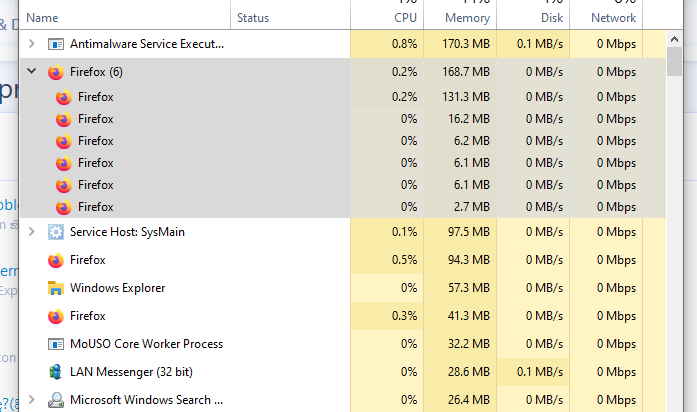
Under Firefox settings find the Performance section. You can uncheck the Use recommended performance settings checkbox.
Then somewhere around there's a Content process limit setting, which can be set to a number between 1 and 8.
Under Firefox settings find the Performance section. You can uncheck the Use recommended performance settings checkbox.
Then somewhere around there's a Content process limit setting, which can be set to a number between 1 and 8.
Probably changed on the newer versions... It's now in the config....
Type about:config in the Firefox address bar, bypass the warning and change the value of dom.ipc.processCount to anything between 1-8.
Probably changed on the newer versions... It's now in the config....
Type about:config in the Firefox address bar, bypass the warning and change the value of dom.ipc.processCount to anything between 1-8.