
Wikipedia Lecturer Free Wiki කියවනවා අපිට අහගන ඉන්න තියනේ screen off උනොත් ආය මුල ඉදලා යනවා මේකේ Pro එක හොයා ගන්න බැරිද


akawat depan balannaඑකක් තියෙනවා. එකෙන් බලන්න පුළුවන්. ඒත් ඕනෑම ෆෝන් එකකට සොෆ්ට්වෙයා එක අලුතෙන් දැම්ම ගමන් එක 0වට වැටෙනවා.

pawachchi karlaa balapan...
 crack karapu ekakne.anyway thanks
thank you wewa godak dewal danagaththa... thawa idiriyatath dana ganna thiyanoooooooචිරි චිරි වැස්ස;14107440 said:මොකද්ද මේ රූට් ( root ) කරනවා කියන්නේ ?
රූට් කලාම ඇත්තටම වෙන්නේ මොකද්ද ?
root කලා කියලා අපිට ලැබෙන දේවල් මොනවාද ?
root කලාම ෆෝන් එක speed වැඩි වෙනවාද ?
root කලාම warranty එක නැති වෙනවාද ?
Stock ROMs කියන්නේ මොනවාද ?
Custom ROMs කියන්නේ මොනවද ?
දැනගන්න පහලින් පිවිසෙන්න


චිරි චිරි වැස්ස;14313896 said:Wikipedia Lecturer Pro v2.4.1
Updated : 14 January 2013
Current Version : v2.4.1
Requires Android : 2.2 and up
Category : Books & Reference
Size : 980 KB
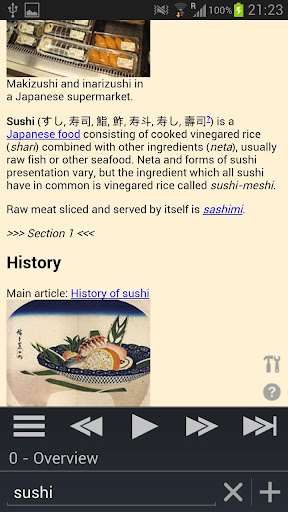
Play Wikipedia articles with Text-to-Speech (TTS) using this music player-like app in virtually any language. Listen to any topic from sushi making to computer engineering all while driving around town or walking to class. It's also a great Wikipedia reader on both phones and tablets on top of its audio features! The more you use it, the more power features you’ll discover.
Turns Wikipedia into an audio book for “on the go” learning!
Advanced Wikipedia Reader (Use Wiki Lecturer as your default app)
Multi language
Full featured Pro version.
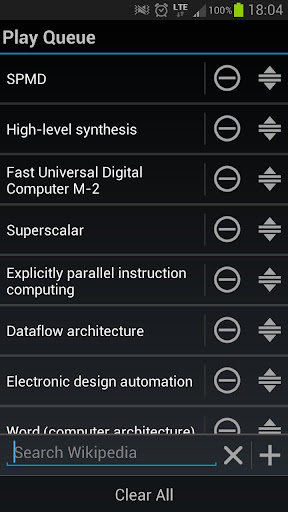
Want to learn about multiple topics? You can use the new Play Queue feature!
Playing in the background while you're driving, randomizing article play queues, skipping articles, building your own Play Queues, reading in virtually every language your phone supports; it's all supported as well as being a great Wikipedia reader on both phones and tablets! You can even tell Wiki Lecturer to ignore wiki sections (ie 'References') and links that you don't want to listen to.
Any language with Text-to-Speech (TTS) voice data should work with Wiki Lecturer; for instance selecting German will make Wiki Lecturer search for German wiki articles and also read them to you in German). Once one article is done, the next will automatically play.
IMPORTANT:
We do not speak every language on Earth. The app was designed in English and the rest are Google translations. We are attempting to get human translations done for every language and users are welcome to donate a bit of time to help improve language translations.
Features:
Reads your Wikipedia article to you!
Music Player Mode! (play in the background)
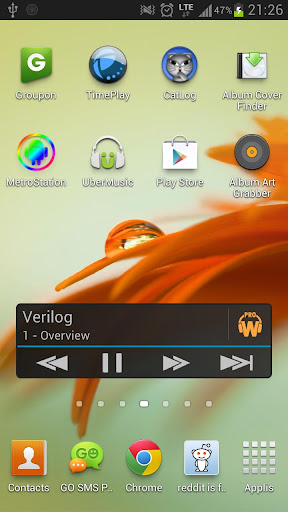
Audio Widget!
Automatically play related articles from 'See Also' section (see Disclaimer below for details)
Create your own custom Play Queues!
Drag-Drop reordering of your play queue
Long click links to add to play queue
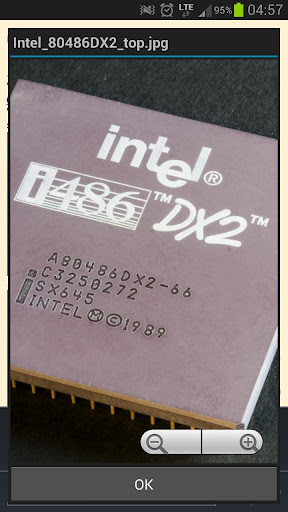
Click images to zoom into full size image (WITH TWO FINGER ZOOM SUPPORT)
Play order randomizing supported
Auto-scroll when changing sections
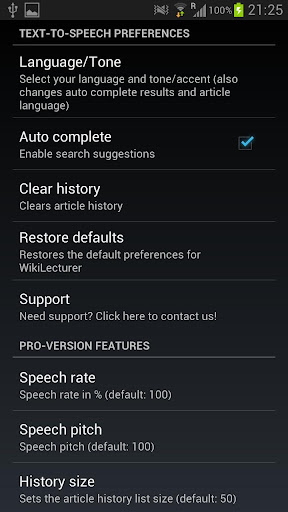
Change speech rate
Change speech pitch
Change language and tone/accent
Search for articles in any language your phone supports
Skip to a section using the Table of Contents
Identify links and sections to ignore
Search autocompletion
Remembers your search history
Changeable font sizes
Great looking and functional UI (especially for ICS+)
No ads!
Note:
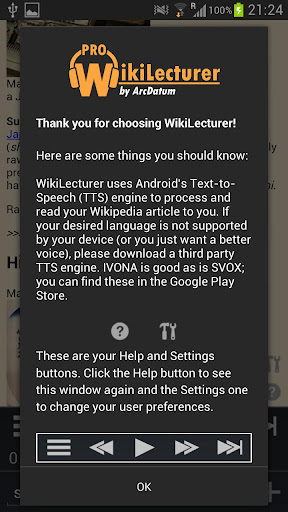
You may have to download a third party Text-to-Speech engine for your language (try SVOX or IVONA Text-to-Speech for instance).
Disclaimer:
Automatic article queuing is only supported in these languages (email us if you need support added):
English
French
German
Italian
Spanish
Dutch
Polish
Czech
Portuguese
Chinese (Mandarin)
Japanese
Korean
Russian
Swedish
Danish
Finnish
Primarily tested on Samsung Galaxy S2 and S3. We can't test every language with every Wikipedia search on every device so if you have a problem, feel free to email us with your language, the article you searched, and your device so we can test and resolve your issues.
What's in this version :
(Updated : Jan 14, 2013)
Added Audio Widget to Pro version
Added font size setting
Bug fixes
Fixed article reloading on every launch
Buy $2.33


Password : hasi






චිරි චිරි වැස්ස;14309438 said:4n එක Root කරලද තියෙන්නෙ
චිරි චිරි වැස්ස;14300529 said:Next Launcher 3D


Updated : 18 January 2013
Current Version : 1.15
Requires Android : 2.2 and up
Category : Personalization
Size : 2.66 MB
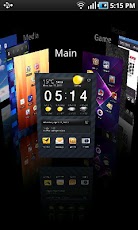
Next Launcher shows how a 3-D and dynamic launcher could be possibly like — Extend imagination, extend capabilities
Next Launcher Features
Next Launcher Tips:
- Various operation for icons: icons support rotation, reset, select, align and so on. Operation is easy and fantastic.
- Unlimited screen layout: placing icons or widgets randomly which forms your own home screen.
- Stereoscopic screen preview: lots of screen display effects, dazzling animation of screen switching about adding or deleting screen.
- Quick screen management: adding different kinds of elements in screen edit including application icons, folders and widgets. It’ll support changing wallpapers and themes soon.
- Rotatable dock: inverting upward or downward the Dock can quickly switch among home screen, screen edit and screen preview.
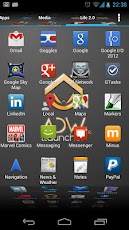
- Powerful app drawer: icons can be arranged by names or by time, and folders can be created by overlaying icons. Batch mode and operation of adding apps to screen are also available.
- Beautiful scrolling effects: a variety of app drawer scrolling effects that provide a distinctive screen switching experience.
- Fancy 3D widgets: 3D widgets that are based on Next Launcher are coming soon!
Whats new in Next Launcher v1.15
- Please make sure your device has installed Google Play.
- Phone performance:Android 2.3.3 and up; Dual-core models is better.
- Suggestion:Watch the video of Next Launcher first, to know about the cool operation of the product.
Buy $ 15.99
- New Support horizontal mode (Proposed tablet use)
- New Support Next Launcher theme (Search ‘Next Launcher Theme’)
- Fix Some FC bugs
Password : hasi


machan meka bagaththa ekek innwanam koheta hari upload karala link eka dennako lokku udauwak mata ganna baha ban


machan meka bagaththa ekek innwanam koheta hari upload karala link eka dennako lokku udauwak mata ganna baha ban
මේක දැනට දොලොස් දෙනෙක් වගේ බාල තියනව 


