.:: ANDROID වැඩකාරයෝ Part II ::.

dinumadushan

Well-known member
  • Oct 5, 2009
    3,417
    964
    113
    Katunayaka
    Wikipedia Lecturer Free Wiki කියවනවා අපිට අහගන ඉන්න තියනේ screen off උනොත් ආය මුල ඉදලා යනවා මේකේ Pro එක හොයා ගන්න බැරිද
    8b3NlZaEC4AszJhRvjxlJwBMkuTkpKwqq6CaqlZeqnAsWqXVicK9UrBx5yrhwalB8A=w705
     

    LC1989

    Well-known member
  • Sep 18, 2011
    2,095
    682
    113
    එකක් තියෙනවා. එකෙන් බලන්න පුළුවන්. ඒත් ඕනෑම ෆෝන් එකකට සොෆ්ට්වෙයා එක අලුතෙන් දැම්ම ගමන් එක 0වට වැටෙනවා. :dull:
    akawat depan balanna
     

    funyboyy

    Member
    Jun 22, 2011
    396
    163
    0
    nugegoda
    චිරි චිරි වැස්ස;14107440 said:
    මොකද්ද මේ රූට් ( root ) කරනවා කියන්නේ ?:confused:
    රූට් කලාම ඇත්තටම වෙන්නේ මොකද්ද ?:confused:
    root කලා කියලා අපිට ලැබෙන දේවල් මොනවාද ?:confused:
    root කලාම ෆෝන් එක speed වැඩි වෙනවාද ?:eek:
    root කලාම warranty එක නැති වෙනවාද ?:nerd:
    Stock ROMs කියන්නේ මොනවාද ?:eek:
    Custom ROMs කියන්නේ මොනවද ?:confused:

    දැනගන්න පහලින් පිවිසෙන්න
    thank you wewa godak dewal danagaththa... thawa idiriyatath dana ganna thiyanooooooo
     
    PSB - Private SMS MMS Calls v3.6 build 50

    PSB - Private SMS MMS Calls
    D7G1xIJyA4-2walmwafT3jFWL2gkygrQwd1G9cByG6FisJLP6esjCilZQpMshxf-LYQ
    6xPgK1Q6eO4lBwhneUf8tbZsuadDptYoTDDA5YvXAo1en6eIMhx4vZ-SyEM57SsejHY
    ncOrQVL2dFDpw11EQKNK5WTljJcK1DhpQuaoPvX1qG7Te8GuYETcIVLNYJS2N1df7_s


    W1j9klL38KjfriCNVkWa6vBlN-Dt0wH-2vjHqv0nXf5Q8X9r3Wn-6m_0t-uTunhy_MdT
    Icl8mS4qcshNR9-gA6E6dQFBTlg2RgTuwrwb-HzTyb21HIwPE2mzECBQIU3bMfQUiw
    reWXCCIN_ToqhJuxgImBFYjly9mxdfjadM3GqOexWHwRsmkexMpjZ4rI2msCYstHCFxZ


    Updated : 30 August 2012
    Current Version : v3.6 build 50
    Requirements : Android 2.1+
    Category : Social
    Size : 728 KB

    Please dial password (default 1234) to open this application

    Introduction:
    =============

    Looking to secure your private MMS, SMS and Calls?
    Willing to make conversation like IM?
    Your privacy is our high priority objective.
    Note: On upgrade Password will be reset to 1234.
    After open application, from setting you can create application shortcut for easy access.

    Features:
    =========

    1. MMS support(BETA).(only Image)
    2. User friendly chatting(conversation) view.
    3. Threading View
    4. Password protected SMS , MMS, Call box.
    5. Hide Application in device for more privacy. Just dial you password to open application.(default password will be “1234″)
    6. Customize Notification text for more privacy.
    7. Option to move old SMS/MMS to Private database.
    8. Option to move back private SMS/MMS when contact removed from private list.
    9. Option to set Timer to close Private SMS/MMS Box application when idle.
    10. No SMS logs in callhistory (Samsung Captivate)
    11. Easy to move contact from/to private database.
    12. Export / Import your private SMS/MMS database. (even you can move from one device to other)
    13. Instance customer support.

    Notes:
    1. Please make sure you have not installed any other SMS related third party application on device.
    2. Please remove “Private SMS Box-AD” before installing paid version.
    3. To hide application from list you may need to uninstall old version.


    How MMS works:
    ==============

    - Your MMS will be moved to private database when its completely sent or received.
    - will use native application to send/receive mms, to get better performance.
    - Your in-progress MMS like sending… or receiving.. will be in native messaging application only. Will be moved when its completely sent or received.


    User Guide:
    ===========

    http://www.techinnovative.net/apps/PSB/Userguide.htm
    Please email us if you have any question, instead of asking or explaining in comments.


    Buy $4.99

    downloadwi.gif


    Password : hasi

     
    Wikipedia Lecturer Pro v2.4.1

    Wikipedia Lecturer Pro v2.4.1
    32Y1ZLkFPZ9BwLuGfzEyTCJNaeNMgdZashQte-l4LaZonNonrIwbEEBCgA7qGTEjKg=w705


    kE1fycUF3C2h3saZlsqD1oeI_XsxnOAd6y5Nbyi5xGUIPt3NhMt0_Q9mHY0fcWU4zOo
    OrWkySlYssMcI0Ntd7hUzta1cn9yayu8yeerYcMRoWrhjABuXwPvn7jAVUlZ6ZxNaHo
    SUZVlhVc6lzU0tmOdg2NRNTKCwz1_FCF0pkI-Liau_U42nSsZ2yMPt_5P6x62QTbex4


    1gLeV0Ibx_R00ESruyxh2VcrETlpmVsnKsX25VldGnRmp-d_O-6WwRah61Z78_KTpw
    5oif_FT2IOiA36PWj48t4Yns9vxgF59eAeTj2geqA1wXtrz9YcnrRraNaHNwIEwCWWjS
    e2qkbp7v0U4lpDbZk5010YIDAvVSuVgmFlx94P0UnWunN1Y47mTzRLE3NwW0-Z8IY8U


    Updated : 14 January 2013
    Current Version : v2.4.1
    Requires Android : 2.2 and up
    Category : Books & Reference
    Size : 980 KB

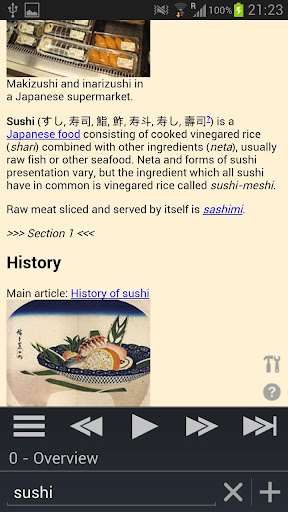
    Play Wikipedia articles with Text-to-Speech (TTS) using this music player-like app in virtually any language. Listen to any topic from sushi making to computer engineering all while driving around town or walking to class. It's also a great Wikipedia reader on both phones and tablets on top of its audio features! The more you use it, the more power features you’ll discover.

    Turns Wikipedia into an audio book for “on the go” learning!
    Advanced Wikipedia Reader (Use Wiki Lecturer as your default app)
    Multi language

    Full featured Pro version.

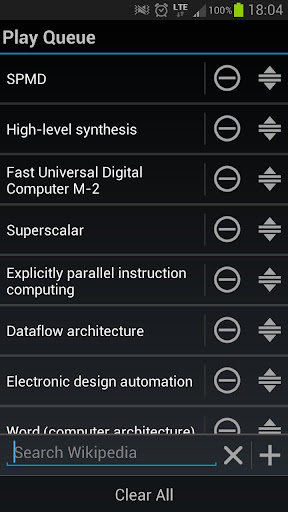
    Want to learn about multiple topics? You can use the new Play Queue feature!

    Playing in the background while you're driving, randomizing article play queues, skipping articles, building your own Play Queues, reading in virtually every language your phone supports; it's all supported as well as being a great Wikipedia reader on both phones and tablets! You can even tell Wiki Lecturer to ignore wiki sections (ie 'References') and links that you don't want to listen to.

    Any language with Text-to-Speech (TTS) voice data should work with Wiki Lecturer; for instance selecting German will make Wiki Lecturer search for German wiki articles and also read them to you in German). Once one article is done, the next will automatically play.

    IMPORTANT:
    We do not speak every language on Earth. The app was designed in English and the rest are Google translations. We are attempting to get human translations done for every language and users are welcome to donate a bit of time to help improve language translations.

    Features:

    Reads your Wikipedia article to you!
    Music Player Mode! (play in the background)
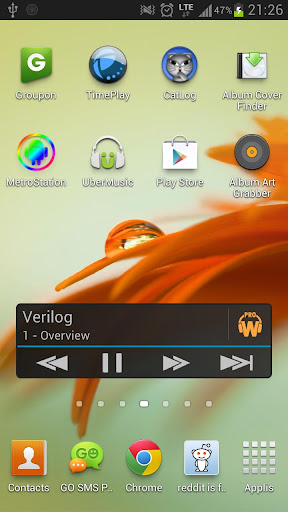
    Audio Widget!
    Automatically play related articles from 'See Also' section (see Disclaimer below for details)
    Create your own custom Play Queues!
    Drag-Drop reordering of your play queue
    Long click links to add to play queue
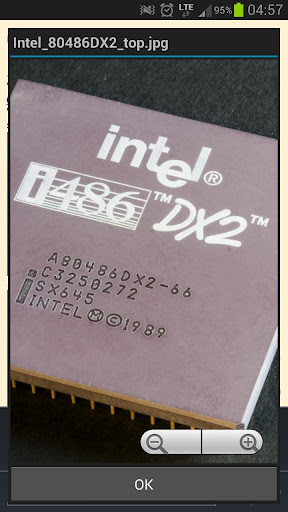
    Click images to zoom into full size image (WITH TWO FINGER ZOOM SUPPORT)
    Play order randomizing supported
    Auto-scroll when changing sections
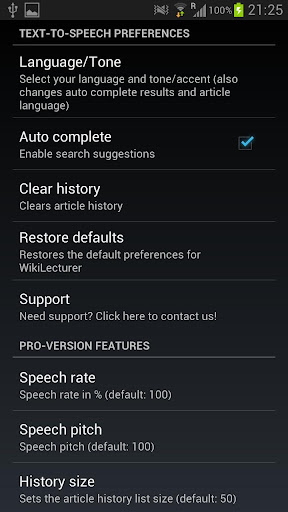
    Change speech rate
    Change speech pitch
    Change language and tone/accent
    Search for articles in any language your phone supports
    Skip to a section using the Table of Contents
    Identify links and sections to ignore
    Search autocompletion
    Remembers your search history
    Changeable font sizes
    Great looking and functional UI (especially for ICS+)
    No ads!

    Note:
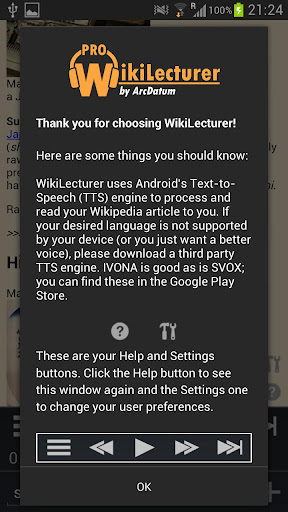
    You may have to download a third party Text-to-Speech engine for your language (try SVOX or IVONA Text-to-Speech for instance).

    Disclaimer:

    Automatic article queuing is only supported in these languages (email us if you need support added):

    English
    French
    German
    Italian
    Spanish
    Dutch
    Polish
    Czech
    Portuguese
    Chinese (Mandarin)
    Japanese
    Korean
    Russian
    Swedish
    Danish
    Finnish

    Primarily tested on Samsung Galaxy S2 and S3. We can't test every language with every Wikipedia search on every device so if you have a problem, feel free to email us with your language, the article you searched, and your device so we can test and resolve your issues.

    What's in this version :
    (Updated : Jan 14, 2013)


    Added Audio Widget to Pro version
    Added font size setting
    Bug fixes
    Fixed article reloading on every launch

    Buy $2.33


    downloadwi.gif


    Password : hasi
     

    dinumadushan

    Well-known member
  • Oct 5, 2009
    3,417
    964
    113
    Katunayaka
    චිරි චිරි වැස්ස;14313896 said:
    Wikipedia Lecturer Pro v2.4.1
    32Y1ZLkFPZ9BwLuGfzEyTCJNaeNMgdZashQte-l4LaZonNonrIwbEEBCgA7qGTEjKg=w705


    kE1fycUF3C2h3saZlsqD1oeI_XsxnOAd6y5Nbyi5xGUIPt3NhMt0_Q9mHY0fcWU4zOo
    OrWkySlYssMcI0Ntd7hUzta1cn9yayu8yeerYcMRoWrhjABuXwPvn7jAVUlZ6ZxNaHo
    SUZVlhVc6lzU0tmOdg2NRNTKCwz1_FCF0pkI-Liau_U42nSsZ2yMPt_5P6x62QTbex4


    1gLeV0Ibx_R00ESruyxh2VcrETlpmVsnKsX25VldGnRmp-d_O-6WwRah61Z78_KTpw
    5oif_FT2IOiA36PWj48t4Yns9vxgF59eAeTj2geqA1wXtrz9YcnrRraNaHNwIEwCWWjS
    e2qkbp7v0U4lpDbZk5010YIDAvVSuVgmFlx94P0UnWunN1Y47mTzRLE3NwW0-Z8IY8U


    Updated : 14 January 2013
    Current Version : v2.4.1
    Requires Android : 2.2 and up
    Category : Books & Reference
    Size : 980 KB

    Play Wikipedia articles with Text-to-Speech (TTS) using this music player-like app in virtually any language. Listen to any topic from sushi making to computer engineering all while driving around town or walking to class. It's also a great Wikipedia reader on both phones and tablets on top of its audio features! The more you use it, the more power features you’ll discover.

    Turns Wikipedia into an audio book for “on the go” learning!
    Advanced Wikipedia Reader (Use Wiki Lecturer as your default app)
    Multi language

    Full featured Pro version.

    Want to learn about multiple topics? You can use the new Play Queue feature!

    Playing in the background while you're driving, randomizing article play queues, skipping articles, building your own Play Queues, reading in virtually every language your phone supports; it's all supported as well as being a great Wikipedia reader on both phones and tablets! You can even tell Wiki Lecturer to ignore wiki sections (ie 'References') and links that you don't want to listen to.

    Any language with Text-to-Speech (TTS) voice data should work with Wiki Lecturer; for instance selecting German will make Wiki Lecturer search for German wiki articles and also read them to you in German). Once one article is done, the next will automatically play.

    IMPORTANT:
    We do not speak every language on Earth. The app was designed in English and the rest are Google translations. We are attempting to get human translations done for every language and users are welcome to donate a bit of time to help improve language translations.

    Features:

    Reads your Wikipedia article to you!
    Music Player Mode! (play in the background)
    Audio Widget!
    Automatically play related articles from 'See Also' section (see Disclaimer below for details)
    Create your own custom Play Queues!
    Drag-Drop reordering of your play queue
    Long click links to add to play queue
    Click images to zoom into full size image (WITH TWO FINGER ZOOM SUPPORT)
    Play order randomizing supported
    Auto-scroll when changing sections
    Change speech rate
    Change speech pitch
    Change language and tone/accent
    Search for articles in any language your phone supports
    Skip to a section using the Table of Contents
    Identify links and sections to ignore
    Search autocompletion
    Remembers your search history
    Changeable font sizes
    Great looking and functional UI (especially for ICS+)
    No ads!

    Note:
    You may have to download a third party Text-to-Speech engine for your language (try SVOX or IVONA Text-to-Speech for instance).

    Disclaimer:

    Automatic article queuing is only supported in these languages (email us if you need support added):

    English
    French
    German
    Italian
    Spanish
    Dutch
    Polish
    Czech
    Portuguese
    Chinese (Mandarin)
    Japanese
    Korean
    Russian
    Swedish
    Danish
    Finnish

    Primarily tested on Samsung Galaxy S2 and S3. We can't test every language with every Wikipedia search on every device so if you have a problem, feel free to email us with your language, the article you searched, and your device so we can test and resolve your issues.

    What's in this version :
    (Updated : Jan 14, 2013)


    Added Audio Widget to Pro version
    Added font size setting
    Bug fixes
    Fixed article reloading on every launch

    Buy $2.33


    downloadwi.gif


    Password : hasi


    ලග හිටියනම් අල්ලලා ඉබ ගන්නවා උම්මා :love::love::love:
     

    DeepAnalyzer

    Member
    Jan 12, 2013
    707
    108
    0
    maara case ekak machan.mama windows 7 format kala.C: drive eka witharayine format karanne.mage eclipse thibbe wena ekaka.eka nisa format kalata passeth eka thibba.mama jre okkoma install kala.eth thawamath eclipse open kalata emulator ekath load wenawa.eth application eka run wenne naha.black screen ekamayi thiyenne.mokada e?danna kenek innawada?
     

    AWRORA

    Well-known member
  • Mar 27, 2008
    15,186
    1,414
    113
    සිංහල බෞද්ධ රටේ...
    Regina 3D Launcher Pro


    xpVEoIIzYtdGdiSXQvg7ESi4qikzydqToMtohzRpAgmu6LNHllqIQo2KaRIjzzddPz7r=w705


    M8TbOJDz9O1RVqnioWABzWjpL9pAr3XsH9u5vZ3059n03ia2wQIYCbln_jnN6jhW2Q=h230
    hdq1OoaoJneDqwaPi1skcNEWMcHekv87bW1w8S9eRDR4gt1jviqf0NhBra31YxilKQ=h230
    gZjnuDmXFW8RBOK6cTYnhHm7CwdMjfsTJl-WAbYlkIluQmm2O9oLKZ3zmvb2kwEzFQI=h230


    OqoHbeNm9XBkiwEFphp-KOZ5-ghiMAXUxpLhdnp4iT7g62U1ZRM4BzpAE0zJ7wdzAQ=h230
    WQzUfzOccd9NUEWAFWPx_y24i2n1rZ_rlS-xKXQv0xkfgC3JEWgkpDZa_4Bp-_atZw=h230
    J44ZhpTVQVmAUpnzLFWmNLa1Q9VZhzlj2HvGMv-AzLolFbYBKtBhHec1pC_ddu2MJ5Y=h230


    Description

    *** New Feature!!! Folders are now available !!! ***
    Now create folders, in your workspace and even in folders.
    16 shortcuts is maximum capacity for each folder.
    And navigate folders with more fun.
    Regina Pro will let you create more than 5 folders in total while the Free version will allow you to create up to 5 folders.

    [Warning]
    - Landscape mode is not yet available
    - It is not optimized for tablet devices

    [Notes]
    - Regina Launcher is a 'Home Replacement Application'. So you won't be able to see Regina Launcher if there is any default launcher already. In this case, please dismiss the previous default launcher in application setting menu.
    - Because Regina 3D Launcher is pure 3D graphics, your device must have a decent graphics chip to gain usable performance.
    - After installation, select "Version x.x.x" item in Regina Settings menu and update all app in list.
    - Supports Eclair, Froyo, Gingerbread and tested on Galaxy Tab too.
    - Live Wallpaper is not supported because of performance issue.
    - You may face frequent re-initialization if there is not enough memory(RAM) remaining. Please reboot your device in this case.


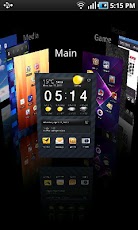
    Regina 3D Launcher is a 'Home Replacement Application' which uses pure 3D graphics showing various dynamic 3D effects for your pleasure.
    Browsing workspaces, creating shortcuts, browsing into folders, and removing widgets have gotten a little bit more fun.

    * Highlighted Features
    - Intuitive 3D workspace browser
    - Separate wallpaper for each workspace
    - Secret workspaces where you can hide some of your app shortcuts and widgets for your privacy
    - Regina widgets (full 3D widgets)
    - All widgets and shortcuts can be positioned freely without much restrction in workspaces
    - Uninstall apps from workspace directly
    - Create folders(also live folders) in folders
    - Various visual effects


    • Like
    Reactions: Roshan.H

    AWRORA

    Well-known member
  • Mar 27, 2008
    15,186
    1,414
    113
    සිංහල බෞද්ධ රටේ...
    ADWLauncher EX


    d5mswuVsJgCbFso_FisKssaLfxSkzt-Qnd7LVXSLWgbk2iij1NmfXS7xsbGo8R00bAE=w705


    iO2VKOQDUDPvBm-UlOEYnvwRmScrliJGILDqe6iwNI5PmOlesjDW-pWkB5yA5MQpVa0=h230
    1C7Ng6PK4oFnWj2ii6t7NnPTi5LdXQbq2AAdhTErigozaU0-pPIz_0KEP8WMrwnysck=h230
    8WacKQceyQteYHhMvgYjynCntP6_W8Lo0_QMj3hMlbg70d69dcH9veuqYRzIzctZljc=h230


    kz0QBOlUpbwcY-syaDjLfpgDcFmzDjTN8kGkbrXM_vfLXmOXYUYYu9UqZYLzF_XegyI=h230


    cwtMULjVgX86SQIa4yptL7H6oEsC-8hz8GrVSGTQJcaTsG91SiSqUPfdIhRtGGiOZS8=h230


    JtrgVfBlBz8XolGPoLZLmFWzMQ_4MbPmdfS1OgRErlbwHyRJR_n1wK1N8zdOhBiTwMU=h230
    LLJgwO5jv4N0sfyQXmw30AMFuEUN5f_PHnu9ZhlSlBmbJ4AB2mTYLWvX1cJ6FR5mwJp_=h230
    GY4ACNacGi8vFoCgMF44f-10U0cr-e4hTW9A7xHzkn9fluMZ1NLtlgKqLU3vvDC2QQfM=h230


    Description

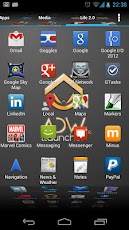
    Highly customizable home replacement application¿What's a home replacement application?
    Is an normal android application that will run when you press your android device's HOME key. It's what usually people know as the "android desktop".
    ¿What makes ADW different?
    -It's compatible with android versions from 1.6 to 4.1!
    -It's highly customizable, almost in every aspect you can think of.
    -Thousands of skins and themes with support for most popular launcher themes!
    -Mix and match your skins, icons, docks, folders, etc
    -Configure your applications in unlimited groups and hide unwanted apps.
    -Fast setup screen with fast access to add items or configure everything.
    -Gestures for fast operation (swipe up/down, 2-fingers swipe up/down, pinch in/out, etc)
    -Configurable Actionbar, similar to android 3.x+ tablet interface.
    -Screens editor to add,remove, swap and resize your desktop screens.
    -Configurable visual desktop indicators.
    -Easy folder tweaking and management, content previews, arrangement, colors, etc.
    -New AppWidget picker for devices running Android 4.1 and newer.
    -Icons editor to create your own customized shortcuts or edit existing ones
    -AppWidget resizing
    -AppWidget backup/restore (only for android 4.1 and newer)
    -Customizable applications dock with support for unlimited shortcuts with paginated scroll.
    -Lots of settings to play with: texts, colours, animations, sizes... you should dig in!

    Differences between ADW.Launcher and ADWLauncherEX:
    ADWLauncherEX and ADW.Launcher share the same application core, but ADWLauncherEX includes a lot of extra features and improvements, like for example:
    -10 different app drawer styles, including 3D waterfall, 3D Roll, 3D Ball, 3D Wall, 3D Cube...
    -Lots of new desktop transitions: new animations while navigating through your desktop screens. Try them all, they're crazy!!!
    -New icons size configuration to enjoy high quality icons from your preferred themes!
    -Save custom configuration presets: Quickly configure and change the whole desktop configuration by 1 click!
    -Backup and restore your configuration, easy and painless. You can even share your desktop configuration with your friends!
    -More, more more to come!!


    DugB5Drp_PnTwLY_jA6uOh01xJjl_DVnExqLtg-9qOgDNwjFjQOOurFU4O1yMedAls-9=w124


    toniranga

    Member
    May 3, 2007
    9
    0
    0
    colombo
    "unfortunately setting has stopped"

    I bought a China Android tablet and i try to connect my dongle to it but it says "unfortunately setting has stopped" how can i resolve the problem please Help
     

    meknick29

    Well-known member
  • Feb 5, 2012
    2,680
    892
    113
    චිරි චිරි වැස්ස;14309438 said:
    4n එක Root කරලද තියෙන්නෙ:confused:

    na ban root kARAla naha root karalanam witharada danna puluwan machan ???
     

    meknick29

    Well-known member
  • Feb 5, 2012
    2,680
    892
    113
    චිරි චිරි වැස්ස;14300529 said:
    new1n.gif
    Next Launcher 3D


    AprehuPSIrzjFZMBLBXYVrpl3fD-2Q-IAStGxn4TWv2WX0tZ_y69go3_DS96FxR7-nJ2=w705

    nIdI30itprr3GJz8vSiPrOaxtU64F--QOET8Pbc1uercU9rGGIIvFZswEtxmzb3GUw
    i0rrrhFR0QrMlp0v9dKHpYKCE1VYxtl-m5NNfjCX3UF4YPCxNHPx0di7KdBsYp0Nrxh1
    tpleu1I-p2AfIATveoFnNg2u7-KhojykJa1CRcdq0xvFPYcACvHEa135im9OUbZGKy8
    4yGlTgVAwm-lZcjDCF30CR66sml70VxK-PXLRSBkwLgsUHH51IcjkD7GzMf4zaIjWnBk


    _-MG8N2zLWidsVEfE4eU2gHxSmXB0CWP_tlcuxhA8LHkz1Q040cq6_SGdg0KPXorNWuH
    -F-EgbWO4pZHy_8zgy0-bRTKhJTDDqQ8gbVqsaCUT-6AYIm6YpIbkhOV-KPrYH1lCHQ
    REjhbPtq_-vQWQHZuyGnwj_ss57VUu82PdS7wlj-iygX6EQUBw36WtLoOBXuKxsPSYk
    A64678ur3QjYQaGv4khNlR61fapqNU2fIoE_l02S4pAJRZiyH_BKNPk5HXe1wayR8Js


    Updated : 18 January 2013
    Current Version : 1.15
    Requires Android : 2.2 and up
    Category : Personalization
    Size : 2.66 MB

    Next Launcher
    shows how a 3-D and dynamic launcher could be possibly like — Extend imagination, extend capabilities

    Next Launcher Features


    • Various operation for icons: icons support rotation, reset, select, align and so on. Operation is easy and fantastic.
    • Unlimited screen layout: placing icons or widgets randomly which forms your own home screen.
    • Stereoscopic screen preview: lots of screen display effects, dazzling animation of screen switching about adding or deleting screen.
    • Quick screen management: adding different kinds of elements in screen edit including application icons, folders and widgets. It’ll support changing wallpapers and themes soon.
    • Rotatable dock: inverting upward or downward the Dock can quickly switch among home screen, screen edit and screen preview.
    • Powerful app drawer: icons can be arranged by names or by time, and folders can be created by overlaying icons. Batch mode and operation of adding apps to screen are also available.
    • Beautiful scrolling effects: a variety of app drawer scrolling effects that provide a distinctive screen switching experience.
    • Fancy 3D widgets: 3D widgets that are based on Next Launcher are coming soon!
    Next Launcher Tips:

    1. Please make sure your device has installed Google Play.
    2. Phone performance:Android 2.3.3 and up; Dual-core models is better.
    3. Suggestion:Watch the video of Next Launcher first, to know about the cool operation of the product.
    Whats new in Next Launcher v1.15


    • New Support horizontal mode (Proposed tablet use)
    • New Support Next Launcher theme (Search ‘Next Launcher Theme’)
    • Fix Some FC bugs
    Buy $ 15.99


    downloadwi.gif


    Password : hasi


    machan meka bagaththa ekek innwanam koheta hari upload karala link eka dennako lokku udauwak mata ganna baha ban:oo::oo::oo::no::no::no: