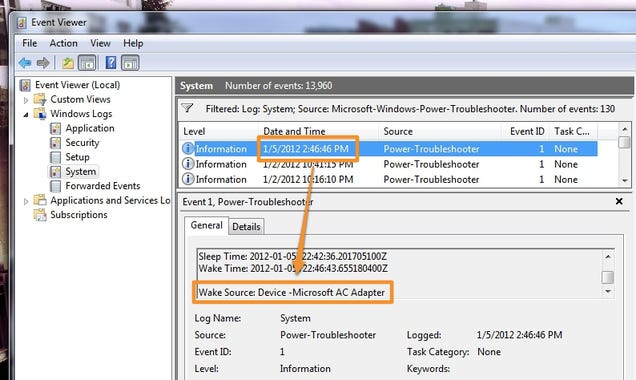
kollane... mage PC eka mama nethi welawata kawru hari use karala thinawada balanna widiyak thinawada... Recent walin newe wena kramayak kiyannakoo... No Internet machanla.. mage pc wala use karanne machine softwer witharai mata denaganna kramyak kiyanna plzzz

Latest ads
-
 Power Lifting Lever Belt
- SkullVamp
- Updated:
-
port.lk Domain for sale
- Lankan-Tech
- Updated:
-
 Colombo Kaduwela - Two Storey House for Sale
- dilrasan
- Updated:
-
Wechat qr verification
- Pawan2005
- Updated:
-
 🚀 GOOGLE AI PRO 18 MONTHS ACTIVATION 🚀
- sayuru bandara
- Updated:
PC Protect
- Thread starter kaawaa
- Start date