iphone ගැන ඕනේ දෙයක්...

Meva

Well-known member
  • Jan 9, 2012
    13,965
    535
    113
    🍎 🎧 🎥
    iphone 4 eke clock speed eka 800mhz තියෙන්නෙ ඇයි?
    Gsmarena වල තියෙන්නෙ 1Ghz


    1ghz වලට oc කරන්න පුලුවන්ද?

    glbenchmark-ipad-2-vs-iphone-4s.png


    වැරදිලා වෙන්න ඇති.


    Steps To Overclock iPhone or iPod Touch


    1. Navigate to the following path with iFile app:System/Library/System Configuration/PowerManagement.bundle/
    2. You will find a file named "com.apple.SystemPowerProfileDefault.plist"
    3. Tap on the "Blue Arrow" next to the file.
    4. Rename this file to "SystemPowerProfileDefaultBACKUP.plist" so that your iPhone may not be able to find / recognize the file. Inorder to rename a file using iFile, just touch the field with the file name and it becomes editable itself.
    5. Reboot your iPhone. Thats it! Your iPhone is overclocked now.


    • Like
    Reactions: Max_r

    naveenenushan

    Well-known member
  • Oct 2, 2009
    2,984
    346
    83
    Payagala
    glbenchmark-ipad-2-vs-iphone-4s.png


    වැරදිලා වෙන්න ඇති.


    Steps To Overclock iPhone or iPod Touch


    1. Navigate to the following path with iFile app:System/Library/System Configuration/PowerManagement.bundle/
    2. You will find a file named "com.apple.SystemPowerProfileDefault.plist"
    3. Tap on the "Blue Arrow" next to the file.
    4. Rename this file to "SystemPowerProfileDefaultBACKUP.plist" so that your iPhone may not be able to find / recognize the file. Inorder to rename a file using iFile, just touch the field with the file name and it becomes editable itself.
    5. Reboot your iPhone. Thats it! Your iPhone is overclocked now.


    mehema karama phone ekata awulak wenne nadda
    battry ekata ehema
     

    randiljosh

    Member
    Apr 9, 2007
    2,136
    5
    0
    35
    colombo
    glbenchmark-ipad-2-vs-iphone-4s.png


    වැරදිලා වෙන්න ඇති.


    Steps To Overclock iPhone or iPod Touch


    1. Navigate to the following path with iFile app:System/Library/System Configuration/PowerManagement.bundle/
    2. You will find a file named "com.apple.SystemPowerProfileDefault.plist"
    3. Tap on the "Blue Arrow" next to the file.
    4. Rename this file to "SystemPowerProfileDefaultBACKUP.plist" so that your iPhone may not be able to find / recognize the file. Inorder to rename a file using iFile, just touch the field with the file name and it becomes editable itself.
    5. Reboot your iPhone. Thats it! Your iPhone is overclocked now.


    machan i dont have thins "PowerManagement.bundle/" thing on ifile !!
     

    Meva

    Well-known member
  • Jan 9, 2012
    13,965
    535
    113
    🍎 🎧 🎥
    mehema karama phone ekata awulak wenne nadda
    battry ekata ehema

    මන් නන කරලා බැලුවේ නැ.. මොඅක්ද මේක කරන්න ඕනේ කමක් නැති නිසා. දැනට තියෙන ඒවා හොදට වෙඩ.. ඉතින් තවත් මොකටද ඉල්ලගෙන කන්නේ..
     

    Meva

    Well-known member
  • Jan 9, 2012
    13,965
    535
    113
    🍎 🎧 🎥
    gevey sim sim case ekanam dannawa mchn.. eth factory unlock kiwwe mokakda ? :baffled::oo:


    Contact එක්ක සිම් ලොක් එක එන ෆෝන් සිම් ලොච්ක් එකා නැති කරන එකට.

    Original direct එන ඒවා ලොක් නැතිව එන්නේ.
     
    • Like
    Reactions: DJLEOx78

    RandimaZone

    Member
    Aug 25, 2008
    648
    4
    0
    $L.A.N.K.A.W.A$
    machan mama mage iphone 4 aka 6.0 walata update kala..ake map aka lankawata wedana ne ban..:growl:
    aka nisa mata meka aye 5.1.1 walata update kara ganna puluwanda..?
    mage Iphone 4 aka Factory Unlocked akak mata aka Jailbreakkaranna one ne update kara gannai one 5.1.1 walata kara ganna puluwanda ban?:(
     

    shag105

    Well-known member
  • Jun 5, 2007
    4,875
    148
    63
    Reply

    ow, oyata puluwan 5.1.1 walata downgrade karaganna. hebei oya kalin 5.1.1 tiny umbrella use karala 5.1.1 wala shsh file eka save karala tiyenna one. Oya ehema save karagena nethnam wede tikak amaru wenawa. Beriwela hari cydia servers wala oyage 5.1.1 shsh file ekak save wela tibunoth wede goda daganna puluwan wei.

    Mata kiyanna oya 5.1.1 wala shsh file eka pc eke save karala tiyenawa da?
     

    RandimaZone

    Member
    Aug 25, 2008
    648
    4
    0
    $L.A.N.K.A.W.A$
    ow, oyata puluwan 5.1.1 walata downgrade karaganna. hebei oya kalin 5.1.1 tiny umbrella use karala 5.1.1 wala shsh file eka save karala tiyenna one. Oya ehema save karagena nethnam wede tikak amaru wenawa. Beriwela hari cydia servers wala oyage 5.1.1 shsh file ekak save wela tibunoth wede goda daganna puluwan wei.

    Mata kiyanna oya 5.1.1 wala shsh file eka pc eke save karala tiyenawa da?

    nane ban..:no:
     

    rudayas

    Well-known member
  • Apr 18, 2007
    4,932
    397
    83
    Rest in Peace
    machan mama mage iphone 4 aka 6.0 walata update kala..ake map aka lankawata wedana ne ban..:growl:
    aka nisa mata meka aye 5.1.1 walata update kara ganna puluwanda..?
    mage Iphone 4 aka Factory Unlocked akak mata aka Jailbreakkaranna one ne update kara gannai one 5.1.1 walata kara ganna puluwanda ban?:(

    Apple map walata update ekak enakal ubata oni nam google map use karana puluwan
     

    roshan7917

    Member
    Jun 14, 2012
    765
    83
    0
    piliyandala
    machan mama mage iphone 4 aka 6.0 walata update kala..ake map aka lankawata wedana ne ban..:growl:
    aka nisa mata meka aye 5.1.1 walata update kara ganna puluwanda..?
    mage Iphone 4 aka Factory Unlocked akak mata aka Jailbreakkaranna one ne update kara gannai one 5.1.1 walata kara ganna puluwanda ban?:(


    Step One
    Create a folder on your desktop called Pwnage

    Download the latest version of RedSn0w from here and place it in the Pwnage folder. Likewise, download the firmware you would like to restore to and the firmware you are current on from here and place it/them in the Pwnage folder.

    Extract the RedSn0w zip file to the Pwnage folder.


    Step Two
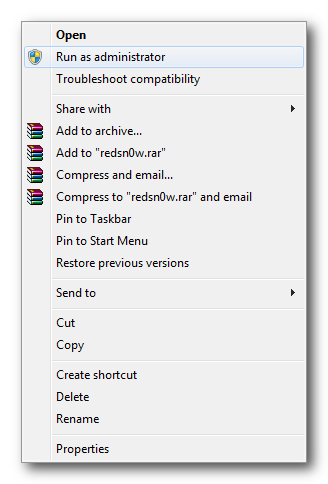
    Right click or control-click the redsn0w application from the redsn0w folder we extracted earlier and choose Run as administrator from the popup menu that appears.


    Step Three
    Click Extras from the main menu.
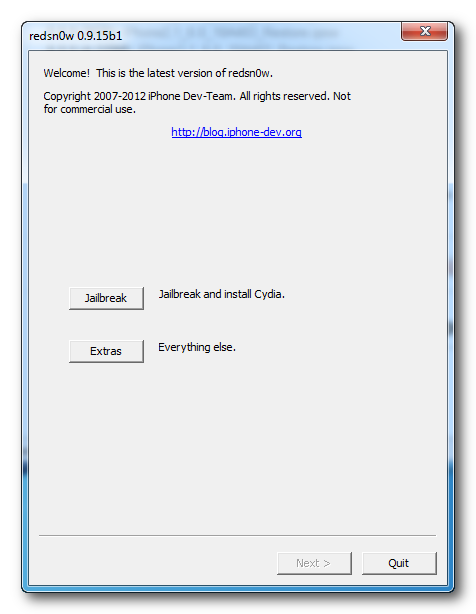

    Step Four
    Click Even More from the Extras menu.
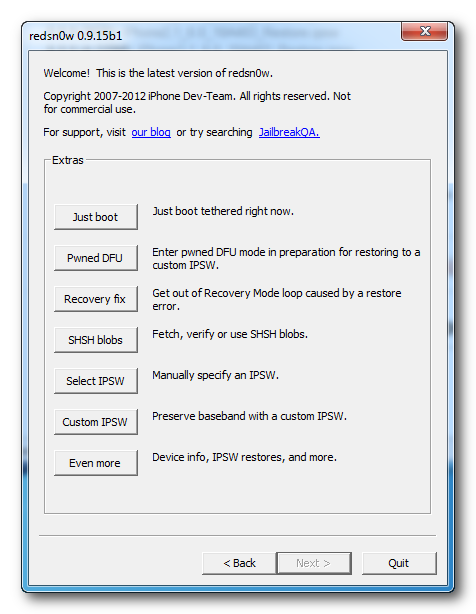

    Step Five
    Click Restore from the Even More menu.
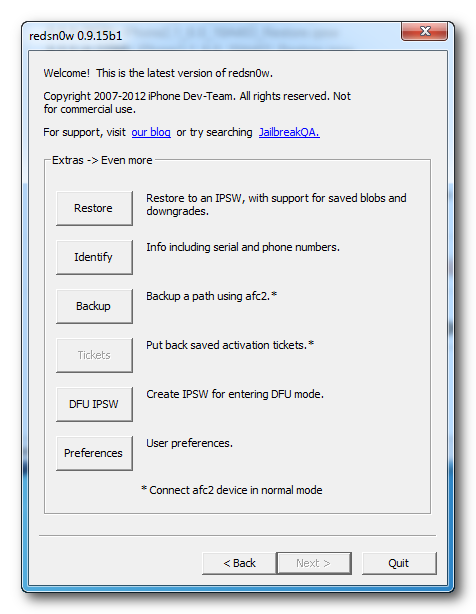

    Step Six
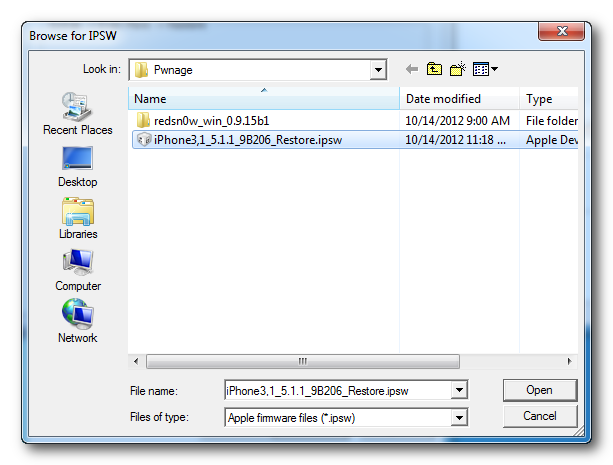
    Click IPSW from the Restore menu, choose the IPSW you would like to restore to from the window that appears, and click Open.
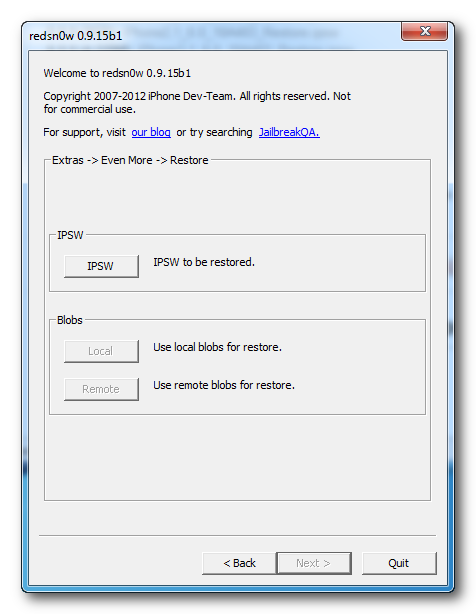


    Step Seven
    Redsn0w will ask you if you would like to prevent the baseband from being updated. Click Yes.
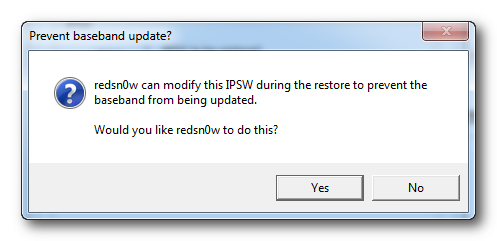

    Step Eight
    Redsn0w will inform you that Pwned DFU mode is needed to restore. Click the OK button.
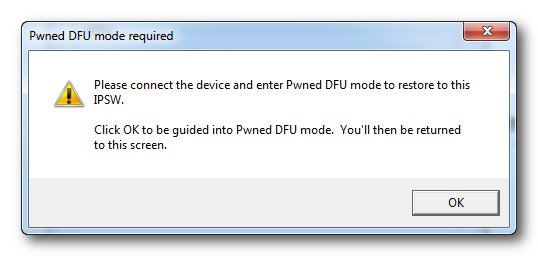

    Step Nine
    Connect your device, turn it off, and then click the Next button
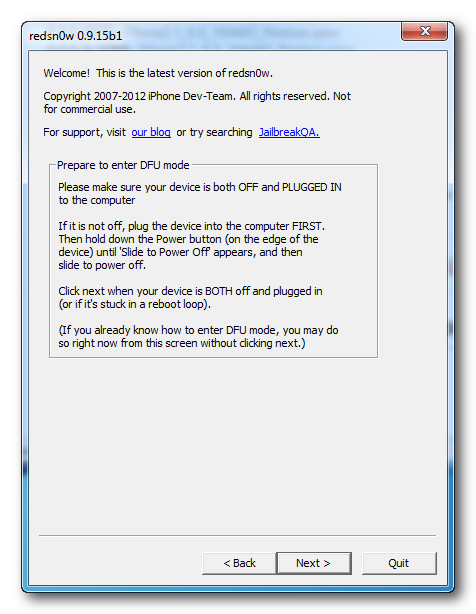

    Step Ten
    RedSn0w will now guide you through the steps to get into DFU mode. You can find more help with DFU mode here.
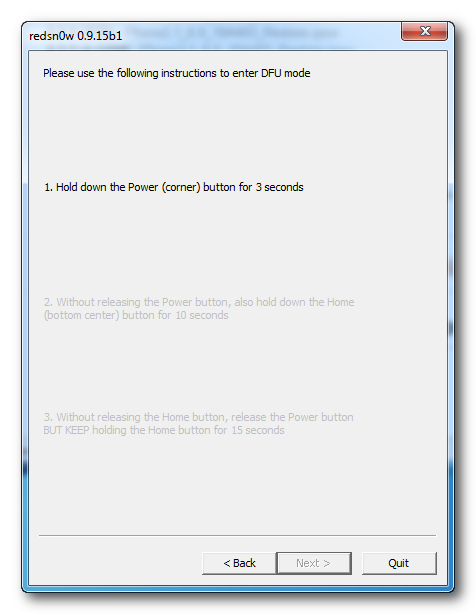

    Hold down both the Home button and the Power button for 10 seconds.
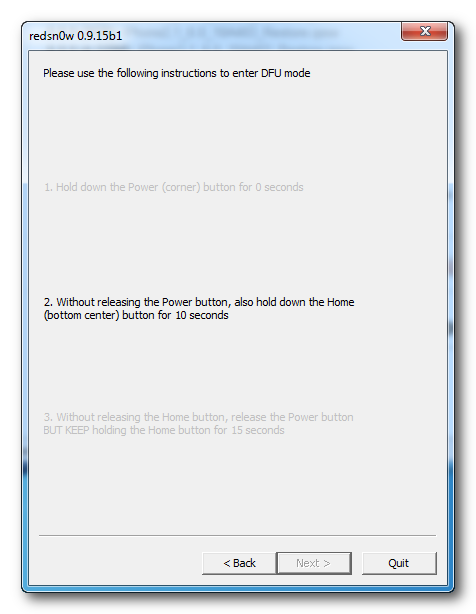

    Release the Power button and continue holding the Home button until RedSn0w detects the device.
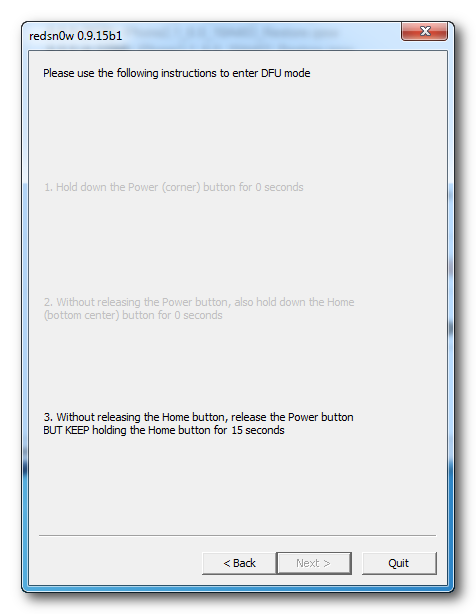

    Step Eleven
    Your iPhone will now be exploited with limera1n.
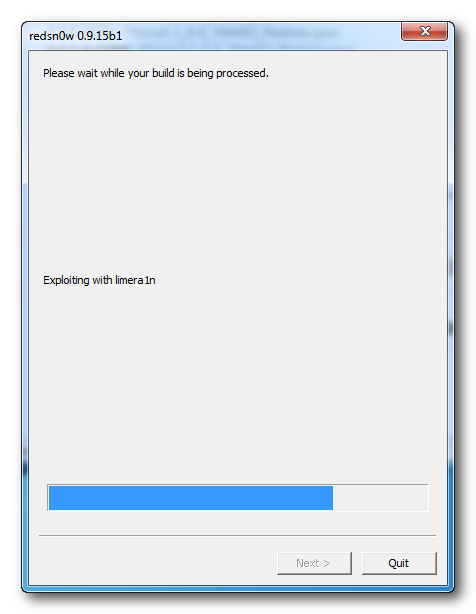

    Step Twelve
    RedSn0w will check Cydia to see if you have the correct blobs saved.

    If RedSn0w is unable to find your blobs automatically you can try to click the Remote button to try again or you can click the Local button to search for blobs on your computer.

    Step Thirteen
    RedSn0w will now prepare a system restore image.
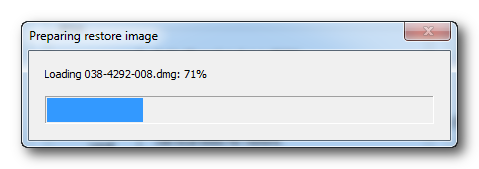

    Step Fourteen
    You device will then be restored to the new firmware.
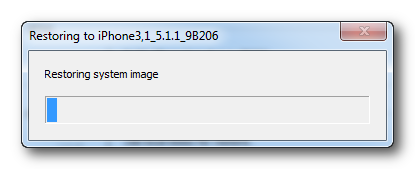

    Step Fifteen
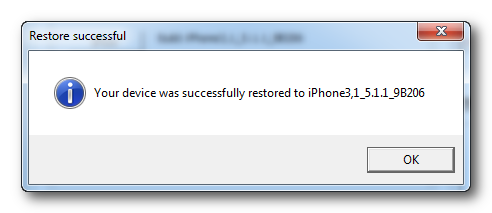
    You'll be informed when your restore has completed successfully.