Samsung 4n waddao ko

Sadeepa Arosha

Well-known member
  • Aug 24, 2009
    8,871
    707
    113
    ඇයි එන්නද ?
    this device was reset. to continue sign in with a google account
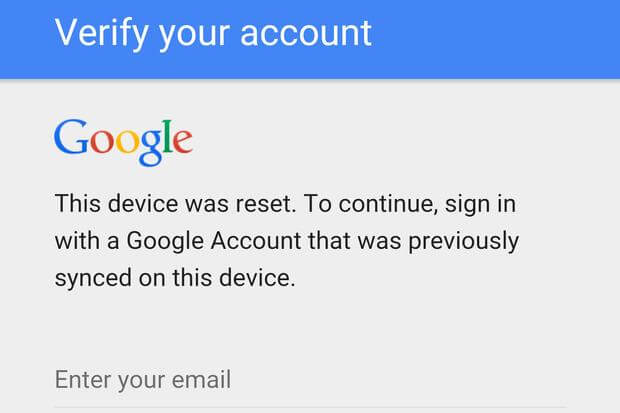
    this-device-was-reset.-to-continue-sign-in-with-a-google-account-that-was-previously-synced-on-this-device.jpg


    Machn la man ape ammage 4n eka reset kara dan email eka ahanwa kalin use karapu mata matahaka ne kalin hadapu email ekai password ekai man owa mukuth balan nathuwa 4n eka slow nsia reset karala damma bn :baffled: dan kalin EMAIL eka hannwa mekata e email eka nathuwa log wenna widiyak danwada bn

    4n eka Samsung J120FN
     

    shashidileep

    Junior member
  • Mar 20, 2008
    198
    18
    18
    Biyagama
    factory reset protection FRP lock ekak watila thiyenne,
    email eka recover karan try karanna,
    nathnam phone software karana thanakin ainkaranna puluwan,

    oyama karanawanam,
    model eka dala how to bypass frp kiyala utube serch karanna.
    thawa z3x software box eke crack ekak thiyenawa ,eken balanna.
    mata hariyatama mathaka na oya nodel eka crack eke thibunada kiyala..

    *****

    hamotama kiyanne..
    2016 model (android 5+) key walin , factory reset karaddi frp enawa. detail danagena karanna.
    hamotama jaya............
     

    Sadeepa Arosha

    Well-known member
  • Aug 24, 2009
    8,871
    707
    113
    ඇයි එන්නද ?
    factory reset protection FRP lock ekak watila thiyenne,
    email eka recover karan try karanna,
    nathnam phone software karana thanakin ainkaranna puluwan,

    oyama karanawanam,
    model eka dala how to bypass frp kiyala utube serch karanna.
    thawa z3x software box eke crack ekak thiyenawa ,eken balanna.
    mata hariyatama mathaka na oya nodel eka crack eke thibunada kiyala..

    *****

    hamotama kiyanne..
    2016 model (android 5+) key walin , factory reset karaddi frp enawa. detail danagena karanna.
    hamotama jaya............

    ELa machootry 1k dila balanam
     

    wingman

    Well-known member
  • Oct 3, 2009
    7,691
    2,741
    113
    In this moment
    If you already reset your device, but don't remember your Google username and/or password, the device can't be used. In that case, you can do one of these:

    If you know your Google username but can't remember the password, you can reset your password on the device, or at www.google.com. It can take up to 24 hours for a new password to sync with all registered devices. After 24 hours, you can try logging in to your phone with the new password.

    If you have multiple Google Accounts, and you can't remember which Google Account you set up on your device, visit https://www.google.com/android/devicemanager.
    Log in with your Google username and password and check the list of devices registered to the account. If you don't see the device listed on the account, it means the device is registered to a different account. Use the same process to check for devices linked to your other Google Accounts. When you find the registered account, use it to log in to your device.

    If you can't remember any of your Google Account information, you can send your device, along with proof of purchase, to an authorized Samsung Service Center. Samsung has special tools to reset the phone to factory defaults with no protection enabled.
     

    Sadeepa Arosha

    Well-known member
  • Aug 24, 2009
    8,871
    707
    113
    ඇයි එන්නද ?
    If you already reset your device, but don't remember your Google username and/or password, the device can't be used. In that case, you can do one of these:

    If you know your Google username but can't remember the password, you can reset your password on the device, or at www.google.com. It can take up to 24 hours for a new password to sync with all registered devices. After 24 hours, you can try logging in to your phone with the new password.

    If you have multiple Google Accounts, and you can't remember which Google Account you set up on your device, visit https://www.google.com/android/devicemanager.
    Log in with your Google username and password and check the list of devices registered to the account. If you don't see the device listed on the account, it means the device is registered to a different account. Use the same process to check for devices linked to your other Google Accounts. When you find the registered account, use it to log in to your device.

    If you can't remember any of your Google Account information, you can send your device, along with proof of purchase, to an authorized Samsung Service Center. Samsung has special tools to reset the phone to factory defaults with no protection enabled.


    gathapu kadeta gihin dennwa bn warrenty tiyee