
මචංලා මම අද Unity එක පැත්තෙ ගියා LED මොනිටර් එකක් ගන්න හිතාගෙන, samsung එකක් ගන්න හිතාගෙන තමයි ගියේ, ඒත් ගියාම තව brands හැටහුටහමාරක් තියෙනවා, මට පොඩි උදව්වක් දෙන්නකො මොන brand එකද හොද කියලා,


Light source types
The light source can be made up of:
Incandescent light bulbs
light-emitting diodes (LEDs)
An electroluminescent panel (ELP)
One or more Cold Cathode Fluorescent Lamps (CCFL)
One or more Hot Cathode Fluorescent Lamps (HCFL)
An ELP gives off uniform light over its entire surface, but other backlights usually employ a diffuser to provide even lighting from an uneven source.
Backlights can be any color. Monochrome LCDs usually have yellow, green, blue or white backlights, while color displays use white backlights that cover most of the color spectrum.
[edit] Usage
LCD with CCFL backlight
Colored LED backlighting is most commonly used in small, inexpensive LCD panels. White LED backlighting is becoming more common. ELP backlighting is often used for larger displays or when even backlighting is important; it can also be either colored or white. An ELP must be driven by relatively high voltage AC power, which is provided by an inverter circuit. CCFL backlights are used on large displays like computer monitors, and are usually white in color. These also require the use of an inverter and diffuser. Incandescent backlighting can be used when very high brightness is desired, but a drawback is the limited life of incandescent bulbs, and the amount of heat generated, which often means that the bulb needs to be mounted away from the display.
[edit] LED backlights
See also: LED-backlit LCD television
LCD with LED matrix backlight
LED backlighting in color screens comes in two flavors: white LED backlights and RGB LED backlights.[1] White LEDs are used most often in notebooks and desktop screens, and in virtually all mobile LCD screens. A white LED is actually a blue LED with yellow phosphor to give the impression of white light. The spectral curve has big gaps in the green and red parts. RGB LEDs consist of a red, a blue, and a green LED and can be controlled to produce different temperatures of white. RGB LEDs for backlighting are found in high end color proofing displays such as HP DreamColor LP2480zx monitor or selected HP EliteBook notebooks, as well as newer consumer grade displays such as Dell's Studio series laptops which have an optional RGB LED display.
RGB LEDs can deliver an enormous color gamut to screens. When using three separate LEDs (additive color) the backlight can produce a color spectrum that closely matches the color filters in the LCD pixels themselves. In this way, the filter passband can be narrowed so that each color component lets only a very narrow band of spectrum through the LCD. This improves the efficiency of the display since little light is blocked when white is displayed. Also, the actual red, green, and blue points can be moved farther out so that the display is capable of reproducing more vivid colors. CCFL backlighting has also improved in this respect. Many current LCD models, from cheap TN-displays to color proofing S-IPS or S-PVA panels, have wide gamut CCFLs representing more than 95% of the NTSC color specification.
There are several challenges with LED backlights. Good uniformity is harder to achieve, especially as the LEDs age, with each LED possibly aging at a different rate. Also, the use of three separate light sources for red, green, and blue means that the white point of the display can move as the LEDs age at different rates. Aging also occurs with White LEDs, with changes of several 100K being recorded. White LEDs also suffer from blue shifts at higher temperatures varying from 3141K to 3222K for 10°C to 80°C respectively.[2] Power efficiency also can be a challenge. First generation implementations could use the same or more power as their CCFL counterparts, though it is possible for an LED display to be more power efficient.[citation needed] In 2010, current generation LED displays can have significant power consumption advantages. For example, the non-LED version of the 24" Benq G2420HDB[3] consumer display has a 49W consumption compared to the 24W of the LED version of the same display (G2420HDBL[4]).
The use of LED backlights in notebook computers has been growing. Sony has used LED backlights in some of its higher-end slim VAIO notebooks since 2005. Fujitsu introduced notebooks with LED backlights in 2006. In 2007, Asus, Dell, and Apple introduced LED backlights into some of their notebook models. As of 2008, Lenovo has also announced LED-backlit notebooks, and other companies like HP will also be marketing LED-backlit notebooks in the near future. In October 2008, Apple announced it will be using LED backlights for all its notebook and its new 24-inch Apple Cinema Display, and one year later it introduced a new LED iMac, meaning all of Apple's computer screens, except the 30-inch Cinema HD Display, are now LED. Almost every laptop with 16:9 display introduced since September 2009 uses LED-backlit panels.
[edit] Flicker due to backlight dimming
LED backlights are often dimmed by applying pulse-width modulation to the supply current, switching the backlight off and on again like a fast strobe light. If the frequency of the pulse-width modulation is too low and or the user is very sensitive to flicker, this may cause discomfort and eye-strain, similar to the flicker of CRT displays.[5] This can be tested by a user simply by waving a hand or object in front of the screen. If the object appears to have sharply-defined edges as it moves, the backlight is strobing on and off at a fairly low frequency. If the object appears blurry, the display either has a continuously-illuminated backlight or it is operating at a frequency that is too high for the brain to perceive. The flicker can be reduced or eliminated by setting the display to full brightness, though this has a negative impact on image quality and battery life due to increased power consumption.
[edit] Backlight diffusers
In order for a non-ELP backlight to produce even lighting (which is critical for LCDs), the light is first passed through a lightguide - a specially-designed layer of plastic that diffuses the light through a series of evenly-spaced bumps. The density of bumps increases further away from the light source according to a diffusion equation. The diffused light then travels to either side of the diffuser; the front faces the actual LCD panel, the back has a reflector to guide otherwise wasted light back towards the LCD panel. The reflector is sometimes made of aluminum foil, sometimes merely a white-pigmented surface or, as in the 3M Vikuiti ESR, consisting of hundreds of polymer layers of alternating low and high index. Between the lightguide and the LCD panel is usually placed a reflective polarizer film which vastly increases efficiency by repeatedly reflecting



buddy not led monitor - wrong
LED back Light only


buddy not led monitor - wrong
LED back Light only


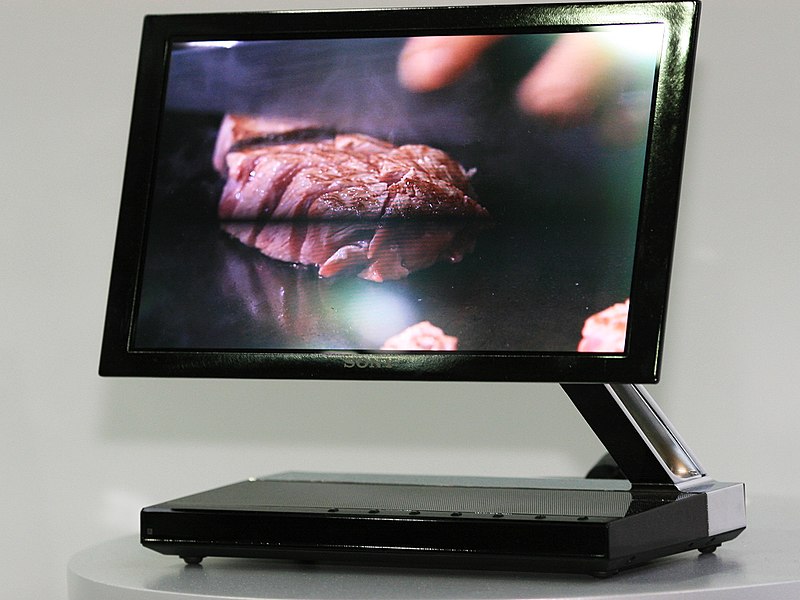
friend ;
those are not led monitors - wrong
LED back Light only


ok here the simple answer for your question ;
aoc is low budget versions and same as acer too and you better to test this monitor with your eye , look closer to that monitors every aoc monitors have big dots that mean no sharp images and all edges letters are bit blued, but it with LED back light and contrast vise it bit brighter than other monitors,
u can cheek this with some black image , how it was
u can see hp.com they have tow types and prize not same like srilanka
eg: 250$ -LCD with CCFL back-light
350S-LCD with LED matrix back-light
buddy this is not good option to chose us like asia [srilanka] every one cheats
AOC monitors suxx.. ewa TFT LCD monitors nemei..
Samsung LCD/LED (LED Backlight) monitors hodai.. gewana gaanata watinawa.. qulity eka patta.
TRUE LED monitors nam patta ganan man danna widiyata


