


[FONT="]මෙන්න Windows7 customize කරන්න මම දාපු පලවෙනි ත්රෙඩ් 1ක
[/FONT]
[FONT="][/FONT]
http://www.elakiri.com/forum/showthread.php?t=1062980
[/FONT]
[FONT="][/FONT]
http://www.elakiri.com/forum/showthread.php?t=1062980
[FONT="]මෙන්න Windows7 customize කරන්න මම දාපු දෙවනි ත්රෙඩ් 1ක[/FONT]
[FONT="][/FONT]
http://www.elakiri.com/forum/showthread.php?t=1071133
[FONT="][/FONT]
http://www.elakiri.com/forum/showthread.php?t=1071133
[FONT="]අද කියන්න යන්නේ scull visual style 1ක දාගන්න විදිය[/FONT]
[FONT="]මේ තියන්නේ scull visual style 1ක කොහොමද ලස්සනයි නේද[/FONT]
[FONT="][FONT="]මේ තියන්නේ scull visual style 1ක කොහොමද ලස්සනයි නේද[/FONT]
[/FONT]
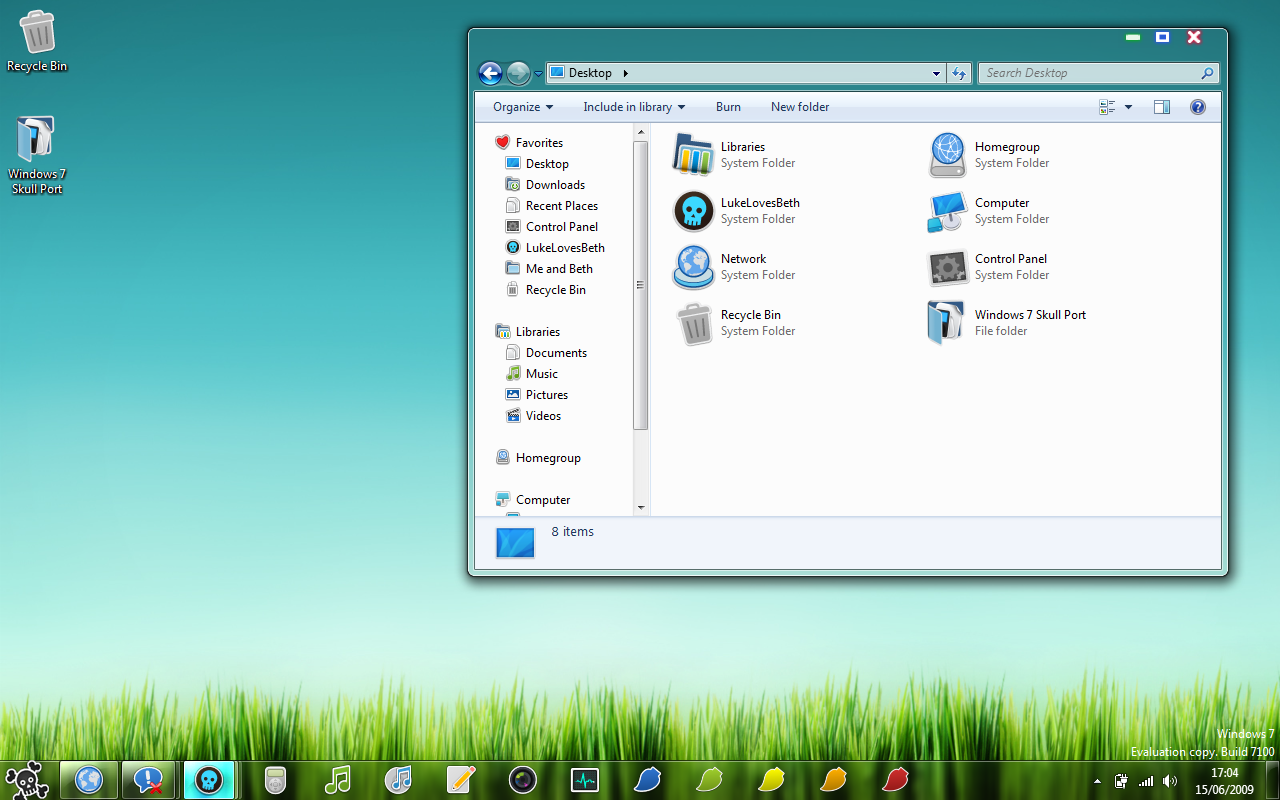
[FONT="]මේක දාගන්නේ මෙහෙමයි මුලින්ම මේ link 1න් බාගන්න[/FONT]
http://www.deviantart.com/download/126019535/Windows_7_Skull_Visual_Style_by_TheDarkenedPoet.zip
[FONT="]දැන් මේ විදියට කරන්න[/FONT]
[FONT="][/FONT]
[FONT="]Step 1- මේකට දිලා තියන Uxtheme patch 1ක administrator විදියට run කරන්න දැන් matchine 1ක restart කරගන්න[/FONT][FONT="][/FONT]
[FONT="]
[/FONT]
[FONT="]Step2- දැන් Skull Visual Style ෆොල්ඩර් 1කේ තියන skull කියන folder 1යි skull කියන theme file 1යි 2ම C:\Windows\Resources\Themes මෙතෙන්ට copy කොපි කරන්න[/FONT]
[FONT="]
[/FONT]
[FONT="]Step3- දැන් Skull Visual Style ෆොල්ඩර් 1කේ තියන explorer file 2න් ඔන 1ක තෝරගෙන 1කේ නමේ කෙලවර තියන ×64 or ×86 කෑල්ල delete කරගන්න දැන් C:\windows\ වල තියන explorer file 1ක explorer1 කියල rename කරලා Skull Visual Style ෆොල්ඩර් 1කේ තියන explorer file 1ක එතෙන්ට copy කරන්න [/FONT]
[FONT="]
[/FONT]
[FONT="][/FONT]
[FONT="]Step4- දැන් වැඩේ ඉවරයි matchine 1ක restart කරගන්න [/FONT]
[FONT="]
[/FONT]


