Google Play for Android :::.

AWRORA

Well-known member
  • Mar 27, 2008
    15,186
    1,414
    113
    සිංහල බෞද්ධ රටේ...
    මචන් radio එක යන ඒවා record කරගන්න පුළුවන් app එකක් නැද්ද ? මන්නම් හෙව්වා .හම්බුනේ නැ තාම:no::no:

    try this...:yes::yes:
    TuneIn Radio Pro

    unnamedhs.jpg


    safasf.jpg
    28233188.jpg


    gfgfe.jpg
    asfsaf.jpg


    Browse and listen to radio -- live, local and global.
    Listen to the world.
    TuneIn is a new way to listen to the world through live local and global radio from wherever you are. Whether you want music, sports, news or current events, TuneIn offers over 50,000 stations and 1.2 million on-demand programs for you to choose from. The TuneIn Radio Pro app for Android puts this entire experience in the palm of your hand with the added benefit of recording what you’re listening to (requires memory card).
    Important Update: This new version of TuneIn (5.3) includes Car Mode, which lets you listen to your favorite music, sports and news simply by speaking a command into your Android phone or tablet. This update also includes extra large buttons for easy viewing and control.


    AWRORA

    Well-known member
  • Mar 27, 2008
    15,186
    1,414
    113
    සිංහල බෞද්ධ රටේ...
    machan mama inne abroad wala,mehe tiynwa network 3k (eg dialog,mobitel) mage Samsung galaxxy gio phone ekk,phone ekk gannwanm ganna oni apita tiyna sim ekata ,,eae network eken dena phone ekk pamani,dan mama gatha phone ekai sim ekai wenas,esim dawama signal penne ne,monwa hari app tiynwada onama sim ekk use karnna puluwan wediyak?


    ehema ekak mama nam thama use karala ne..mama hoyala balannam macho...:yes::yes:
     

    AWRORA

    Well-known member
  • Mar 27, 2008
    15,186
    1,414
    113
    සිංහල බෞද්ධ රටේ...
    TeamViewer for Remote Control


    unnamedfr.jpg


    sgsgb.jpg
    fgasg.jpg


    fasfv.jpg
    dgdsg.jpg


    adadq.jpg


    Remotely control your computer with TeamViewer Free while you are on the road!
    Mobile and flexible: remotely access computers from your android device!
    Easily support friends and family when they have computer problems - no matter where you are. You can also benefit from gaining access to your private home computer to edit documents or use particular software while you are on the road.

    more Features
    -----------------------------
    - Both spontaneous support for friends & family and access to unattended computers (Windows, Mac, Linux) are possible - also during a telephone call
    - Conveniently control remote computers using the multi-touch gestures: left click, right click, drag & drop, scroll wheel, zoom
    - Complete keyboard control incl. special keys such as Ctrl, Alt, Windows®
    - Meets highest security standards: 256 Bit AES Session Encoding, 1024 Bit RSA Key Exchange
    - Effortlessly access computers behind firewalls and proxy servers
    - Automatic quality adjustment
    - Remotely reboot the computer
    - Overview of friends and computers that are online - via the integrated computer list
    - Tablet ready
    - Is available for Android 1.6 and higher


    Private use
    -----------------------------
    TeamViewer Free is intended for private use only, e.g. to access your private computers or help friends with their computer problems.

    Quick Guide
    -----------------------------
    1. Install and start TeamViewer Free from Google Play
    2. Install and start TeamViewer full version on your computer (download under www.teamviewer.com)
    3. Enter your computer's TeamViewer ID and password directly in the TeamViewer interface on your Android device to connect.


    AWRORA

    Well-known member
  • Mar 27, 2008
    15,186
    1,414
    113
    සිංහල බෞද්ධ රටේ...
    TeamViewer for Meetings

    unnamedf.jpg


    sfdaf.jpg
    hfhk.jpg


    hffu.jpg
    ghsj.jpg


    gdgds.jpg
    asfsfo.jpg


    Join a meeting on the go with “TeamViewer for Meetings“!
    Participate in meetings from your Android device any time, anywhere. You will never miss an important discussion again: “TeamViewer for meetings” allows you to participate in web-conferences spontaneously and with more flexibility without being in front of your computer.
    Download the app, enter the Meeting ID and get started straight away!

    Features
    -----------------------------
    - Join a meeting on the go - also during a telephone call
    - Use the integrated pointer-function to draw the attention of the presenter to an important point
    - Send chat messages
    -Voice over IP conferences: Use VoiP and discuss with the other participants during a meeting
    - Integrated conference call option
    - Meets the highest security standards: 256 Bit AES Session Encoding, 1024 Bit RSA Key Exchange
    - Automatic quality adjustment
    - Optimized for Android tablets: full hardware acceleration for Android 3.x tablets
    - Is available for Android 2.2 and higher

    License
    -----------------------------
    “TeamViewer for Meetings” is free of charge for participation in meetings via your Android device.

    Quick Guide
    -----------------------------
    1. Install and start “TeamViewer for Meetings” on your Android device.
    2. Enter the Meeting ID you receive from the presenter in the appropriate field.
    3. Click on “Join Meeting” and you will instantly see the presenter’s screen.

    Host your own meetings quickly and easily today on your computer. Use TeamViewer (for Windows) for instant online meetings or schedule your online meetings in advance. You will find more information about TeamViewer, the All-in-One-solution for meetings and remote control, at www.teamviewer.com/link/?url=319704.
    Do you want to control a computer remotely on the go? Download TeamViewer for remote control https://market.android.com/details?id=com.teamviewer.teamviewer.market.mobile on your Android device and benefit from more flexibility with TeamViewer.


    • Like
    Reactions: Metalingus

    Metalingus

    Well-known member
  • Dec 2, 2011
    3,227
    627
    113
    එල එල කොල්ල ආයෙ වැඩට බැහැල. මන් හිතුවෙ ත්‍රෙඩ අමතක වෙලා කියල. + :p
     
    • Like
    Reactions: AWRORA

    AWRORA

    Well-known member
  • Mar 27, 2008
    15,186
    1,414
    113
    සිංහල බෞද්ධ රටේ...
    එල එල කොල්ල ආයෙ වැඩට බැහැල. මන් හිතුවෙ ත්‍රෙඩ අමතක වෙලා කියල. + :p


    පිස්සු හැදෙයි..එහෙම අමතක වෙනවද?:D:D:D පහුගිය දවස් වල ටිකක් වැඩ වැඩි උනා..එකයි එන්න බැරි උනේ..:dull::dull:.බලමු රෙප් දෙන්න උබට..
    :yes::yes::yes:
     

    AWRORA

    Well-known member
  • Mar 27, 2008
    15,186
    1,414
    113
    සිංහල බෞද්ධ රටේ...
    මේ ජාතිය එකක් ඉල්ලල තිබුන කවුරු හරි මෙකෙ,,මේක හරි යයිද බලන්න.(චිරි චිරි තමයි මේක හොයල දුන්නෙ:D)


    ProxyDroid

    unnamedo.png


    gsdg.png


    gdsgr.png


    Use Proxy on Your Android
    ProxyDroid is an app that can help you to set the proxy (http / socks4 / socks5) on your android devices.
    PLEASE ROOT YOUR DEVICES FIRST
    TIPS: Press MENU button to find a "Recover" option that would help you to recover / reset the proxy settings when you get something wrong.
    ** FEATURES **
    1. Support HTTP / HTTPS / SOCKS4 / SOCKS5 proxy
    2. Support basic / NTLM / NTLMv2 authentication methods
    3. Individual proxy for only one or several apps
    4. Multiple profiles support
    5. Bind configuration to WIFI's SSID / Mobile Network (2G / 3G)
    6. Widgets for quickly switching on/off proxy
    7. Low battery and memory consumption (written in C and compiled as native binary)
    8. Bypass custom IP address
    9. DNS proxy for guys behind the firewall that disallows to resolve external addresses
    10. PAC file support (only basic support, thanks to Rhino)

    ProxyDroid is an open source software and distributed with many other open source projects, here is a list of them:
    * cntlm - Authentication Proxy: http://cntlm.sourceforge.net/
    * redsocks - transparent socks redirector: http://darkk.net.ru/redsocks/
    * netfilter/iptables - http://www.netfilter.org/
    * transproxy - transparent proxy for HTTP: http://sourceforge.net/projects/transproxy/
    * stunnel - multiplatform SSL tunneling proxy: http://www.stunnel.org/

    As an open source project, you can check out all source codes from our project site.
    Tags: proxy, socks4, socks5, iptables, http, https, redsocks, cntlm, NTLM, NTLMv2, iptables, Transparent Proxy


    PowerAMP Music Player Full 2.0.4-build-467 full cracked

    iIp5kSiFLQg3XQpVCIeB6X-y1DuGFb2fz2810F-dLHioh8Y13wppBZcpYBWkSafQI4w=w705


    vnnj_5yPVRyoTTg-QFPYcthXlI1g9JV_92tL-EArBncbeuw3Yjx839j2qBl_0wty6A8


    cXc1ZxqTqVfMtBsc-o2WvGloAti1XcspMl0OfdUqtB74Vo_17QQ5ptJkdu1okvBZ6aQ


    6StA-jMjc3ShMLc_du54kROB7eve1MwgwKVQsWceSkk2wLl9k7RkQJV__pqk0UULvOg

    0BgSZYwmILkDfwco1igxLGQGkdstHaqjCTYlUJ4YsssDCpZ3ZHYSLCeJwWntzKWzTH9a

    Z-50Ymv8pfKZcm_mJSnn_Sn6Eg7hqoOY_6LxtUnaMcTMddF80-83lBr7srDtLW8yMoI

    V214vd2ZlDCPvZXyeRlJFsBuuauNMaoaUxSN82UYgV5sjw_DS02azBYPiAM9KC7PtwTH

    BPR7BanZtz4WsdLC9TxIjtO2Rc2tLLURsP5I_3q7nJftVYBRGm2imr8d5L3bdbRlPg

    z1mQ0TBaHRctP3zljgusUl5BUdAUxLVmbP3jv6dNG2NDp7gsKRFBZ0umhcBcMMwVLF8


    PowerAMP is a powerful music player for Android.

    Key Features:
    - plays mp3, mp4/m4a (including alac), ogg, wma*, flac, wav, ape, wv, tta (* some wma pro files may require NEON support)
    - 10 band graphical equalizer for all supported formats, presets, custom presets, per-song/per-output preset assignment
    - separate Bass and Treble adjucement
    - plays songs from folders and from system media library
    - dynamic queue
    - downloads missing album art
    - 4 widgets, with album art and without it
    - lock screen (2 widget types) with optional Direct Unlock (to home)
    - headset support, automatic Resume on headset connection (can be disabled in settings)
    - scrobbling
    - tag editor
    - visual themes
    - fast folders scan
    - high level of customization via settings


    Fixed link :
     
    MoboPlayer v1.2.200

    1s1uy5SEBveJaK2KLjmaxW-x4mahhAiNn2aWxVHM7Lt26nYtP9-cy3dPZEtAiKc5p6o=w705


    snap2012021300h05m32s00.png


    snap2012021300h06m57s00.png


    v1.2.200 change log:
    - Fixed: support for Android 1.6
    - Fixed: display error under low resolution
    - Added: Turkish support

    Enjoy Your Video.
    The best video player on Android! Watch any of your videos on a phone without conversion, anytime and anywhere.
    We feature the best playback experience and quality.

    Our video player supports:
    All video formats (need to choose "software decoding" mode in most cases)
    Popular subtitle formats such as SRT, ASS, and SAA
    Subtitles built in MKV, MPV, MOV, and others
    Multi-audio streams and multi-subtitles
    Playlists and continuous play on same type files
    Videos streamed through HTTP, RTSP protocols
    Media libraries and sort videos by type
    Thumbnail displays of videos

    Make the best player for Android platform can not satisfy us now! Now we want to develop a perfection software on Android. If you have any suggestions or bugs, you are welcome to notify us by the following ways:
    email: [email protected]
    We will attach importance to your feedbacks
    --
    MoboPlayer dynamically linked to FFmpeg shared library, which was compiled to contain LGPL decoders and splitters only.


    Fixed Link :

     
    Call Recorder Galaxy S2

    Requirements: Galaxy S2/Spring Epic 4G Touch/HTC Hero
    Overview: Powerful & Easy to Use Call Recorder for the Samsung Galaxy S2
    dqxvykJzrNi8EEKaxBkK-XEYhuUCPLqmY-dnejPBHsFIts83GekF-NbLvroZiFyFjbLv


    rq86ev0yrMqj7TP7xo3SDEFvQy13hGwYuUiAVAfOsNsoi7sTHUuYFHQDcbUB01tGBDY


    Records Calls at full Volume (both sides) on the:
    > Samsung Galaxy S2
    > Spring Epic 4G Touch
    > HTC Hero (test first please)

    Feature Packed & Easy to Use Call Recorder & Voice Recorder (Dictaphone) specifically configured for the Samsung Galaxy S2. Built to run right out of the box with zero recording configuration required. Install, Run and you're ready to reacord Calls!

    Automatically record all or only some calls. Record voice notes, or trigger remote audio recording via SMS. Manually record on the fly and much more! The most popular call recorder for Symbian/S60 devices is now the BEST Voice & Call Recorder for the Samsung Galaxy S2!

    IMPORTANT NOTES


    TIP for Root Users: Using a CPU Control (ie SetCPU) set the CPU governer to "Interactive". This will ensure that Total Recall has sufficient resources even when the screen is turned off, preventing the recording from failing.


    >>> Will not record calls while using a Bluetooth Headset.
    >>> This version of Total Recall is designed for Samsung Galaxy S2 users only. However it may work fine on other devices as well.
    >>> On some devices the native audio player doesn't like playing back the clips recorded by Total Recall. You can either play these back directly through Total Recall itself, or use a 3rd party audio player.

    Key Total Recall Call Recorder Features Include:


    - Automatically or Manually Record Phone Calls
    - Quick & Easy recording of Voice Notes
    - Intuitively Named Clips which include the Number and or Contact Name
    - Widget for one button recording
    - Remote Recording via SMS command
    - Supports Multiple audio formats (WAV, AMR, MP4 and more)
    - Automatically or manually Send recorded audio via Email & Evernote

    What's in this version:


    1. * Do not record while using Bluetooth setting updated to run properly on newer OS versions v1.94 adds even more fixes for this feature
    2. * New setting for Root users to help prevent application shut down!
    3. * Updated call records list (from user feedback)
    4. * Minor Call Recorder Bug Fixes
    Fixed Link :
     
    ඔන්න චිරි චිරිය අද කියන්න යන්නෙ Games ගහන Android වැඩකාරයන්ට වටිනා දෙයක් :yes::yes::yes::yes::yes::yes:
    ඒ තමා gameloft එකේ games වල SDCard Data වහෙන් ඔරෝ නැතුව කෙලින්ම PC එකෙන්ම Download කරගන්නෙ කොහොමද කියල :cool: :cool: :cool: :cool: :cool:
    ;) ;) ;) ;) එහෙනම් වැඩෙ පට්ටාන් ගමු ;) ;) ;) ;)
    මුලින්ම මේ Software කෑල්ල බාගන්ඩලකෝ

    ඔන්න ලෝභ නැතුව අලුත්ම version එක දුන්න


    1. එහෙනම් දැන් download කරගත්තු එක Extract කරගන්නකො..


    ඊට පස්සෙ ඕක කෙරුවම මෙහෙම එකක් එයි
    47082947.jpg


    2. දැන් View infos කියන එක press කරන්න

    එතකොට මෙහෙම එකක් එයි
    10937551.jpg


    3. ඊට පස්සේ,,,, SD Data ටික Download කරගන්න ඕන Game එක Select කරල Open කරන්න

    66453303.jpg


    ATC for Adreno
    PVRT for PowerVR
    DXT for Terga


    4. දැන් තමාගෙ Phone එකට ගැලපෙන Link එක Copy කරගන්න
    15416787.jpg


    5. ඊට පස්සෙ Copy කරගත්තු Link එක Web Browser එකේ හරි Download manager එකේ හරි Past කරල Download කරගන්න...

    74629499.jpg


    6. Download වෙලා ඉවර වුනාම කලින් Software එකේ Unpack කියන එක press කරන්න

    44902326.jpg


    7. Download කරපු File එක Select කරල Open කරන්න
    99170792.jpg


    0714y.jpg


    8. දැන් sdfiles කියන Folder එක Download කරපු Game එකේ නමින් Rename කරන්න
    57513585.jpg

    081bm.jpg


    9.වැඩේ ඉවරයි,, දැන් ඒ Folder එක sdcard/gameloft/games/ එකට දාල වැස්සෙ තෙමි තෙමි ගහන්ඩයි තියෙන්නෙ......
    ;) ;) ;) ;)

    chirichiri.jpg

     
    • Like
    Reactions: NJK4EVER
    VPlayer Video Player 1.4.0

    Requirements: for Android OS 2.1+
    Overview: The best video player for Android.
    J9VsVMLIcCzcvUAoH01MIIiSsTnl_Jkt1VX.png


    VPlayer 1.x is the next generation of VPlayer, which brings experimental HW accelerated decoding and rendering to HD MKV/AVI/MOV/FLV/TS/M4V/3GP for most Android devices.

    Access your NAS/Wifi/UPnP/DLNA/DVR/Dropbox/Facebook/Gmail videos from VPlayer seamlessly!!!

    VPlayer is a HW accelerated Media player for android. It use HW video decoder at various containers and audio codecs combination.
    Dual Core/High end devices ( Sensation , Galaxy S/S2 , Nexus-S ) can play 720p even 1080p MKV/AVI/MOV/FLV/TS/M4V/3GP.

    VPlayer drains less bettery than SW based players such as MX Video Player, MoboPlayer.

    ICS devices can play 1080p files with full HW accelerations, Honeycomb tablets can play 720p MKV with Full HW accelerations.

    If you use MIUI, CM7 or unofficial ROMs that can not play MKV/FLV/MOV/AVI using default player, VPlayer is the best solution.

    Features

    Formats
    - AVI,MOV,MKV,FLV,AVI,3GP,3G2,ASF,WMV,MP4,M4V,TP,TS, MTP,M2T
    Video Codecs
    - HW : MPEG-4,H.264,H.263
    - SW : MPEG-4,H.264,RMVB,XVID,MS MPEG-4,VP6,H.263,MPEG-1,MPEG-2
    Audio Codecs
    - DTS,AC3,AAC,Vorbis,FLAC,MP3,MP2,WMA
    - Mutitle audtio tracks support

    Subtitle
    - (Advanced) SubStation Alpha(.ssa/.ass), SAMI(.smi), SubViewer(.sub), Subrip(.srt), MicroDVD(.sub), MPL2(.txt)
    - MKV subtitle extraction supported
    - Unicode/Multibyte charset supported.
    - Mutiple subtitle tracks support
    - Increased subtitle readability with thicker border and shadow around text.

    Transport
    - HTTP
    - RTP/RTSP/RTMP
    - MMS
    - HTTP Live Streaming with multiple bitrate

    Supported devices
    * ICS devices, Galaxy Nexus, Nexus S
    * Honeycomb tables(TF101,GT10.1,Iconia500) : 720p [email protected] ( no weighted prediction )
    * Samsung Galaxy S2 : 1080p H.264 [email protected]/MPEG-4,1080i AVCHD MTS
    * Samsung Nexus S, Galaxy S and variants : 720p H.264 [email protected]
    * Samsung Galaxy Tab(7') : 1080p H.264 [email protected]. 1080i have interlace artifacts.
    * Samsung Galaxy Note : 1080p H.264 [email protected]
    * HTC Desire HD,ThunderBolt : 720p [email protected]/4.0(some Level 4.0 file have shutter problem)
    * HTC Desire and QSD8250 baesd devices : 720p H.264 High@3.
    * HTC Evo 3D : 720p [email protected]/1080p [email protected](some 1080p files have shuttering)
    * Dell Streak,Venue : 720p H.264 [email protected]
    * HTC wildfire: video capability depends on your firmware.
    * Moto Atrix: 720p [email protected]
    * Xiao mi: 720p [email protected]

    More devices are supporting...

    Limitations
    * Video capability depends on your devices HW video decodes' capability.
    * Some devices(Moto Defy, Galaxy S/Tab) need gingerbread update.
    * Tegra 2 based devices : H.264 [email protected] ( no weighted prediction )

    This software uses code of FFmpeg licensed under the LGPLv3 and its source can be downloaded from our site.

    PERMISSIONS:
    READ_LOGS: for feedback
    INTERNET: streaming support
    READ_PHONE_STATE: stop playback when calling
    WAKE_LOCK: keep screen up
    WRITE_EXTERNAL_STORAGE: rename or delete file
    MODIFY_AUDIO_SETTINGS: change audio effects

    VPlayer is the best video player for Android.

    KW:
    VPlayer, VPlayer Free, VPlayer Unlocker, Rockplayer, Mobo, MoboPlayer, Mobo Player,Mobo Video Player,MX Video Player,QQPlayer, VLC, VLC Android, Video Player, Media Player, Music Player, Streaming Player, Stream, Streaming, DLNA, MPlayer, KMPlayer

    What's in this version:
    0. !!! We need Arabic and French translators for VPlayer !!!
    1. Open Youtube, Vimeo, Youku, Sohu, QQ, Sina, Qiyi, PPTV, LeTV, Ku6 videos with VPlayer!. Just click a video link in your internet browser.
    2. Show the network speed when watching online video.
    3. Long press items in video list to show options.
    4. Add a label feature to the streams.
    5. Add properties dialog of video.
    6. Translation: Japanese, July
    7. Translation: Spanish, Luis Gallón
    8. Translation: Korean, KYLIN


    Kaspersky Mobile Security v9.10.108
    SvjMq6Pt-E4UmXWGjhCgIW0xjo8oeVRk0y7gBcrq1YHgTxPqd3jQrfs2PERy5UD4HDzS=w705


    Requirements: Android 1.5+
    Overview: Robust anti-theft, anti-malware, privacy protection and call/SMS filter

    gBy-ThWkaR1qt5BScpRLi0ZQBddy79MdVle-IFmVFnZRcndd4_AvipWUoyb17KmpJLI


    Gpzpp2_i8h0QP3QwvSFSusrVxZmy7N-4q9B2NRHg1D44ILtERxxMNuisFoU4d40P13K_


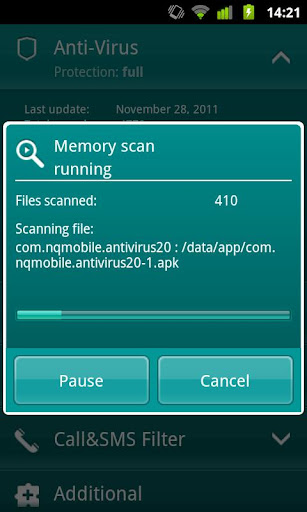
    Protect your smartphone like the mini-PC that it is. Kaspersky Mobile Security delivers real-time protection from viruses, spam, malicious programs, and unwanted calls and SMS texts, plus an instant, cloud-based scanning of downloaded apps. Our unique privacy mode allows you to control access to your contacts and communications. And, advanced anti-theft protection remotely disables, cleans, and finds your missing phone via Google Maps – even if your SIM card has been replaced.

    ANTI-THEFT PROTECTION: Block, clean or find your missing phone even if your SIM card has been replaced

    ANTI-VIRUS PROTECTION:

    • The latest technologies prevent viruses and spam from infecting your phone while you’re surfing the Internet
    • Automatic, cloud-based scanning of downloaded apps
    • On-demand and scheduled scans allow you to set up antivirus scanning when it’s most convenient for you

    CALL & SMS FILTER: Blocks unwanted calls and SMS texts

    PRIVACY PROTECTION:

    • Control what others can see and access when they pick up your phone
    • Keep designated incoming calls and SMS texts completely hidden until you’re ready to view them
    • Activate “Private” mode manually, automatically, or remotely


    SUPPORTED LANGUAGES
    Danish, Dutch, English, Finnish, French, German, Italian, Korean, Norwegian, Polish, Portuguese (Brazil), Russian, Spanish, Swedish

    SYSTEM RQUIREMENTS
    Android 1.6 – 2.3

    ANTI-THEFT PROTECTION: Block, clean or find your missing phone even if your SIM card has been replaced

    ANTI-VIRUS PROTECTION:
    • The latest technologies prevent viruses and spam from infecting your phone while you’re surfing the Internet
    • On-demand and scheduled scans allow you to set up antivirus scanning when it’s most convenient for you

    CALL & SMS FILTER: Blocks unwanted calls and SMS texts

    PRIVACY PROTECTION:

    • Control what others can see and access when they pick up your phone
    • Keep designated incoming calls and SMS texts completely hidden until you’re ready to view them
    • Activate “Private” mode manually, automatically, or remotely

    Languages supported:
    Danish, Dutch, English, Finnish, French, German, Italian, Korean, Norwegian, Polish, Portuguese (Brazil), Russian, Spanish, Swedish


    What's in this version:


    1. korean language support added
    2. improved Anti-theft
    Fixed Link :
     
    Market Unlocker Pro 3.3.0
    bVXjVSK2O3o3iFX4TVDTjTBKs75uuaKp9Dt.jpg


    GGQA6wPkcSGk6wmzjWbjLvqCw5G0fto2ui5ZnGrsZ5Wak_BLCsdof9D6qxHL7_UNqWc


    For some apps are just enabled for some specific countries and not available to the other countries,so it is very difficult to download many high quality software. Market Unlocker lets you access paid apps from countries where paid apps are not yet available.

    == Requirements ==
    * Get Root permission
    * Installed Google Play (Android Market)
    * Installed Amazon Appstore (optional)
    * Installed app in internal storage to auto unlock

    == Features ==
    * Change provider in one click
    * Change provider automatically on boot or switch to flight mode
    * Access Market via Proxy. It support HTTP/Socks4/5 proxy and user authentication.
    * Support Amazon Appstore outside USA.
    * Support fetch and configure proxy automatically
    * Support global proxy for all applications

    ==== Basic Usage ====
    To work with Android Market 2.x,
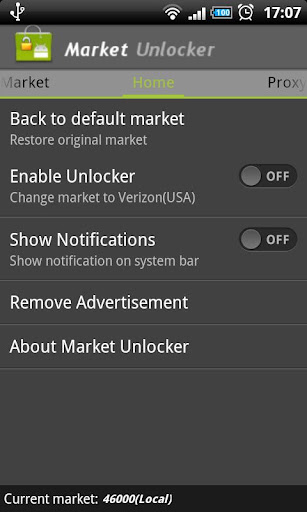
    Switch "Enable Unlocker" button to ON and Open Android Market to buy paid app. Optionally different provider can be configured in "Market" tab.
    To work with Android Market 3.x and Google Play,
    1. Turn on flight mode
    2. Enable Market Unlocker and auto unlock (by default Verizon is configured)
    3. Got to system Setting => Applications => Manage applications => All => Market, and click "Clear data"
    4. Reboot phone
    5. Turn on Wifi/3G
    6. Wait google service sync-up completed or refresh in Gmail.
    7. Open Android Market or Google Play. paid apps are there.
    Turn off flight mode now.

    Amazon Appstore does not allow users to buy paid apps from outside USA, even if users have been registered use US credit card and billing address. Market Unlocker will set USA proxy to help you buy daily free apps as well as paid apps.
    To work with Amazon Appstore outside USA,

    First install Appstore app, otherwise the function will not be visible.
    1. Go to Proxy tab
    2. Click edit icon beside "Proxy For Applications", select "Amazon Appstore" in list, and click OK button.
    3. Configure Proxy Type, Proxy Host, Proxy Port. Please make sure you're using an effect USA proxy server first.
    4. Switch "Enable Proxy" to "ON"
    5. Open Amazon Appstore and enjoy

    If still get "unavailable in your region" error, please check the credit card and billing address info or contact me.
    To set up a global proxy for all applications,
    1. Go to Proxy tab
    2. Click edit icon beside "Proxy For Applications", select "All applications" in list, and click OK button.
    3. Configure Proxy Type, Proxy Host, Proxy Port. Please make sure you're using an effect USA proxy server first.
    4. Enable "Enable Proxy" to "ON"
    Now proxy server is routing all the system and application traffic.
    To restore original market,
    Go to Home tab and click "Back to default market", or go to Home tab, Switch "Enable Unlocker" button to OFF and reboot phone

    == Q&A ==
    Check out answers at http://goo.gl/2Gk1S
    Q:why "Invlove Amazon Appstore" check-box and proxy running icon not found in new build?
    Q:Why I need use an USA proxy?
    Q:Why I cannot connect to Market via proxy?
    Q:Why still no paid apps visible via proxy?
    Q:Why I can see paid app, but unable to purchase after enabling Market Unlocker?
    Q:Why I cannot purchase music and books from Android Market?
    Q:How to get a working US Amazon account?
    Q:Why I cannot download Amazon app with error“unavailable in your region” even if I use a fake USA credit card?
    Q:Why I cannot see some apps even if everything looks working fine?
    Q:Why does Market Unlocker change my APN?
    Q:Why not working on my ICS 4.0.3?

    What's in this version:
    Hide proxy running icon if "Show Notification" option not checked
    Added global proxy support
    Added options to select proxy for Android Market, Amazon and whole system separately. Select Amazon Appstore instead of "Involve Amazon Appstore"
    Added support page on about dialog
    Added share button on about dialog
    Changed Android Market to Google Play
    Fixed proxy validation error due to Goolge site change
    Note: Unable to download amazon daily free app, please find help at http://support.evanhe.com

    Note:
    Modified to pro version. You will get Market Unlocker without any advertisement permanently. And unlimited times to fetch an USA proxy automatically.
     
    Market Unlocker Pro 3.3.0
    bVXjVSK2O3o3iFX4TVDTjTBKs75uuaKp9Dt.jpg


    GGQA6wPkcSGk6wmzjWbjLvqCw5G0fto2ui5ZnGrsZ5Wak_BLCsdof9D6qxHL7_UNqWc


    For some apps are just enabled for some specific countries and not available to the other countries,so it is very difficult to download many high quality software. Market Unlocker lets you access paid apps from countries where paid apps are not yet available.

    == Requirements ==
    * Get Root permission
    * Installed Google Play (Android Market)
    * Installed Amazon Appstore (optional)
    * Installed app in internal storage to auto unlock

    == Features ==
    * Change provider in one click
    * Change provider automatically on boot or switch to flight mode
    * Access Market via Proxy. It support HTTP/Socks4/5 proxy and user authentication.
    * Support Amazon Appstore outside USA.
    * Support fetch and configure proxy automatically
    * Support global proxy for all applications

    ==== Basic Usage ====
    To work with Android Market 2.x,
    Switch "Enable Unlocker" button to ON and Open Android Market to buy paid app. Optionally different provider can be configured in "Market" tab.
    To work with Android Market 3.x and Google Play,
    1. Turn on flight mode
    2. Enable Market Unlocker and auto unlock (by default Verizon is configured)
    3. Got to system Setting => Applications => Manage applications => All => Market, and click "Clear data"
    4. Reboot phone
    5. Turn on Wifi/3G
    6. Wait google service sync-up completed or refresh in Gmail.
    7. Open Android Market or Google Play. paid apps are there.
    Turn off flight mode now.

    Amazon Appstore does not allow users to buy paid apps from outside USA, even if users have been registered use US credit card and billing address. Market Unlocker will set USA proxy to help you buy daily free apps as well as paid apps.
    To work with Amazon Appstore outside USA,

    First install Appstore app, otherwise the function will not be visible.
    1. Go to Proxy tab
    2. Click edit icon beside "Proxy For Applications", select "Amazon Appstore" in list, and click OK button.
    3. Configure Proxy Type, Proxy Host, Proxy Port. Please make sure you're using an effect USA proxy server first.
    4. Switch "Enable Proxy" to "ON"
    5. Open Amazon Appstore and enjoy

    If still get "unavailable in your region" error, please check the credit card and billing address info or contact me.
    To set up a global proxy for all applications,
    1. Go to Proxy tab
    2. Click edit icon beside "Proxy For Applications", select "All applications" in list, and click OK button.
    3. Configure Proxy Type, Proxy Host, Proxy Port. Please make sure you're using an effect USA proxy server first.
    4. Enable "Enable Proxy" to "ON"
    Now proxy server is routing all the system and application traffic.
    To restore original market,
    Go to Home tab and click "Back to default market", or go to Home tab, Switch "Enable Unlocker" button to OFF and reboot phone

    == Q&A ==
    Check out answers at http://goo.gl/2Gk1S
    Q:why "Invlove Amazon Appstore" check-box and proxy running icon not found in new build?
    Q:Why I need use an USA proxy?
    Q:Why I cannot connect to Market via proxy?
    Q:Why still no paid apps visible via proxy?
    Q:Why I can see paid app, but unable to purchase after enabling Market Unlocker?
    Q:Why I cannot purchase music and books from Android Market?
    Q:How to get a working US Amazon account?
    Q:Why I cannot download Amazon app with error“unavailable in your region” even if I use a fake USA credit card?
    Q:Why I cannot see some apps even if everything looks working fine?
    Q:Why does Market Unlocker change my APN?
    Q:Why not working on my ICS 4.0.3?

    What's in this version:
    Hide proxy running icon if "Show Notification" option not checked
    Added global proxy support
    Added options to select proxy for Android Market, Amazon and whole system separately. Select Amazon Appstore instead of "Involve Amazon Appstore"
    Added support page on about dialog
    Added share button on about dialog
    Changed Android Market to Google Play
    Fixed proxy validation error due to Goolge site change
    Note: Unable to download amazon daily free app, please find help at http://support.evanhe.com

    Note:
    Modified to pro version. You will get Market Unlocker without any advertisement permanently. And unlimited times to fetch an USA proxy automatically.
     
    Anti-Virus Pro 2.10.1

    Overview: AVG Antivirus Pro for Smartphones/Tablets protects you from harmful apps & SMS
    Requirements: Android 1.5 or up
    Q-zDzVF_VeasBd0iyQ7wrEq8_6apuV4L-hK.jpg


    zNJY8n-yB2ODNh5ta9SMUfZ7bCbZvRBNVU_.jpg

    qTLxdtAuV19bheK_UqUm5ZFIq4_DHtoRtQc.jpg


    AVG Mobilation™ Antivirus Pro for Smartphones/Tablets protects you from harmful apps & SMS
    AVG Mobilation™ Antivirus Pro is a mobile security solution that not only helps protect your phone from viruses, malware, spyware & online exploitation in real-time, but also offers a suite of features to help keep your privacy, personal data and online identity safe.
    Download the AVG Mobilation Antivirus Pro app to:
    √ Scan apps, settings, files, and media for viruses and malware in real time
    √ Find/locate your lost or stolen phone via Google Maps™
    √ In case of theft, lock and wipe your device to keep private data safe
    √ Kill tasks that slow your phone down
    √ Browse the web safely and securely
    AVG Mobilation™ focuses specifically on the mobile environment and is a part of the trusted family of AVG® branded security technologies that caters to over 100 million active users worldwide.
    With the AVG Mobilation Antivirus Pro app, you’ll receive effective, easy-to-use virus and malware protection, as well as a real-time scanner, phone locator, task killer, app locker and local device wipe through the remote management service.
    An in-depth look at the AVG Mobilation Antivirus Pro features that help:
    √ Give you peace of mind no matter how you download your apps or games
    √ Protect against malicious apps from viruses, malware and spyware
    √ Identify unsecure device settings and advises on how to fix them.
    √ Ensure contacts, bookmarks and text messages are secure and safe
    √ Check media files for malicious software and mobile security threats
    √ Protect you from phishing attacks
    √ Run daily, weekly, or on demand scans

    Anti-theft protection and Phone Locator:

    √ Ability to locate your lost or stolen mobile phone and get help with finding it via Google Maps™
    √ Ability turn your phone GPS on remotely and have the device send its location using GPS
    √ Lock your phone remotely via our online remote management account or by sending SMS to your phone to protect your data and privacy
    √ Set a lock screen message to help the locator find you
    √ Make your device ring even if your phone is on silent mode
    Safe Web Surfing:
    √ Search, shop and social network with peace of mind knowing your identity, and personal data are secure from phishing and malware while surfing the web
    √ Scans the web site addresses to see if they are harmful sites. If it detects something suspicious, it will redirect you to AVG Mobilation’s “Safe Page” should it find the URL address to be untrustworthy

    Task killer:
    √ Kill tasks that slow down or freeze up your device
    App locker and mobile privacy:
    √ Lock apps to protect your privacy and safety or lock your device setting to secure your device configuration
    Local wipe:
    √ Ability to completely wipe contacts, text messages, photos, browser history, calendar, format SD Card, and restore mobile device to factory settings
    √Manually select specific data and information from your mobile device that you want deleted, such as synced email accounts, apps, and specific files, using the Local Wipe advanced feature

    Tune-up (beta version) Battery & Storage optimization:

    √ Battery power saver notifies you when your battery is below the level you indicated and lets you turn-off functions not in use in order to save power.
    √ Storage optimization indicates internal and SD card usage and helps optimize storage space on your phone. This lets you move apps between the SD Card and internal storage with the help of a list of apps sorted by size and location.

    Languages supported:
    English, German, Spanish, French, Japanese, Korean, Chinese, Portuguese, Russian, Arabic, Italian, Polish, Hebrew, Czech, and Dutch.

    Fixed Link :


    tTorrent Pro 0.9.7
    Overview: Download large files directly to your phone or tablet!
    Requirements: Android 1.6+
    _pJzT3Pslh836M38zxXoLMBnP4LP1H9e67v.jpg


    E4_zawMIWryWzBUO70knnKd0onRtrcMbZli-1.png


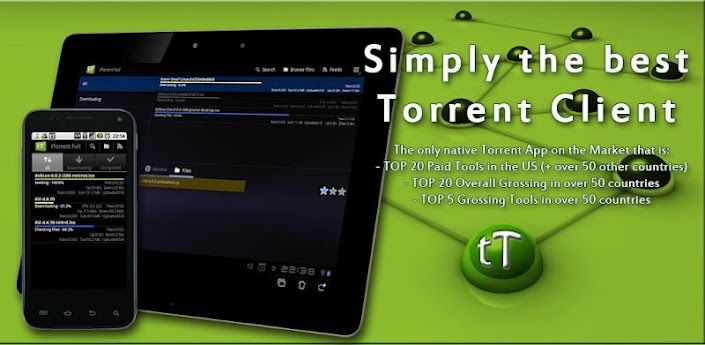
    tTorrent is a bit torrent (bittorrent) client for Android based devices. Please read the FAQ at the bottom of the page!

    ***
    User reviews:
    "Easily the best torrent client for android, worth every cent. Congrats to the developer!"
    "Best torrent prog available for the android platform. I tested quite a lot of them."
    "I wish I could just shake you and say "THIS IS AMAZING!" I just can not believe how good this is compaired to anything else! Thank-you I love it!"

    ***
    Features:
    - multiple torrent downloading, queuing
    - search for torrents
    - Wifi only mode, Wifi or WiMAX mode
    - able to limit Upload/Download speed
    - web browser integration
    - magnet link support
    - trackerless torrent (DHT) support
    - RSS support(automatically download torrents published in feeds)
    - UPnP and NAT-PMP support
    - IP filtering support
    - proxy support(SOCKS, HTTP)

    What's in this version:
    Fixed bug with Proxy port number, numbers less than 1024 were not allowed.
    Proxy password is not shown in the preferences.