

hello people need some help ...........
ape group project ekak.....
drivemode
https://play.google.com/store/apps/d...b2RlX2JldGEiXQ..
puluwannam hamotama kiyanna.....
We're sorry, the requested URL was not found on this server.


hello people need some help ...........
ape group project ekak.....
drivemode
https://play.google.com/store/apps/d...b2RlX2JldGEiXQ..
puluwannam hamotama kiyanna.....

We're sorry, the requested URL was not found on this server.
link should be this.
nice work anyway. all the best
https://play.google.com/store/apps/...DEsImNvbS5nbGFzc2N1YmUuZHJpdmVtb2RlX2JldGEiXQ


චිරි චිරි වැස්ස;12964931 said:Google Maps
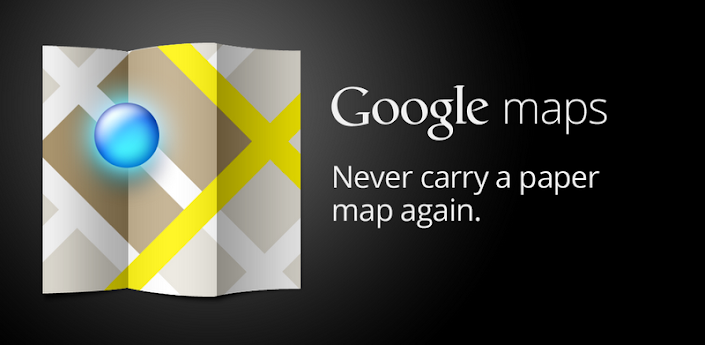


Download the latest release of Google Maps, and never carry a paper map again. Google Maps for Android with Navigation (Beta) has:
* Detailed maps with 3D buildings
* Voice guided turn-by-turn GPS navigation
* Driving, public transit, biking, and walking directions
* Live traffic information to avoid congestion
* Local search and business reviews
* Google Maps Street View
* Indoor maps for select airports, hotels, retail stores, and more
Whether you need directions to your destination, the closest good place for a bite to eat, or just a sense of where you are, Google Maps for Android can help.
Keywords: maps, navigation, places, latitude, directions, indoor maps, local search, Street View, traffic, transit



Thanks for this app machan...
Rep denna ba kiyanawane
 hari hari passe gamu


meekanam aye up karanna weyi wagee machan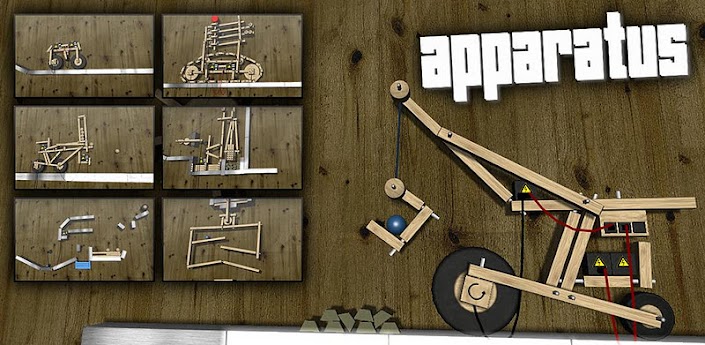
Description
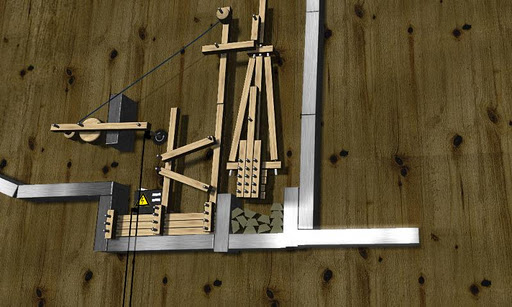
Build a complex machine to perform a simple task.
Apparatus is a game about setting up simple mechanical structures to
move one or several marbles to the goal.
"A real life-sapper. Get into Apparatus at your peril – you will lose hours of your life!" - LifeOfAndroid.com (Score: 9.5/10)
** NOW WITH CHRISTMAS LEVEL PACK! **
Connect cables from batteries to motors, build bridges, set up teeter totters,
swing with ropes, build vehicles, or just let the marble have a happy roller coaster
ride to the goal!
Use the hammer or the wrench to connect planks, wheels and other objects together.
Use the control panel to control your creations, be it a monster truck, a mechanical rifle or anything YOU can imagine!
Creativity is essential in the gameplay Apparatus. If you don't have the patience to figure
out the challenge levels, why not just play around in the physics sandbox and build whatever
comes to mind? Upload and share your levels in the community section or download and
comment on other players' levels.
The early levels will teach you how to play the game and go through some basic concepts.
The more you progress the more freedom the levels provide, many levels can
be solved in many different ways.
Every time you complete a level, you can go into freebuild mode and modify the level
however you like. If you make the level better, or just harder, you might want to
upload it to the community section and let other people play your modified level.
EXTRA FUN ON TABLETS!
Officially supported phones and tablets:
* Nexus One
* Samsung Galaxy S
* Samsung Galaxy S II (Please disable sound! This device crashes with sound on, we're working on a fix!)
* HTC Desire HD
* HTC Desire
* Samsung Galaxy Tab
* ZTE Blade
* ZTE Light
* Acer A500 Tablet
* Motorola Xoom
A minimum processor speed of 600MHz is recommended. A screen resolution of 800x480 or higher is recommended but the game runs on lower resolutions.
IF YOU HAVE PERFORMANCE ISSUES:
Disable sound effects and music from the main menu.
If the game still runs slow, when in a level click the menu button and choose "Graphics Settings". Disable shadow effects and put the rope/cable quality at 50%.
GALAXY S II USERS:
Please disable sound/music in the game. The audio backend crashes on this phone and we're working on solving this as soon as possible!

Download


machan mama meeka damma but usb tethering seen ekak enawa machan mokadda karanna oneOkkotama menna maru bandayak man gane
Phone eken net yanna pc eke net connection eka use karala
Phone eka root karala tiyenna ona,onna 5$ app eka nikan
Reverse Tether Pro
ReverseTether allows you to access your computer's internet connection on your device via USB, thus, reverse tethering. It's the first and only app of its kind on the Market, no other app does such a thing.
This app may be useful for you if:
- if you don't have a mobile data plan.
- if you have a limited plan and would like to spare your bytes and money whenever you're at home/work/school.
- if you're roaming and would like to avoid roaming data charges.
- if you prefer speed and want an internet that is faster* than any wifi/3g/4g/lte. (*as fast as your modem)
- if you don't have access to wifi / don't need wifi just for your device.
- if you don't trust the security/privacy of your wifi network.
- if your wifi connection is weak, slow or keeps disconnecting.
- if you're sick of eating terrible food at burger places just for wifi access.
- if you would like to access your local network from your device for backups or storage.
Basically, since you're already connected to usb to recharge or sync, why not also have a super fast, unlimited, secure internet connection for no additional charges, for whatever reason, like sync your mail, contacts or calendars, download and update apps, pre-cache maps, use online-only apps/games, etc...
Key features:
- You'll be able to connect to the internet via USB with a single click. No advanced skills required whatsoever.
- The connection will appear on your device as 3G so that all apps including Market function seamlessly as if you're actually connected to 3G.
- It will first guide you in 2 easy steps to setup your computer for it to work.
- No pc-side software installation is needed at all.
- It provides an option to automatically connect as soon as you plug in USB.
- To disconnect, simply unplug USB. To connect again, plug back USB. Voila. Easy.
- A manual configuration option is also available for advanced users.
This app requires:
- A ROOTED android device
- A Tether option in your device.
- A desktop/laptop computer with your device drivers installed (and ability to edit Network Connections, no extra software needed)
- An internet connection
- Patience - a connection may take a few seconds to a few minutes to get established, since there's no direct way to do it but through this trick.
All app permissions are only needed to establish the connection.
Note that this App was not tested on all android devices and might not work on yours, depending on your manufacturer, your carrier's restrictions, your device's configuration or whatnot. Please consider first trying the TRIAL edition (also available on Market), before purchasing or leaving a bad review.


meekanam aye up karanna weyi wagee machan
meekanam aye up karanna weyi wagee machan


