Google Play for Android :::.

AWRORA

Well-known member
  • Mar 27, 2008
    15,186
    1,414
    113
    සිංහල බෞද්ධ රටේ...
    Description

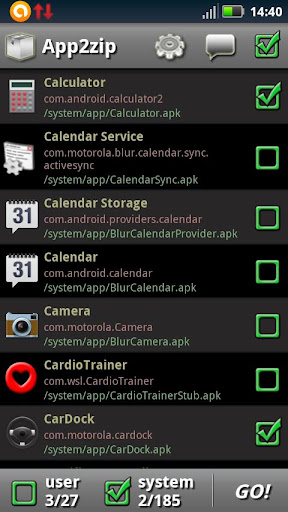
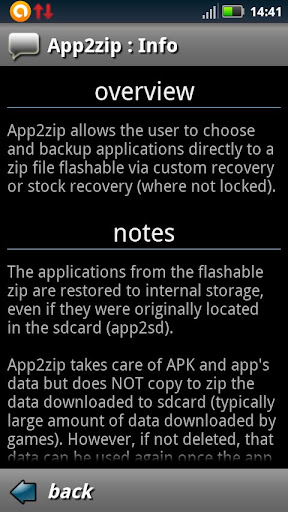
    Backup your apps directly to flashable zip file, build your own update.zip!
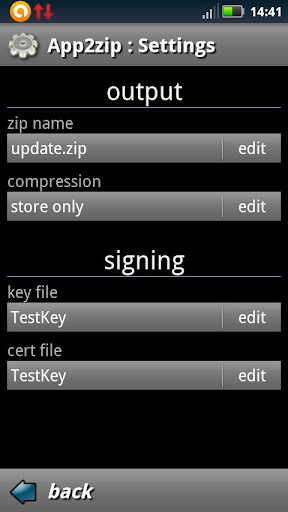
    This is the Pro/donate version of App2zip, extra features are included (output settings).
    ---------- IMPORTANT ----------
    App2zip is in very early stage, does NOT work on some devices, so please first of all make a test to see if it works for you (e.g. backup an app you don't care much, uninstall it and restore back via CWM recovery). Use at your own risk!
    -------------------------------
    ROOT REQUIRED!
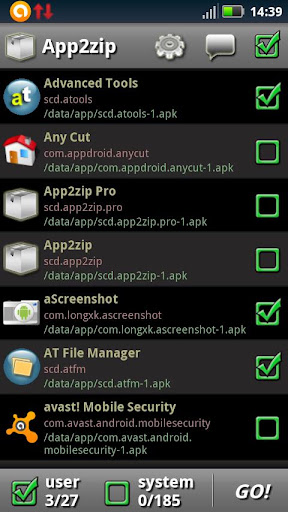
    App2zip allows to backup applications directly to a zip file flashable via CUSTOM recovery.
    Building your own update.zip file is easy:
    1) Choose the apps to be included in the zip file (you can pick system apps too)
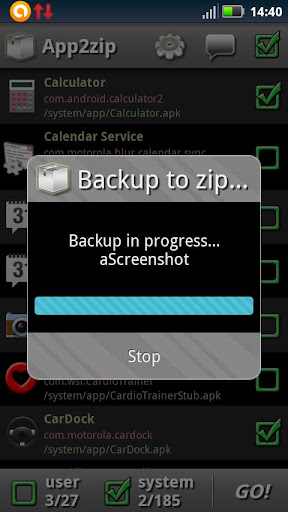
    2) Click GO! and wait until the zip is done. That's it!
    Note: Restore via stock recovery is not supported yet.
    Note: This app won't work without root access.

    Screenshots
    4JOQiCzJ8qlM4JzpHWa4LuXK3AwgSweBjeG3zYXplGyHTRW3ULsP7zmif_eIYRXruHIt
    VwrvMqL7sBlB_DaW2y6Fac6CyDZQkT4kEmMSf_hJvD01ZC9MAQC-L5EYcLi3stVesSM
    t7lSh_BxgtH4GL92leq_ChniYKzNl6meB4TZGlWi-rqYiWL0-PTbNrjk8-KeuwC6Grg
    XRmwA-ZwPKLk58CQOlckisHvv1Qt3yV4Y9qtVLb0zaE2E4wnB4tU2Q0xyqqdzoKg7wkl
    P4WekspeZKehw3PMdhRtxDiBRkDg3VTf1cUOcvWCWbjzcem09ST79_l4MTSl9MXdAYM


    Download


    uba nam deyyek nemey...devalayak...
    Happy10.gif
    Happy10.gif
    Happy10.gif
     

    King GBN

    Well-known member
  • Jan 29, 2012
    3,413
    641
    113
    pallekele
    මේ ප්ලයෙර් එක ගෙනනම් ඔයාල ගොඩක් දන්නවා ඇති .. ඒ කලේ සිම්බිං ෆෝන් තියෙන කලෙත් මං මේක පාවිච්චි කරා මටනම් හිතට අල්ලලම යන ප්ලයෙර් එක මේක ... වේද කලි ගොඩකි ... චයිනිස් උනාට වේද හොදයි... අව්ලකට තියෙන්නේ චීන බාසාවෙන් තම මේක තියෙන්නේ
    TpVwr.jpg

    https://play.google.com/store/apps/details?id=com.sds.android.ttpod&hl=en
     
    හා හා පච්චයක් ගහමු :lol:
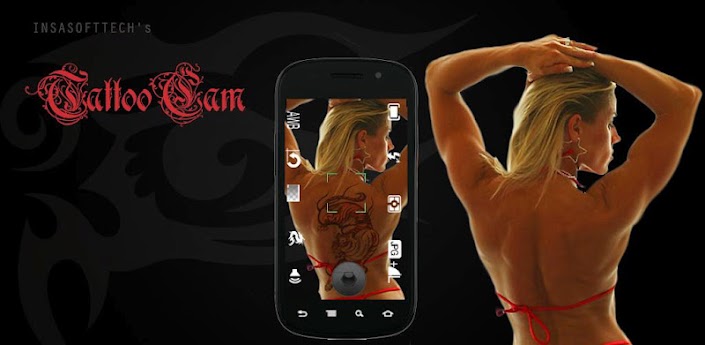
    TattooCam: Virtual Tattoo Pro v2.0.1
    Ygu30E37j2IsgeDEiB4D64QnL6dmbZ9EFrd6HGXWPO2Y_g8aqIjVOaiZOvWkuHN6o8Q=w705

    fL7Rxo5owOY4Y4MGRJqkGKepBwTviyyO1uPODFUTiLc-K-OO-IzBQk_UCVv-OvpfK8by
    qoOB4HPMUkExJyvy62WxInAlXprs77-6uYg4j5TNpNtuS-ny11mP1ohgBvgG-W6T_qo
    yB9dijlYGd_pb4m13e0PeY5PCB1xh-uuc6NAK6gjXMpUDjV6PZjKGDsJRj-t7t8zpw

    b53w92qF6GaFioeymGhIb03l663QpUPrAsQszT2bthvZEIl6gVPuFSd5xAHJJmQupy4
    -GHwRVx-AobRM2LeKPzF6bfRUiJB3PrU9Mgj3dQbXmNWnd_0X_6zWUjSDAiOX_BsbA
    MziJjNQ09CdRxkeBX2V8lmEZBSBEiJf_x8RiQN3YHBNvGEJuilyynkO8ciKrZsYQYw


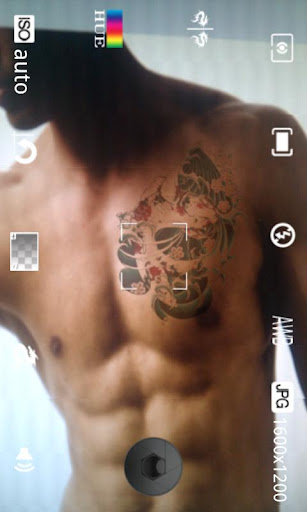
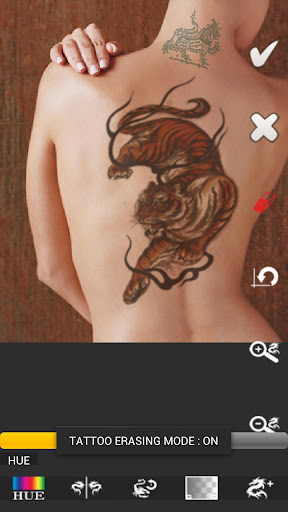
    Take instant camera shot of your skin with epic tattoo on it easily. Editing your Gallery's picture with fully customizable tattoo. Scale up/down, Rotate, Flip, Erase some part, Change color, Make it translucent and Drag the tattoo to anywhere to make it looks realistic. Create your own epic tattoo design from any picture or tattoo flashes. Export preferred design to sdcard and go to studio. Lots of Downloadable Content available. Prank you parent with new Yakuza tattoo style. This is the best tattoo app on Android that ever made!


    !*** Photographs save in Phone's Gallery automatically ***!
    What upgrades from Free version?
    + Create your own tattoo design with any picture (Gallery picture/ tattoo flash).
    + Unlimited tattoo designs can be add in Editing mode within single editing time.
    + Export tattoo design to printable format. Then get it and go to studio.
    + Unlocked all built-in tattoo designs
    + Get new update earlier.
    + No ad.
    Features:
    - Create your tattoo photo very easy in 'Instant Camera' mode
    - Edit your gallery picture with fully customizable tattoo designs.
    - Edit camera shot from other great app like Camera360, etc.
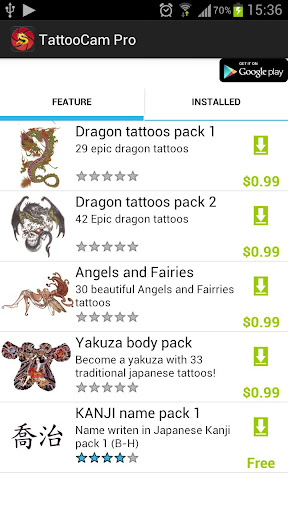
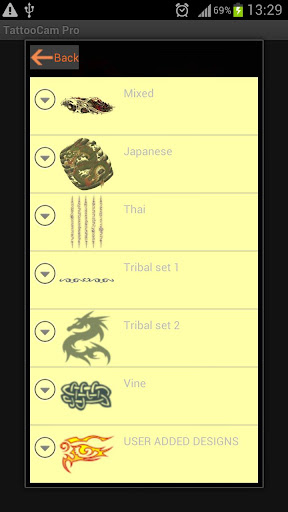
    - 80++ tattoo designs pre-installed, can download more design using Store.
    - Lots of Downloadable Content available (both free and paid)
    - TattooCam Store.
    - Create your own design from any picture or tattoo flash on your phone to use in app
    - Import tattoo designs from your PC to use in app
    - Design your own tattoo by yourself. Choose tattoo, scale up/down the tattoo, make it translucent, rotate/flip and drag it to anywhere in the picture that you see fit.
    - Unlimited tattoo designs can be add in single editing time.
    - Changeable tattoo design color.
    - Erase unwanted tattoo part with eraser tool.
    - Export preferred tattoo design to sdcard.
    - Compatible with non-multitouch devices (All functions can be done with explicit buttons)
    - Save edited photo in phone's Gallery (configurable)
    - Built-in photo gallery.
    - Built-in File Browser
    - Tattoo designs gallery.
    - Live tattoo effect preview.
    - Full setting camera mode supports, autofocus, metering, ISO, white balance, size, flash, and more (depend on your camera hardware)
    - Share your photograph via facebook/Gmail/etc.
    - App2SD install app on your sdcard
    - Usage is available in app.
    Note: If you face an insufficient memory error. Please try to reduce the photo size and retake the camera, or force kill the app's process then retry again.

    What's in this version : (Updated : Nov 10, 2012)
    Fixed 'Eraser tool' issue to erase some part properly.
    Fixed 'Rotate' tattoo button to rotate at the center
    Improved touch gesture so can move/ scale and rotate tattoo easier with multi-touch gesture.
    Added tattoo description to tattoo choice list
    Fixed file saving issue. There'll be a warning message before overwrite origin picture
    Fixed bugs

    This app has NO advertisements

    GooglePlay ($1.91)


    • Like
    Reactions: RaZor_911

    AWRORA

    Well-known member
  • Mar 27, 2008
    15,186
    1,414
    113
    සිංහල බෞද්ධ රටේ...
    චිරි චිරි වැස්ස;13840641 said:
    හා හා පච්චයක් ගහමු :lol:
    TattooCam: Virtual Tattoo Pro v2.0.1
    Ygu30E37j2IsgeDEiB4D64QnL6dmbZ9EFrd6HGXWPO2Y_g8aqIjVOaiZOvWkuHN6o8Q=w705

    fL7Rxo5owOY4Y4MGRJqkGKepBwTviyyO1uPODFUTiLc-K-OO-IzBQk_UCVv-OvpfK8by
    qoOB4HPMUkExJyvy62WxInAlXprs77-6uYg4j5TNpNtuS-ny11mP1ohgBvgG-W6T_qo
    yB9dijlYGd_pb4m13e0PeY5PCB1xh-uuc6NAK6gjXMpUDjV6PZjKGDsJRj-t7t8zpw

    b53w92qF6GaFioeymGhIb03l663QpUPrAsQszT2bthvZEIl6gVPuFSd5xAHJJmQupy4
    -GHwRVx-AobRM2LeKPzF6bfRUiJB3PrU9Mgj3dQbXmNWnd_0X_6zWUjSDAiOX_BsbA
    MziJjNQ09CdRxkeBX2V8lmEZBSBEiJf_x8RiQN3YHBNvGEJuilyynkO8ciKrZsYQYw


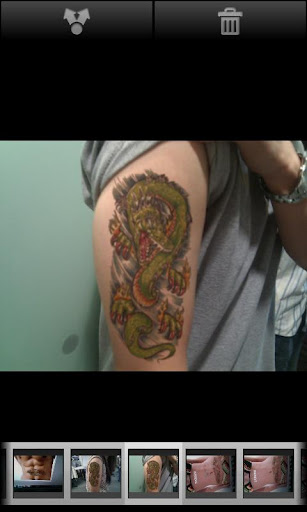
    Take instant camera shot of your skin with epic tattoo on it easily. Editing your Gallery's picture with fully customizable tattoo. Scale up/down, Rotate, Flip, Erase some part, Change color, Make it translucent and Drag the tattoo to anywhere to make it looks realistic. Create your own epic tattoo design from any picture or tattoo flashes. Export preferred design to sdcard and go to studio. Lots of Downloadable Content available. Prank you parent with new Yakuza tattoo style. This is the best tattoo app on Android that ever made!


    !*** Photographs save in Phone's Gallery automatically ***!
    What upgrades from Free version?
    + Create your own tattoo design with any picture (Gallery picture/ tattoo flash).
    + Unlimited tattoo designs can be add in Editing mode within single editing time.
    + Export tattoo design to printable format. Then get it and go to studio.
    + Unlocked all built-in tattoo designs
    + Get new update earlier.
    + No ad.
    Features:
    - Create your tattoo photo very easy in 'Instant Camera' mode
    - Edit your gallery picture with fully customizable tattoo designs.
    - Edit camera shot from other great app like Camera360, etc.
    - 80++ tattoo designs pre-installed, can download more design using Store.
    - Lots of Downloadable Content available (both free and paid)
    - TattooCam Store.
    - Create your own design from any picture or tattoo flash on your phone to use in app
    - Import tattoo designs from your PC to use in app
    - Design your own tattoo by yourself. Choose tattoo, scale up/down the tattoo, make it translucent, rotate/flip and drag it to anywhere in the picture that you see fit.
    - Unlimited tattoo designs can be add in single editing time.
    - Changeable tattoo design color.
    - Erase unwanted tattoo part with eraser tool.
    - Export preferred tattoo design to sdcard.
    - Compatible with non-multitouch devices (All functions can be done with explicit buttons)
    - Save edited photo in phone's Gallery (configurable)
    - Built-in photo gallery.
    - Built-in File Browser
    - Tattoo designs gallery.
    - Live tattoo effect preview.
    - Full setting camera mode supports, autofocus, metering, ISO, white balance, size, flash, and more (depend on your camera hardware)
    - Share your photograph via facebook/Gmail/etc.
    - App2SD install app on your sdcard
    - Usage is available in app.
    Note: If you face an insufficient memory error. Please try to reduce the photo size and retake the camera, or force kill the app's process then retry again.

    What's in this version : (Updated : Nov 10, 2012)
    Fixed 'Eraser tool' issue to erase some part properly.
    Fixed 'Rotate' tattoo button to rotate at the center
    Improved touch gesture so can move/ scale and rotate tattoo easier with multi-touch gesture.
    Added tattoo description to tattoo choice list
    Fixed file saving issue. There'll be a warning message before overwrite origin picture
    Fixed bugs

    This app has NO advertisements

    GooglePlay ($1.91)


    :cool::cool::cool::cool::cool:
    :cool::cool::cool::cool::cool:
    :cool::cool::cool::cool::cool:
    :cool::cool::cool::cool::cool:
    :cool::cool::cool::cool::cool:
     
    TSF Shell 1.7.5
    Overview: TSF Shell 3D is an interface with brand new operating system.
    Requirements:
    Android OS 2.1 and up
    Market Update Released:
    October 4, 2012
    Price:
    $16.79

    RtkTWs58F1q7S8RqQL383Arp51BzgXbDFtjIcsCsV3QvsKSPlcYwqaspOJXBtMQkf0M=w705


    eBhjwrpqoFLxzYeEOSiJWEuP7iJ-Tu-bbSzOlHzHpW-ROi47RHP0OUSmKz4uwNEvLws
    qqARyXYJBcn8sJ-MTBS-weMD2iHGETfFRakFmuyUQVaHAnBQiQU_hh7EuEGF4TAEOAAi
    5b8Eu-HM3PFG9n-kcSBJGxxSP6kGVuV5QJSZQJsGisaED0vPpF-JIq8lR5uSUvqkTA
    AEVSuHS2mEzaxPCXOJzOeb34kCrpHFMZAkr0QykqYMv-dJj7NJnoDYaYJ1OctAmfcjU


    kAWNgOM9cLLqxNy8SSl9qXZhck7BLI4yFT40R6KaFZUgMbF2mCqP_CCaduT7F9WbVUme
    gLtZc_5CDaNWibB06nALwFGK2xr0zInckyvq8Qb6WsuCJGY85fHV3vKWNDt8mnxmhFaJ
    xjD4Meero2zUwZXR564As7nVzDU344xDe686zT84OnaqNONjKGxCAQ6DN4h21IVRrt0
    6lzMa7JvkWJ2NdJpaqlxI0pPNZWEh_yYS5fX9IS8_NFsKszPWZaHxqIJyf2fFIqYoDk


    Enable you to freely personalize various widgets to a full range. Let’s say goodbye to the traditional operation system.

    For more details of the release histroy and the demo of all versions please access to the following link


    TSF Shell Features:

    Enable you to do multipul-operation, including auto-arragement, multipul-choices, add-to-folder, multipul-deleting, to the items by only one move of the finger. You can also check your folders in various ways.
    TSF SHELL 3D has one app page and 4 personalized pages for our users. You can switch between pages by one click at the switch button in the lower left corner.
    You can freely create one or more quicklinks for apps and drag them to any page. You can also distribute all the app icon (or even change their angles) freely in the personalized page.
    The side column provides the most TSF Shell 3D charateristic widgets, including folders, contacts, music player, weather and so on.
    The side column can be personalized as well, including changing the order and position of different catagories. You can create quicklinks of your most frequently used apps and contact in the quick launch in the side column.
    TSF Shell 3D has a most powerful theme function. Apart from the difference in style, some themes even allow change in the transition animation.

    Tips:

    1. The folder where the application is less than 8, only to circle the icon into the folder.
    2. The folder where the application is more than 8, only to drag the icon ftom the folder.

    Currently we are still trying to improve our TSF Shell 3D. We will update our product and new widgets regularly. Please check for updates so that you can the best experience.
    We also welcome any comments or suggestions for improvement of our product.

    What's in TSF Shell version 1.7.5:
    1.Desktop Lock and Slide Unlock.
    2.Auto Hidden Side Menus.
    Fixed:
    1.White block for icons and widgets on some devices.
    2.Crashes when using folders on some devices.


    TSF Shell,TSF 3D Screen,TSF 3D launcher,SPB,GO LAUNCHER,SPB shell,Launcher,3D UI,3D Launcher

    Buy Google Play
    $16.79 ONLY... ගනී කියල තමා බය:lol: :lol: :lol:


    • Like
    Reactions: Anjulayr