Google Play for Android :::.

oscfe.jpg


Elakiri Star තරගයේ Helping Star කියන කාණ්ඩයේ තරගකරුවන්
10 දෙනා අතරට මාවත් එකතු වෙලා තියනව.:)
මාව ඒකට යෝජනා කරපු..:) ඒ 10 දෙනාට මාව ‍තෝරපු හැමෝටම.
චිරි චිරි ආචාර

cs-salute.jpg


AWRORA

Well-known member
  • Mar 27, 2008
    15,186
    1,414
    113
    සිංහල බෞද්ධ රටේ...
    චිරි චිරි වැස්ස;13958876 said:
    oscfe.jpg


    Elakiri Star තරගයේ Helping Star කියන කාණ්ඩයේ තරගකරුවන්
    10 දෙනා අතරට මාවත් එකතු වෙලා තියනව.:)
    මාව ඒකට යෝජනා කරපු..:) ඒ 10 දෙනාට මාව ‍තෝරපු හැමෝටම.
    චිරි චිරි ආචාර

    cs-salute.jpg


    moko kiyanne poster parak gahala damuda?
    Happy3.gif
     
    moko kiyanne poster parak gahala damuda?
    Happy3.gif

    තැන්කූ බොක්ක වදනට:cool:
    ඒත් මට Star වෙන්න ඕනෙ නෑ..:no: මට එන PM වලින් මට තේරෙනව මචං, සෙට් එකක් අතරෙ දැනටමත් මම Star කෙනෙක් කියන එක.:yes:
    මාව මේකට Select වෙච්ච එකම ඇති.
    :yes:
    එතනින් එහා මම කිසිම දෙයක් බලාපොරොත්තු වෙන්නෙ නෑ..:)
    බොක්ක හොදනම් අපිත් බොක්කෙන් බං
    ,:yes:
    නැත්නම් උඔ, නවෝදය, තිළිණය , තව අපේ කොල්ලො සෙට් එක.
    :cool: ඒ වගේ උන්ව සෙට් වෙන්නෙ නැහැනෙ:)
     

    AWRORA

    Well-known member
  • Mar 27, 2008
    15,186
    1,414
    113
    සිංහල බෞද්ධ රටේ...
    චිරි චිරි වැස්ස;13959012 said:
    තැන්කූ බොක්ක වදනට:cool:
    ඒත් මට Star වෙන්න ඕනෙ නෑ..:no: මට එන PM වලින් මට තේරෙනව මචං, සෙට් එකක් අතරෙ දැනටමත් මම Star කෙනෙක් කියන එක.:yes:
    මාව මේකට Select වෙච්ච එකම ඇති.
    :yes:
    එතනින් එහා මම කිසිම දෙයක් බලාපොරොත්තු වෙන්නෙ නෑ..:)
    බොක්ක හොදනම් අපිත් බොක්කෙන් බං
    ,:yes:
    නැත්නම් උඔ, නවෝදය, තිළිණය , තව අපේ කොල්ලො සෙට් එක.
    :cool: ඒ වගේ උන්ව සෙට් වෙන්නෙ නැහැනෙ:)


    Happy4.gif


    onnam kiyapan .....sumuuuuuuuuuduvata gahala dannam balika pasal deka thunaka thappa vala:P
     
    smileys-free-download-3215.gif
    GO Task Manager EX Pro v2.0


    YeRIvF-I5zJA_hkzZgVijJyRl2aQxgzvWFwGgX72pnRy6P03hdQMVwgl6ZWX5CI2Xf8N=w705

    RO8I29tD-Iu0geU0QEAoYvLLc1z9pATAA_U1d8brE75SW-grvJ1PktywMld3Fk5o
    nzFa82ipBic5po4OrWLxX-flPaZF9mWEKYJH7b6NQXPZ0d9Cmr7-FV4jbRwRUSYEJxw
    AkMWvRf8Bp-lRCSxUXmn47-uCgfW486ZP1S-dvmrJREYmLu2Ord_4aAk5Jy14DkQKA

    jMFeWyDNCcsSNIgz4BuIgZITKuT2mUknkx4jgjP0xEIn5DDL51_OtBnkpqxmUhYHZAc
    ZyVbevqsv8S0k6m7cDW7BUYR1xVmOMKMACkGr-wHHvbMgrTuI67XSPthY62jqKDhGkw
    iQHEeeebkKwrBlYqnEHIUaEqeUcBm_0IZMqZ1XMNZnQd6vr9vcrxwlca7EWjiGPstNU


    GO TaskManager EX aims at becoming a professional task killer and help you to manage more things in your Android phone. Kill task, free memory, save battery and speed up the phone is our main goal.

    Advanced Kill is our great progress in ending running apps. It can mostly prevent process auto start in the background.

    Also, Phone Manager can let you easily check your phone status like boot apps, high risk apps and APK packages. It becomes more powerful, more useful and more secure.

    Cache:
    Cache is the temporary files generated by applications. Clear the cache will release mobile spaces.

    Boot apps:

    Boot apps scanning result can let you know the auto launching applications, which may affect your launching speed.

    High risk
    High risk apps can read your sensitive files and private data, and have network leakage risks.

    Apk scanning:
    After you have installed the applications, apk files may not be used again. Scanning result can help you manage the apk files in your phones and save more space.

    More widgets:
    Both standard widget and GOWidget are supported. However, if you want animation and themes, GOWidget is your best choice. Of course, GO Launcher EX must be installed.
    Available Widget Size:
    - 1x1
    - 4x1
    - 4x2(Just for GOWidget)

    How to add the Widgets of TaskManager EX on your home screen?
    -Press the menu button
    -Choose the 'Add' button
    -Choose the 'Widget' or 'GOWidget'
    -Choose the widget you want to add and choose your favorite size
    -Then press the 'Add to screen'

    Recent changes:
    1. [New] Add ‘APPtoSD’ function. Easily check and move your apps to SD card to save your phone space.
    2. [New] Give you a fresh new GO TaskManager EX, more easy & clean design.
    3. [Improve] Optimized whole performance, increase check speed of 100%
    4. [Improve] Redesigned toolbox icons, classify clearer
    5. [Fix] Cache sanning can support on Andrdoid 4.2
    6. [Fix] fix some crash issues
    *Use Getjar gold to get PRO Version, totally FREE!
    *Free to try 'Advanced Kill' on the main page, need ROOT
    Less description »

    Latest version: 2.0 ()

    Note: all pro features enabled.

    This app has no advertisements

    downloadwi.gif


    • Like
    Reactions: Kasunrock619
    smileys-free-download-3215.gif
    GO Task Manager EX Pro v2.0


    YeRIvF-I5zJA_hkzZgVijJyRl2aQxgzvWFwGgX72pnRy6P03hdQMVwgl6ZWX5CI2Xf8N=w705

    RO8I29tD-Iu0geU0QEAoYvLLc1z9pATAA_U1d8brE75SW-grvJ1PktywMld3Fk5o
    nzFa82ipBic5po4OrWLxX-flPaZF9mWEKYJH7b6NQXPZ0d9Cmr7-FV4jbRwRUSYEJxw
    AkMWvRf8Bp-lRCSxUXmn47-uCgfW486ZP1S-dvmrJREYmLu2Ord_4aAk5Jy14DkQKA

    jMFeWyDNCcsSNIgz4BuIgZITKuT2mUknkx4jgjP0xEIn5DDL51_OtBnkpqxmUhYHZAc
    ZyVbevqsv8S0k6m7cDW7BUYR1xVmOMKMACkGr-wHHvbMgrTuI67XSPthY62jqKDhGkw
    iQHEeeebkKwrBlYqnEHIUaEqeUcBm_0IZMqZ1XMNZnQd6vr9vcrxwlca7EWjiGPstNU


    GO TaskManager EX aims at becoming a professional task killer and help you to manage more things in your Android phone. Kill task, free memory, save battery and speed up the phone is our main goal.

    Advanced Kill is our great progress in ending running apps. It can mostly prevent process auto start in the background.

    Also, Phone Manager can let you easily check your phone status like boot apps, high risk apps and APK packages. It becomes more powerful, more useful and more secure.

    Cache:
    Cache is the temporary files generated by applications. Clear the cache will release mobile spaces.

    Boot apps:

    Boot apps scanning result can let you know the auto launching applications, which may affect your launching speed.

    High risk
    High risk apps can read your sensitive files and private data, and have network leakage risks.

    Apk scanning:
    After you have installed the applications, apk files may not be used again. Scanning result can help you manage the apk files in your phones and save more space.

    More widgets:
    Both standard widget and GOWidget are supported. However, if you want animation and themes, GOWidget is your best choice. Of course, GO Launcher EX must be installed.
    Available Widget Size:
    - 1x1
    - 4x1
    - 4x2(Just for GOWidget)

    How to add the Widgets of TaskManager EX on your home screen?
    -Press the menu button
    -Choose the 'Add' button
    -Choose the 'Widget' or 'GOWidget'
    -Choose the widget you want to add and choose your favorite size
    -Then press the 'Add to screen'

    Recent changes:
    1. [New] Add ‘APPtoSD’ function. Easily check and move your apps to SD card to save your phone space.
    2. [New] Give you a fresh new GO TaskManager EX, more easy & clean design.
    3. [Improve] Optimized whole performance, increase check speed of 100%
    4. [Improve] Redesigned toolbox icons, classify clearer
    5. [Fix] Cache sanning can support on Andrdoid 4.2
    6. [Fix] fix some crash issues
    *Use Getjar gold to get PRO Version, totally FREE!
    *Free to try 'Advanced Kill' on the main page, need ROOT
    Less description »

    Latest version: 2.0 ()

    Note: all pro features enabled.

    This app has no advertisements

    downloadwi.gif


    smileys-free-download-3215.gif
    SwiftKey 3 Keyboard


    Px3-zQDKivSlEgxHPeESmkU9fRthmR7nEd_wzQgzi_qjhqbQfL7ekozcApuNUGL7BdI=w705


    Requirements: Android v2.1+
    Overview:
    Unlock your typing potential
    ****End of Summer Sale. Get SwiftKey for 75% off****

    * Webby Awards People’s Voice Winner for Innovation, 2012 *
    * Mobile World Congress Award Winner for Innovation, 2012 *

    Unlock your typing potential.Get SwiftKey 3 – the best keyboard on Android!
    #1 selling app in 30 countries - over 1 ½ million sold
    60,000 5✮ reviews
    Multiple award-winner, including “Most Innovative Mobile App”
    Don’t miss out – get SwiftKey today
    ✮ Webby Awards People’s Voice Winner for Innovation, 2012 ✮
    ✮ Mobile World Congress Award Winner for Innovation, 2012 ✮
    Meet the world’s smartest touchscreen keyboard for Android.
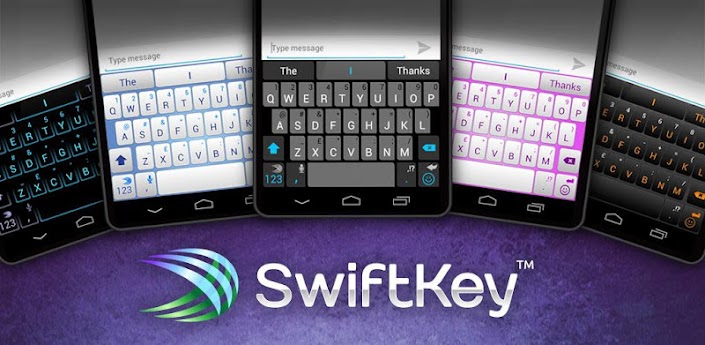
    SwiftKey 3 understands how words work together, giving much more accurate corrections and predictions than other keyboards. Very sloppy typing will magically make sense, even if you miss spaces, and SwiftKey 3 also predicts your next words.
    SwiftKey 3 learns the words and phrases you use, and how you interact with your keyboard as you use it, to make typing easier and even more accurate over time. You can also personalize it using your Gmail, Facebook, Twitter or blog posts.
    SwiftKey is among Android's best selling apps for a reason -- it transforms your keyboard, making typing a breeze and saving you hassle every day.
    Here’s what’s new:
    * Smart Space – adding to SwiftKey’s already cutting edge correction, Smart Space detects mistyped or omitted spaces across strings of sloppily typed words in real-time.
    * Two new themes – a new theme, ‘Cobalt’, to match SwiftKey’s new look and feel, and an Ice Cream Sandwich-styled ‘Holo’ theme, as voted for by SwiftKey’s VIP community.
    * An enhanced UI – a much larger space bar and smart punctuation key help improve accuracy and make it quick and easy to access common punctuation. Just tap and slide left on the period for exclamation point, or tap and slide right for question mark. No need to long-press.
    * Additional languages – SwiftKey 3 now offers support for an additional seven languages, bringing the total up to 42. The new languages are Korean, Estonian, Farsi, Icelandic, Latvian, Lithuanian and Serbian. And of course, you can still enable up to three at once.
    FULL LANGUAGE SUPPORT:
    English (US)
    English (UK)
    English (AU)
    Afrikaans
    Arabic
    Basque
    Bulgarian
    Catalan
    Croatian
    Czech
    Danish
    Dutch
    Estonian
    Finnish
    French (CA)
    French (FR)
    Galician
    German
    Greek
    Hebrew
    Hungarian
    Icelandic
    Indonesian
    Italian
    Kazakh
    Korean
    Latvian
    Lithuanian
    Malay
    Norwegian
    Persian (Farsi)
    Polish
    Portuguese (BR)
    Portuguese (PT)
    Romanian
    Russian
    Serbian
    Slovak
    Slovenian
    Spanish (ES)
    Spanish (US)
    Swedish
    Turkish
    Ukrainian
    Urdu
    Support for QWERTY, QWERTZ, QZERTY, AZERTY, DVORAK, COLEMAK, Arabic, Bulgarian, Greek, Hebrew, Korean, Persian (Farsi), Russian and Ukrainian layouts.

    $4.79


    downloadwi.gif


    AWRORA

    Well-known member
  • Mar 27, 2008
    15,186
    1,414
    113
    සිංහල බෞද්ධ රටේ...
    චිරි චිරි වැස්ස;13968538 said:
    smileys-free-download-3215.gif
    SwiftKey 3 Keyboard


    Px3-zQDKivSlEgxHPeESmkU9fRthmR7nEd_wzQgzi_qjhqbQfL7ekozcApuNUGL7BdI=w705


    Requirements: Android v2.1+
    Overview:
    Unlock your typing potential
    ****End of Summer Sale. Get SwiftKey for 75% off****

    * Webby Awards People’s Voice Winner for Innovation, 2012 *
    * Mobile World Congress Award Winner for Innovation, 2012 *

    Unlock your typing potential.Get SwiftKey 3 – the best keyboard on Android!
    #1 selling app in 30 countries - over 1 ½ million sold
    60,000 5✮ reviews
    Multiple award-winner, including “Most Innovative Mobile App”
    Don’t miss out – get SwiftKey today
    ✮ Webby Awards People’s Voice Winner for Innovation, 2012 ✮
    ✮ Mobile World Congress Award Winner for Innovation, 2012 ✮
    Meet the world’s smartest touchscreen keyboard for Android.
    SwiftKey 3 understands how words work together, giving much more accurate corrections and predictions than other keyboards. Very sloppy typing will magically make sense, even if you miss spaces, and SwiftKey 3 also predicts your next words.
    SwiftKey 3 learns the words and phrases you use, and how you interact with your keyboard as you use it, to make typing easier and even more accurate over time. You can also personalize it using your Gmail, Facebook, Twitter or blog posts.
    SwiftKey is among Android's best selling apps for a reason -- it transforms your keyboard, making typing a breeze and saving you hassle every day.
    Here’s what’s new:
    * Smart Space – adding to SwiftKey’s already cutting edge correction, Smart Space detects mistyped or omitted spaces across strings of sloppily typed words in real-time.
    * Two new themes – a new theme, ‘Cobalt’, to match SwiftKey’s new look and feel, and an Ice Cream Sandwich-styled ‘Holo’ theme, as voted for by SwiftKey’s VIP community.
    * An enhanced UI – a much larger space bar and smart punctuation key help improve accuracy and make it quick and easy to access common punctuation. Just tap and slide left on the period for exclamation point, or tap and slide right for question mark. No need to long-press.
    * Additional languages – SwiftKey 3 now offers support for an additional seven languages, bringing the total up to 42. The new languages are Korean, Estonian, Farsi, Icelandic, Latvian, Lithuanian and Serbian. And of course, you can still enable up to three at once.
    FULL LANGUAGE SUPPORT:
    English (US)
    English (UK)
    English (AU)
    Afrikaans
    Arabic
    Basque
    Bulgarian
    Catalan
    Croatian
    Czech
    Danish
    Dutch
    Estonian
    Finnish
    French (CA)
    French (FR)
    Galician
    German
    Greek
    Hebrew
    Hungarian
    Icelandic
    Indonesian
    Italian
    Kazakh
    Korean
    Latvian
    Lithuanian
    Malay
    Norwegian
    Persian (Farsi)
    Polish
    Portuguese (BR)
    Portuguese (PT)
    Romanian
    Russian
    Serbian
    Slovak
    Slovenian
    Spanish (ES)
    Spanish (US)
    Swedish
    Turkish
    Ukrainian
    Urdu
    Support for QWERTY, QWERTZ, QZERTY, AZERTY, DVORAK, COLEMAK, Arabic, Bulgarian, Greek, Hebrew, Korean, Persian (Farsi), Russian and Ukrainian layouts.

    $4.79


    downloadwi.gif


    smileys-free-download-3215.gif
    smileys-free-download-3215.gif
    smileys-free-download-3215.gif
    smileys-free-download-3215.gif
    smileys-free-download-3215.gif
    smileys-free-download-3215.gif
    smileys-free-download-3215.gif
    smileys-free-download-3215.gif
    smileys-free-download-3215.gif
    smileys-free-download-3215.gif
    smileys-free-download-3215.gif
    smileys-free-download-3215.gif
    smileys-free-download-3215.gif
    smileys-free-download-3215.gif
    smileys-free-download-3215.gif
    smileys-free-download-3215.gif


    :cool::cool::cool:
    :cool::cool::cool:
    :cool::cool::cool:
     

    Pink panther

    Well-known member
  • Nov 8, 2011
    23,234
    3,133
    113
    35
    ~ ση тнє ƒℓσω ~
    English (US)
    English (UK)
    English (AU)
    Afrikaans
    Arabic
    Basque
    Bulgarian
    Catalan
    Croatian
    Czech
    Danish
    Dutch
    Estonian
    Finnish
    French (CA)
    French (FR)
    Galician
    German
    Greek
    Hebrew
    Hungarian
    Icelandic
    Indonesian
    Italian
    Kazakh
    Korean
    Latvian
    Lithuanian
    Malay
    Norwegian
    Persian (Farsi)
    Polish
    Portuguese (BR)
    Portuguese (PT)
    Romanian
    Russian
    Serbian
    Slovak
    Slovenian
    Spanish (ES)
    Spanish (US)
    Swedish
    Turkish
    Ukrainian
    Urdu
     

    DonDuli

    Member
    Oct 23, 2012
    1,074
    380
    0
    Nugegoda
    Machn..
    mate tyenne samsung galaxy y ekak...
    eke msg ekak kotanna giyama hena amarui.screen size eka podi ne.itin keybrd eka screen eken 80% wath wena widiyata hadanna puluwan app ekak daapankoo..msg kotannaa....
    thankuu wewaaa


    :confused::confused::confused:
     
    UPDATESPIN6.GIF
    GO Power Master Premium v3.0

    Requirements: Android v2.1+
    Overview: GO Power Master is a professional tool to help you save the power of the battery
    qiqbP.jpg


    The previous version may have a battery consumption problem. We have fixed it now. Please update to the latest version.

    New features:
    1. Decreased the power consumption
    2. Eliminated the annoying pop-up window
    3. Crashing when open the consumption detail interface


    GO Power Master is a professional management tool represented by GO Dev team to help you monitor and save the power of your battery.

    Characteristics:

    1. Functional module management:
    GO Power Master will decrease the power loss by managing the network, the radio, the brightness and other power consumed modules of your mobile phone

    2. Running applications monitoring:
    GO Power Master will help you to find out the most power consumed applications by precisely monitoring and analyzing the power consuming of every running application.

    3. Smart power saving:
    GO Power Master will smartly switch to the saving mode when the power is low or the time you set is reached.

    4. Time statistics
    GO Power Master will precisely calculate the time statistics for endurance, calls, video, audio, network and standby of your battery.

    5. One-Touch Optimization helps you to lighten the load of your battery easily.

    6. Modes help you to use the battery selectively and wisely.

    7. The GO Power Master widgets provide you the way to handle the power quickly without opening the application.

    8. More widgets, more functionalities with GO Launcher EX.

    How to add the GO Power Master widgets?
    -Long press the home screen, select “Widget” and select “GO Power Master (4*1)”. Make sure there’re enough spaces in your home screen.

    -If you have already installed GOLauncher EX, you can use the cool GO Power Master GOWidgets with more functions and more effects.

    Copyright © 2004-2012 3G.cn All Rights Reserved.

    Recent changes:
    1. (New) Support controlling toggles in status bar.
    2. (Fixed) Switch mode by time does not work in 0:00.
    3. (Improvement) Charging mode helps you manage your charging record more efficiently.
    4. (Fixed) If you have installed the beta version from our blog, please uninstall GO Power Master and reinstall it. The beta version may disable the function of charging history.
    Less description »

    Latest version: 3.0 (, supports App2SD)

    Note: all premium features enabled.

    This app has NO advertisement

    downloadwi.gif


    HML

    Well-known member
  • Oct 25, 2008
    4,260
    515
    113
    කළුතර/මතුගම
    චිරි චිරි වැස්ස;13980777 said:
    UPDATESPIN6.GIF
    GO Power Master Premium v3.0

    Requirements: Android v2.1+
    Overview: GO Power Master is a professional tool to help you save the power of the battery
    qiqbP.jpg


    The previous version may have a battery consumption problem. We have fixed it now. Please update to the latest version.

    New features:
    1. Decreased the power consumption
    2. Eliminated the annoying pop-up window
    3. Crashing when open the consumption detail interface


    GO Power Master is a professional management tool represented by GO Dev team to help you monitor and save the power of your battery.

    Characteristics:

    1. Functional module management:
    GO Power Master will decrease the power loss by managing the network, the radio, the brightness and other power consumed modules of your mobile phone

    2. Running applications monitoring:
    GO Power Master will help you to find out the most power consumed applications by precisely monitoring and analyzing the power consuming of every running application.

    3. Smart power saving:
    GO Power Master will smartly switch to the saving mode when the power is low or the time you set is reached.

    4. Time statistics
    GO Power Master will precisely calculate the time statistics for endurance, calls, video, audio, network and standby of your battery.

    5. One-Touch Optimization helps you to lighten the load of your battery easily.

    6. Modes help you to use the battery selectively and wisely.

    7. The GO Power Master widgets provide you the way to handle the power quickly without opening the application.

    8. More widgets, more functionalities with GO Launcher EX.

    How to add the GO Power Master widgets?
    -Long press the home screen, select “Widget” and select “GO Power Master (4*1)”. Make sure there’re enough spaces in your home screen.

    -If you have already installed GOLauncher EX, you can use the cool GO Power Master GOWidgets with more functions and more effects.

    Copyright © 2004-2012 3G.cn All Rights Reserved.

    Recent changes:
    1. (New) Support controlling toggles in status bar.
    2. (Fixed) Switch mode by time does not work in 0:00.
    3. (Improvement) Charging mode helps you manage your charging record more efficiently.
    4. (Fixed) If you have installed the beta version from our blog, please uninstall GO Power Master and reinstall it. The beta version may disable the function of charging history.
    Less description »

    Latest version: 3.0 (, supports App2SD)

    Note: all premium features enabled.

    This app has NO advertisement

    downloadwi.gif


    Elazzzz :cool::cool::cool:
     
    Titanium Backup Pro v5.7.2
    k7XdgPkOfO6ySrxj5VTPYKCv_ncn11AJyoFiNReu3CC4YB4Mk4MRx-YExABrLT_oJ4IN=w705

    Extremely powerful tool. Backup All apps, Market links, remove bloatware & Mre! Updated: November 20, 2012
    Current Version 5.7.2
    Requires Android 1.0+ ROOT
    Category: Tools
    Titanium Backup is the most powerful backup tool on Android, and then some. You can backup, restore, freeze (with Pro) your apps + data + Market links. This includes all protected apps & system apps, plus external data on your SD card. You can do 0-click batch & scheduled backups. Backups will operate without closing any apps (with Titanium Backup Pro). You can move any app (or app data) to/from the SD card. You can browse any app’s data and even query the Market to see detailed information about the app.


    Titanium Backup Pro Features


    • Multiple backups app
    • 0-click batch restore
    • Backup/restore SMS,MMS,calls,bookmarks,Wi-Fi AP as XML
    • Multi-user support for some apps! (eg: games)
    • Batch verification
    • Backup apps without closing them!
    • Restore individual apps+data from non-root ADB backups!
    • Restore individual apps+data from CWM backups!
    • Restore individual apps+data from TWRP backups!
    • Hypershell speed
    • Migrate system data across different ROMs
    • Market Doctor (relink apps to Market)
    • “Destroy all Market links” feature
    • Apps freezer (incl. batch support)
    • Market “auto updating” manager
    • Convert user apps system apps
    • Encryption
    • Unlimited schedules
    • Sync to/from Dropbox (manual/scheduled)
    • Sync to/from Box (manual/scheduled)
    • Sync to/from Google Drive (manual/scheduled)
    • Load/Save a Filter and use it in Widgets/Schedules
    • Change the device’s Android ID, restore it from a backup or after a factory reset
    • Protect backup against deletion
    • Send backup (to e-mail/cloud) and import it in 1 click
    • Backup→Verify→Un-install an app in one shot
    • Freeze/defrost/launch apps in a single click
    • CSV export any app DB (e-mail or Google Docs)
    • Brand the app with your name
    • Bloatware Melter (experimental)
    • Convert app data to/from faster WAL DB format
    • Dalvik cache cleaner
    • Integrate system app updates into ROM
    • Move apps into ROM
    • Integrate Dalvik cache system elements into ROM

    Whats New in Titanium Backup Pro v5.7.2


    • Titanium Backup Pro Added support for extracting apps+data from split (> 1.5 GB) TWRP backups.
    • Fixed a bug that caused the app list to appear as empty, if corrupted file names were present in the backup folder.
    • Titanium Backup Pro Fixed incorrect error message when attempting to use “Extract from ADB backup” without a file picker installed.
    • Minor UI improvements.
    • Updated translations.
    BUY $6.16


    downloadwi.gif