
Latest ads
-
 AWS Certified Solutions Architect-Associate + AWS Certified Cloud Practitioner
- Sanjeewani95
- Updated:
-
 🚀 එක පැකේජ් එකයි - මාසෙටම Unlimited Internet! 🌐
- sayuru bandara
- Updated:
-
 🎬 CapCut Pro 1 Month Access! LKR 600
- sayuru bandara
- Updated:
-
 🚀 Google One AI PRO Plan (Gemini Pro Activation) – 18 Months Access! LKR 2200
- sayuru bandara
- Updated:
-
 Canva Pro Lifetime Own Mail Activation LKR 500
- sayuru bandara
- Updated:
You are using an out of date browser. It may not display this or other websites correctly.
You should upgrade or use an alternative browser.
You should upgrade or use an alternative browser.
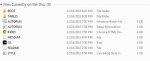

මම cd එකට ෆයිල් රයිට් කරපු විදිය වැරදිද දන්නේ නෑ බන්..පොඩ්ඩක් කියපන් දැන් මේ ඩවුන්ලෝඩ් කරගන්න ෆයිල් එක කොහොමද රයිට් කරගන්නේ..zip ෆයිල් එකක්නේ ඩවුන්ලෝඩ් වෙන්නේ?
මම ගත්තේ Live CD එක. ISO file format එක. Daemon tools හරි Nero වලින් හරි එක CD එකකට ගහපං...

How to Reset Your Forgotten Windows Password the Easy Way
Forgetting your password is never any fun, but luckily there’s a really easy way to reset the password.
All you need is a copy of the Windows installation disk and one simple command line trick.
Resetting Your Forgotten Windows Password
Boot off the Windows disk and select the “Repair your computer” option from the lower left-hand corner.
Follow through until you get to the option to open the Command Prompt, which you’ll want to select.
First you’ll want to type in the following command to backup the original sticky keys file:
copy c:\windows\system32\sethc.exe c:\
Then you’ll copy the command prompt executable (cmd.exe) over top of the sticky keys executable:
copy c:\windows\system32\cmd.exe c:\windows\system32\sethc.exe
Now you can reboot the PC.
Resetting the Password
Once you get to the login screen, hit the Shift key 5 times, and you’ll see an administrator mode command prompt.
Now to reset the password—just type the following command, replacing the username and password with the
combination you want:
net user geek MyNewPassword
That’s all there is to it. Now you can login.
Of course, you’ll probably want to put the original sethc.exe file back, which you can do by rebooting
into the installation CD, opening the command prompt, and copying the c:\sethc.exe file back to
c:\windows\system32\sethc.exe.
Password eka replace karanna ithin kiyanna one nahane......sinhala kotanna baha sorry... mage personal file eke copy ekak oya damme
සියලු සත්වයො ....
නිදුක් වෙත්වා... නීරොගි වෙත්වා ..... සුවපත් වෙත්වා..... දුකින් මිදෙත්වා....
ඔහොම වින්ඩොව්ස් cd එකෙන් රෙපයාර් කරන්න ගිහින් os එකට කෙලවුනොත් ඉවරයි බන්..අපේ තියෙන්නෙත් ජෙනුයින් වින්ඩොව්ස්...වෙන විදියක් නැද්ද risk එක අඩු..
මම ගත්තේ Live CD එක. ISO file format එක. Daemon tools හරි Nero වලින් හරි එක CD එකකට ගහපං...
මාත් එක තමයි බන් ගත්තේ..

On karapu gaman system check karanna kalin f8 button eka obala safe mode log wenana. ita passe oto install keyloogger ekak danna. vires gard eka leda dammoth eke systemfile 2, 3k pallehain dala thiyena soft eken delete karanna. ohoma korala mama password wenas karala thiyenawa. habai thiyena password eka mokakda kiyala dana ganna nam ita adala key logger ekak bawitha karanna.
Soft eka>> http://www.webpotha.com/2013/07/unlocker.html
ATH HADA BALIMA SADAHA PAMANAI..
Soft eka>> http://www.webpotha.com/2013/07/unlocker.html
ATH HADA BALIMA SADAHA PAMANAI..


On karapu gaman system check karanna kalin f8 button eka obala safe mode log wenana. ita passe oto install keyloogger ekak danna. vires gard eka leda dammoth eke systemfile 2, 3k pallehain dala thiyena soft eken delete karanna. ohoma korala mama password wenas karala thiyenawa. habai thiyena password eka mokakda kiyala dana ganna nam ita adala key logger ekak bawitha karanna.
Soft eka>> http://www.webpotha.com/2013/07/unlocker.html
ATH HADA BALIMA SADAHA PAMANAI..
එල බන් කරලා බලන්නම්...
 .....එත් දැන් තියන එක දැනගන්න තියනවා නම් හොදයි බන්..
එහෙනං දන්නේ නෑ මචං... මම මගේ යාළුවො දෙතුන්දෙනෙකුගෙම අමතක වෙච්ච පාස්වර්ඩ් අරන් දුන්නේ මේකෙන්... XP, WIN7 Live CD දෙකම මටනම් වැඩ කලා....
Meka weda ban eth server eken admin password dalanam bae network ekata connect karala dapu ekaknam ba


Meka weda ban eth server eken admin password dalanam bae network ekata connect karala dapu ekaknam ba
naa ban individual dala thiyenne p/w
machn. uba ERD commander 2005 kiyana eka use larala kadapan
kadanna nemei ban onaaaaaaaa....dala thyna eka danaganna...kadala unge eka wenas kroth aulak...


මන් කියන්නම්. ඕකට හැකර් කෙනෙක් ඕනි නෑ. මොලේ ටිකක් කලසපන්. ගනින් නිල් බල්බ කුඩු ටිකක් ගාපන් යතුරුපුවරුවේ. ඊට පස්සේ වැදලා. එක පාරක් පාස්වොර්ඩ් එක ගහන්ඩ කියපන්. ඊට පසුව නිල් ආලෝකයක් අරන් ඇවිල්ල බලහන්

වින්ඩොව්ස් 8 වල කරන විදිය දන්න එකෙක් ඉන්නව නම් දැනුවත් කරපන්

Hiran aken try karapan machn
 machan meken kadanna witharai puluwan Password 1ka danaganna bhane..
මන් කියන්නම්. ඕකට හැකර් කෙනෙක් ඕනි නෑ. මොලේ ටිකක් කලසපන්. ගනින් නිල් බල්බ කුඩු ටිකක් ගාපන් යතුරුපුවරුවේ. ඊට පස්සේ වැදලා. එක පාරක් පාස්වොර්ඩ් එක ගහන්ඩ කියපන්. ඊට පසුව නිල් ආලෝකයක් අරන් ඇවිල්ල බලහන්
එහෙම කරන්න තිබ්බ උන් ඇවිල්ලා පාස්වර්ඩ් ගහනවා නම් බන්..උන් එහෙ ඉදන් VNC වලින් පාස්වර්ඩ් ගහන්නේ..

මට කියපන් වැඩකරුවෙක් ඉන්නවා නම් ඇඩ්මින් පාස්වර්ඩ් දාපු කොම්පියුටර් එකක ඇඩ්මින් පාස්වර්ඩ් එක දැනගන්න විදියක් user අකවුන්ට් එක හරහා...මට ඕන පාස්වර්ඩ් එක කඩන්නවත්,වෙන විදියකින් ඇතුලට යන්නවත් නෙමෙයි.දාලා තියන පාස්වර්ඩ් එක මොකක්ද දැනගන්න...මේකේ ඉන්නේ කම්පියුටර් කාපු උන්නේ...කියපන්කො බලන්න එකෙක්වත් අඩුමගානේ හරියන වැඩක්...
පාස්වර්ඩ් එක දැනගන්න විතරද උඹට ඕනේ..?

Similar threads

- Replies
- 11
- Views
- 2K


- Replies
- 289
- Views
- 40K


- Replies
- 79
- Views
- 28K


- Replies
- 89
- Views
- 15K
